
መግቢያ
This manual provides essential instructions for the safe installation, operation, and maintenance of your APC AP7922 32A 230V Switched Rack PDU. The AP7922 is a rack-mountable power distribution unit designed to provide advanced power control and monitoring capabilities for IT equipment in data centers and server rooms. It features AC 230V input, Ethernet 10/100 connectivity, and 16 output connectors, all within a 2U, 19-inch form factor.
ጠቃሚ የደህንነት መረጃ
Please read and understand all safety instructions before installing or operating this equipment. Failure to follow these instructions could result in electric shock, fire, or serious injury.
- ይህ መሳሪያ ለቤት ውስጥ አገልግሎት ብቻ የታሰበ ነው።
- Connect the PDU to a properly grounded power source.
- PDU ለመክፈት ወይም ለመጠገን አይሞክሩ። ሁሉንም አገልግሎቶች ብቁ ለሆኑ ሰራተኞች ያስተላልፉ።
- Ensure the total current draw of connected equipment does not exceed the PDU's maximum current rating (32 Ampሰ)
- ማንኛውንም የጥገና ወይም የመጫኛ ሂደቶችን ከማከናወንዎ በፊት የኃይል አቅርቦቱን ያላቅቁ።
የጥቅል ይዘቶች
ሲፈቱ ሁሉም እቃዎች መገኘታቸውን ያረጋግጡ፡-
- APC AP7922 Switched Rack PDU
- የመጫኛ መመሪያ
- መደርደሪያ-ማሰሻ ቅንፍ
- Serial configuration cable
- ሰነድ ሲዲ
የምርት ባህሪያት
The APC AP7922 Switched Rack PDU offers the following key features:
- የተቀየረ መውጫዎች፡- Remotely control power to individual outlets for power cycling, delayed sequencing, and load shedding.
- የአውታረ መረብ አስተዳደር፡ Full-featured network management interface via Ethernet 10/100 for remote monitoring and control.
- ወቅታዊ ክትትል፡ Monitor the aggregate current draw per PDU to prevent circuit overloads.
- መደርደሪያ-ተፈናቃይ ንድፍ; Occupies 2U of rack space, compatible with standard 19-inch racks.
- የውጤት ማያያዣዎች; Equipped with 16 C13 output connectors.
- ግብዓት Voltage: Supports AC 230V input.
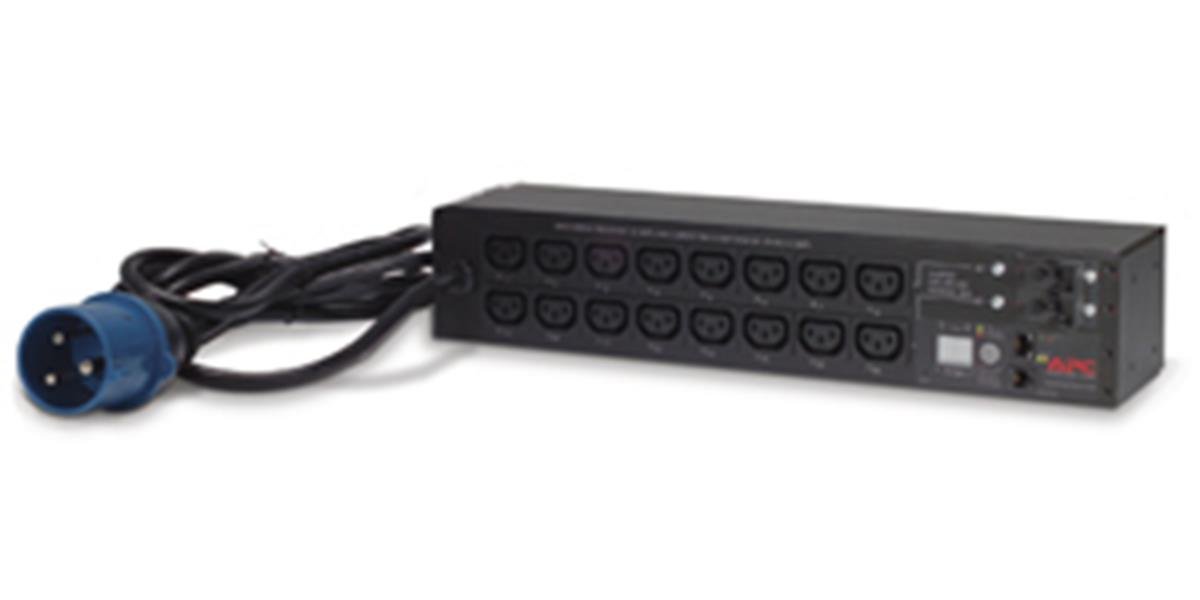
ምስል፡ ፊት ለፊት view of the APC AP7922 Switched Rack PDU, showing the 16 C13 outlets and network interface.
የማዋቀር መመሪያዎች
1. የመደርደሪያ መጫኛ
- Identify two available 2U spaces in your standard 19-inch equipment rack.
- Attach the provided rack-mounting brackets to the PDU using the screws supplied.
- Secure the PDU into the rack using appropriate rack screws. Ensure it is firmly seated and level.
2. የኃይል ግንኙነት
- Connect the PDU's input power cord to a dedicated 230V, 32A power source. Ensure the power source is properly grounded.
- Do not overload the circuit. Verify that the total load of connected devices will not exceed 32 Amps.
3. የአውታረ መረብ ግንኙነት
- Connect a standard Ethernet cable from the PDU's network port to your network switch or router.
- The PDU will obtain an IP address via DHCP by default. Refer to the full user manual for static IP configuration.
የአሠራር መመሪያዎች
Powering On/Off Connected Devices
Once the PDU is powered and connected to the network, you can manage its outlets remotely.
- Access the PDU's web በይነገጽ የአይፒ አድራሻውን ወደ ሀ web አሳሽ.
- Log in using the default credentials (refer to the full manual for details).
- Navigate to the outlet control section. From here, you can individually switch on, switch off, or cycle power to each of the 16 C13 outlets.
Monitoring Current Draw
የ web interface also provides real-time monitoring of the aggregate current draw. This allows you to ensure that the PDU and its connected circuit are not overloaded.
ጥገና
- ማጽዳት፡ Periodically clean the exterior of the PDU with a soft, dry cloth. Do not use liquid cleaners or solvents.
- የጽኑዌር ዝማኔዎች ፦ APC ን ይፈትሹ website for available firmware updates to ensure optimal performance and security. Follow the instructions provided with the firmware package for safe updating.
- የኬብል አስተዳደር Ensure all power and network cables are neatly routed and secured to prevent accidental disconnections or damage.
መላ መፈለግ
| ችግር | ሊሆን የሚችል ምክንያት | መፍትሄ |
|---|---|---|
| PDU does not power on. | የግቤት ኃይል የለም፤ የተዘበራረቀ የወረዳ መቆራረጫ። | Verify the power cord is securely connected. Check the building's circuit breaker for the PDU's power source. |
| መድረስ አልተቻለም web በይነገጽ. | Incorrect IP address; network connectivity issue; PDU not powered. | Ensure the PDU is powered on. Verify network cable connection. Confirm the correct IP address. Check network settings. |
| Outlets do not switch. | Software issue; PDU fault. | Try restarting the PDU. If the issue persists, contact technical support. |
| ከመጠን በላይ መጫን ማንቂያ። | Total current draw exceeds PDU rating. | Disconnect non-essential equipment to reduce the load. Redistribute equipment across multiple PDUs if necessary. |
ቴክኒካዊ ዝርዝሮች
| ባህሪ | ዝርዝር |
|---|---|
| የሞዴል ቁጥር | ኤፒ7922 |
| የምርት ስም | ፒ.ሲ. በ Schneider Electric |
| የቅጽ ምክንያት | 2U Rack-mountable, 19-inch |
| ግብዓት Voltage | 230 tsልት ኤሲ |
| የአሁን ግቤት | 32 Amps |
| የውጤት ቁtage | 230 tsልት ኤሲ |
| የውጤት ወቅታዊ | 32 Ampዎች (ማክስ) |
| የወጪዎች ብዛት | 16 |
| የማገናኛ አይነት | C13 |
| አውታረ መረብ በይነገጽ | ኤተርኔት 10/100 |
| ዋትtage | 7360 ዋት |
| ልኬቶች (H x W x D) | 4.49 x 17.52 x 3.5 ኢንች |
| ክብደት | 0.7 ኪ |
| ቁሳቁስ | ብረት |
| ቀለም | ጥቁር |
ዋስትና እና ድጋፍ
የዋስትና መረጃ
የAPC ምርቶች በተለምዶ መደበኛ የአምራች ዋስትና ይዘው ይመጣሉ። እባክዎን ከምርትዎ ጋር የተካተተውን የዋስትና ካርድ ይመልከቱ ወይም ኦፊሴላዊውን የAPC ይጎብኙ። website for detailed warranty terms and conditions specific to the AP7922 model.
የቴክኒክ ድጋፍ
For technical assistance, troubleshooting, or to report issues, please contact APC customer support. You can find contact information and additional resources on the official Schneider Electric webጣቢያ፡