
1. መግቢያ
The TP-Link TL-R480T+ Load Balance Broadband Router is a robust networking device designed for small and medium businesses. It features 5 ports, with up to 4 configurable WAN ports, allowing for multiple internet connections to be utilized simultaneously. This router enhances network reliability and bandwidth through its intelligent load balancing capabilities, ensuring optimal performance for various network demands.
ቁልፍ ባህሪዎች
- Multi-WAN Ports: Up to 4 configurable WAN/LAN ports for flexible internet connectivity.
- Load Balance: Automatically distributes data streams according to the bandwidth proportion of each WAN port, maximizing multi-line broadband utilization.
- Advanced Firewall: Provides robust security against external threats.
- Bandwidth Control: Manages bandwidth allocation for specific users or applications.
- Port Mirroring: Allows network traffic to be monitored.
- DDNS, UPnP, VPN Pass-through: Supports various network protocols for enhanced functionality.
2. የጥቅል ይዘቶች
Please verify that all items listed below are included in your package. If any item is missing or damaged, please contact your retailer or TP-Link support.
- TL-R480T+ Load Balance Broadband Router
- የኃይል ገመድ
- RJ-45 ኤተርኔት ገመድ
- የመጫኛ መመሪያ
- የመረጃ ሲዲ
3. የማዋቀር መመሪያ
3.1 የሃርድዌር ጭነት
Follow these steps to connect your TL-R480T+ router:
- ኃይል ዝጋ: Disconnect power from your modem and any existing routers.
- WAN ያገናኙ፦ Connect your modem's Ethernet cable to the WAN port (Port 1) on the TL-R480T+. If you have multiple internet connections, connect additional modems to the WAN/LAN ports (Ports 2-4) configured as WAN.
- LANን ያገናኙ፦ Connect your computer or a network switch to any of the LAN ports (Port 5, or Ports 2-4 if configured as LAN) using an Ethernet cable.
- አብራ፡ Connect the power adapter to the router and plug it into a power outlet. Power on your modem first, then the router.

Figure 3.1: Front panel of the TL-R480T+ router, illustrating the WAN, WAN/LAN, and LAN ports, along with LED indicators.
3.2 የመጀመሪያ ውቅር
ወደ ራውተሩ ለመድረስ webየአስተዳደር በይነገጽ;
- ኮምፒውተርዎ ከራውተሩ የላን ወደብ ጋር መገናኘቱን ያረጋግጡ።
- ክፈት ሀ web አሳሽ (ለምሳሌ Chrome፣ Firefox፣ Edge)።
- በአድራሻ አሞሌው ውስጥ፣ ነባሪውን የአይፒ አድራሻ ይተይቡ፡ 192.168.0.1 እና አስገባን ይጫኑ።
- የመግቢያ መስኮት ይመጣል። ነባሪው የተጠቃሚ ስም እና የይለፍ ቃል ሁለቱም ናቸው አስተዳዳሪ (ሁሉም ንዑስ ፊደላት)።
- Follow the on-screen Quick Setup Guide to configure your WAN connections and basic network settings. It is highly recommended to change the default login credentials for security.
4. የአሠራር መመሪያዎች
4.1 Load Balance Functionality
The TL-R480T+ intelligently distributes internet traffic across multiple WAN connections to optimize bandwidth usage and provide redundancy. You can configure load balancing policies through the web interface under the 'Load Balance' section. Options typically include:
- Link Backup: Designate a primary WAN and a backup WAN. If the primary fails, traffic automatically switches to the backup.
- Policy Routing: Define rules to route specific types of traffic or traffic from certain IP addresses through a particular WAN port.
- Bandwidth Based Balance: Distribute traffic based on the configured bandwidth of each WAN port.
4.2 WAN/LAN Port Configuration
Ports 2, 3, and 4 on the TL-R480T+ are configurable, meaning they can function as either WAN or LAN ports. This flexibility allows you to adapt the router to your specific network needs, whether you require more internet connections or more internal network ports. Configuration is performed within the router's web management interface under the 'Network' or 'WAN' settings.
4.3 የላቁ ባህሪያት
The router offers several advanced features to enhance network management and security:
- ፋየርዎል፡ Configure rules to filter incoming and outgoing network traffic, protecting your network from unauthorized access and attacks.
- Port Bandwidth Control: Manage the upload and download speeds for specific IP addresses or IP ranges within your network.
- ፖርት ሚረር፡ የፓኬቶችን ቅጂ ከአንድ ወደብ ወደ ሌላ ለትንተና በመላክ የአውታረ መረብ ትራፊክን ይከታተሉ።
- DDNS (ተለዋዋጭ ዲ ኤን ኤስ)፦ የሕዝብ አይፒ አድራሻዎ ቢቀየርም እንኳ የጎራ ስም በመጠቀም የአውታረ መረብ ሀብቶችዎን በርቀት እንዲደርሱበት ያስችልዎታል።
- UPnP (Universal Plug and Play): Enables automatic discovery and configuration of network devices.
- የቪፒኤን ማለፍ፡- Supports VPN tunnels to allow secure remote access to your network.
5. ጥገና
Regular maintenance ensures the optimal performance and longevity of your TL-R480T+ router:
- የጽኑዌር ዝማኔዎች ፦ የ TP-Link ኦፊሴላዊውን በየጊዜው ያረጋግጡ webለቅርብ ጊዜ የጽኑ ትዕዛዝ ስሪቶች ጣቢያ። ፈርምዌርን ማዘመን አፈጻጸምን ማሻሻል፣ አዲስ ባህሪያትን ማከል እና የደህንነት ተጋላጭነቶችን ማስተካከል ይችላል።
- መደበኛ ዳግም ማስጀመር; ራውተሩን በየጥቂት ሳምንታት እንደገና ማስጀመር ማህደረ ትውስታውን ለማጽዳት እና ጥቃቅን የአፈጻጸም ችግሮችን ለመፍታት ይረዳል።
- አካላዊ ጽዳት; Keep the router in a well-ventilated area. Gently clean dust from the vents and ports using a soft, dry cloth or compressed air.
- የማዋቀር ምትኬ፡ የራውተርዎን የውቅር ቅንብሮች በመደበኛነት ምትኬ ያስቀምጡላቸው web interface. This allows for quick restoration in case of a factory reset or unexpected issues.
6. መላ መፈለግ
If you encounter issues with your TL-R480T+ router, refer to the following common problems and solutions:
- የበይነመረብ መዳረሻ የለም፡
- Check all cable connections between the modem, router, and computer.
- Verify that the WAN port LEDs on the router are lit, indicating a connection.
- ሞደምዎን እና ራውተርዎን በቅደም ተከተል እንደገና ያስጀምሩ (መጀመሪያ ሞደም፣ ከዚያም ራውተር)።
- Ensure your WAN settings in the router's web interface are correct (e.g., IP address, DNS).
- መድረስ አልተቻለም Web የአስተዳደር ገጽ፡
- Ensure your computer's IP address is in the same subnet as the router (e.g., 192.168.0.x).
- የአሳሽዎን መሸጎጫ ለማጽዳት ይሞክሩ ወይም የተለየ አሳሽ ይጠቀሙ።
- Verify the router's IP address (default is 192.168.0.1).
- ቀርፋፋ የአውታረ መረብ ፍጥነት፡
- Check the status of your internet service provider (ISP).
- Review load balancing settings to ensure optimal distribution.
- Check for any bandwidth control rules that might be limiting speed.
- Ensure the router is in a well-ventilated area to prevent overheating.
- የመግቢያ የይለፍ ቃል ረስተዋል፡
- Press and hold the Reset button on the router for about 5-10 seconds until the system LED blinks rapidly. This will restore the router to factory default settings (username/password: admin/admin). Note that this will erase all your custom configurations.
7. ቴክኒካዊ ዝርዝሮች
Below are the key technical specifications for the TP-Link TL-R480T+ Load Balance Broadband Router:
| ባህሪ | ዝርዝር መግለጫ |
|---|---|
| የምርት ስም | TP-Link |
| የሞዴል ስም | TL-R480T |
| የንጥል ሞዴል ቁጥር | FBA_TL-R480T+ |
| የገመድ አልባ አይነት | 802.11ac (Note: This router is primarily wired, this specification might refer to internal components or compatibility) |
| የግንኙነት ቴክኖሎጂ | Wi-Fi (Note: This router is primarily wired, this specification might refer to internal components or compatibility) |
| የስርዓተ ክወና ተኳኋኝነት | Linux, Microsoft Windows |
| የእቃው ክብደት | 3.52 ፓውንድ (በግምት 1.6 ኪግ) |
| የምርት ልኬቶች | 7.1 x 11.6 x 1.7 ኢንች (በግምት. 18 x 29.5 x 4.3 ሴሜ) |
| ቀለም | ጥቁር |
| ጥራዝtage | 100 ቮልት |
| መጀመሪያ የሚገኝ ቀን | ዲሴምበር 22፣ 2011 |
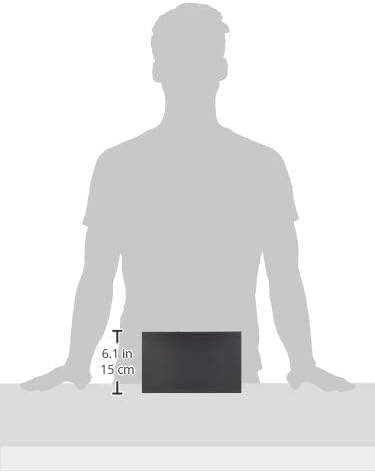
Figure 7.1: Illustrative image showing the approximate dimensions of the TL-R480T+ router.
8. የዋስትና መረጃ
TP-Link products are backed by a limited warranty. The specific terms and duration of the warranty may vary by region and product. For detailed warranty information, including coverage, limitations, and the process for making a warranty claim, please refer to the official TP-Link webየግዢ ደረሰኝዎን እንደ ግዢ ማረጋገጫ አድርገው ያስቀምጡት።
9. የቴክኒክ ድጋፍ
ለተጨማሪ እርዳታ፣ የቴክኒክ ድጋፍ ወይም የቅርብ ጊዜዎቹን ነጂዎች እና ፈርምዌር ለማውረድ፣ እባክዎን ኦፊሴላዊውን የቲፒ-ሊንክ ድጋፍ ይጎብኙ። webጣቢያ። በተለምዶ የተደጋጋሚ ጥያቄዎች፣ የመላ ፍለጋ መመሪያዎችን እና ለደንበኛ አገልግሎት የእውቂያ መረጃዎችን እዚያ ማግኘት ይችላሉ።
የቲፒ-ሊንክ ኦፊሴላዊ Webጣቢያ፡ https://www.tp-link.com/us/support/
When contacting support, please have your product model (TL-R480T+) and serial number ready.