
1. መግቢያ
Thank you for choosing the LiteOn eSAU108-97 External Recording DVD Drive. This portable optical drive offers reliable DVD and CD reading and writing capabilities, powered conveniently via a single USB connection. It is designed for use with laptops and other compatible devices, providing a compact and efficient solution for your optical media needs.
መሣሪያውን በአግባቡ እንዲሠራ እና የአገልግሎት ዘመኑን ከፍ ለማድረግ ከመጠቀምዎ በፊት ይህንን መመሪያ በደንብ ያንብቡ።
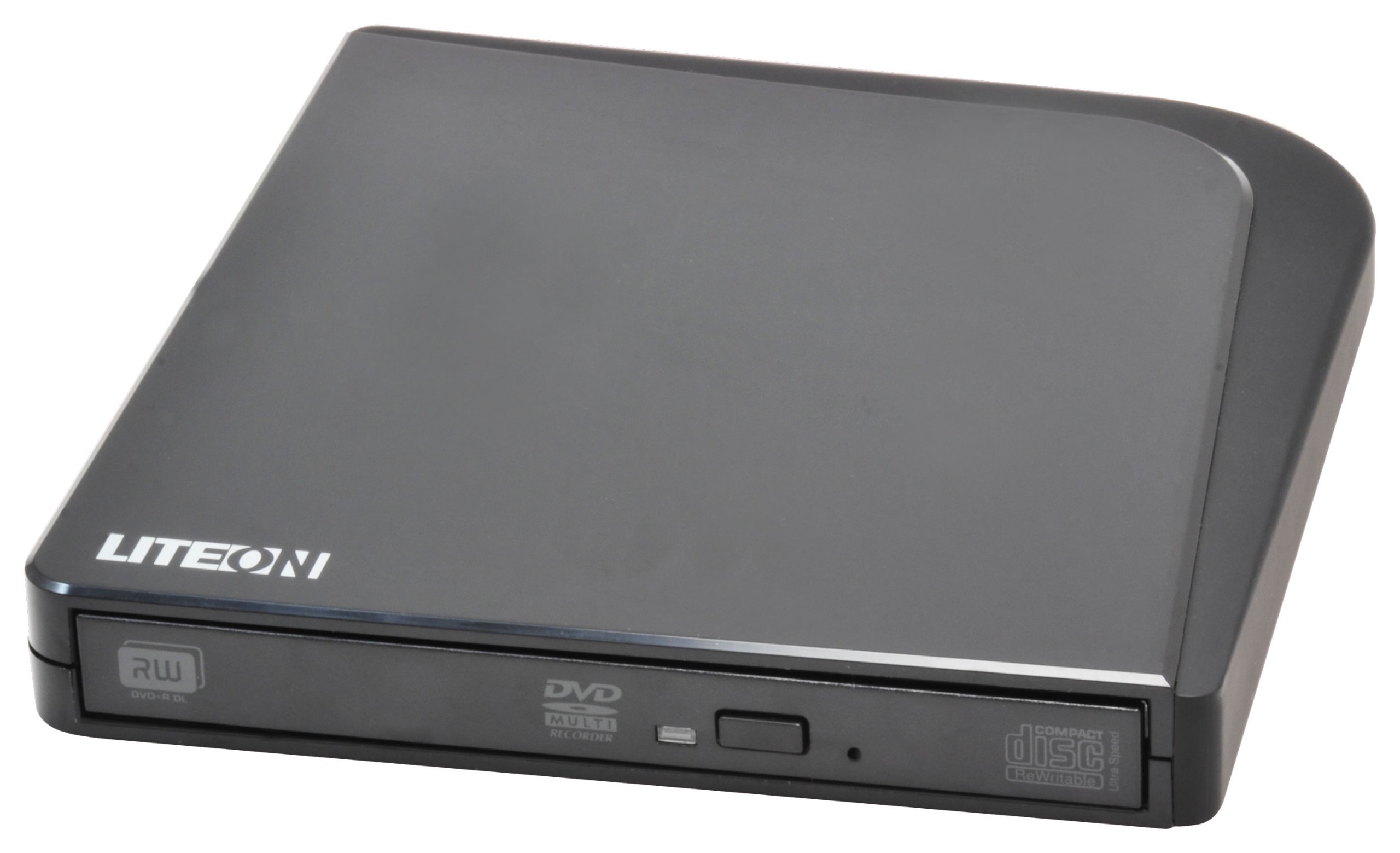
ምስል 1፡ LiteOn eSAU108-97 External Recording DVD Drive. This image displays the compact, black external DVD drive, highlighting its sleek design and the USB port for connectivity.
2. የጥቅል ይዘቶች
እባክዎ የጥቅል ይዘቱን በጥንቃቄ ያረጋግጡ። ማንኛቸውም እቃዎች ከጠፉ ወይም ከተበላሹ ወዲያውኑ ቸርቻሪዎን ያነጋግሩ።
- LiteOn eSAU108-97 External Recording DVD Drive
- USB Data/Power Cable
- ፈጣን ጅምር መመሪያ (ይህ መመሪያ)
3. ማዋቀር
3.1 የስርዓት መስፈርቶች
- Operating System: Windows XP/Vista/7/8/10/11, macOS 10.x or later, Linux (kernel 2.6 or later)
- የሚገኝ የዩኤስቢ 2.0 ወይም 3.0 ወደብ
- ቢያንስ 512 ሜባ ራም
- Minimum 10GB free hard disk space (for disc burning software and temporary files)
3.2 ድራይቭን በማገናኘት ላይ
- Locate an available USB port on your laptop or computer.
- Connect the smaller end of the provided USB cable to the USB port on the LiteOn eSAU108-97 drive.
- የዩኤስቢ ገመዱን ትልቁን ጫፍ ከኮምፒዩተርዎ ላይ ካለው የዩኤስቢ ወደብ ጋር ያገናኙ።
- The drive is bus-powered, meaning it draws power directly from the USB port. No external power adapter is required.
- የእርስዎ ኦፕሬቲንግ ሲስተም አስፈላጊ የሆኑትን ሾፌሮች በራስ-ሰር ማግኘት እና መጫን አለበት። ይህ ሂደት ጥቂት ጊዜ ሊወስድ ይችላል።
3.3 የአሽከርካሪዎች መጫኛ
The LiteOn eSAU108-97 is a plug-and-play device. Most modern operating systems will automatically install the required drivers upon connection. No manual driver installation is typically needed. If the drive is not recognized, try connecting it to a different USB port or restarting your computer.
4. አንጻፊውን መስራት
4.1 ዲስክን መጫን
- የዲስክ ትሪውን ለመክፈት በድራይቭ ፊት ለፊት ያለውን የማስወገጃ ቁልፍ ይጫኑ።
- Carefully place a CD or DVD onto the tray with the label side facing up. Ensure the disc is centered on the spindle.
- የዲስክ ትሪውን እስኪዘጋ ድረስ ቀስ ብለው ወደ ድራይቭው ይግፉት። ትሪውን አያስገድዱት።
4.2 Playing/Reading Discs
Once a disc is loaded, your operating system may automatically prompt you to choose an action (e.g., play a movie, open files). If not, navigate to 'My Computer' or 'This PC' (Windows) or 'Finder' (macOS), locate the optical drive icon, and double-click it to access the disc's contents.
4.3 Recording/Burning Discs
To record data, music, or video onto a blank CD-R/RW or DVD-R/RW disc, you will need compatible disc burning software (e.g., Windows Media Player, Nero, Roxio, or built-in macOS utilities). Follow the instructions provided with your chosen software to perform burning operations.
4.4 ዲስክን ማውጣት
- የሶፍትዌር ማውጣት፦ Right-click on the drive icon in 'My Computer'/'This PC' or 'Finder' and select 'Eject'.
- በእጅ ማውጣት፦ በድራይቭ ፊት ለፊት ያለውን የማስወገጃ ቁልፍ ይጫኑ።
- የአደጋ ጊዜ ማስወጣት; In case of power failure or if the eject button does not work, locate the small pinhole on the front of the drive. Insert a straightened paperclip into the pinhole and push gently until the tray partially opens. Then, pull the tray out manually.
5. ጥገና
5.1 ድራይቭን ማጽዳት
Keep the drive clean and free from dust. Use a soft, dry, lint-free cloth to wipe the exterior. Do not use liquid cleaners or abrasive materials. Avoid opening the drive casing, as this can damage internal components and void your warranty.
5.2 ዲስኮችን ማጽዳት
Always handle discs by their edges. If a disc is dirty, gently wipe it from the center outwards with a soft, lint-free cloth. Do not use circular motions, as this can cause scratches. For stubborn smudges, use a specialized disc cleaning solution.
5.3 ማከማቻ
When not in use, store the drive in a cool, dry place, away from direct sunlight, extreme temperatures, and high humidity. Keep it protected from dust and physical impact.
6. መላ መፈለግ
| ችግር | ሊሆን የሚችል ምክንያት | መፍትሄ |
|---|---|---|
| Drive በኮምፒውተር አልታወቀም። | Loose USB connection, insufficient power, driver issue, faulty USB port. | Ensure USB cable is securely connected. Try a different USB port. Restart your computer. Check Device Manager (Windows) or System Information (macOS) for the drive. |
| Disc not reading/writing | Dirty or scratched disc, incorrect disc type, faulty disc, drive lens dirty, incompatible software. | Clean the disc. Try a different disc. Ensure the disc type is compatible (CD-R/RW, DVD-R/RW). Use appropriate burning software. |
| የዲስክ ትሪ አይከፈትም/አይዘጋም | Obstruction, mechanical issue, power issue. | Check for obstructions. Ensure the drive is powered (connected via USB). Use the emergency eject hole if necessary. |
| ዘገምተኛ አፈጻጸም | USB 1.1 port, background processes, fragmented hard drive. | Connect to a USB 2.0 or 3.0 port. Close unnecessary applications. Ensure your computer meets system requirements. |
7. ዝርዝሮች
- ሞዴል፡ eSAU108-97
- በይነገጽ፡ ዩኤስቢ 2.0 (ከዩኤስቢ 3.0 ጋር ተኳሃኝ)
- ዓይነት፡- External Portable DVD Drive
- የሃርድዌር መድረክ፡ ላፕቶፕ
- የእቃው ክብደት፡ በግምት 1.2 ፓውንድ (0.54 ኪ.ግ)
- የጥቅል መጠኖች: 8.27 x 7.72 x 2.87 ኢንች (21 x 19.6 x 7.3 ሴሜ)
- ቀለም፡ ጥቁር
- የመሸጎጫ መጠን፡ 2 ሜባ
- ኃይል፡- የዩኤስቢ አውቶቡስ የተጎላበተ
- የሚደገፉ የዲስክ ቅርጸቶች፡ DVD-ROM, DVD-R, DVD-RW, DVD+R, DVD+RW, CD-ROM, CD-R, CD-RW
8. ዋስትና እና ድጋፍ
LiteOn products are designed and manufactured to the highest quality standards. This product is covered by a limited warranty from the date of purchase. Please refer to the warranty card included in your package or visit the official LiteOn webለዝርዝር የዋስትና ውሎች እና ሁኔታዎች ጣቢያ።
For technical support, troubleshooting assistance, or service inquiries, please visit the LiteOn support website or contact their customer service department. Contact information can typically be found on the official LiteOn webጣቢያ ወይም በምርትዎ ማሸጊያ ውስጥ።
