
1. ምርት አብቅቷልview
The Microsoft Wireless Desktop 800 offers the freedom and convenience of wireless technology for your computing needs. This set includes a wireless keyboard and mouse, designed for ease of use and reliable performance.
ቁልፍ ባህሪዎች
- Wireless keyboard and mouse combination
- Secure wireless connection & snap-in transceiver
- Easy-access hot keys for common functions
- 1000 DPI optical tracking for responsive cursor control
- Optimized power management for extended battery life
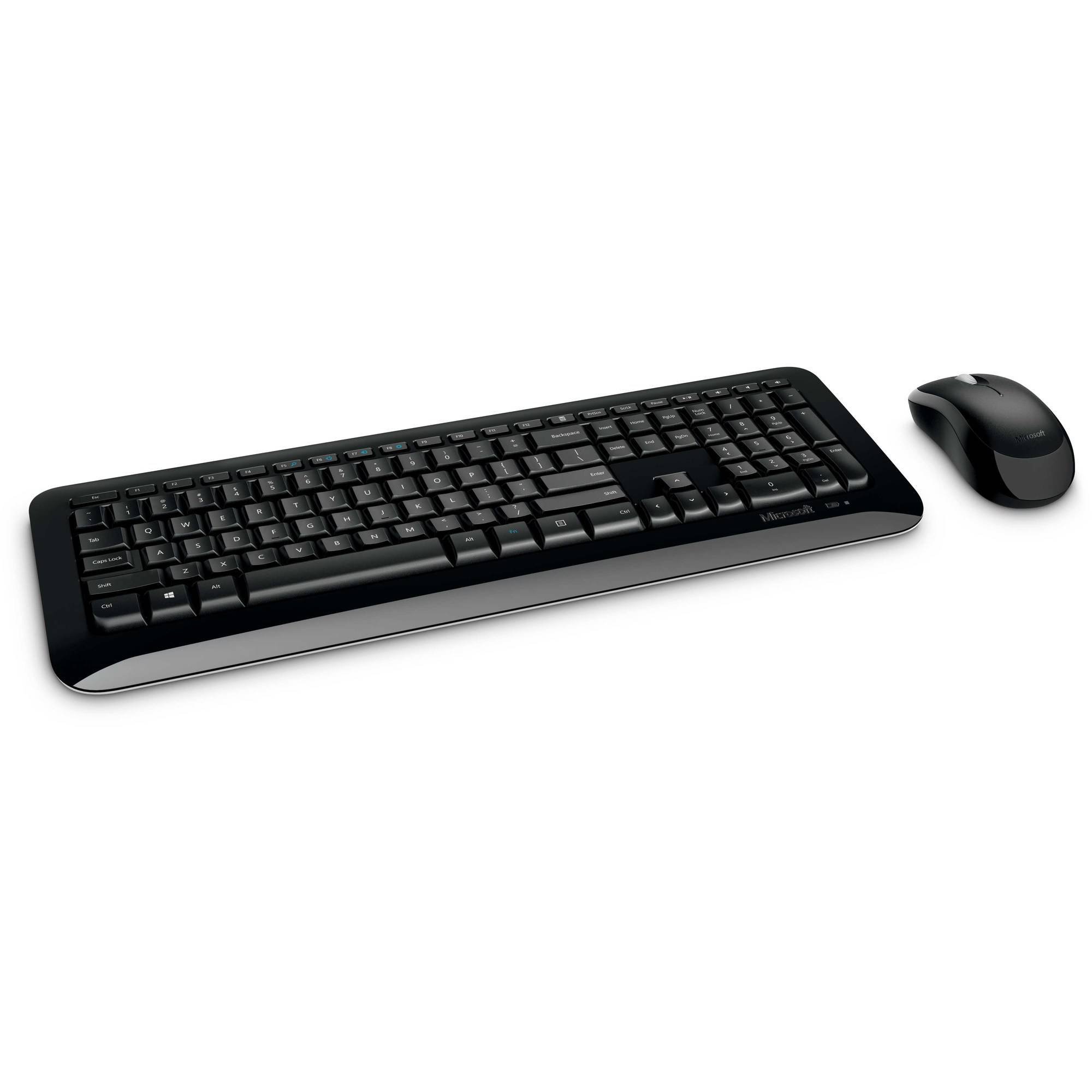
Figure 1: Microsoft Wireless Desktop 800 Keyboard and Mouse.
2. የማዋቀር መመሪያዎች
Setting up your Microsoft Wireless Desktop 800 is a straightforward process. Follow these steps to get started:
- ባትሪዎችን ይጫኑ Insert the required batteries into both the keyboard and the mouse. The keyboard typically uses AAA batteries, and the mouse uses AA batteries. Ensure correct polarity.
- ትራንስሴቨርን ያገናኙ፡ Locate the tiny USB transceiver. Plug this wireless receiver into an available USB port on your computer.
- አብራ፡ Turn on the mouse using its power switch (usually located on the underside). The keyboard does not typically have a power switch and activates upon battery insertion and connection.
- ራስ-ሰር ግንኙነት; Your keyboard and mouse should automatically connect to your computer. If not, refer to the troubleshooting section.
The transceiver can be conveniently snapped into the bottom of the mouse for secure storage when traveling, which also automatically turns off the mouse to conserve battery life.

Figure 2: The compact USB transceiver.
3. መሳሪያዎን ማስኬድ
የቁልፍ ሰሌዳ ተግባራት፡-
- ደህንነቱ የተጠበቀ የገመድ አልባ ግንኙነት; The keyboard utilizes 2.4 GHz wireless technology, providing a reliable connection with a range of up to 30 feet, minimizing interference.
- Easy Access Hot Keys: Quickly access frequently used tools such as zoom, audio controls, and the calculator using dedicated shortcut keys.
- የዊንዶውስ ጅምር ቁልፍ፡ Press the Windows Start button to quickly launch the Start menu on compatible Windows operating systems.
የመዳፊት ተግባራት፡-
- Microsoft Optical Technology: Experience responsive and precise cursor control with 1,000-dots-per-inch (DPI) tracking.
- የማሽከርከር ጎማ፡ በሰነዶች ውስጥ ያስሱ እና webpages efficiently using the integrated scroll wheel.
- አሻሚ ንድፍ; The mouse is designed for comfortable use in either the right or left hand.
4. Maintenance and Battery Management
- የባትሪ ህይወት አመልካች፡- The battery status indicator will glow red when the battery is running low, signaling that replacement is needed soon.
- የኃይል መቀየሪያ To extend the battery life of your mouse, use the power switch located on its underside to turn it off when not in use or during travel.
- የተራዘመ የባትሪ ህይወት፡ Enjoy fewer interruptions with up to 15 months of battery life for the keyboard and mouse (individual battery life may vary).
- ማጽዳት፡ የቁልፍ ሰሌዳውን እና የመዳፊትን ገጽታዎች ለማጽዳት ለስላሳ እና ደረቅ ጨርቅ ይጠቀሙ። ጠበኛ ኬሚካሎችን ወይም ሻካራ ቁሳቁሶችን ከመጠቀም ይቆጠቡ።
5. መላ መፈለግ
If you encounter issues with your Microsoft Wireless Desktop 800, consider the following common solutions:
- ግንኙነት የለም:
- Ensure the USB transceiver is securely plugged into a working USB port on your computer.
- በሁለቱም ኪቦርድ እና መዳፊት ውስጥ ያሉት ባትሪዎች በትክክል መጫኑን እና አለመሟሟታቸውን ያረጋግጡ። አስፈላጊ ከሆነ ይተኩ።
- የክልል ችግሮችን ለማስወገድ የቁልፍ ሰሌዳውን እና አይጡን ወደ ማስተላለፊያው ቅርብ ያንቀሳቅሱ።
- የሚቆራረጥ ግንኙነት;
- Avoid placing the transceiver near other wireless devices or large metal objects that could cause interference.
- የኮምፒውተርዎ ኦፐሬቲንግ ሲስተም ወቅታዊ መሆኑን ያረጋግጡ።
- የመዳፊት ጠቋሚ የማይንቀሳቀስ፡
- የመዳፊት ባትሪዎችን ይፈትሹ.
- Ensure the optical sensor on the bottom of the mouse is clean and not obstructed.
- Use the mouse on a suitable surface; highly reflective or transparent surfaces may affect tracking.
6. ዝርዝሮች
| ባህሪ | ዝርዝር |
|---|---|
| የምርት ስም | ማይክሮሶፍት |
| ሞዴል | ገመድ አልባ ዴስክቶፕ 800 |
| ቀለም | ጥቁር |
| የግንኙነት ቴክኖሎጂ | የሬዲዮ ድግግሞሽ (2.4 ጊኸዝ) |
| ተስማሚ መሣሪያዎች | ላፕቶፕ ፣ የግል ኮምፒተር |
| የቁልፍ ሰሌዳ መግለጫ | ገመድ አልባ ቁልፍ ሰሌዳ |
| የእንቅስቃሴ ማወቂያ | ኦፕቲካል (1000 ዲፒአይ) |
| የቁልፍ ሰሌዳ የኋላ መብራት | No (Single Color support refers to key legends) |
| የስርዓተ ክወና ተኳኋኝነት | ዊንዶውስ 8፣ ዊንዶውስ 7፣ ዊንዶውስ ቪስታ፣ ዊንዶውስ ኤክስፒ |
| Hand Orientation (Mouse) | አሻሚ |
| የኃይል ምንጭ | በባትሪ የተጎላበተ |
| የቁልፎች ብዛት (ኪቦርድ) | 104 |
| ባትሪዎች ያስፈልጋሉ። | 2 AAA (ኪቦርድ)፣ 2 AA (መዳፊት) - ተካትቷል |
| የእቃው ክብደት | 0.51 ፓውንድ £ |
| የቁልፍ ሰሌዳ አቀማመጥ | QWERTY |
7. የዋስትና መረጃ
The Microsoft Wireless Desktop 800 comes with a Manufacturer Warranty. For specific details regarding coverage, duration, and claims process, please refer to the warranty documentation included with your product or visit the official Microsoft support webጣቢያ.
8. System Requirements and Support
የስርዓት መስፈርቶች
- ስርዓተ ክወና፡ Windows 8, Windows 7, Windows Vista, or Windows XP
- ሌላ፥ የሚገኝ የዩኤስቢ ወደብ
የደንበኛ ድጋፍ፡
For further assistance, technical support, or to download the latest drivers, please visit the official Microsoft support webጣቢያ። እንዲሁም ተጨማሪ ግብዓቶችን እና ተደጋጋሚ ጥያቄዎችን እዚያ ማግኘት ይችላሉ።
የመስመር ላይ ድጋፍ ድጋፍ.microsoft.com