
መግቢያ
ስለገዙ እናመሰግናለንasing the Orion 24" SLED2468W LED LCD HDTV. This manual provides essential information for the safe and efficient operation of your television. Please read it thoroughly before using the product and retain it for future reference.
የደህንነት መረጃ
ደህንነቱ የተጠበቀ አሰራርን ለማረጋገጥ እና ጉዳት እንዳይደርስ ለመከላከል የሚከተሉትን ቅድመ ጥንቃቄዎች ይከተሉ።
- ቴሌቪዥኑን ለዝናብ እና ለእርጥበት አያጋልጡት።
- የአየር ማናፈሻ ክፍተቶችን አያግዱ ፡፡
- Place the TV on a stable, level surface.
- ከመሳሪያው ጋር የቀረበውን የኤሌክትሪክ ገመድ ብቻ ይጠቀሙ.
- በመብረቅ አውሎ ንፋስ ጊዜ ወይም ለረጅም ጊዜ ጥቅም ላይ በማይውልበት ጊዜ ቴሌቪዥኑን ይንቀሉ.
- ሁሉንም አገልግሎቶች ብቁ ለሆኑ የአገልግሎት ሰራተኞች ያመልክቱ።
በሣጥኑ ውስጥ ያለው
ሳጥኑን በጥንቃቄ ይንቀሉት እና ሁሉም እቃዎች መኖራቸውን ያረጋግጡ፡-
- Orion 24" SLED2468W LED LCD HDTV
- የቴሌቪዥን ማቆሚያ
- የርቀት መቆጣጠሪያ (ባትሪዎች አልተካተቱም፣ 2 የ AAA ባትሪዎች ያስፈልጋሉ)
- የኃይል ገመድ
- የተጠቃሚ መመሪያ (ይህ ሰነድ)
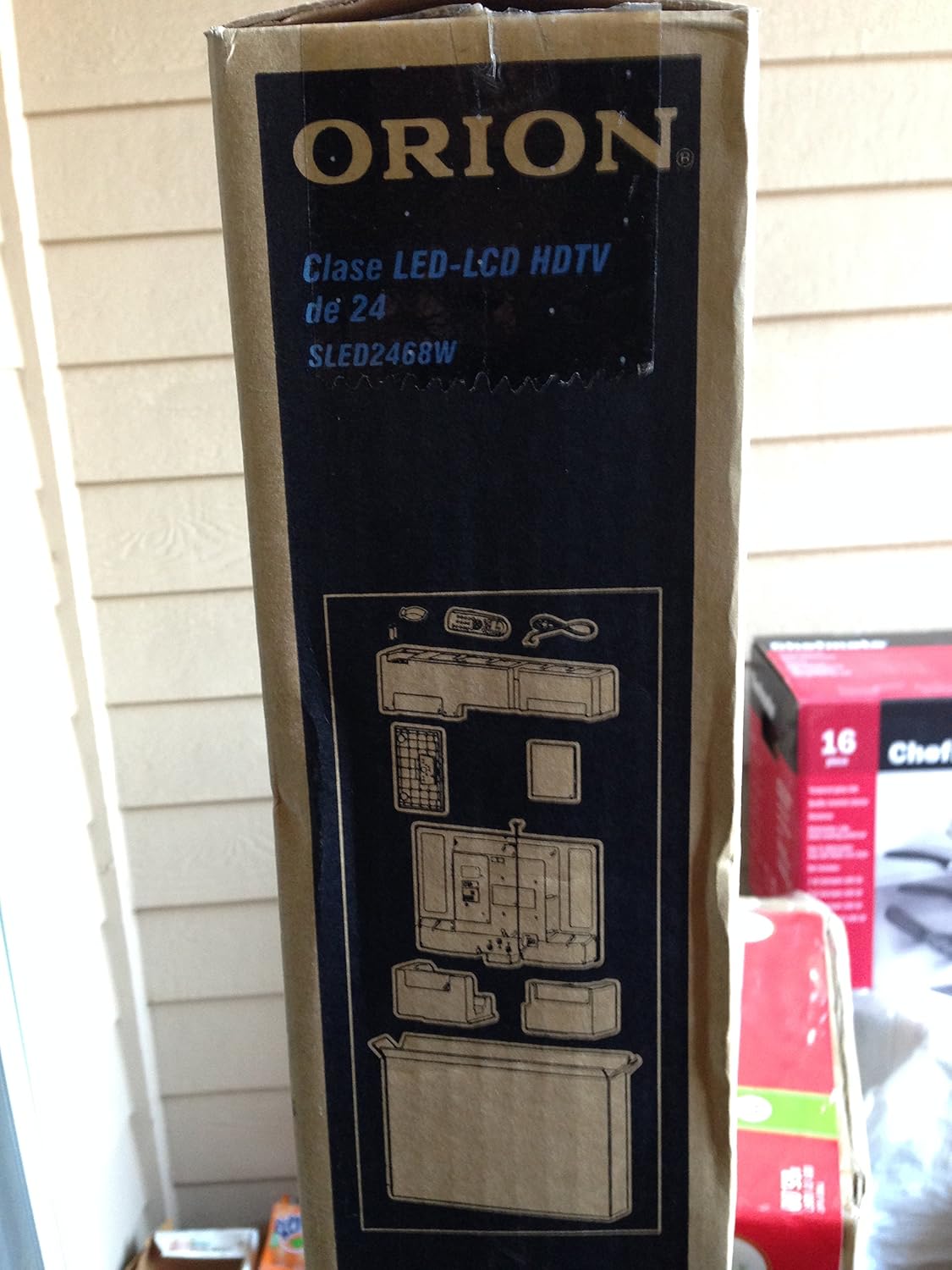
Image: The side of the Orion TV box illustrating the TV and stand components packed inside.
ማዋቀር
1. ማሸግ
Remove the TV and all accessories from the packaging. Retain the packaging for future transport or storage.

Image: The front of the Orion 24" LED-LCD HDTV box, displaying the model number SLED2468W and key features such as Integrated Digital Tuner, USB Time Shift, HDMI, and Headphone/Digital Audio Output.
2. መቆሚያውን በማያያዝ
Place the TV screen-down on a soft, clean surface. Align the TV stand with the mounting holes on the bottom of the TV. Secure the stand using the provided screws.
3. የማገናኘት ኃይል
Connect the power cord to the TV's power input and then to a standard 110 VAC, 60 Hz electrical outlet.
4. የውጭ መሳሪያዎችን ማገናኘት
Your TV supports various connections for external devices:
- ኤችዲኤምአይ: ለከፍተኛ ጥራት ኦዲዮ እና ቪዲዮ እንደ ብሉ ሬይ ማጫወቻዎች፣ የጨዋታ ኮንሶሎች ወይም የኬብል/ሳተላይት ሳጥኖች።
- ዩኤስቢ፡ For media playback or USB Time Shift functionality.
- አንቴና/ገመድ፡ For receiving broadcast television signals via the integrated ATSC tuner.
- ፒሲ ግቤት፡- For connecting a computer monitor.
- Headphone/Digital Audio Output (Coaxial): ውጫዊ የድምጽ ስርዓቶችን ለማገናኘት.

Image: A diagram illustrating various connection ports on the TV, including headphone, audio, PC monitor, and coaxial outputs. Also shown are the unit dimensions and weight.
5. የመነሻ ማዋቀር አዋቂ
Upon first power-on, the TV will guide you through an initial setup process, including language selection, channel scanning, and time zone settings.
በመስራት ላይ
Basic Remote Control Functions
The remote control allows you to access all TV functions. Ensure batteries are correctly inserted.
- ኃይል፡- ቴሌቪዥኑን ያበራል ወይም ያጠፋል።
- ቻናል ወደ ላይ/ታች፡ የቲቪ ጣቢያዎችን ይለውጣል።
- ድምጽ ወደ ላይ/ወደታች፡ የድምፅ ደረጃን ያስተካክላል።
- ግብዓት/ምንጭ፡- Selects the input source (HDMI, TV, USB, etc.).
- ምናሌ፡- የቅንብሮች ማስተካከያዎችን ለማድረግ ወደ ዋናው ምናሌ ይደርሳል።
- የማውጫ ቁልፎች (ላይ/ታች/ግራ/ቀኝ/እሺ)፡ ምናሌዎችን ለማሰስ እና ምርጫዎችን ለማረጋገጥ ይጠቅማል።
USB Time Shift
The TV features a USB Time Shift function. Connect a USB storage device to pause, rewind, or fast-forward live TV broadcasts. Refer to the on-screen menu for detailed instructions on activating and using this feature.
የበይነመረብ አሳሽ
This TV includes a basic internet browser. Connect the TV to your network (if applicable) to access web content. Performance may vary depending on network speed and website complexity.
ጥገና
ማያ ገጹን ማጽዳት
ስክሪኑን በቀስታ ለስላሳ እና ከተሸፈነ ጨርቅ ይጥረጉ። ለግትር ምልክቶች፣ በትንሹ መampጨርቁን በውሃ ወይም በልዩ ማያ ገጽ ማጽጃ። ፈሳሹን በቀጥታ ወደ ማያ ገጹ ላይ በጭራሽ አይረጩ።
አጠቃላይ እንክብካቤ
Keep the TV free from dust by regularly wiping the cabinet with a dry, soft cloth. Ensure adequate ventilation around the TV to prevent overheating.
መላ መፈለግ
If you encounter issues with your TV, consult the following table before contacting support:
| ችግር | ሊሆን የሚችል መፍትሄ |
|---|---|
| ኃይል የለም | Check if the power cord is securely connected to both the TV and the outlet. Ensure the outlet is functional. |
| ምንም ምስል የለም, ግን ድምጽ አለ | ትክክለኛው የግቤት ምንጭ መመረጡን ያረጋግጡ። የውጫዊ መሣሪያ ግንኙነቶችን ይፈትሹ. |
| ምንም ድምጽ የለም, ግን ምስል አለ | Check volume level and mute settings. Ensure external audio connections are secure. |
| የርቀት መቆጣጠሪያ አይሰራም | ባትሪዎችን ይተኩ። በርቀት መቆጣጠሪያው እና በቴሌቪዥኑ የኢንፍራሬድ ዳሳሽ መካከል ምንም አይነት እንቅፋት እንዳይኖር ያረጋግጡ። |
| ደካማ የምስል ጥራት | Check antenna connection. Adjust picture settings in the TV menu. |
ዝርዝሮች
Technical specifications for the Orion 24" SLED2468W LED LCD HDTV:
| ባህሪ | ዝርዝር መግለጫ |
|---|---|
| የሞዴል ቁጥር | SLED2468W |
| የስክሪን መጠን | 24 ኢንች |
| የማሳያ ቴክኖሎጂ | LED-LCD |
| ጥራት | 720 ፒ |
| የማደስ ደረጃ | 60 Hz |
| ምጥጥነ ገጽታ | 16፡9 |
| የግንኙነት ቴክኖሎጂ | ኤችዲኤምአይ ፣ ዩኤስቢ |
| መቃኛ አይነት | ATSC |
| የሚደገፉ የበይነመረብ አገልግሎቶች | አሳሽ |
| የመስመር ጥራዝtage | 110 ቪኤሲ 60 Hz |
| On Mode Power Consumption | 37W (as per box image) |
| የክፍል መጠኖች (WxDxH) | 21.65" x 5.39" x 14.21" (550 x 136.9 x 361 mm) (as per box image) |
| የክፍል ክብደት | 3.6 kg (8.0 lbs) (as per box image) |
| አምራች | ሳንሱይ |
| ዩፒሲ | 755805020776 |
ዋስትና እና ድጋፍ
For warranty information and technical support, please refer to the documentation included with your purchase or visit the official Orion product support webጣቢያ. ለዋስትና ጥያቄዎች የግዢ ማረጋገጫዎን ያስቀምጡ።