
መግቢያ
The Orbit 94148 Buddy II is a battery-operated watering timer designed to automate your garden irrigation system. This device connects to your outdoor faucet and allows you to program watering schedules for two independent outlets, providing flexibility for various watering needs such as micro-jets, drip systems, and garden sprinklers.
የደህንነት መረጃ
- ለቤት ውጭ አገልግሎት ብቻ።
- በቀዝቃዛ ውሃ ብቻ ይጠቀሙ.
- Do not submerge the timer in water.
- Protect from freezing temperatures to prevent damage.
የጥቅል ይዘቶች
The Orbit 94148 Buddy II watering timer package includes:
- One Orbit 94148 Buddy II Two-Outlet Watering Timer.
- የተጠቃሚ መመሪያ (ይህ ሰነድ)።
ማስታወሻ፡- AA batteries are required for operation and are not included in the package.
ማዋቀር
Follow these steps to set up your Orbit 94148 Buddy II watering timer:
- ባትሪዎችን ይጫኑ Open the battery compartment and insert the required AA batteries (not included). Ensure correct polarity.
- ከቧንቧ ጋር ይገናኙ፡ Securely attach the timer to your outdoor faucet. Hand-tighten only to prevent damage.
- የመገጣጠሚያ ቱቦዎች; Attach your garden hoses or irrigation lines to the two independent outlets on the timer.
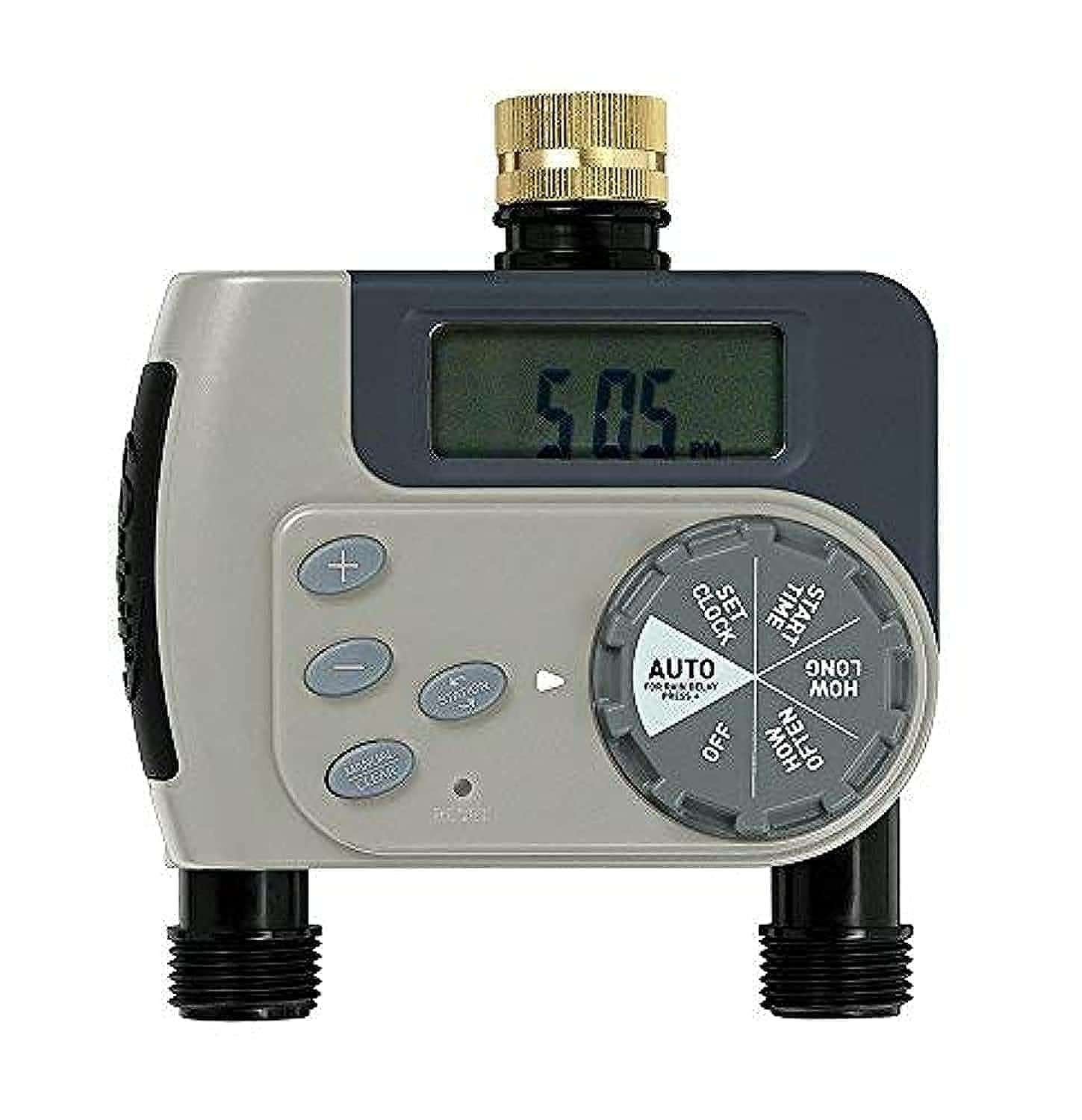
የአሠራር መመሪያዎች
The Orbit 94148 Buddy II offers both automatic programming and manual watering options.
ራስ-ሰር ፕሮግራሚንግ
To program the timer for automatic watering:
- የአሁኑን ጊዜ ያዘጋጁ፡ Use the dial to set the current time of day.
- የመጀመሪያ ጊዜ ያዘጋጁ ውሃ ማጠጣት ለመጀመር የሚፈለገውን ጊዜ ይምረጡ።
- የውሃ ማጠጫ ጊዜን ያዘጋጁ፡ Select the length of each watering cycle, ranging from 1 to 240 minutes.
- ድግግሞሽ አዘጋጅ፡ Determine how often watering occurs. Options include every 6 hours, every 12 hours, or daily intervals from 1 to 7 days.
- ራስ-ሰር ሁነታን ያግብሩ፦ Turn the dial to the "Auto" position to enable the programmed watering schedule.
Each of the two outlets can be programmed independently, allowing for different watering schedules for separate areas of your garden.
በእጅ ውሃ ማጠጣት
To manually water without affecting your programmed schedule:
- Turn the dial to the "Manual" position.
- Select the desired watering duration.
- The water will flow for the selected duration and then automatically shut off.
- To stop manual watering early, turn the dial back to the "Off" or "Auto" position.
ጥገና
Regular maintenance ensures optimal performance and longevity of your watering timer.
- የባትሪ መተካት፡ When the battery indicator shows low power, replace the AA batteries promptly. Always use fresh batteries.
- ማጽዳት፡ Periodically check the filter washer at the faucet connection for debris and clean if necessary to maintain proper water flow.
- ክረምት ማድረግ፡ Before the first frost, disconnect the timer from the faucet, remove batteries, and store the unit indoors in a dry, protected area to prevent freeze damage.
መላ መፈለግ
If you encounter issues with your watering timer, consider the following:
- የውሃ ፍሰት የለም;
- ቧንቧው ሙሉ በሙሉ ክፍት መሆኑን ያረጋግጡ.
- Ensure batteries are correctly installed and have sufficient power.
- Verify that the timer is set to "Auto" or a manual watering cycle is active.
- Inspect the filter washer for clogs.
- Timer Not Programming:
- Confirm batteries are fresh and properly inserted.
- Ensure the dial is firmly clicked into each setting position during programming.
- መፍሰስ፡
- ለጠባብነት ሁሉንም ግንኙነቶች ይፈትሹ ፡፡
- Ensure rubber washers are properly seated at all connection points.
- Do not overtighten connections, as this can damage washers.
ዝርዝሮች
| የሞዴል ቁጥር | 94148 |
| ልኬቶች (L x W x H) | 12 x 18.5 x 20 ሴ.ሜ |
| ክብደት | 460 ግራም |
| የኃይል ምንጭ | AA ባትሪዎች (አልተካተተም) |
| ቁሳቁስ | ሙጫ |
| የቅንብሮች ብዛት | 10 |
| ቀለም | አረንጓዴ |
| አምራች | የምሕዋር መስኖ ምርቶች, Inc. |
ዋስትና እና ድጋፍ
The Orbit 94148 Buddy II Battery-Operated Two-Outlet Watering Timer comes with a የ 2 ዓመት ዋስትና ከተገዛበት ቀን ጀምሮ. ይህ ዋስትና በመደበኛ አጠቃቀም ላይ የቁሳቁሶች እና የአሠራር ጉድለቶችን ይሸፍናል ።
For warranty claims or technical support, please refer to the contact information provided on the product packaging or the official Orbit webጣቢያ.