
መግቢያ
Thank you for choosing the MIPRO MU-55HN Headset Microphone. This manual provides essential information for the proper setup, operation, and maintenance of your device. The MU-55HN features an omnidirectional capsule for excellent off-axis response, capturing sound from all directions. Its flexible and durable headset frame, combined with comfortable, soft ear-hooks, ensures a secure and ideal fit for extended use.
Please read this manual thoroughly before using the microphone to ensure optimal performance and longevity.
ምርት አልቋልview
The MIPRO MU-55HN is a wired headset microphone designed for clear audio capture. It is equipped with an omnidirectional condenser capsule, making it suitable for various vocal applications where consistent sound pickup is desired regardless of head movement.
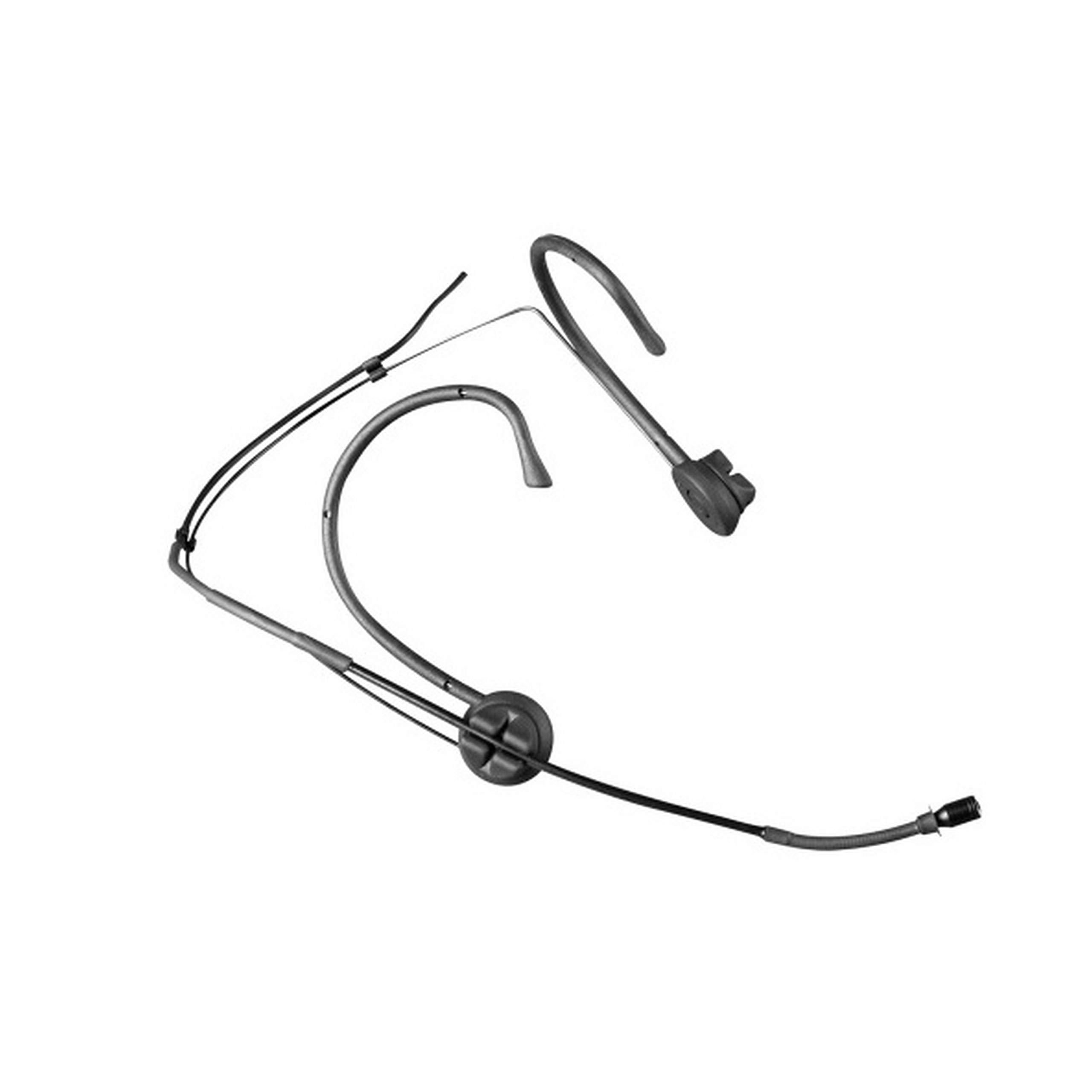
Image: The MIPRO MU-55HN headset microphone, featuring a slender boom arm and ear-hooks for secure placement.
The headset is designed for comfort and stability, allowing users to wear it for extended periods without discomfort. It connects via a 3.5 mm jack, compatible with a wide range of audio equipment.
ማዋቀር
- ማይክሮፎኑን ያውጡ፡ Carefully remove the MU-55HN headset microphone from its packaging. Inspect for any visible damage.
- ከድምጽ መሣሪያ ጋር ይገናኙ፡ Locate the 3.5 mm jack connector on the microphone cable. Plug this connector into the corresponding 3.5 mm microphone input port on your audio device (e.g., transmitter, mixer, amplifier, or computer sound card). Ensure the connection is secure.
- የጆሮ ማዳመጫውን አቀማመጥ፡ Place the headset over your ears, ensuring the ear-hooks sit comfortably and securely behind your ears. The flexible frame allows for minor adjustments to fit different head sizes.
- Adjust Microphone Boom: Gently bend the microphone boom arm to position the microphone capsule approximately 1-2 cm (0.4-0.8 inches) from the corner of your mouth. Avoid placing it directly in front of your mouth to minimize plosive sounds.
- የኬብሉን ደህንነት ይጠብቁ; Route the microphone cable in a way that prevents it from snagging or interfering with your movement. Use cable clips if necessary to secure it to clothing.
የአሠራር መመሪያዎች
- Power On Your Audio Device: Ensure your connected audio device (e.g., transmitter, mixer) is powered on and configured for microphone input.
- የግቤት ትርፍን ያቀናብሩ፦ Adjust the input gain or volume level on your audio device. Start with a low gain setting and gradually increase it while speaking into the microphone at your normal speaking volume. Monitor the audio levels to prevent clipping or distortion.
- Perform a Sound Check: Speak or sing into the microphone as you would during normal use. Listen to the output through your monitoring system (headphones or speakers) to ensure clear audio and appropriate volume levels.
- ምርጥ አቀማመጥ፡ Due to its omnidirectional polar pattern, the MU-55HN picks up sound from all directions. Maintain consistent distance from the microphone for stable audio levels.
- ግብረመልሶችን ያስወግዱ፡ If using speakers, position them away from the microphone to prevent audio feedback. Adjust microphone gain and speaker volume as needed.
ጥገና
- ማጽዳት፡ Use a soft, dry cloth to wipe down the microphone boom and headset frame after each use. For stubborn grime, a slightly damp cloth with mild soap can be used, ensuring no moisture enters the microphone capsule.
- ማከማቻ፡ Store the microphone in a clean, dry place, preferably in its original packaging or a protective case, to prevent dust accumulation and physical damage.
- የኬብል እንክብካቤ; Avoid sharply bending or twisting the microphone cable. Coil it loosely when storing to prevent internal wire damage.
- አያያዝ፡ Handle the microphone gently. Avoid dropping it or subjecting it to strong impacts, which can damage the delicate internal components.
መላ መፈለግ
| ችግር | ሊሆን የሚችል ምክንያት | መፍትሄ |
|---|---|---|
| ምንም የድምፅ ውፅዓት የለም። | Microphone not properly connected; Audio device input gain too low; Audio device not powered on. | Ensure 3.5 mm jack is fully inserted; Increase input gain on audio device; Verify audio device is powered on. |
| ዝቅተኛ ወይም የተዛባ ድምጽ | Incorrect gain setting; Microphone too far from mouth; Damaged cable. | Adjust input gain; Reposition microphone closer to mouth (1-2 cm); Inspect cable for damage, replace if necessary. |
| ግብረመልስ (የጩኸት ድምፅ) | Microphone too close to speakers; High gain setting. | Move microphone further from speakers; Reduce input gain or speaker volume. |
| Headset discomfort | Improper fit or adjustment. | Adjust the flexible frame and ear-hooks for a more comfortable and secure fit. |
ዝርዝሮች
| የሞዴል ቁጥር | MU 55-HNS |
| የምርት ስም | MIPRO |
| የማይክሮፎን ቅጽ ምክንያት | የጆሮ ማዳመጫ |
| የዋልታ ንድፍ | ሁሉን አቀፍ |
| የግንኙነት ቴክኖሎጂ | ባለገመድ |
| የማገናኛ አይነት | 3.5 ሚሜ ሚሜ |
| ልዩ ባህሪ | XLR (Note: Primary connector is 3.5mm Jack) |
| የድምጽ ትብነት | 49 ዲሴብል |
| ተስማሚ መሣሪያዎች | ተናጋሪ |
| የተካተቱ አካላት | ማይክሮፎን |
| የኃይል ምንጭ | ባለገመድ ኤሌክትሪክ |
| የሰርጦች ብዛት | 1 |
| የእቃው ክብደት | 12 ፓውንድ |
ዋስትና እና ድጋፍ
For warranty information and technical support, please refer to the documentation included with your purchase or visit the official MIPRO webጣቢያ. የዋስትና ውሎች እና ሁኔታዎች እንደ ክልል እና ቸርቻሪ ሊለያዩ ይችላሉ።
If you encounter issues not covered in this troubleshooting section, please contact MIPRO customer support or your authorized dealer for assistance.