
መግቢያ
ስለገዙ እናመሰግናለንasing the GPX 9-inch Portable DVD Player, Model PD901BDLP. This manual provides essential information for the safe and efficient operation of your device. Please read it thoroughly before use and retain it for future reference.
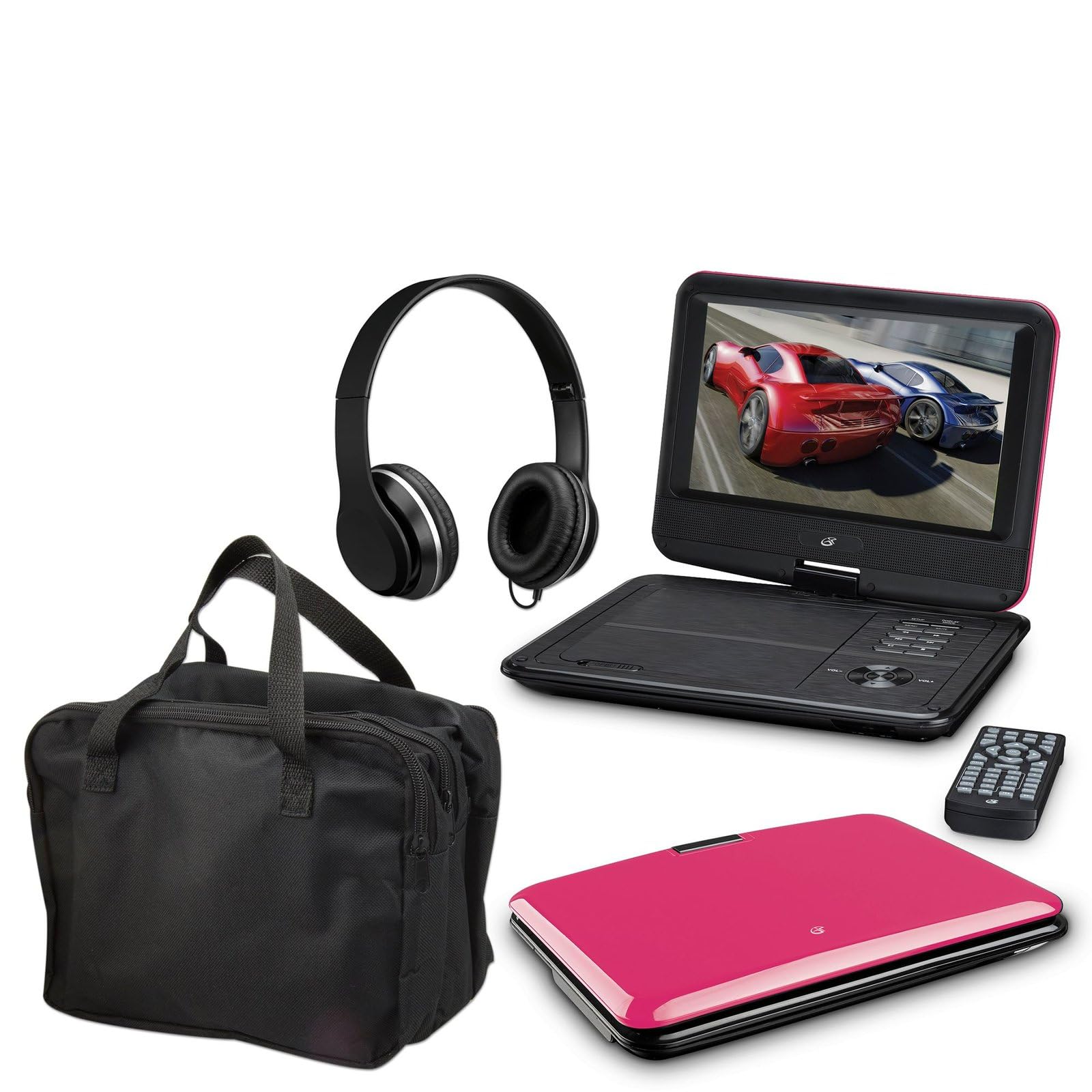
Image: The GPX 9-inch Portable DVD Player in its closed position, showcasing its vibrant pink top casing and sleek design.
የጥቅል ይዘቶች
ከዚህ በታች የተዘረዘሩት ሁሉም እቃዎች በጥቅልዎ ውስጥ መካተታቸውን ያረጋግጡ፡-
- GPX 9-inch Portable DVD Player (Model PD901BDLP)
- የርቀት መቆጣጠሪያ (2 AAA ባትሪዎች ያስፈልጉታል)
- AC / ዲሲ የኃይል አስማሚ
- 12 ቪ የመኪና አስማሚ
- 3.5mm-to-RCA audio/video cable
- መያዣ
- የጆሮ ማዳመጫዎች
- የትምህርት መመሪያ (ይህ ሰነድ)
የምርት ባህሪያት
- 9 ኢንች 800x480 ኤልሲዲ ማያ ገጽ
- Screen tilts and swivels for versatile viewing ማዕዘኖች
- Rechargeable lithium polymer battery with up to 2 hours of battery life
- አብሮገነብ ስቴሪዮ ድምጽ ማጉያዎች
- ለግል ማዳመጥ የጆሮ ማዳመጫ መሰኪያ
- RCA output for connection to external displays
- Supports DVD, DVD-R/RW, DVD+R/RW, CD, CD-R/RW, JPEG, MP3 formats
ማዋቀር
1. ባትሪውን በመሙላት ላይ
Before first use, fully charge the internal lithium polymer battery. Connect the AC/DC power adapter to the DC IN port on the DVD player and plug the other end into a standard wall outlet. The charging indicator light will illuminate. Charging typically takes approximately 3-4 hours for a full charge, providing up to 2 hours of playback.
2. የርቀት መቆጣጠሪያ ባትሪዎችን መጫን
Open the battery compartment on the back of the remote control. Insert two (2) AAA batteries, ensuring correct polarity (+/-). Close the compartment securely.
3. Connecting to a Television (Optional)
ለ view content on a larger screen, use the included 3.5mm-to-RCA audio/video cable. Connect the 3.5mm end to the AV OUT port on the DVD player. Connect the RCA (red, white, yellow) ends to the corresponding AV INPUT ports on your television. Select the correct AV input source on your TV.
4. Using the Car Adapter (Optional)
For in-car use, connect the 12V car adapter to the DC IN port on the DVD player and plug the other end into your vehicle's cigarette lighter socket.
የአሠራር መመሪያዎች
1. ማብራት / ማጥፋት
ተጭነው ይያዙት። ኃይል button on the player or remote control to turn the device on or off.
2. ዲቪዲ ማስገባት
- Gently open the DVD player lid.
- Place a DVD disc onto the spindle with the label side facing up.
- ቦታው ላይ ጠቅ እስኪደረግ ድረስ በዲስኩ መሃል ላይ ቀስ ብለው ይጫኑ።
- Close the lid. The player will automatically begin reading the disc.
3. የማያ ገጽ ማስተካከያ
The LCD screen can be tilted and swiveled to achieve the optimal viewing angle. Carefully adjust the screen to your preferred position.
4. መሰረታዊ መልሶ ማጫወት መቆጣጠሪያዎች
- አጫውት/አፍታ አቁም: Press to start or pause playback.
- ተወመልሶ ማጫወት ለማቆም ተጫን።
- ዝለል (<< / >>): Press to skip to the previous or next chapter/track.
- ኤፍኤፍ / REW: Press and hold to fast forward or rewind.
- ድምጽ (+/-): Adjust the audio volume.
5. የጆሮ ማዳመጫዎችን መጠቀም
Plug the included headphones into the የጆሮ ማዳመጫ jack for private listening. The built-in speakers will automatically mute when headphones are connected.
ጥገና
- ማያ ገጹን ማጽዳት; Use a soft, lint-free cloth to gently wipe the LCD screen. Do not use liquid cleaners or abrasive materials.
- የዲስክ ትሪውን ማጽዳት; የዲስክ ትሪውን ከአቧራ እና ከቆሻሻ የጸዳ ያድርጉት። አስፈላጊ ከሆነ ለስላሳ ብሩሽ ወይም የተጨመቀ አየር ይጠቀሙ።
- የባትሪ እንክብካቤ To prolong battery life, avoid fully discharging the battery frequently. If storing the player for an extended period, charge it periodically.
- ማከማቻ፡ Store the DVD player in a cool, dry place away from direct sunlight and extreme temperatures. Use the included carrying case for protection during transport.
መላ መፈለግ
| ችግር | መፍትሄ |
|---|---|
| ተጫዋች አይበራም። | Ensure the battery is charged or the AC/DC adapter is securely connected to a working power outlet. Check the power switch. |
| ምንም ዲስክ አልተገኘም። | Verify the disc is inserted correctly with the label side up and seated properly on the spindle. Ensure the disc is clean and free of scratches. Try a different disc. |
| ድምጽ የለም። | Check the volume level. Ensure headphones are not plugged in if you intend to use the built-in speakers. If connected to a TV, check the TV's volume and input settings. |
| የርቀት መቆጣጠሪያ አይሰራም። | Check and replace the AAA batteries in the remote. Ensure there are no obstructions between the remote and the player's IR sensor. |
| ምስሉ የተዛባ ወይም የተዛባ ነው። | Clean the disc. Adjust the screen angle. If connected to a TV, check the AV cable connections. |
ዝርዝሮች
- ሞዴል፡ PD901BDLP
- የስክሪን መጠን፡ 9 ኢንች
- የማሳያ አይነት፡ LCD
- ቤተኛ ጥራት፡ 800 x 480
- የሚዲያ ዓይነት፡ DVD, DVD-R/RW, DVD+R/RW, CD, CD-R/RW, JPEG, MP3
- ባትሪ፡ ሊሞላ የሚችል የሊቲየም ፖሊመር
- የባትሪ ህይወት፡ እስከ 2 ሰዓታት ድረስ
- ግንኙነት፡ 3.5mm AV Out, Headphone Jack, DC In
- የኃይል ግቤት፡ AC/DC Adapter, 12V Car Adapter
- ክብደት፡ በግምት 1.9 ፓውንድ (0.86 ኪ.ግ)
- ቀለም፡ ሮዝ
- ዩፒሲ፡ 047323179044
ዋስትና እና ድጋፍ
This GPX Portable DVD Player is covered by a 90-ቀን የተወሰነ የአምራች ዋስትና ከመጀመሪያው ግዢ ቀን ጀምሮ. ይህ ዋስትና በመደበኛ አጠቃቀም ላይ የቁሳቁሶች እና የአሠራር ጉድለቶችን ይሸፍናል ።
For warranty service or technical support, please refer to the contact information provided with your product packaging or visit the official GPX webጣቢያ. የግዢ ደረሰኝህን እንደ ግዢ ማረጋገጫ አቆይ።
ለበለጠ መረጃ፣ ን መጎብኘት ይችላሉ። GPX Store on Amazon.