
ምርት አልቋልview
The Cellet Wired Selfie Stick is a compact and extendable accessory designed to enhance your mobile photography experience. It connects directly to your smartphone's 3.5mm headphone jack, eliminating the need for Bluetooth pairing or battery charging. Its lightweight and foldable design makes it convenient for travel and everyday use.
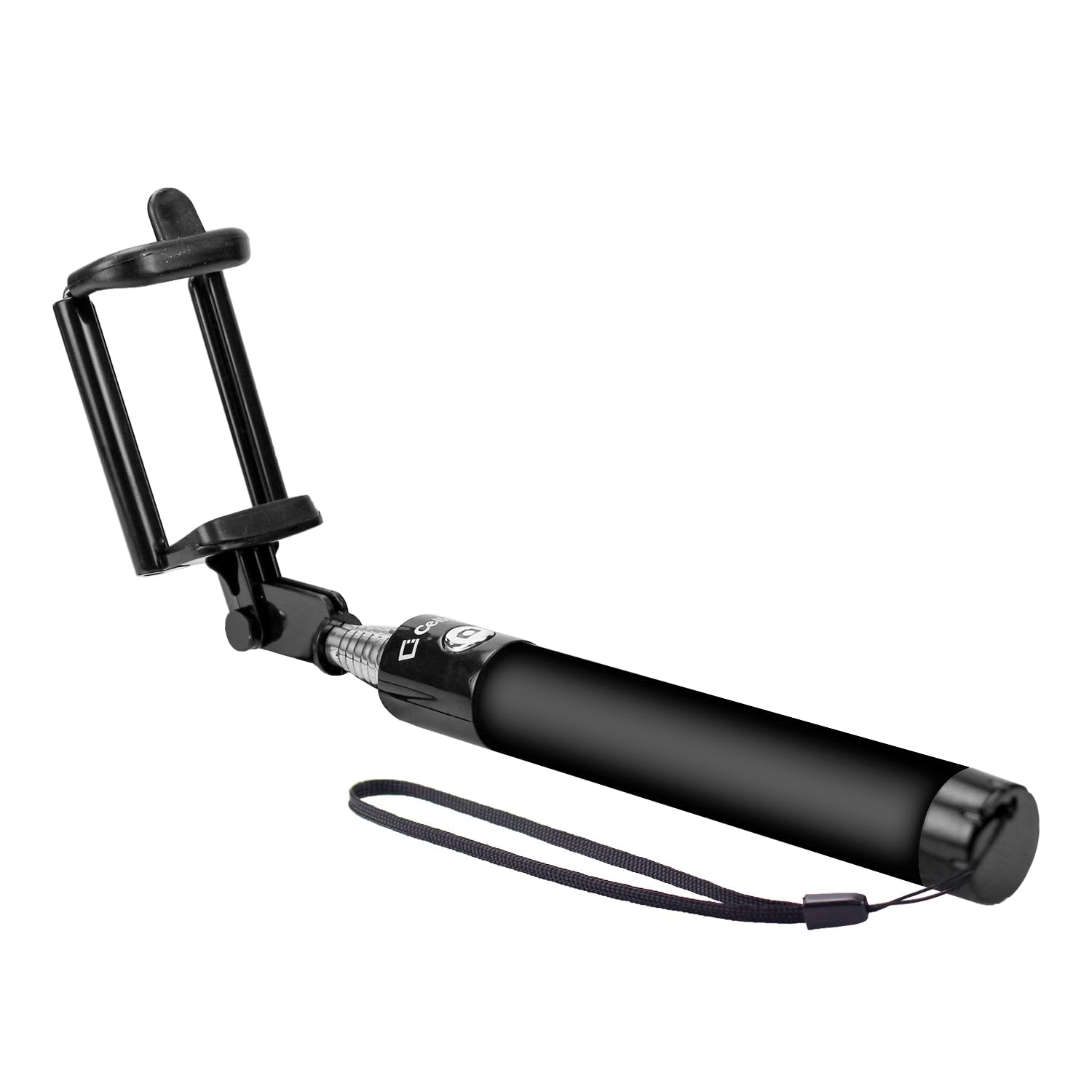
Image: The Cellet Wired Selfie Stick shown in its extended form, featuring the adjustable phone holder and the integrated 3.5mm audio jack cable.
ቁልፍ ባህሪዎች
- ባለገመድ ግንኙነት፡ Plugs directly into your phone's 3.5mm headphone jack for instant use. No Bluetooth pairing or charging required.
- ሊራዘም የሚችል ክንድ፡ Extends up to 2.6 feet (approximately 79 cm) for wider shots.
- የታመቀ ንድፍ Foldable and portable, with a storing length of 7 inches (17.8 cm), fitting easily into pockets or bags.
- ሁለንተናዊ ተኳኋኝነት Compatible with most Apple iPhones, Samsung Galaxy smartphones, and other Android smartphones.
- የተዋሃደ የስልክ መያዣ፡- Securely holds your smartphone in place.
የማዋቀር መመሪያዎች
- የራስ ፎቶ ስቲክን ይክፈቱ፦ Gently extend the telescopic arm of the selfie stick to your desired length.
- የስልክ መያዣውን ያስተካክሉ፦ The phone holder is spring-loaded. Carefully pull apart the clamps to insert your smartphone. Ensure your phone is securely seated in the holder. The holder can accommodate various phone sizes.
- Connect the Audio Jack: Locate the 3.5mm audio cable attached to the selfie stick. Plug this cable firmly into your smartphone's 3.5mm headphone jack.
- የካሜራ መተግበሪያን ክፈት፡ Launch your smartphone's default camera application.
የአሠራር መመሪያዎች
Once the selfie stick is set up and connected, you can begin taking photos or recording videos using the integrated shutter button on the handle.
ለአይፎን ተጠቃሚዎች፡-
- The selfie stick's button typically acts as a volume button. To take a picture, you may need to enable the volume button as a shutter release in your camera settings (if not already default).
- Alternatively, utilize your iPhone's camera timer function for hands-free photo capture. Set the timer (e.g., 3 or 10 seconds), press the shutter button, and pose.
For Samsung and Other Android Phone Users:
- Press the shutter button on the selfie stick handle to take a picture.
- Some Samsung phones support voice commands for photo capture. Try saying "Shoot," "Smile," "Capture," or "Cheese" while the camera app is open.
- For video recording, some devices allow you to start recording by saying "Record Video" or by pressing the shutter button once to start and again to stop.
ጥገና
- ማጽዳት፡ Wipe the selfie stick with a soft, dry cloth. Avoid using harsh chemicals or abrasive cleaners.
- ማከማቻ፡ When not in use, collapse the selfie stick to its shortest length and store it in a cool, dry place away from direct sunlight and extreme temperatures.
- በጥንቃቄ ይያዙ; Avoid excessive force when extending or collapsing the stick, and when inserting or removing your phone from the holder.
መላ መፈለግ
- Selfie Stick Not Taking Pictures:
- Ensure the 3.5mm audio jack is fully inserted into your phone's headphone port.
- Check your phone's camera settings. Some phones require the volume button function to be set to 'shutter' or 'take picture'.
- For iPhones, if the button doesn't trigger the shutter, use the camera's built-in timer function.
- የስልክዎ ኦፕሬቲንግ ሲስተም ወቅታዊ መሆኑን ያረጋግጡ።
- ስልክ ደህንነቱ በተጠበቀ ሁኔታ አይገጥምም;
- Ensure the phone holder clamps are fully extended to accommodate your phone's width.
- ደህንነቱ የተጠበቀ መገጣጠምን የሚከለክሉ ማናቸውንም ግዙፍ የስልክ መያዣዎችን ያስወግዱ።
ዝርዝሮች
| የሞዴል ቁጥር | ACPOD4BK |
| የምርት ስም | ሴሌት |
| የግንኙነት አይነት | ባለገመድ (3.5ሚሜ የድምጽ ጃክ) |
| የታጠፈ መጠን | 7 inches (L) x 1 inch (W) x 1 inch (H) |
| Extendable Arm Length | እስከ 2.6 ጫማ |
| የእቃው ክብደት | 4 አውንስ |
| ተስማሚ መሣሪያዎች | Apple iPhones, Samsung Galaxy Smartphones, all Android Smartphones |
| ዩፒሲ | 800768693113 |
የዋስትና መረጃ
This Cellet product comes with a የ1-ዓመት ዋስትና from the date of purchase. Please retain your proof of purchase for warranty claims. The warranty covers manufacturing defects and malfunctions under normal use. It does not cover damage caused by misuse, accidents, unauthorized modifications, or normal wear and tear.