
Bostitch MDS20-BLK
Bostitch Office Portable Electric Stapler User Manual
Model: MDS20-BLK
ብራንድ፡ ቦስቲች
1. ምርት አብቅቷልview
The Bostitch Office Portable Electric Stapler (MDS20-BLK) is designed for reliable, everyday performance. This durable electric stapler can handle 2 to 20 sheets, offering versatility for various tasks. It provides quiet operation and features an extra-wide paper lead-in for precise positioning.

Image: Bostitch Office Portable Electric Stapler, black, side view.
ቁልፍ ባህሪዎች
- Motorized design for quiet, reliable use when stapling 2 to 20 sheets.
- Extra wide paper lead-in for quick staple positioning.
- Fast and easy push-button staple reloading: simply push the button to eject the staple tray, load staples, and push tray back into place until you hear a Click!
- Can be powered by an AC adapter, or 4 AA batteries for wire-free use.
- Non-skid rubber base protects desktop surfaces and provides extra stability.
- Staples at a 45-degree or 90-degree angle.
2. Setup and Power Options
Powering Your Stapler:
The Bostitch Electric Stapler offers flexible power options, allowing it to be used with an AC adapter for desktop use or with 4 AA batteries for portability.
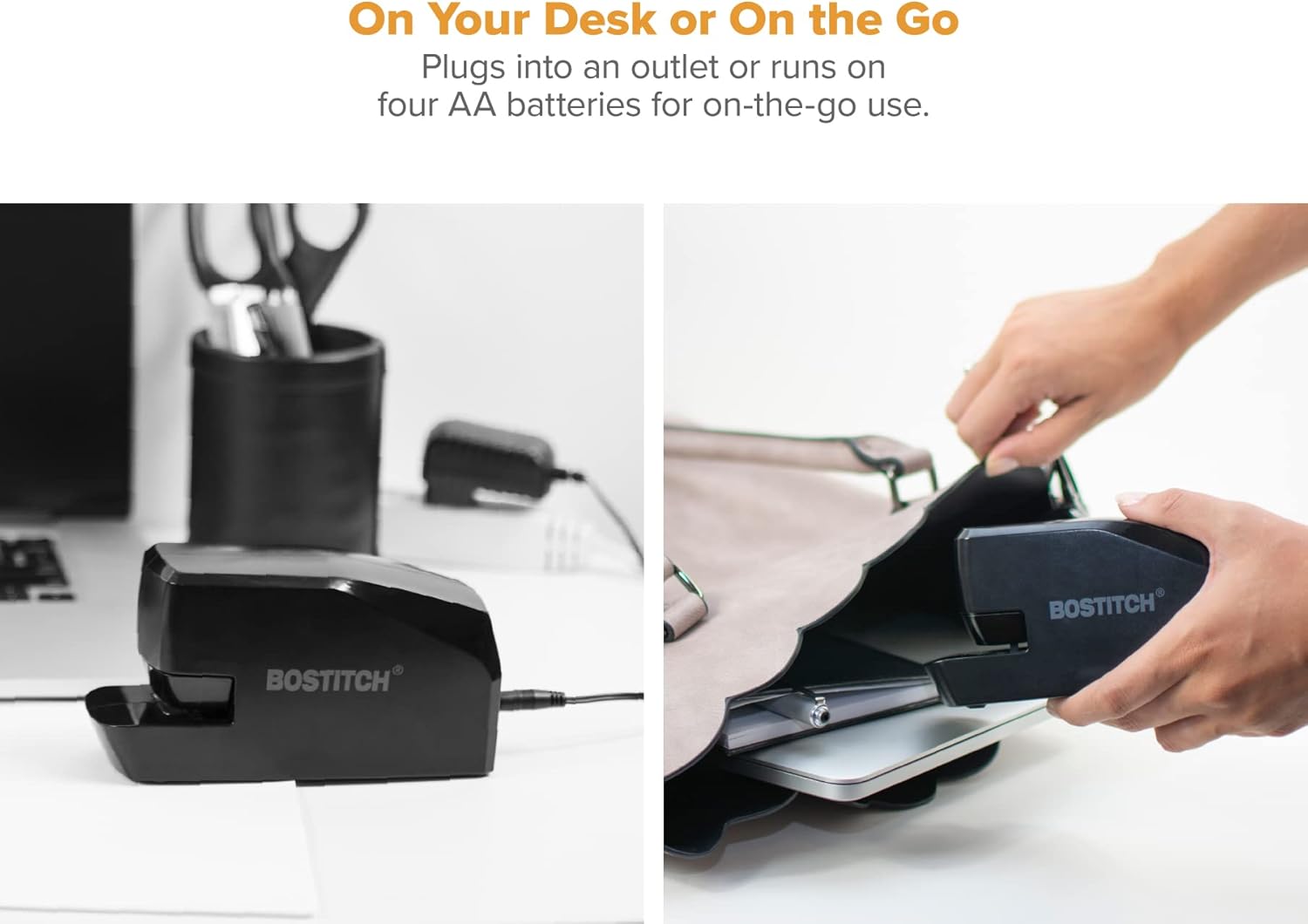
Image: The stapler can be powered by an AC adapter (left) or four AA batteries (right, batteries not included).
- የኤሲ ኃይል Connect the provided AC adapter to the stapler's power port and plug it into a standard electrical outlet.
- የባትሪ ሃይል፡- For wire-free use, open the battery compartment on the underside of the stapler and insert 4 AA batteries (not included), ensuring correct polarity.
Loading Staples (FastLoad™ System):
The FastLoad™ push-button system makes reloading staples quick and easy. For best results, use with Bostitch Premium Standard Staples.

Image: Step-by-step instructions for loading staples using the FastLoad™ system.
- Press the release button located on the side of the stapler to eject the staple magazine.
- Load a strip of standard staples into the magazine with the staple points facing down.
- Push the magazine tray back into place until you hear a distinct "Click!", indicating it is fully closed and secured.
3. የአሠራር መመሪያዎች
Using your Bostitch Electric Stapler is straightforward. Its motorized design ensures efficient and quiet stapling.
Stapling Documents:

Image: The stapler efficiently staples 2 to 20 sheets with quiet operation.
- Ensure staples are loaded and the stapler is powered (AC or batteries).
- Align the papers you wish to staple. The extra-wide paper lead-in assists with quick and accurate positioning.
- Insert the papers into the stapling slot. The stapler will automatically detect the paper and activate, driving the staple through the sheets.
- Remove the stapled document.
Stapling Angles:
The stapler allows for versatile stapling at different angles for various document needs.

Image: The stapler supports stapling at 45° or 90° angles.
- The stapler can staple at a standard 90-degree angle.
- For corner stapling or other specific needs, position your papers to utilize the 45-degree angle stapling capability.
4. ጥገና
To ensure the longevity and optimal performance of your Bostitch Electric Stapler, follow these simple maintenance guidelines:
- ማጽዳት፡ Periodically wipe the exterior of the stapler with a soft, dry cloth to remove dust and debris. Avoid using harsh chemicals or abrasive cleaners.
- Staple Quality: Always use high-quality standard staples, such as Bostitch Premium Standard Staples, to prevent jams and ensure smooth operation.
- ማከማቻ፡ When not in use for extended periods, store the stapler in a dry, cool place. If using battery power, consider removing the batteries to prevent leakage.
5. መላ መፈለግ
If you encounter issues with your stapler, refer to the following common troubleshooting tips:
| ችግር | ሊሆን የሚችል ምክንያት | መፍትሄ |
|---|---|---|
| Stapler not operating / No power. | No power connection (AC) or dead/incorrectly inserted batteries. | Ensure AC adapter is securely plugged in. If using batteries, check battery orientation and replace if necessary. |
| Staples jamming. | Overloading with too many sheets, incorrect staple type, or improperly loaded staples. | Do not exceed 20 sheets. Use standard staples. Ensure staples are loaded correctly with points facing down and the tray is fully clicked into place. |
| Staples not penetrating all sheets. | Too many sheets, dull staples, or low battery power. | Reduce sheet count. Ensure you are using fresh, quality staples. If on battery power, replace batteries. |
| Stapler makes noise but doesn't staple. | ባዶ ዋና መጽሔት። | Reload staples into the magazine. |
6. የምርት ዝርዝሮች
| ባህሪ | ዝርዝር |
|---|---|
| የምርት ስም | ቦስቲች |
| የሞዴል ቁጥር | MDS20-BLK |
| የእቃው ክብደት | 13 አውንስ |
| የምርት ልኬቶች | 2.28 x 3.44 x 7.71 ኢንች |
| ቀለም | ጥቁር |
| የቁስ ዓይነት | ፕላስቲክ |
| የማያያዣዎች ብዛት | 105 (magazine capacity) |
| የሉህ አቅም | ከ 2 እስከ 20 ሉሆች |
| የኃይል ምንጭ | AC Adapter or 4 AA Batteries |
| የመጀመሪያ ቀን ይገኛል። | ኦገስት 25፣ 2017 |
7. ዋስትና እና ድጋፍ
The Bostitch Office Portable Electric Stapler (MDS20-BLK) comes with a limited warranty.

Image: The product is covered by a 1 Year Limited Warranty.
For detailed warranty information, product support, or to download the official user manual, please refer to the following resources:
- ይፋዊ የተጠቃሚ መመሪያ (ፒዲኤፍ)፡- ፒዲኤፍ አውርድ
- Bostitch Store: Visit the Bostitch Store on Amazon
8. በሳጥኑ ውስጥ ያለው
የምርት ማሸጊያውን ሲከፍቱ, የሚከተሉትን እቃዎች ያገኛሉ:
- Bostitch Office Portable Electric Stapler (MDS20-BLK)
- የ AC አስማሚ
Note: AA batteries are not included and must be purchased separately for portable use.
Ask a question about this manual
Ask about setup, troubleshooting, compatibility, parts, safety, or missing instructions. Manuals+ will review the question and use this page’s manual context to help answer it.