1. መግቢያ
This manual provides essential instructions for the proper setup, operation, and maintenance of your Black Box EVNDVI01-0010 DVI-A to VGA HD15 Cable. Please read this manual thoroughly before using the product to ensure optimal performance and longevity.
2. ምርት አብቅቷልview
The Black Box EVNDVI01-0010 is a DVI-A to VGA HD15 cable designed to connect a digital DVI-A output from a source device to an analog VGA input on a display device. This cable facilitates the transmission of analog video signals, allowing compatibility between DVI-A enabled devices and traditional VGA monitors or projectors.
ቁልፍ ባህሪዎች
- Connects digital DVI-A display outputs to analog VGA device inputs.
- Supports resolutions up to 1600 x 1200.
- Features a 17-pin single link configuration for DVI-A.
- Male-to-Male connector gender.
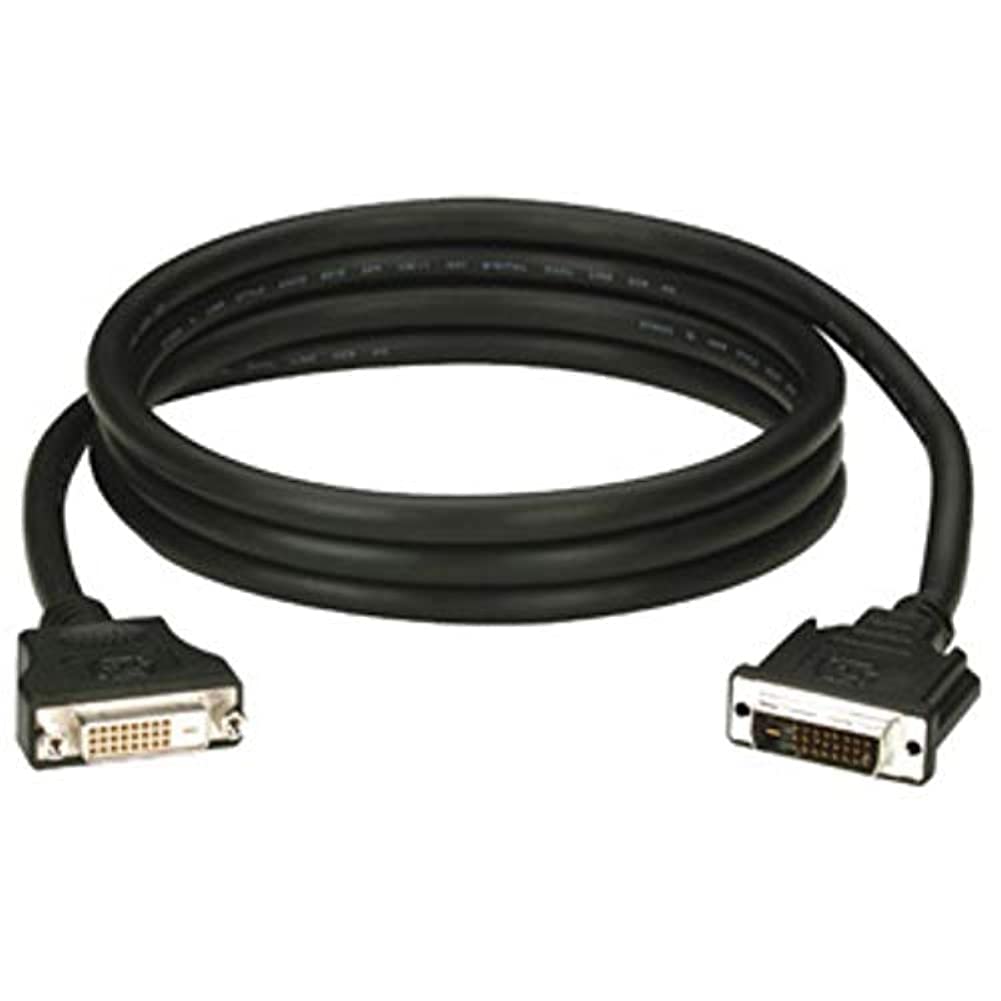
Figure 1: Black Box DVI-A to VGA HD15 Cable. This image displays the cable with its DVI-A (white) and VGA (blue) connectors, illustrating its male-to-male configuration.
3. ማዋቀር
Follow these steps to properly connect your DVI-A to VGA cable:
- ወደቦችን መለየት፡- Locate the DVI-A output port on your source device (e.g., computer graphics card) and the VGA input port on your display device (e.g., monitor, projector). The VGA port is typically blue.
- Connect DVI-A: Carefully insert the DVI-A connector of the cable into the DVI-A output port of your source device. Ensure the pins align correctly and gently push until it is fully seated.
- Connect VGA: Insert the VGA HD15 connector of the cable into the VGA input port of your display device. Tighten the thumbscrews on the VGA connector to secure the connection and prevent accidental disconnections.
- በመሳሪያዎች ላይ ኃይል; የምንጭ መሳሪያዎን እና የማሳያ መሳሪያዎን ሁለቱንም ያብሩ።
- ግቤትን ይምረጡ፡- On your display device, select the correct input source (e.g., 'VGA', 'PC', 'Input 1') using the display's menu or input selection button.
A proper connection should result in the display device showing the video output from the source device.
4. አሠራር
Once the Black Box EVNDVI01-0010 cable is correctly connected, its operation is passive. The cable transmits the analog video signal directly from the source to the display. No additional software or drivers are required for the cable itself.
- የጥራት ቅንብሮች፡- Ensure your source device's display settings are configured to a resolution supported by both the source and the display device, up to 1600 x 1200.
- የማሳያ ሁነታዎች፡ If using a computer, you may need to configure your display mode (e.g., duplicate, extend, second screen only) through your operating system's display settings.
5. ጥገና
To ensure the longevity and reliable performance of your Black Box DVI-A to VGA cable, follow these maintenance guidelines:
- በጥንቃቄ ይያዙ; ገመዱን በኃይል ከማጠፍ ወይም በማገናኛዎቹ ላይ ከመጠን በላይ ኃይል ከመጠቀም ይቆጠቡ።
- ንጽህናን ይጠብቁ; Periodically wipe the cable and connectors with a soft, dry cloth to remove dust and debris. Do not use liquid cleaners directly on the connectors.
- በትክክል ያከማቹ፡ When not in use, coil the cable loosely and store it in a clean, dry environment away from extreme temperatures.
- ለጉዳት ምርመራ; Regularly check the cable and connectors for any signs of wear, fraying, or damage. Discontinue use if damage is observed.
6. መላ መፈለግ
If you encounter issues with your DVI-A to VGA cable, consider the following troubleshooting steps:
- በእይታ ላይ ምንም ምልክት የለም፡
- ሁለቱም የኬብሉ ጫፎች ደህንነቱ በተጠበቀ ሁኔታ መገናኘታቸውን ያረጋግጡ።
- ሁለቱም ምንጭ እና ማሳያ መሳሪያዎች መብራታቸውን ያረጋግጡ።
- Confirm the correct input source is selected on your display device.
- Test with another cable if available to rule out a faulty cable.
- Poor Picture Quality (Flickering, Distorted Image):
- Check for loose connections at both ends of the cable. Tighten VGA thumbscrews.
- Adjust the display resolution on your source device to a lower setting to see if the issue resolves.
- Ensure there are no strong electromagnetic interference sources near the cable.
- Inspect the cable for any physical damage.
- የተሳሳቱ ቀለሞች:
- Verify the cable is fully seated and not bent or damaged.
- Check the color settings on your display device and source device.
7. ዝርዝሮች
| የምርት ስም | ጥቁር ሳጥን |
| የሞዴል ቁጥር | EVNDVI01-0010 |
| የማገናኛ አይነት | DVI-A Male, VGA HD15 Male |
| የኬብል አይነት | DVI-A to VGA |
| የሚደገፍ ውሳኔ | እስከ 1600 x 1200 ድረስ |
| አያያዥ ጾታ | ወንድ-ለ-ወንድ |
| ቀለም | ጥቁር, ሰማያዊ |
| የእቃው ክብደት | 0.35 ኪሎግራም (12.3 አውንስ) |
| የቤት ውስጥ / የውጭ አጠቃቀም | የቤት ውስጥ ፣ ከቤት ውጭ |
| ዩፒሲ | 822088058960 |
8. ዋስትና እና ድጋፍ
For specific warranty information regarding your Black Box EVNDVI01-0010 DVI-A to VGA HD15 Cable, please refer to the official Black Box webጣቢያ ወይም የደንበኞቻቸውን ድጋፍ በቀጥታ ያነጋግሩ። የዋስትና ውሎች እና ሁኔታዎች ሊለያዩ ይችላሉ።
If you require technical assistance or have questions not covered in this manual, please contact Black Box customer support through their official channels.