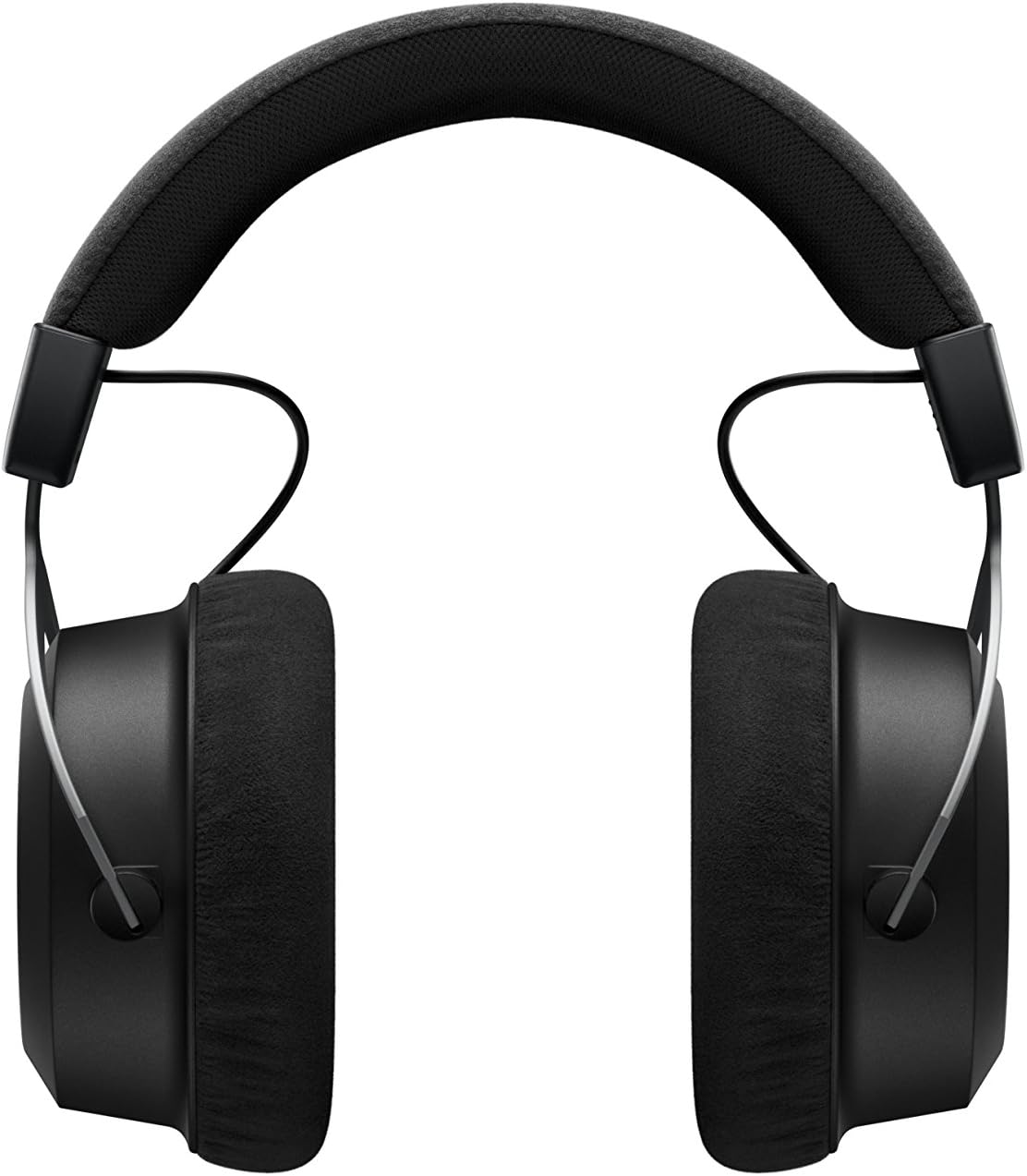
The beyerdynamic Amiron Wireless headphones are designed to provide a high-end audio experience with the freedom of wireless connectivity. These headphones integrate innovative sound personalization and Tesla technology for optimal sound quality. They are crafted with high-quality materials in Germany, ensuring durability and a comfortable fit for extended listening sessions.
በሣጥኑ ውስጥ ያለው
Your beyerdynamic Amiron Wireless headphones package includes the following items:
Amiron Wireless headphones
Optional wired connection cable with remote control (Mini Jack 3.5 mm, 1.2 m long, detachable, 4-pole)
ገመድ ዩኤስቢ-A ወደ ዩኤስቢ-ሲ በመሙላት ላይ
ጠንካራ መያዣ
የዋስትና ቡክሌት
ፈጣን ጅምር መመሪያ
Image: The Amiron Wireless headphones, charging cable, audio cable, and hard case.
ምርት አልቋልview
The Amiron Wireless headphones are designed for an immersive audio experience, combining advanced technology with user comfort.
ቁልፍ ባህሪዎች
High-end Bluetooth Connectivity: Features optimum sound quality thanks to Tesla technology and top-class Bluetooth transmission (Qualcomm aptX HD and AAC). Operating range up to 10 meters.
Sound Personalization: Adapts acoustically to the user's hearing through an integrated sound personalization feature, ensuring a tailored audio experience.
ማጽናኛ፡ Unique wearing comfort achieved through masterfully balanced contact pressure and a perfect fit, ideal for long listening sessions.
ፕሪሚየም ግንባታ፡ Made in Germany with high-quality materials, offering durability and flawless workmanship.
የንክኪ መቆጣጠሪያ፡- Intuitive touch controls on the earcup for easy management of playback and calls.
ምስል: ጎን view of the Amiron Wireless headphones, highlighting the earcup design and headband.
ማዋቀር
1. የጆሮ ማዳመጫዎችን መሙላት
Before first use, ensure your Amiron Wireless headphones are fully charged. Connect the provided USB-A to USB-C charging cable to the USB-C port on the headphone and a suitable USB power source. A full charge takes approximately 2 hours and provides over 30 hours of battery life.
On your device (smartphone, tablet, etc.), go to Bluetooth settings and select "Amiron Wireless" from the list of available devices.
Once connected, the LED indicator will show a steady blue light.
3. Sound Personalization (MIY App)
For an optimized listening experience, download the beyerdynamic MIY app from the Google Play Store or Apple App Store. The app allows you to perform a hearing test and create a personalized sound profile that adapts the audio output to your individual hearing. This profile is then stored directly on the headphones.
ቪዲዮ: አልቋልview of the beyerdynamic Amiron Wireless headphones, including unboxing and features like sound personalization and touch controls.
የአሠራር መመሪያዎች
የመዳሰሻ ሰሌዳ መቆጣጠሪያዎች
The right earcup features an integrated touchpad for intuitive control of various functions:
የድምጽ መቆጣጠሪያ፡- Swipe up or down on the touchpad.
ዳሰሳን ይከታተሉ፡ Swipe forward for the next track, backward for the previous track.
አጫውት/ ለአፍታ አቁም፡ Tap the center of the touchpad.
የጥሪ አስተዳደር፡ Tap to answer/end calls, push and hold for voice commands (Siri, Google Assistant).
The sensitivity of these touch controls can be customized via the MIY app.
የገመድ አሠራር
For a wired connection, plug the provided 3.5 mm audio cable into the headphone's audio jack and your audio source. This allows for passive use even if the battery is depleted or while charging. The inline remote on the cable provides basic playback and call controls.
Image: A user enjoying music with the Amiron Wireless headphones, demonstrating the touch controls on the earcup.
የድምፅ ጥራት
The Amiron Wireless headphones deliver a dynamic and detailed sound profile, characterized by:
ባስ፡ Powerful and precise low-end with good impact, without overpowering other frequencies.
መካከለኛ ክልል፡ Natural and clear, providing excellent reproduction of vocals and instruments.
ትሪብል Detailed and smooth high-end, avoiding harshness even at higher frequencies, contributing to an airy sound.
ይሰማል።tage: Offers impressive depth and precise instrument placement, creating a spacious and immersive listening experience.
The sound personalization feature via the MIY app further enhances the audio quality by tailoring it to your unique hearing profile.
ምቾት እና ዲዛይን
The Amiron Wireless headphones prioritize comfort and a robust build:
የጆሮ ማዳመጫዎች Equipped with soft, velour earpads that provide a comfortable fit and contribute to sound isolation.
የጭንቅላት ማሰሪያ፡ Features a leatherette headband with ample padding for reduced pressure during prolonged use.
ቁሶች፡- Constructed with high-quality materials, including metal components, ensuring durability and a premium feel.
የሚመጥን Designed for a balanced contact pressure and secure fit, making them suitable for home listening.
Image: A user enjoying music with the Amiron Wireless headphones in a relaxed setting, showcasing their comfortable design.
ዝርዝሮች
ባህሪ
ዝርዝር
የሞዴል ስም
Amiron Wireless
የግንኙነት ቴክኖሎጂ
Wireless Version (Bluetooth 4.0)
ገመድ አልባ የመገናኛ ቴክኖሎጂ
ብሉቱዝ
የድግግሞሽ ምላሽ
5 - 40,000 ኸርዝ
እክል
32 ኦኤም
ስሜታዊነት
100 ዲቢቢ
የባትሪ ህይወት
30 ሰዓታት
የኃይል መሙያ ጊዜ
2 Hours (for 30 hours playback)
የብሉቱዝ ክልል
10 ሜትር
የመቆጣጠሪያ ዘዴ
ንክኪ (የሚዲያ ቁጥጥር)
የድምጽ መቆጣጠሪያ
የድምፅ ማግለል
የእቃው ክብደት
13.4 አውንስ
የምርት ልኬቶች
8.07 x 4.13 x 5.9 ኢንች
አምራች
Beyerdynamic, Inc.
ጥገና
To ensure the longevity and optimal performance of your beyerdynamic Amiron Wireless headphones, follow these maintenance guidelines:
The beyerdynamic Amiron Wireless headphones are manufactured in Germany using high-quality materials, offering durability and flawless workmanship. Please refer to the included warranty booklet for detailed information regarding your product's warranty coverage.
For further assistance, technical support, or service inquiries, please visit the official beyerdynamic webጣቢያ ወይም የደንበኞች አገልግሎት ክፍልን ያነጋግሩ።
Ask about setup, troubleshooting, compatibility, parts, safety, or missing instructions. Manuals+ will review the question and use this page’s manual context to help answer it.