
iFi xCAN
iFi xCAN ተንቀሳቃሽ የጆሮ ማዳመጫ Ampየሚያነቃቃ የተጠቃሚ መመሪያ
Model: xCAN
1. መግቢያ
ስለገዙ እናመሰግናለንasing the iFi xCAN, a high-performance portable dual mono balanced headphone amplifier. The xCAN is engineered to deliver exceptional audio quality from your digital and analog sources, featuring advanced Bluetooth connectivity with AptX and AAC codecs, and versatile wired input/output options. This manual will guide you through the setup, operation, and maintenance of your xCAN to ensure optimal performance and longevity.
2. ምርት አብቅቷልview
2.1 የጥቅል ይዘቶች
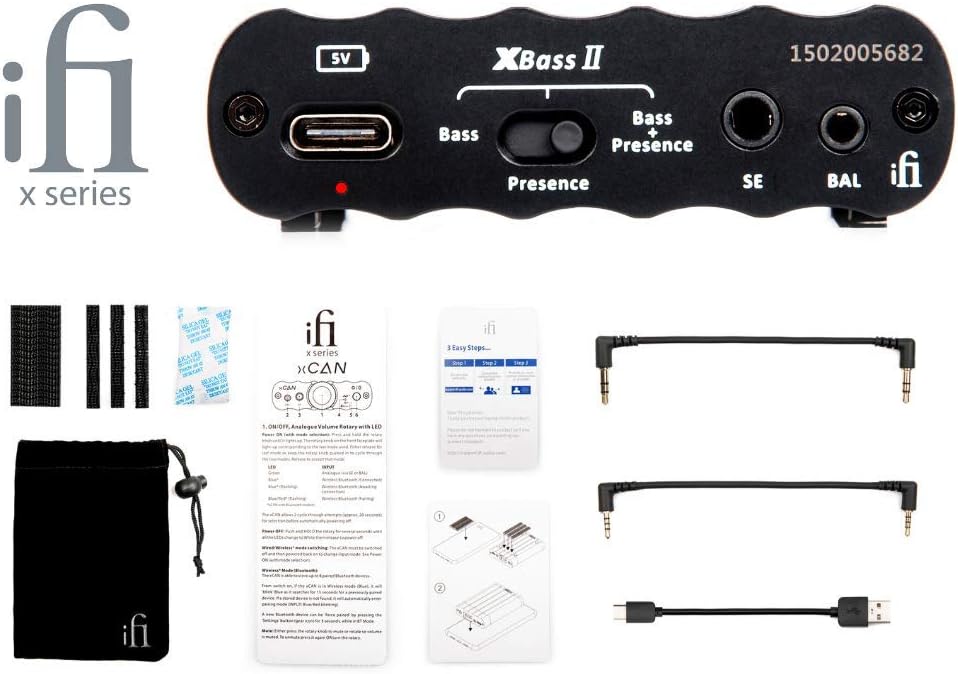
Figure 2.1: The iFi xCAN amplifier shown with its complete set of included accessories, which typically consist of various audio cables, a USB charging cable, and a protective pouch.
እባክዎ ሁሉም እቃዎች በጥቅልዎ ውስጥ እንዳሉ ያረጋግጡ፡-
- iFi xCAN ተንቀሳቃሽ የጆሮ ማዳመጫ Ampማብሰያ
- ዩኤስቢ-ሲ ወደ ዩኤስቢ-ኤ የኃይል መሙያ ገመድ
- ከ 3.5 ሚሜ እስከ 3.5 ሚሜ የድምጽ ገመድ
- 2.5mm to 2.5mm balanced audio cable
- መከላከያ መያዣ ቦርሳ
- የተጠቃሚ መመሪያ እና ፈጣን ጅምር መመሪያ
2.2 የፊት ፓነል መቆጣጠሪያዎች እና ግንኙነቶች

Figure 2.2: The front panel of the iFi xCAN, featuring the central volume knob with integrated LED, 2.5mm balanced output, 3.5mm single-ended output, and buttons for XBass II and 3D+ sound enhancements.
- 2.5mm Balanced Output (BAL): Connect balanced headphones with a 2.5mm TRRS connector.
- 3.5mm Single-Ended Output (SE): Connect single-ended headphones with a 3.5mm TRS connector.
- Volume Control / Power Button: Rotate to adjust volume. Press and hold to power on/off. The LED around the knob indicates status and battery level.
- 3D+ Button: Toggles iFi's 3D+ holographic sound system for a wider soundstage.
- XBass II Button: Toggles iFi's XBass II bass enhancement. Press once for Bass, press again for Bass + Presence, press a third time to turn off.
2.3 የኋላ ፓነል ግንኙነቶች

Figure 2.3: The rear panel of the iFi xCAN, displaying the USB-C input for charging and data, a 3.5mm single-ended analog input, and a 2.5mm balanced analog input.
- USB-C Input (5V): For charging the xCAN and for digital audio input from a computer or compatible device.
- 3.5mm Single-Ended Input (SE): For analog audio input from devices with a 3.5mm output.
- 2.5mm Balanced Input (BAL): For analog audio input from devices with a 2.5mm balanced output.
3. ማዋቀር
3.1 Charging the xCAN
Before first use, fully charge the xCAN using the supplied USB-C cable connected to a USB power adapter (not included) or a computer's USB port. The LED around the volume knob will indicate charging status.
- አረንጓዴ፥ ሙሉ በሙሉ ተሞልቷል።
- ነጭ፥ Charging (80% - 99%)
- ቢጫ: Charging (20% - 79%)
- ቀይ፥ Charging (below 20%)
3.2 ከድምጽ ምንጮች ጋር መገናኘት

Figure 3.1: A visual guide illustrating how to connect the iFi xCAN to different audio sources, including smartphones, laptops, and digital audio players, using both Bluetooth wireless and wired 3.5mm or 2.5mm analog connections.
The xCAN offers both wired and wireless connectivity options:
- ብሉቱዝ፡ ከስማርትፎኖች፣ ታብሌቶች እና ኮምፒውተሮች ጋር ገመድ አልባ ግንኙነት ለማድረግ።
- ባለገመድ አናሎግ፡ Use the 3.5mm or 2.5mm balanced input for direct connection to audio players or other devices.
- Wired Digital (USB-C): Connect to a computer or compatible digital source for high-resolution audio playback.
3.3 የጆሮ ማዳመጫዎችን ማገናኘት
Connect your headphones to the appropriate output on the front panel:
- For balanced headphones, use the 2.5mm BAL output.
- For single-ended headphones, use the 3.5mm SE output.
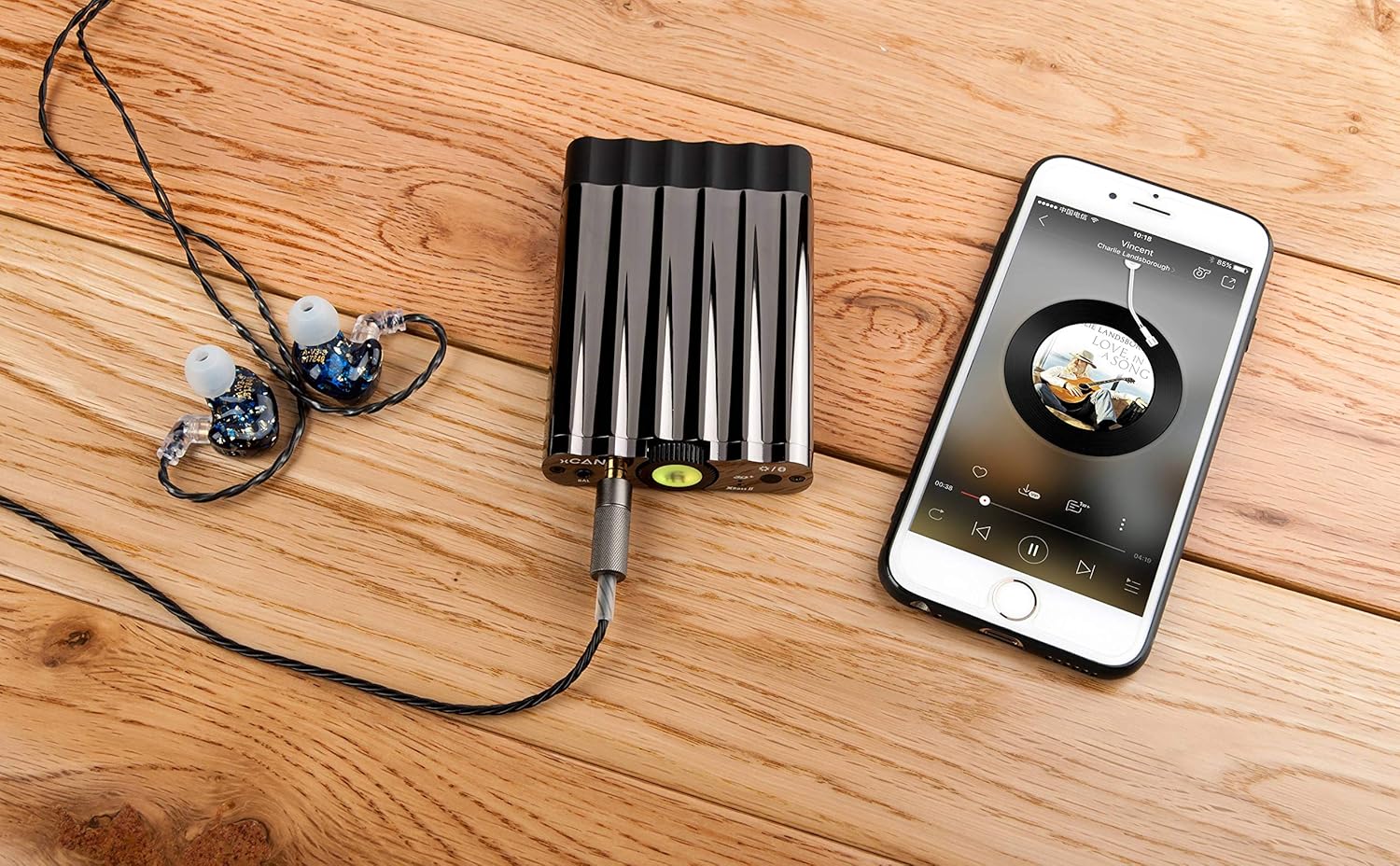
Figure 3.2: The iFi xCAN amplifier connected via cable to a smartphone, with in-ear monitors plugged into the amplifier's output, demonstrating a typical portable audio setup.

Figure 3.3: The iFi xCAN amplifier connected to a digital audio player (DAP) and in-ear monitors, showcasing its use as an external amplifier for high-fidelity portable setups.
4. የአሠራር መመሪያዎች
4.1 ማብራት / ማጥፋት
To power on the xCAN, press and hold the volume knob for approximately 3 seconds. The LED around the knob will illuminate. To power off, press and hold the volume knob again for 3 seconds.
4.2 የድምጽ መቆጣጠሪያ
Rotate the central knob clockwise to increase volume and counter-clockwise to decrease volume. Start with a low volume level before playing audio to prevent sudden loud sounds.
4.3 የብሉቱዝ ማጣመር
To enter Bluetooth pairing mode, short press the volume knob twice. The LED will flash blue. On your device (smartphone, tablet, computer), search for "iFi xCAN" in the Bluetooth settings and select it to pair. Once paired, the LED will show a solid blue light.
4.4 XBass II and 3D+ Functions
These functions enhance your listening experience:
- XBass II: Press the XBass II button to cycle through modes:
- ባስ፡ Enhances low frequencies.
- Bass + Presence: Enhances low frequencies and adds vocal presence.
- ጠፍቷል፡ No enhancement.
- 3D+: Press the 3D+ button to toggle the holographic sound system on or off. This widens the perceived soundstage, making the audio sound more spacious.
4.5 LED አመልካቾች
The LED around the volume knob provides important status information:
| የ LED ቀለም | የሁኔታ አመላካች |
|---|---|
| አረንጓዴ | Battery Full / Fully Charged |
| ነጭ | Battery 80% - 99% |
| ቢጫ | Battery 20% - 79% |
| ቀይ | Battery below 20% / Charging (Red) |
| የሚያብረቀርቅ ሰማያዊ | የብሉቱዝ ማጣመሪያ ሁነታ |
| ጠንካራ ሰማያዊ | ብሉቱዝ ተገናኝቷል። |
5. ጥገና
To ensure the longevity and optimal performance of your iFi xCAN, follow these maintenance guidelines:
- ማጽዳት፡ Use a soft, dry, lint-free cloth to clean the exterior of the device. Do not use liquid cleaners or aerosols.
- ማከማቻ፡ Store the xCAN in a cool, dry place away from direct sunlight and extreme temperatures. Use the provided protective pouch when transporting.
- የባትሪ እንክብካቤ For optimal battery life, avoid fully discharging the battery frequently. If storing for an extended period, charge the battery to about 50% before storage.
- እርጥበትን ያስወግዱ; መሳሪያውን ከውሃ እና ከፍተኛ እርጥበት ያርቁ.
- በጥንቃቄ ይያዙ; መሳሪያውን ለጠንካራ ተጽእኖዎች ከመጣል ወይም ከማስገዛት ተቆጠብ።
6. መላ መፈለግ
If you encounter any issues with your iFi xCAN, please refer to the following common problems and solutions:
| ችግር | ሊሆን የሚችል ምክንያት / መፍትሄ |
|---|---|
| ኃይል የለም / መሳሪያው አይበራም |
|
| ከጆሮ ማዳመጫዎች ድምፅ የለም |
|
| የብሉቱዝ ግንኙነት ችግሮች |
|
| የተዛባ ወይም ደካማ የድምፅ ጥራት |
|
7. ዝርዝሮች
| ባህሪ | ዝርዝር |
|---|---|
| የሞዴል ስም | xCAN |
| የምርት ስም | አይፋይ |
| የግንኙነት ቴክኖሎጂ | Wireless (Bluetooth), Wired (USB-C, 3.5mm, 2.5mm) |
| የብሉቱዝ ኮዴኮች | AptX, AAC (and others supported by iFi) |
| የጆሮ ማዳመጫ ውጤቶች | 2.5mm Balanced, 3.5mm Single-Ended |
| የአናሎግ ግብዓቶች | 2.5mm Balanced, 3.5mm Single-Ended |
| ዲጂታል ግብዓት | ዩኤስቢ-ሲ |
| ቀለም | ጥቁር |
| የተካተቱ አካላት | Cables, Protective Pouch |
8. ዋስትና እና ድጋፍ
The iFi xCAN comes with a standard manufacturer's warranty. Please refer to the warranty card included in your package or visit the official iFi webለዝርዝር የዋስትና ውሎች እና ሁኔታዎች ጣቢያ።
For technical support, product registration, or further inquiries, please visit the iFi Audio support page or contact their customer service directly.
iFi Audio Official Webጣቢያ፡ ifi-audio.com
Ask a question about this manual
Ask about setup, troubleshooting, compatibility, parts, safety, or missing instructions. Manuals+ will review the question and use this page’s manual context to help answer it.