መግቢያ
This manual provides detailed instructions for the setup, operation, and maintenance of your VTech VT1301-3 Triple Cordless Phone system. Please read this guide thoroughly to ensure optimal performance and longevity of your device. This system features digital enhanced clarity for clear communication and includes three handsets for convenience.
1. ማዋቀር
1.1 ማራገፊያ እና አካላት
Carefully unpack all items from the box. Ensure all components are present:
- ዋናው የመሠረት ክፍል
- Three cordless handsets
- Three charging cradles
- Three power adapters
- One telephone line cord
- Rechargeable batteries (pre-installed or separate)

Image: The VTech VT1301-3 triple cordless phone system, showing the blue, red, and green handsets with their respective charging bases and power adapters.
1.2 የመሠረት ክፍሉን ማገናኘት
- የስልክ መስመሩን አንድ ጫፍ ከዋናው የመሠረት ክፍል ጀርባ ካለው የTEL LINE መሰኪያ ጋር ያገናኙ።
- የስልኩን መስመር ገመድ ሌላኛውን ጫፍ ከስልክ ግድግዳ መሰኪያ ጋር ያገናኙ።
- Plug the power adapter into the POWER jack on the main base unit.
- ሌላኛው የኃይል አስማሚውን ጫፍ በኤሌክትሪክ መሰኪያ ውስጥ ይሰኩ።
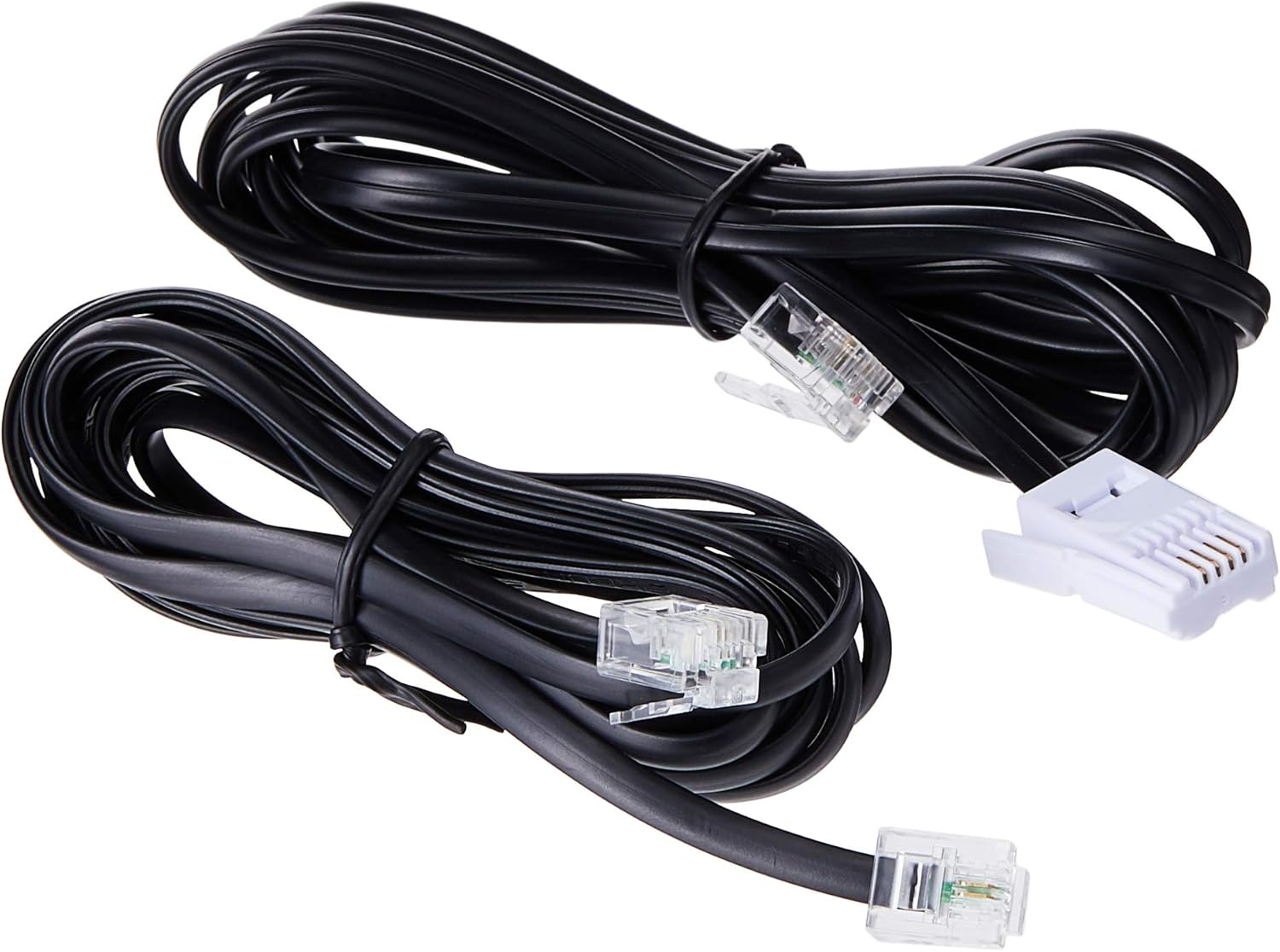
Image: Two black telephone line cords, essential for connecting the base unit to a telephone wall jack.
1.3 Charging the Handsets
Before initial use, charge each handset for at least 16 hours. Place each handset face forward in its respective charging cradle. The charge indicator on the handset or base will illuminate to confirm proper placement and charging.
- Ensure the power adapters for all charging cradles are plugged into electrical outlets.
- Place each handset securely in its cradle.
- A full charge ensures optimal battery performance.
2. የአሠራር መመሪያዎች
2.1 መሰረታዊ የጥሪ ተግባራት

ምስል: ዝርዝር view of the VTech VT1301-3 handset, highlighting its large character blue backlit LCD display and functional keypad.
- ጥሪ ማድረግ፡- ተጫን ተናገር, then dial the number. Alternatively, dial the number first and then press ተናገር.
- ለጥሪ መልስ ስልኩ ሲደወል ይጫኑ ተናገር ወይም ማንኛውም የመደወያ ቁልፍ (0-9፣ #፣ *)።
- ጥሪን በማጠናቀቅ ላይ፡- ተጫን ጠፍቷል or place the handset back in its charging cradle.
- የእጅ ስልክ ስፒከር ስልክ፡ በሚደውሉበት ጊዜ “የሚለውን ይጫኑ የድምጽ ማጉያ button (often integrated with TALK or a separate icon) to activate or deactivate the speakerphone.
2.2 የላቁ ባህሪያት
- የስልክ ማውጫ፡ Store up to 20 names and numbers. Access via the ምናሌ / እሺ button and navigate to the Phonebook option.
- የደዋይ መታወቂያ፡- The phone displays the last 10 caller numbers. Press CID (Caller ID) to review ዝርዝሩን.
- ዋጋ: ተጫን ቀይር ወደ view and redial the last 5 numbers called.
- የጥሪ ማስተላለፍ፡- በውጫዊ ጥሪ ጊዜ ተጫን ምናሌ / እሺ, select 'Transfer', and choose the internal handset to transfer the call to.
- የውስጥ ጥሪዎች፡- Make calls between handsets by pressing the INT or ምናሌ / እሺ button and selecting the desired handset.
- ባለ 3-መንገድ የስብሰባ ጥሪ፡- Initiate a 3-way conference call involving two internal handsets and one external line.
- Page/Handset Locator: የሚለውን ይጫኑ ገጽ button on the main base unit to locate a misplaced handset.
- ደዋይ ዜማዎች፡- Choose from 10 ringer melodies (5 polyphonic and 5 standard) in the handset settings.
- የቁልፍ ሰሌዳ መቆለፊያ; ተጭነው ይያዙት። # key to lock/unlock the keypad.
- ማንቂያ፡- Set an alarm through the handset menu.
3. ጥገና
3.1 ስልክዎን ማጽዳት
To keep your phone clean, wipe it with a soft, slightly damp cloth. Do not use cleaning sprays or harsh chemicals as they may damage the finish or electrical components. Ensure the phone is disconnected from power before cleaning.
3.2 የባትሪ እንክብካቤ
- Always use the VTech approved rechargeable batteries provided with your phone.
- For optimal battery life, avoid placing the phone in direct sunlight or in areas with extreme temperatures.
- ስልኩ ለረጅም ጊዜ ጥቅም ላይ የማይውል ከሆነ፣ እንዳይፈስ ለመከላከል ባትሪዎቹን ያስወግዱ።
4. መላ መፈለግ
If you experience any issues with your VTech VT1301-3 phone, please refer to the following common solutions:
- የመደወያ ድምጽ የለም፦ Ensure the telephone line cord is securely connected to both the base unit and the wall jack. Check if the power adapter is properly connected to the base unit and an electrical outlet.
- ጥሪዎችን ማድረግ ወይም መቀበል አይቻልም፦ Verify that the handset batteries are charged. Check the telephone line connection. If you have a DSL service, ensure a DSL filter is installed.
- ደካማ የድምፅ ጥራት; Move closer to the base unit. Ensure there are no large metal objects or other electronic devices interfering with the signal. Check for any loose connections.
- Handset not charging: Ensure the handset is correctly seated in the charging cradle. Verify that the charging cradle's power adapter is plugged into a working electrical outlet. Clean the charging contacts on both the handset and cradle with a dry cloth.
- Handset displays "Out of Range" or "No Link": Move the handset closer to the main base unit. If the issue persists, try resetting the base unit by unplugging its power adapter for a few minutes, then plugging it back in.
5. ዝርዝሮች
| ባህሪ | መግለጫ |
|---|---|
| የሞዴል ቁጥር | VT1301-3 |
| የስልክ ዓይነት | ገመድ አልባ (DECT) |
| የንግግር ክልል | Up to 300m (outdoor)* |
| Radiation Mode | Ultra-low Radiation Mode** |
| ማሳያ | Large character with blue backlit LCD display |
| የስልክ ማውጫ | 20 Name and Number entries |
| የደዋይ መታወቂያ ማሳያ | 10 caller number display |
| የመጨረሻው ቁጥር መመለሻ | 5 last number redial |
| Ringer Melodies | 10 (5 polyphonic and 5 standard) |
| የስብሰባ ጥሪ | 3-Way conference call capability |
| የኃይል ምንጭ | ባለገመድ ኤሌክትሪክ |
| ዩፒሲ | 735078040251 |
* The actual talk range may vary depending on environmental conditions.
** Ultra-low Radiation Mode operates with the lowest radiation.
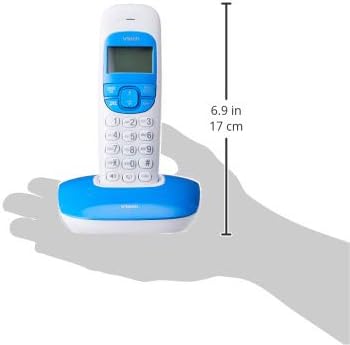
Image: Dimensions of a VTech cordless phone handset in its charging cradle, showing a height of 17 cm.
6. ዋስትና እና ድጋፍ
For specific warranty terms and conditions, please refer to the warranty card included in your product packaging. This document outlines the coverage period and conditions for service.
For technical support, frequently asked questions, or to download the latest version of this manual, please visit the official VTech webበምርትዎ ሰነድ ውስጥ የቀረበውን የእውቂያ መረጃ በመጠቀም ጣቢያ ወይም የደንበኛ አገልግሎት ዲፓርትመንታቸውን ያግኙ።