
BoxWave bw-1173-16092-8831
BoxWave SlimKeys Bluetooth Keyboard User Manual
Model: bw-1173-16092-8831
መግቢያ
The BoxWave SlimKeys Bluetooth Keyboard is a portable, ultra-thin keyboard designed for seamless connectivity with your Bluetooth-enabled devices, including the Samsung Galaxy A6 (2018). Its chiclet-style keys provide a comfortable typing experience, making it ideal for productivity on the go. This manual provides detailed instructions for setting up, operating, maintaining, and troubleshooting your SlimKeys Bluetooth Keyboard.
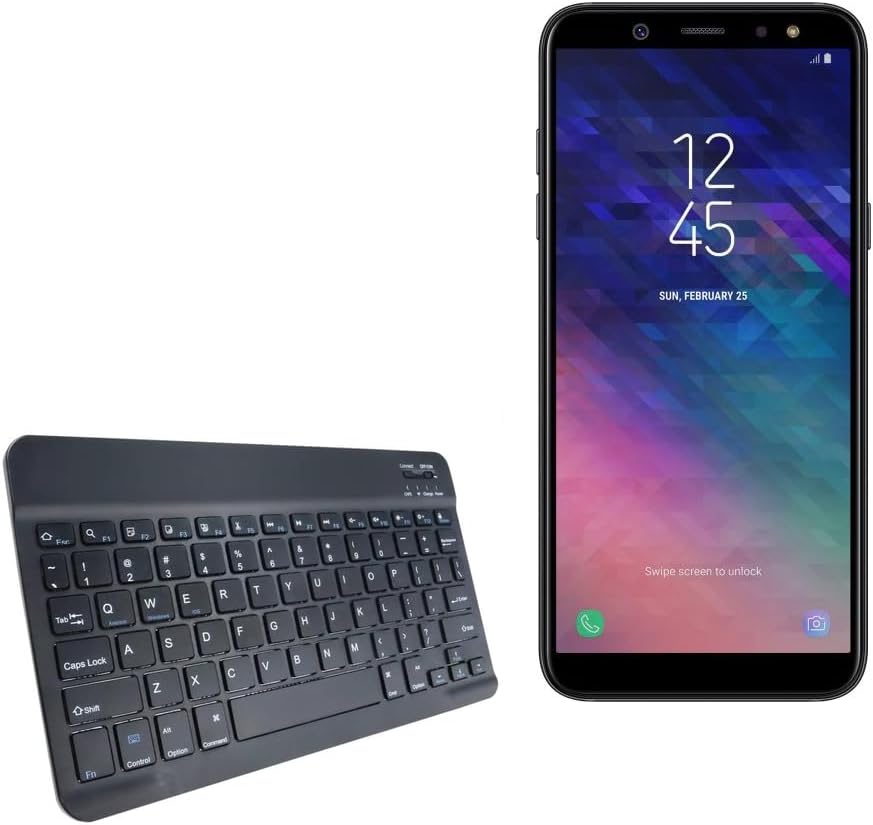
Image: The SlimKeys Bluetooth Keyboard shown alongside a compatible Samsung Galaxy A6 (2018) device, highlighting its compact size.
ማዋቀር
የቁልፍ ሰሌዳውን በመሙላት ላይ
Before initial use, ensure your SlimKeys Bluetooth Keyboard is fully charged. Use the included charging cable to connect the keyboard to a USB power source (e.g., computer USB port, USB wall adapter). The charging indicator light will illuminate during charging and turn off when fully charged.

ምስል: ዝርዝር view of the keyboard's charging port, demonstrating how to connect the charging cable for its long-lasting battery.
የብሉቱዝ ማጣመር
- አብራ፡ Locate the ON/OFF switch on the keyboard (usually on the top right) and slide it to the 'ON' position. The power indicator light will briefly illuminate.
- የማጣመሪያ ሁነታን ያስገቡ ፦ Press the 'Connect' button (often located near the ON/OFF switch or as a dedicated key). The Bluetooth indicator light will start blinking, indicating the keyboard is in pairing mode.
- በመሳሪያዎ ላይ ብሉቱዝን ያንቁ፡- On your Samsung Galaxy A6 (2018) or other compatible device, go to 'Settings' > 'Connections' > 'Bluetooth' and turn Bluetooth ON.
- የቁልፍ ሰሌዳ ይምረጡ፦ Your device will scan for available Bluetooth devices. Select 'BoxWave SlimKeys Keyboard' (or similar name) from the list.
- ማጣመርን ያረጋግጡ፡ Follow any on-screen prompts to complete the pairing process. You may be asked to enter a code displayed on your device using the keyboard and then press Enter. Once paired, the Bluetooth indicator light on the keyboard will stop blinking.
The keyboard supports Bluetooth 3.0 for quick and reliable pairing across Android, Windows, and iOS platforms.
የአሠራር መመሪያዎች
መሰረታዊ አጠቃቀም
Once paired, the SlimKeys Bluetooth Keyboard functions like a standard keyboard. Simply open any application that requires text input (e.g., messaging app, word processor) and begin typing. The chiclet-style keys are designed for quiet and comfortable typing.

Image: A user's hands demonstrating comfortable and efficient typing on the SlimKeys keyboard.
ልዩ የተግባር ቁልፎች
The SlimKeys Bluetooth Keyboard includes specialized function keys (F1-F12) that provide quick access to common commands. These functions are typically accessed by pressing the Fn ከተፈለገው የተግባር ቁልፍ ጋር በተመሳሳይ ጊዜ ቁልፍ.
| ቁልፍ ጥምረት | ተግባር |
|---|---|
| Fn + Esc (F1) | ቤት |
| Fn + F2 | ፍለጋ |
| Fn + F3 | ሁሉንም ይምረጡ |
| Fn + F4 | ቅዳ |
| Fn + F5 | ቁረጥ |
| Fn + F6 | ተመለስ ዝለል |
| Fn + F7 | አጫውት/ ለአፍታ አቁም |
| Fn + F8 | ወደ ፊት ዝለል |
| Fn + F9 | የድምጽ መጠን መቀነስ |
| Fn + F10 | የድምጽ መጠን መጨመር |
| Fn + F11 | ብሩህነት ወደ ታች |
| Fn + F12 | ብሩህነት ወደ ላይ |
| Fn + ሰርዝ | ቆልፍ |

Image: A visual guide to the specialized function keys available on the SlimKeys keyboard for quick access to various commands.
ጥገና
ማጽዳት
To clean your keyboard, gently wipe the surface with a soft, lint-free cloth. For stubborn dirt or grime, slightly dampen the cloth with water or a mild, non-abrasive cleaning solution. Avoid excessive moisture and do not spray cleaners directly onto the keyboard.
ማከማቻ
When not in use, store the keyboard in a cool, dry place away from direct sunlight and extreme temperatures. Its ultra-thin design allows for easy storage in bags or cases, making it ideal for travel.

Image: The SlimKeys keyboard being stored in a bag, emphasizing its convenience for travel and compact design.
መላ መፈለግ
- Keyboard not connecting/pairing:
- የቁልፍ ሰሌዳው መሙላቱን እና መብራቱን ያረጋግጡ።
- በመሳሪያዎ ላይ ብሉቱዝ መንቃቱን ያረጋግጡ።
- Ensure the keyboard is in pairing mode (Bluetooth indicator blinking).
- በስልክዎ የብሉቱዝ ቅንብሮች ላይ ያለውን መሳሪያ እርሳ እና እንደገና ለማጣመር ይሞክሩ።
- የቁልፍ ሰሌዳውን እና መሳሪያዎን እንደገና ያስጀምሩ (ያጥፉ/ያብሩ)።
- ምላሽ የማይሰጡ ቁልፎች፡-
- Check if the keyboard is still connected via Bluetooth.
- የቁልፍ ሰሌዳው በቂ የባትሪ ኃይል እንዳለው ያረጋግጡ።
- የቁልፍ ሰሌዳውን ከመሳሪያዎ ጋር እንደገና ለማጣመር ይሞክሩ።
- መዘግየት ወይም የዘገየ ግብዓት፦
- Ensure there are no strong interferences (e.g., other Bluetooth devices, Wi-Fi routers) nearby.
- ወደ መሳሪያዎ ጠጋ ይበሉ።
- የቁልፍ ሰሌዳውን እንደገና ይሙሉ.
ዝርዝሮች
- የሞዴል ቁጥር፡- bw-1173-16092-8831
- የግንኙነት ቴክኖሎጂ; ብሉቱዝ 3.0
- የቁልፍ ሰሌዳ መግለጫ፡- Wireless, Chiclet-Style Keys
- ቀለም፡ ጄት ጥቁር
- የእቃው ክብደት፡ 7.7 አውንስ
- የጥቅል መጠኖች: 11.06 x 6.81 x 0.55 ኢንች
- ልዩ ባህሪ፡ Lightweight, Ultra-Thin Design (3/16 inch thick)
- ባትሪዎች፡ 1 ምርት የተወሰነ ባትሪ (ተካቷል)
- አምራች፡ ቦክስዌቭ
- የትውልድ ሀገር፡- ቻይና

Image: A diagram illustrating the precise dimensions of the SlimKeys keyboard, emphasizing its compact and lightweight form factor.
ዋስትና እና ድጋፍ
For warranty information or technical support, please contact BoxWave Corporation directly. Refer to the product packaging or the official BoxWave webለአሁኑ የእውቂያ ዝርዝሮች እና የዋስትና ውሎች ጣቢያ።
BoxWave ኮርፖሬሽን
Webጣቢያ፡ www.boxwave.com
Ask a question about this manual
Ask about setup, troubleshooting, compatibility, parts, safety, or missing instructions. Manuals+ will review the question and use this page’s manual context to help answer it.