
1. መግቢያ
Thank you for choosing the LECLSTAR Motion Sensor Closet Light. This manual provides essential information for the safe and effective use of your new lighting product. Please read these instructions carefully before installation and operation, and retain them for future reference.
This wireless, battery-operated light features 51 LEDs, motion sensing capabilities, and is designed for various indoor applications such as closets, cabinets, kitchens, and stairs.
2. የደህንነት መረጃ
- መሳሪያውን በውሃ ወይም ከመጠን በላይ እርጥበት አያጋልጡ.
- Do not attempt to disassemble, repair, or modify the light. This will void the warranty and may cause damage or injury.
- ለኃይል መሙላት የቀረበውን የዩኤስቢ ገመድ ብቻ ይጠቀሙ።
- Avoid direct eye exposure to the LED light, as it can be very bright.
- ልጆች በማይደርሱበት ቦታ ያስቀምጡ.
3. የጥቅል ይዘቶች
ሁሉም እቃዎች መኖራቸውን ለማረጋገጥ እባክዎ ጥቅሉን ያረጋግጡ፡-
- 1 x LECLSTAR Motion Sensor Closet Light
- 1 x Magnetic Plastic Bracket
- 2 x 3M የማጣበቂያ ፓዶች
- 4 x ማፈናጠጥ ብሎኖች
- 1 x የዩኤስቢ ባትሪ መሙያ ገመድ
- 1 x የተጠቃሚ መመሪያ
4. ምርት አብቅቷልview
Familiarize yourself with the components of your LECLSTAR Motion Sensor Closet Light.

ምስል 1፡ Product Components. This diagram illustrates the various parts of the light, including the USB charging port, magnetic strip for mounting, LED light board, durable aluminum alloy casing, ON/OFF switch, infrared motion sensor receiver, and protective ABS cover.
- የዩኤስቢ ወደብ፡ የውስጥ ባትሪ ለመሙላት.
- መግነጢሳዊ መስመር፡ Allows for easy attachment to magnetic surfaces or the included bracket.
- LED Light Board: Contains 51 bright LEDs for illumination.
- የአሉሚኒየም ቅይጥ ቁሳቁስ፡ Provides a durable and lightweight housing.
- አብራ/አጥፋ አዝራር፡- Controls the power and operating modes.
- የኢንፍራሬድ ተቀባይ; Detects signals from the remote control (if applicable).
- ABS Cover: Protects the LEDs and diffuses light.
5. ማዋቀር እና መጫን
The LECLSTAR Motion Sensor Closet Light offers flexible installation options.
5.1 Charging Before First Use
Before installation, fully charge the light. Refer to Section 6 for detailed charging instructions.
5.2 የመጫኛ አማራጮች
You can install the light using the magnetic plastic bracket with 3M adhesive or screws.
- ማግኔቲክ ማጣበቂያ፡ Peel off the protective film from the 3M adhesive pads and attach them to the magnetic plastic bracket. Press the bracket firmly onto a clean, dry surface where you wish to install the light. The light can then be magnetically attached to the bracket.
- የጭረት መጫኛ Use the provided screws to secure the magnetic plastic bracket to a desired surface. Once the bracket is securely mounted, attach the light magnetically.

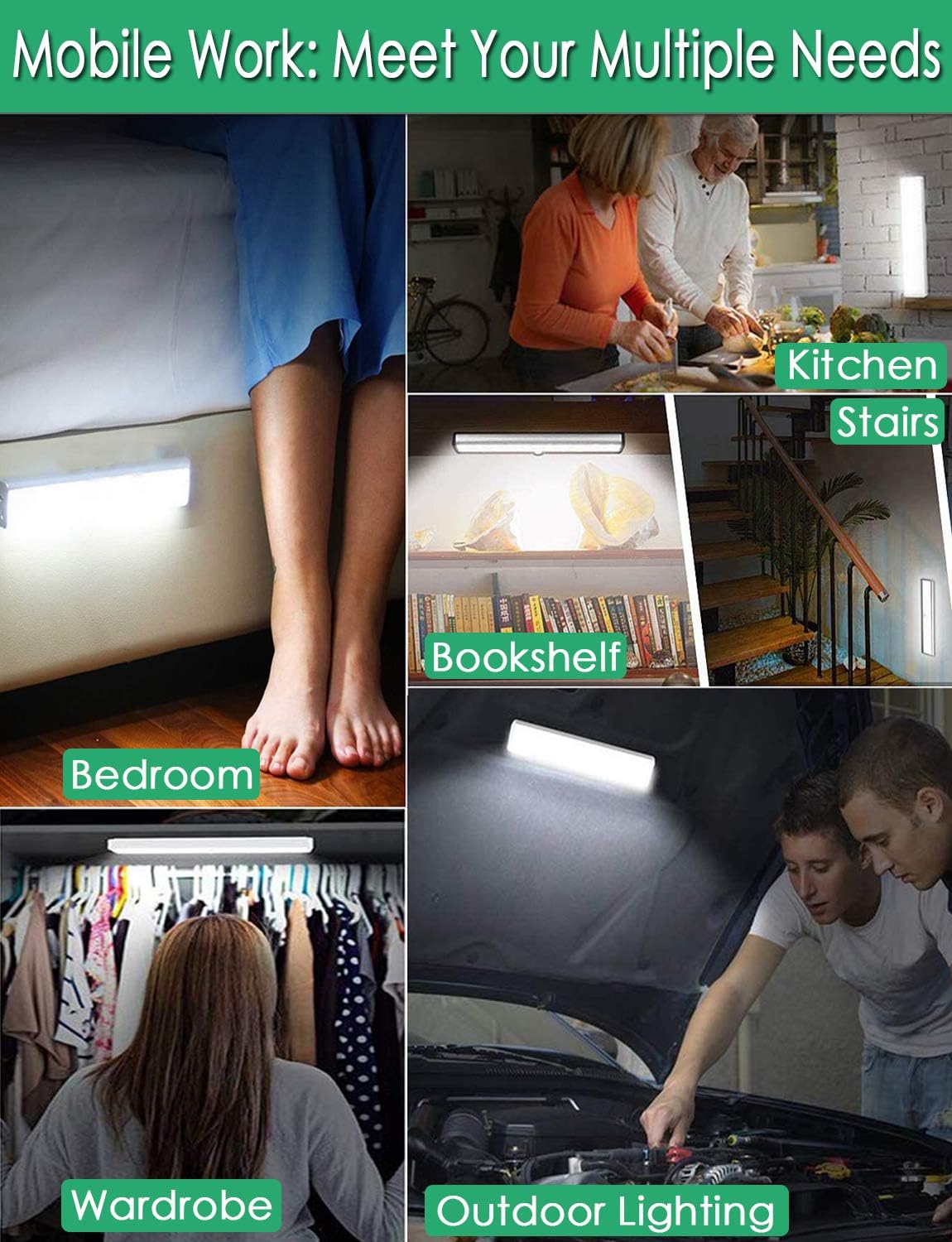
ምስል 2፡ Versatile Installation. This image illustrates the light's adaptability, showing it mounted under a bed, in a kitchen, on a bookshelf, along stairs, inside a wardrobe, and providing illumination for outdoor tasks, highlighting its ease of placement in diverse environments.
5.3 የምደባ ግምት
- For optimal motion detection, position the sensor ball to face the direction of expected movement.
- When using multiple motion sensor lights, avoid placing them too close together in motion-sensing mode, as they may interfere with each other's sensitivity.
- Ensure the installation surface is clean and dry for secure adhesion.
6. የኃይል መሙያ መመሪያዎች
The LECLSTAR Motion Sensor Closet Light is equipped with a built-in 2400mAh lithium battery.
- Connect the provided USB charging cable to the light's USB port.
- የዩኤስቢ ገመዱን ሌላኛውን ጫፍ ወደ መደበኛ የዩኤስቢ የኃይል አስማሚ (ያልተካተተ) ወይም የኮምፒዩተር የዩኤስቢ ወደብ ይሰኩ።
- During charging, the indicator light on the device will be ሰማያዊ.
- ሙሉ በሙሉ ሲሞላ፣ የአመላካች መብራቱ ይበራል ቀይ.
- ሙሉ ክፍያ በተለምዶ 4 ሰአታት ይወስዳል።
ምስል 3፡ Charging Status. This image demonstrates the charging process, showing the light connected to a power source. The indicator light is red when charging and turns blue when the battery is fully charged, indicating its status clearly.
7. የአሠራር መመሪያዎች
The light features multiple operating modes and can be controlled via its ON/OFF button or an optional remote control.
7.1 Mode Selection (ON/OFF Button)
Locate the ON/OFF button on the side of the light. Toggle the switch to select the desired mode:
- ጠፍቷል መብራቱ ሙሉ በሙሉ ጠፍቷል።
- በርቷል መብራቱ ያለማቋረጥ እንደበራ ይቆያል።
- AUTO (Motion Sensor Mode): The light will automatically turn on when motion is detected in a dark environment. It will turn off approximately 30 seconds after no motion is detected.

ምስል 4፡ Motion Sensor Operation. This image demonstrates how the motion sensor works: the light remains off in bright environments, automatically turns on when movement is detected in the dark within a 3-meter, 120-degree range, and then automatically turns off after 30 seconds of inactivity.
7.2 Motion Sensor Details
- የመፈለጊያ አንግል፡ 120 ዲግሪ.
- ርቀትን ማወቅ፡ Up to 3 meters (approximately 10 feet).
- The sensor is designed to activate only in low-light conditions to conserve battery life.
7.3 Remote Control Functions (Optional)
If your model includes a remote control, you can access additional features:

ምስል 5፡ Remote Control Functions. This image displays the remote control, highlighting its various buttons: ON/OFF for power, 'S' for sensor mode, '1', '2', '3' for different light modes or brightness levels, '+' and '-' for adjusting brightness, and '15', '30', '60', '120' for setting a timer.
- አብራ/አጥፋ፡ መብራቱን ያበራል ወይም ያጠፋል.
- S (Sensor Mode): Activates the motion sensor mode.
- 1, 2, 3 (Light Modes): Selects different light modes or brightness levels.
- 50%, 100%, +, - (Adjustable Brightness): የብርሃን ጥንካሬን ያስተካክላል.
- 15, 30, 60, 120 (Timer Function): Sets the light to turn off automatically after a specified duration.
8. ጥገና
- ማጽዳት፡ መብራቱን ለስላሳና ደረቅ ጨርቅ ይጥረጉ። ሻካራ ማጽጃዎችን ወይም ሟሟቶችን አይጠቀሙ።
- የባትሪ እንክብካቤ To prolong battery life, avoid fully discharging the battery frequently. Charge the light regularly, especially if it will not be used for an extended period.
9. መላ መፈለግ
- መብራት የማይበራ;
- ባትሪው መሙላቱን ያረጋግጡ።
- Check that the light is switched to the 'ON' or 'AUTO' mode.
- የእንቅስቃሴ ዳሳሽ አይሰራም
- Ensure the light is in 'AUTO' mode.
- Verify that the ambient light is dark enough for the sensor to activate.
- Check that the sensor is not obstructed and is facing the area of expected movement.
- If multiple motion sensor lights are nearby, they might interfere with each other. Try repositioning them.
- ብርሃን በድንገት ይብረከረካል ወይም ይደበዝዛል፦
- The battery level may be low. Recharge the light.
10. ዝርዝሮች
| ሞዴል | B07JRBSJDR |
| ፈካ ያለ ቀለም | ንጹህ ነጭ (6000ሺህ) |
| የ LED ብዛት | 51 LEDs |
| የሉመን ውፅዓት | 240 ሚ.ሜ |
| Motion Detecting Angle | 120 ዲግሪ |
| Motion Detecting Distance | እስከ 3 ሜትር (10 ጫማ) |
| የ LED የህይወት ጊዜ | ከ 80,000 ሰአታት በላይ |
| የባትሪ ዓይነት | 2400 ሚአሰ ሊቲየም ባትሪ |
| የዩኤስቢ ባትሪ መሙያ ጊዜ | በግምት 4 ሰዓታት |
| ኦፕሬቲንግ ቁtage | 4.2 ቪ |
| ዋትtage | 3W |
| መጠኖች | 15.3 x 0.8 x 0.8 ኢንች |
| ቁሳቁስ | ብረት ፣ ፕላስቲክ |
| የኃይል ምንጭ | በባትሪ የተጎላበተ |
| ልዩ ባህሪያት | ፈጣን በርቷል |
11. ዋስትና እና ድጋፍ
LECLSTAR provides a lifetime warranty for this product. If you encounter any issues or have questions regarding your Motion Sensor Closet Light, please contact the LECLSTAR service team for assistance. Our dedicated support team is ready to help you.
For warranty claims or technical support, please refer to the contact information provided on the product packaging or the official LECLSTAR webጣቢያ.