
1. መግቢያ
Thank you for choosing the DreamSky DS312 Small Digital Alarm Clock. This manual provides detailed instructions for setting up and operating your new alarm clock. Designed for clarity and ease of use, it features a large display, adjustable brightness, and convenient USB charging capabilities. Please read this manual thoroughly before use and retain it for future reference.
2. የጥቅል ይዘቶች
- DreamSky DS312 ዲጂታል የማንቂያ ሰዓት
- የዩኤስቢ-ሲ የኃይል አስማሚ
- የተጠቃሚ መመሪያ
3. ምርት አብቅቷልview
The DreamSky DS312 features a sleek design with a large LED display for easy readability. Key controls are located on the back panel for intuitive operation.

ምስል 1፡ ፊት ለፊት view of the DreamSky DS312 Digital Alarm Clock showing the large green time display.
ምስል 2፡ የኋላ view of the alarm clock, highlighting the control buttons for time, alarm, volume, and dimmer settings, along with the USB power input and an additional USB charging port.
የመቆጣጠሪያ አዝራሮች እና ወደቦች፡
- አሸልብ ቁልፍ፡- Located on top, for temporary alarm pause.
- የጊዜ ስብስብ አዝራር፡ የጊዜ ቅንብር ሁነታን ለማስገባት ተጭነው ይያዙ።
- ማንቂያ አዘጋጅ አዝራር፡- የማንቂያ ቅንብር ሁነታን ለማስገባት ተጭነው ይያዙ።
- አብራ/አጥፋ አዝራር፡- Toggles alarm function.
- +/- አዝራሮች፡- Adjust time, alarm, volume, and brightness settings.
- የ12/24 ሰዓት አዝራር፦ Switches between 12-hour and 24-hour time display.
- LOW VOLUME/HIGH VOLUME Slider: የማንቂያ ድምፅ ደረጃን ያስተካክላል።
- LOW DIMMER/HIGH DIMMER Slider: የማሳያ ብሩህነትን ያስተካክላል።
- ዩኤስቢ ወደብ፡ የኃይል አስማሚውን ለማገናኘት.
- የዩኤስቢ ወደብ፡ ውጫዊ መሳሪያዎችን ለመሙላት.
- የባትሪ ክፍል፡ For 2 x AAA backup batteries (not included).
4. ማዋቀር
4.1 ሰዓቱን ማብቃት
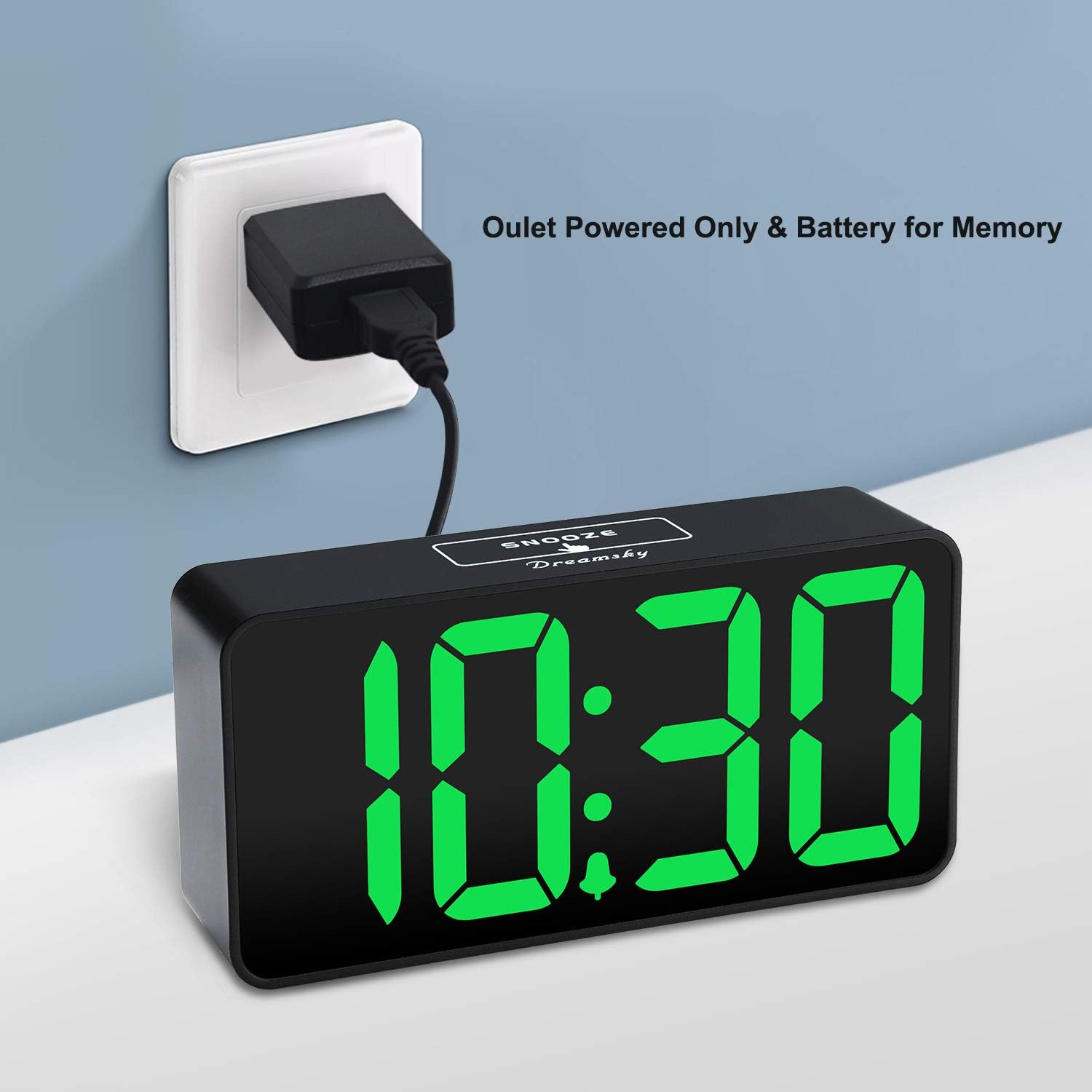
The DreamSky DS312 is primarily powered by the included USB-C adapter. Connect the USB-C cable to the USB IN port on the back of the clock and plug the adapter into a standard electrical outlet.

ምስል 3፡ The alarm clock receiving power via its USB-C adapter plugged into a wall socket.
4.2 የባትሪ ምትኬ (አማራጭ)
For memorizing time and alarm settings during a power outage, insert 2 x AAA batteries (not included) into the battery compartment on the back of the clock. Note that with battery power only, the screen will go blank and the alarm will not sound; batteries only retain settings until power is restored.
5. የአሠራር መመሪያዎች
5.1 ጊዜን ማቀናበር
- ተጭነው ይያዙት። ሰዓት ተዘጋጅቷል የሰዓት ቁጥሮች እስኪበሩ ድረስ ለ 2 ሰከንዶች አዝራሩን ይጫኑ።
- የሚለውን ተጠቀም + or - ሰዓቱን ለማስተካከል ቁልፎች.
- ተጫን ሰዓት ተዘጋጅቷል ሰዓቱን ለማረጋገጥ እና ወደ ደቂቃ ቅንብር ለመቀየር እንደገና።
- የሚለውን ተጠቀም + or - ደቂቃዎችን ለማስተካከል ቁልፎች.
- ተጫን ሰዓት ተዘጋጅቷል one more time to save the settings and exit.
5.2 ማንቂያውን ማቀናበር
- ተጭነው ይያዙት። ማንጠልጠያ ተዘጋጅቷል button for 2 seconds until the alarm hour digits flash.
- የሚለውን ተጠቀም + or - የማንቂያ ሰዓቱን ለማስተካከል ቁልፎች.
- ተጫን ማንጠልጠያ ተዘጋጅቷል again to confirm the alarm hour and move to alarm minute setting.
- የሚለውን ተጠቀም + or - የማንቂያ ደቂቃዎችን ለማስተካከል ቁልፎች.
- ተጫን ማንጠልጠያ ተዘጋጅቷል one more time to save the alarm settings and exit.
5.3 ማንቂያውን ማብራት/ማጥፋት
የሚለውን ይጫኑ አብራ/አጥፋ button to activate or deactivate the alarm. An alarm icon will appear on the display when the alarm is active.
5.4 የማሳያ ብሩህነት ማስተካከል
የሚለውን ተጠቀም LOW DIMMER/HIGH DIMMER slider on the back of the clock to adjust the brightness of the LED display to your preference. This allows for optimal visibility during the day and minimal disturbance at night.

ምስል 4፡ Illustration of the alarm clock's adjustable brightness dimmer, showing various display intensities from bright to completely off.
5.5 የማንቂያ ድምጽ ማስተካከል
የሚለውን ተጠቀም LOW VOLUME/HIGH VOLUME slider on the back of the clock to set the desired alarm sound level (30-90 dB). This ensures the alarm is neither too soft to wake you nor too loud to startle you.

ምስል 5፡ The alarm clock displaying time with a graphic indicating adjustable alarm volume levels.
5.6 Using Snooze
ማንቂያው ሲሰማ, ትልቁን ይጫኑ አሸልብ button on the top of the clock to temporarily pause the alarm for 9 minutes. The alarm will sound again after the snooze period.
5.7 12/24 ሰዓት ቅርጸት
የሚለውን ይጫኑ 12/24HR button to switch between 12-hour (with AM/PM indicator) and 24-hour time display formats.
5.8 የዩኤስቢ ኃይል መሙያ ወደብ
The clock includes a convenient USB OUT port on the back, allowing you to charge your smartphone or other small electronic devices directly from the clock, reducing the need for additional wall adapters.

ምስል 6፡ A smartphone connected to the alarm clock's USB charging port, illustrating its charging capability.
6. ባህሪያት
- ትልቅ ማሳያ፡ 2-inch jumbo illuminated LED digits for easy visibility.
- ብሩህነት ዳይመር; Adjustable display brightness to suit day or night viewምርጫዎች ውስጥ።
- የሚስተካከለው የማንቂያ ድምጽ; Alarm volume can be set from 30-90 dB.
- የማሸለብ ተግባር 9-minute snooze duration.
- የዩኤስቢ ኃይል መሙያ ወደብ ስማርትፎንዎን ወይም ሌሎች መሳሪያዎችን በቀላሉ ይሙሉ።
- ቀላል አሰራር; Intuitive buttons for straightforward time and alarm setting.
- የባትሪ ምትኬ በኃይል ኦው ወቅት የጊዜ እና የማንቂያ ቅንብሮችን ያቆያልtages (2 x AAA ባትሪዎች ያስፈልጋሉ፣ አልተካተተም)።
7. መላ መፈለግ
Q: Can this digital clock run on batteries alone?
A: No. Battery function only works to store the clock time and settings in the case of a main power outage. The adapter is required as the main power source for this alarm clock.
Q: How do you turn off the alarm once it wakes you up?
A: When the alarm goes off, you can press any button at the back of the clock to turn off the alarm.
Q: How long does the alarm stay on?
A: The alarm will last for 2 minutes then shut off automatically if not manually turned off or snoozed.
8. ዝርዝሮች
| ባህሪ | ዝርዝር |
|---|---|
| የምርት ስም | ድሪምስኪ |
| የሞዴል ቁጥር | DS312 |
| የማሳያ ዓይነት | ዲጂታል LED |
| የምርት ልኬቶች | 5.3" ዋ x 2.6" ኤች |
| የኃይል ምንጭ | Corded Electric (USB-C Adapter) |
| የባትሪ ምትኬ | 2 x AAA ባትሪዎች (አልተካተተም) |
| ቁሳቁስ | ፕላስቲክ |
| ልዩ ባህሪያት | Large display, brightness dimmer, adjustable alarm volume, USB charging port |
9. ዋስትና እና ድጋፍ
9.1 የዋስትና መረጃ
This DreamSky DS312 Digital Alarm Clock comes with a Limited Warranty. Please refer to the product packaging or contact customer support for specific warranty terms and conditions.
9.2 የደንበኛ ድጋፍ
For any questions, technical assistance, or warranty inquiries, please contact DreamSky Customer Support at: info@dreamsky4u.com