
መግቢያ
This manual provides comprehensive instructions for the Hoco ES20 Original Series Wireless V5.0 Earphones. Please read this manual carefully before using the product to ensure proper operation and to maximize your user experience. Keep this manual for future reference.
ምርት አልቋልview
The Hoco ES20 earphones are designed for wireless audio playback and hands-free communication. The package includes two wireless earphones and a portable charging case.

ምስል 1፡ Hoco ES20 Wireless Earphones. This image displays both the left and right earphones, highlighting their in-ear design and compact form factor.
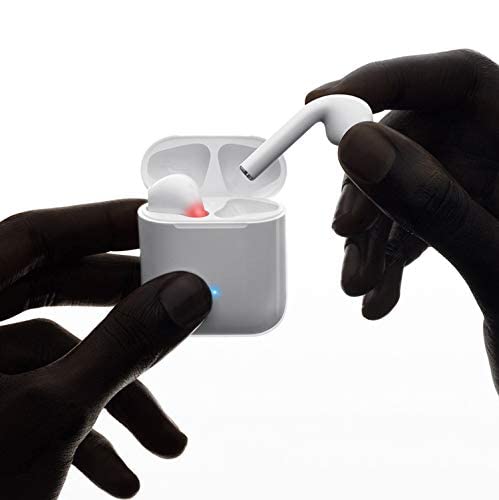
ምስል 2፡ Hoco ES20 Earphones in Charging Case. The earphones are shown placed inside their charging case, indicating the charging status with an illuminated LED.
ዝርዝሮች
| ባህሪ | ዝርዝር |
|---|---|
| የገመድ አልባ ስሪት | ቪ5.0 |
| የሚደገፉ ፕሮቶኮሎች | Headset, Hands-free, A2DP, Avrcp |
| የማስተላለፊያ ድግግሞሽ | 2.4GHz |
| የማስተላለፍ ክልል | 10 ሜትር |
| ኃይል መሙላት Voltage | DC5V |
| የኃይል መሙያ ጊዜ (የጆሮ ማዳመጫዎች) | በግምት 1 ሰዓት |
| የንግግር ጊዜ | 2 ሰዓታት |
| የሙዚቃ ማጫዎቻ ጊዜ | 2 ሰዓታት |
| የኬዝ ባትሪ መሙላት አቅም | 400mAh |
| Earphone Battery Capacity (Each) | 40mAh |
| የመጠባበቂያ ጊዜ | 200 ሰዓታት |
| ጠቅላላ ክብደት (ከኬዝ ጋር) | 44.8 ግ |
| ነጠላ የጆሮ ማዳመጫ ክብደት | 3.8 ግ |
| የተካተቱ አካላት | Bluetooth Headphones, 1 Charging Cable |
ማዋቀር
1. የጆሮ ማዳመጫውን እና መያዣውን መሙላት
- ሁለቱንም የጆሮ ማዳመጫዎች በቻርጅ መሙያ መያዣ ውስጥ ያስቀምጡ። በትክክል መቀመጡን ያረጋግጡ።
- Connect the charging cable to the charging port on the case and to a DC5V power source (e.g., USB wall adapter, computer USB port).
- The indicator light on the charging case will show charging status. A full charge for the earphones takes approximately 1 hour. The charging case itself has a 400mAh battery capacity.
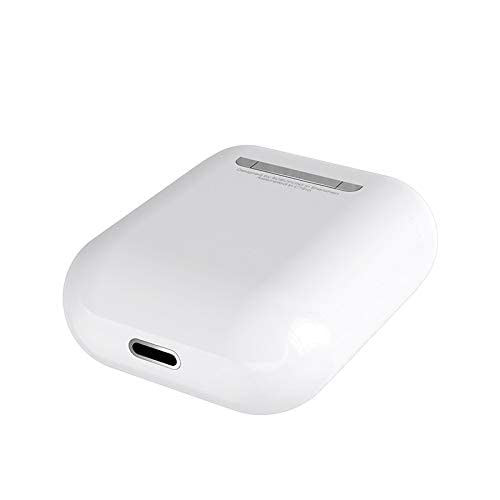
ምስል 3፡ Hoco ES20 Charging Case Port. This image shows the charging port located at the bottom of the charging case, where the charging cable is connected.
2. ከመሳሪያ ጋር ማጣመር
- የጆሮ ማዳመጫዎች መሙላታቸውን ያረጋግጡ።
- የኃይል መሙያ መያዣውን ይክፈቱ። የጆሮ ማዳመጫዎች በራስ-ሰር ወደ ማጣመር ሁነታ ይገባሉ።
- በእርስዎ ስማርትፎን ወይም ሌላ ብሉቱዝ የነቃ መሳሪያ ላይ ወደ ብሉቱዝ ቅንብሮች ይሂዱ።
- ፈልግ available devices and select "Hoco ES20" (or similar name) from the list.
- Once connected, the earphones will indicate successful pairing (e.g., an audio prompt or LED change).
- For Apple phones and some Android phones, the battery level of the earphones may be displayed on your device.
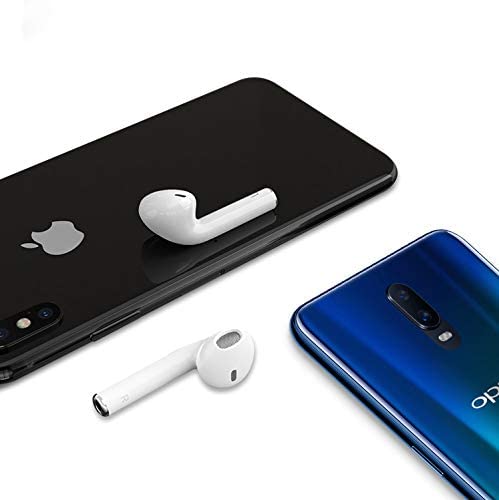
ምስል 4፡ Hoco ES20 Earphones with Smartphones. This image illustrates the earphones positioned near two different smartphones, demonstrating their compatibility with various mobile devices.
የአሠራር መመሪያዎች
መሰረታዊ ተግባራት (የንክኪ መቆጣጠሪያ)
- አብራ፡ Earphones power on automatically when removed from the charging case.
- ኃይል ዝጋ: Earphones power off automatically when placed back into the charging case.
- አጫውት/ ለአፍታ አቁም፡ Tap the touch area on either earphone once.
- መልስ/ጥሪ ጨርስ፡ Tap the touch area on either earphone once during an incoming call or an active call.
- ጥሪን ውድቅ አድርግ፡ Press and hold the touch area on either earphone for approximately 2 seconds during an incoming call.
- ቀጣይ ትራክ፡ በቀኝ የጆሮ ማዳመጫው ላይ ያለውን የንክኪ ቦታ ሁለቴ መታ ያድርጉ።
- ቀዳሚ ትራክ በግራ የጆሮ ማዳመጫው ላይ ያለውን የንክኪ ቦታ ሁለቴ መታ ያድርጉ።
- የድምፅ ረዳት አግብር Triple-tap the touch area on either earphone.
ጥገና
- የጆሮ ማዳመጫዎቹን እና የኃይል መሙያ መያዣውን ንጹህ እና ደረቅ ያድርጉት።
- ምርቱን ለከፍተኛ ሙቀት፣ እርጥበት ወይም ለቆሻሻ ንጥረ ነገሮች ከማጋለጥ ይቆጠቡ።
- Do not attempt to disassemble or modify the earphones or charging case, as this will void the warranty and may cause damage.
- Use a soft, dry cloth to clean the earphones and charging contacts.
- የጆሮ ማዳመጫዎቹን ጥቅም ላይ በማይውሉበት ጊዜ በቻርጅ መያዣቸው ውስጥ ያስቀምጡት፤ ይህም እነሱን ለመጠበቅ እና ቻርጅ ለማድረግ ይረዳል።
መላ መፈለግ
የተለመዱ ጉዳዮች እና መፍትሄዎች
- የጆሮ ማዳመጫዎች የማይጣመሩ;
- ሁለቱም የጆሮ ማዳመጫዎች መሞላታቸውን ያረጋግጡ።
- Place earphones back in the case, close it, then open it again.
- በመሳሪያዎ ላይ ብሉቱዝን ያጥፉ እና ያብሩ።
- Delete "Hoco ES20" from your device's Bluetooth list and try pairing again.
- አንድ የጆሮ ማዳመጫ ብቻ ይሰራል
- ሁለቱም የጆሮ ማዳመጫዎች መሞላታቸውን ያረጋግጡ።
- Place both earphones back in the charging case, close the lid, wait a few seconds, then open the lid and remove them together.
- If the issue persists, try resetting the earphones (refer to manufacturer's website if a specific reset procedure is not in this manual).
- ዝቅተኛ ድምጽ ወይም ድምጽ የለም;
- በሁለቱም በመሳሪያዎ እና በጆሮ ማዳመጫው ላይ ያለውን የድምጽ ደረጃ ያረጋግጡ።
- የጆሮ ማዳመጫዎቹ በትክክል ከመሳሪያዎ ጋር መገናኘታቸውን ያረጋግጡ።
- ከተለየ መተግበሪያ ወይም ምንጭ ድምጽ ለማጫወት ይሞክሩ።
- የመሙላት ችግሮች፡-
- የኃይል መሙያ ገመዱ ከኬዝ እና ከኃይል ምንጭ ጋር ደህንነቱ በተጠበቀ ሁኔታ መገናኘቱን ያረጋግጡ።
- በመያዣው ላይ ያለው የኃይል መሙያ ወደብ ንጹህ እና ከቆሻሻ የጸዳ መሆኑን ያረጋግጡ።
- የተለየ የኃይል መሙያ ገመድ ወይም የኃይል አስማሚ ለመጠቀም ይሞክሩ።
- Poor connection/intermittent audio:
- Ensure your device is within the 10-meter transmission range.
- Avoid obstacles between your device and the earphones.
- ከሌሎች የገመድ አልባ መሳሪያዎች ጣልቃገብነት ይቀንሱ።
ዋስትና እና ድጋፍ
The Hoco ES20 Wireless Earphones come with a የ 6-ወር ዋስትና ከተገዛበት ቀን ጀምሮ. ይህ ዋስትና የማምረቻ ጉድለቶችን ይሸፍናል. ለዋስትና ጥያቄዎች እባክዎ የግዢ ማረጋገጫዎን ያቆዩ።
For technical support or warranty inquiries, please contact your retailer or the official Hoco support channels. Refer to the product packaging or Hoco's official webየእውቂያ መረጃ ለማግኘት ጣቢያ.