
1. መግቢያ
The Klein Tools ET20 Wi-Fi Borescope is designed for visual inspection in hard-to-reach areas. It transmits video and images wirelessly to your smartphone or tablet, providing a clear view with its 9 mm waterproof camera and adjustable LED lights. The durable 6-foot armored gooseneck cable allows for flexible maneuvering through various spaces. This manual provides essential information for the safe and effective use of your ET20 borescope.
2. በሳጥኑ ውስጥ ያለው
ከዚህ በታች የተዘረዘሩት ሁሉም እቃዎች በጥቅልዎ ውስጥ መኖራቸውን ያረጋግጡ፡
- ET20 Wi-Fi Borescope
- የዩኤስቢ ባትሪ መሙያ ገመድ
- መንጠቆ አባሪ
- መያዣ
- መመሪያ መመሪያ
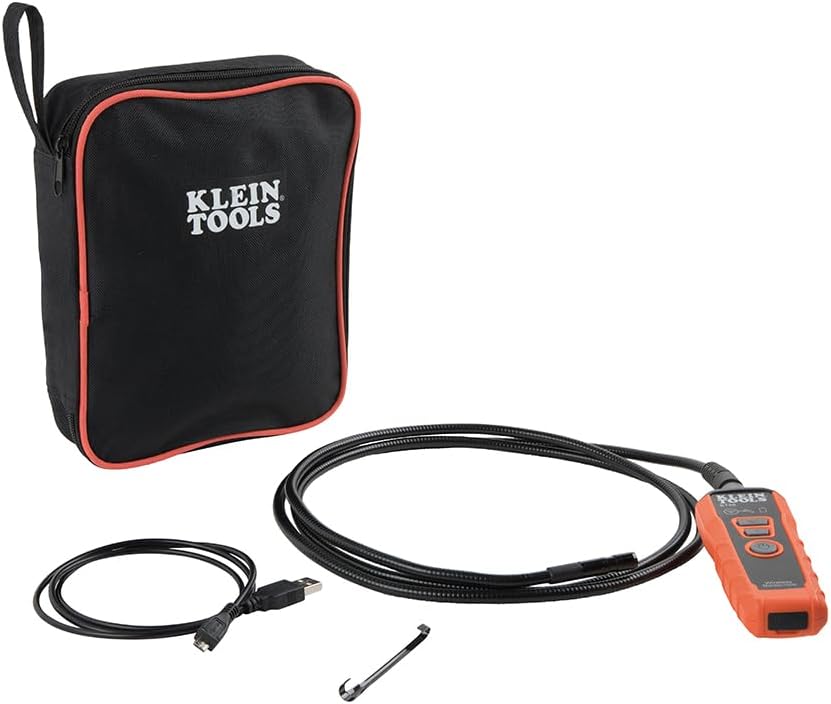
Image: Klein Tools ET20 Borescope, USB charging cable, hook attachment, and carrying case.
3. የምርት ባህሪዎች
- የገመድ አልባ ቪዲዮ ማስተላለፊያ፡ Connects to your smartphone or tablet via Wi-Fi, transmitting video and images up to 30 feet (9 m) away.
- Waterproof 9 mm Camera: Captures high-quality 640 x 480 images and video. Equipped with 6 adjustable LED lights for optimal illumination.
- Durable Gooseneck Cable: Features a 6-foot (1.8 m) armored, flexible, and waterproof gooseneck cable for navigating obstacles.
- Adjustable LED Output: Control camera LED brightness directly on the borescope unit or through the companion app.
- Multi-Functional App: The Klein Borescope App allows for live viewing, recording, storing, and sharing of images and videos.
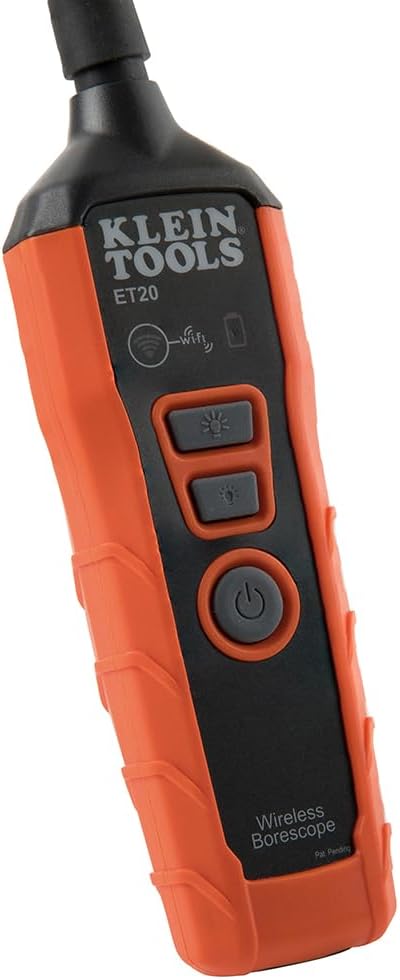
- ዳግም ሊሞላ የሚችል ባትሪ፡ Integrated lithium-ion battery with a status indicator for convenient power management.
ምስል፡ መቀራረብ view of the 9 mm camera head with integrated LED lights.
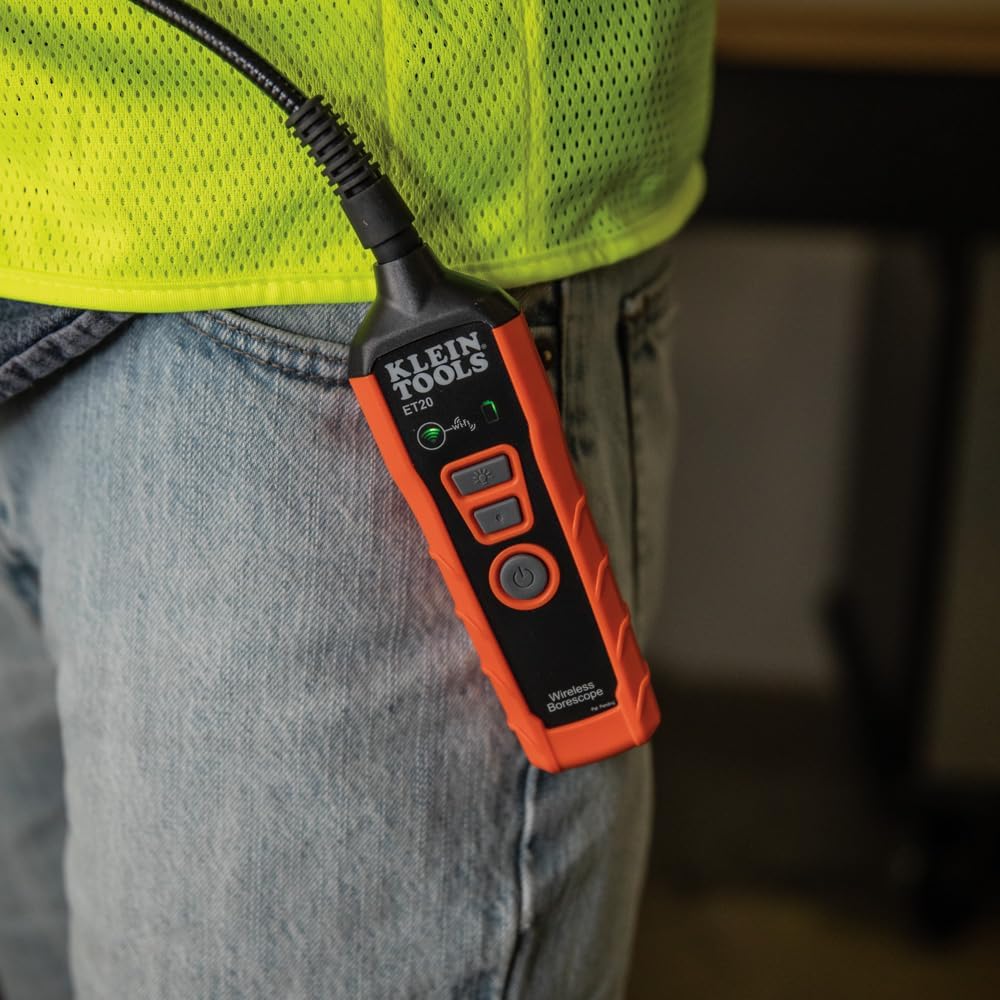
Image: The borescope unit with visible Wi-Fi and battery status indicators.
4. የማዋቀር መመሪያዎች
- Charge the Borescope: Before first use, fully charge the borescope using the provided USB charging cable. Connect the micro-USB end to the borescope and the standard USB end to a compatible USB power source (e.g., computer, wall adapter). The battery status indicator will show charging progress.
- መተግበሪያውን ያውርዱ፡- Download the "Klein Tools Wi-Fi Borescope" app from your device's app store (available for iOS and Android).
- አብራ፡ Press and hold the power button on the borescope unit until the power indicator light illuminates.
- ከWi-Fi ጋር ይገናኙ፡ On your smartphone or tablet, go to Wi-Fi settings and connect to the Wi-Fi network broadcast by the borescope (e.g., "Klein_Borescope_XXXX"). No password is required.
- መተግበሪያውን ያስጀምሩ: Open the Klein Tools Wi-Fi Borescope app. The live camera feed from the borescope should appear on your device screen.
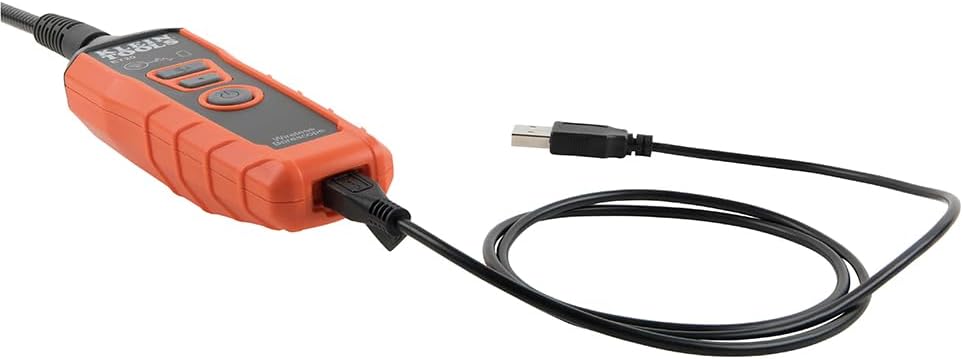
Image: The borescope unit connected to its USB charging cable.
5. የአሠራር መመሪያዎች
- የ LED መብራቶችን ማስተካከል; Use the dedicated LED light buttons on the borescope unit or the controls within the app to increase or decrease the brightness of the camera's LED lights. This helps illuminate dark inspection areas.
- Maneuver the Gooseneck: Carefully guide the armored gooseneck cable and camera head into the desired inspection area. The flexible yet rigid design allows for precise positioning.
- View የቀጥታ ምግብ፡ Observe the live video feed on your connected smartphone or tablet.
- ምስሎች/ቪዲዮዎች ያንሱ፡ Use the photo and video recording buttons within the app to capture still images or record video footage of your inspection. Captured media is saved directly to your device.
- አስቀምጥ እና አጋራ Access saved images and videos through the app's gallery. From there, you can save them to your device's photo library or share them via email or messaging applications.
- ኃይል ዝጋ: After use, press and hold the power button on the borescope unit to turn it off. Disconnect the Wi-Fi connection on your device.
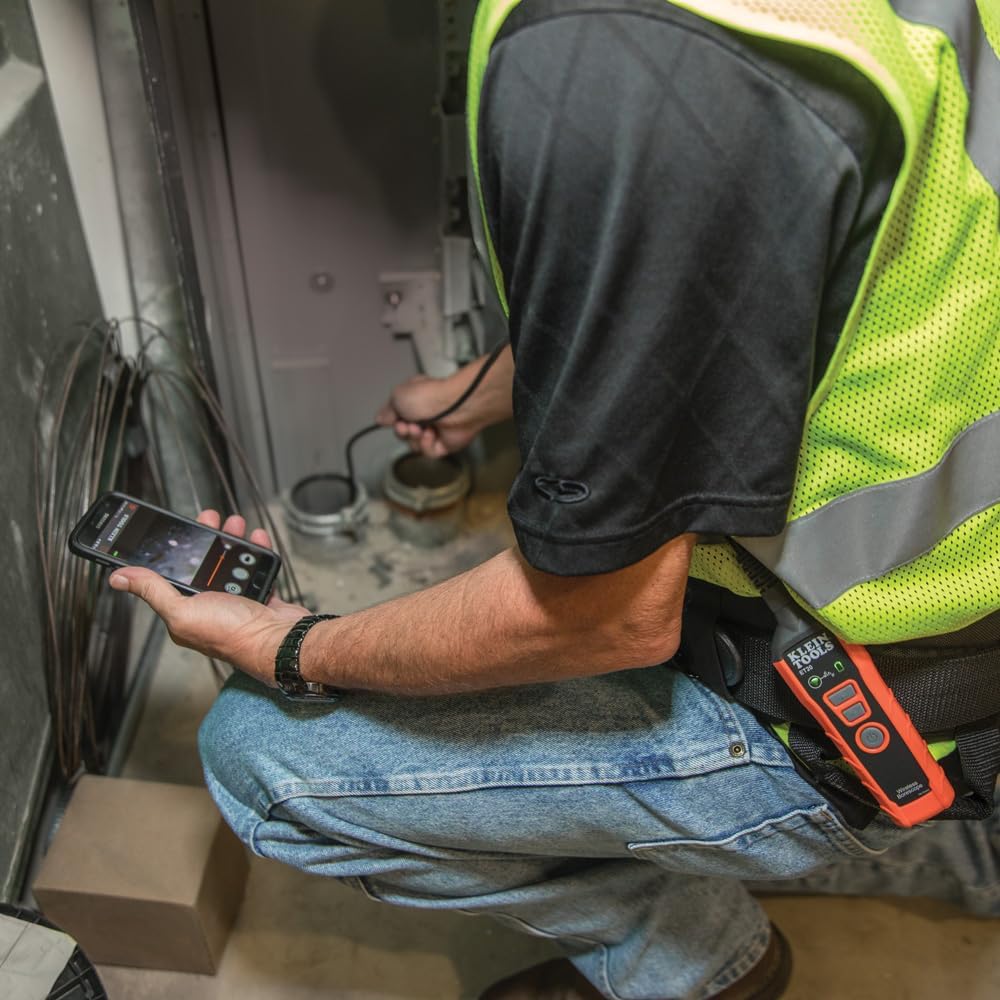
Image: User operating the borescope, viewየቀጥታ ምግብን በስማርትፎን ላይ ማድረግ።
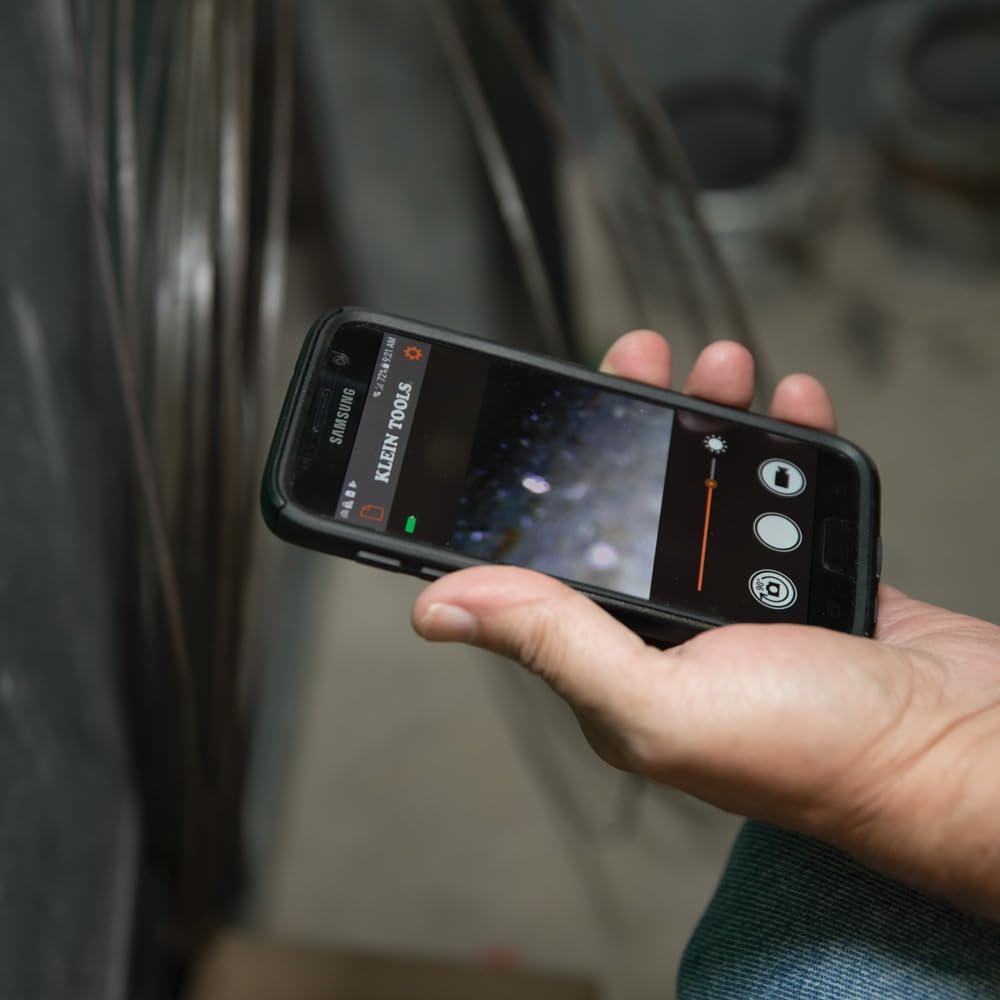
Image: The Klein Tools borescope app interface on a smartphone, showing the live camera view እና መቆጣጠሪያዎች.
6. ጥገና
- የካሜራ ሌንስን ማጽዳት; Gently wipe the camera lens with a soft, lint-free cloth. For stubborn dirt, use a small amount of lens cleaning solution. Ensure the lens is dry before storage.
- Cleaning the Gooseneck: The gooseneck cable is waterproof. After use in dirty or wet environments, wipe it clean with a damp ጨርቅ. ኃይለኛ ኬሚካሎችን ያስወግዱ.
- የባትሪ እንክብካቤ To prolong battery life, avoid fully discharging the battery frequently. Recharge the borescope regularly, especially if it will be stored for extended periods. Store in a cool, dry place.
- ማከማቻ፡ Store the borescope and its accessories in the provided carrying case to protect them from damage and dust.
7. መላ መፈለግ
- በመተግበሪያው ላይ ምንም ምስል የለም፦
- Ensure the borescope is powered on and the Wi-Fi indicator is active.
- Verify your smartphone/tablet is connected to the borescope's Wi-Fi network.
- Restart both the borescope and the app.
- Check if your phone's power-saving mode is interfering with the Wi-Fi connection.
- ደካማ የምስል ጥራት፡
- Adjust the LED light brightness using the buttons on the unit or within the app.
- Clean the camera lens if it appears dirty.
- Ensure the camera is within its optimal focus range (macro focus range: 9 millimeters).
- Borescope Not Powering On:
- Charge the battery. The battery may be fully discharged.
- የኃይል ቁልፉ በበቂ ሁኔታ መጫኑን እና መያዙን ያረጋግጡ።
- App Freezes or Disconnects:
- የመሣሪያዎ ኦፕሬቲንግ ሲስተም ወቅታዊ መሆኑን ያረጋግጡ።
- ዝጋ እና መተግበሪያውን እንደገና ይክፈቱ።
- በመሳሪያዎ የመተግበሪያ መደብር ውስጥ የመተግበሪያ ዝማኔዎችን ያረጋግጡ።
- Minimize other applications running in the background that might consume resources.
8. ዝርዝሮች
| ባህሪ | ዝርዝር መግለጫ |
|---|---|
| የሞዴል ስም | ET20 |
| የምርት ስም | የ KLEIN መሳሪያዎች |
| የግንኙነት ቴክኖሎጂ | ዋይ ፋይ |
| የካሜራ ዲያሜትር | 9 ሚ.ሜ |
| Gooseneck ርዝመት | 6 ጫማ (1.8 ሜትር) |
| የውሃ መቋቋም ደረጃ | የውሃ መከላከያ |
| የቪዲዮ ቀረጻ ጥራት | 640x480 |
| ውጤታማ አሁንም ጥራት | 0.3 ሜፒ |
| የባትሪ ዓይነት | እንደገና ሊሞላ የሚችል ሊቲየም-አዮን |
| የባትሪ አማካይ ሕይወት | 5.5 ሰዓታት |
| ተስማሚ መሣሪያዎች | ስማርትፎን ፣ ታብሌት |
| File ቅርጸት | JPEG ፣ MP4 |
| የእቃው ክብደት | 567 ግራም |
9. ዋስትና እና ድጋፍ
For detailed warranty information and customer support, please refer to the official Klein Tools webጣቢያ ወይም በቀጥታ የደንበኛ አገልግሎታቸውን ያግኙ። ለዋስትና ጥያቄዎች የግዢ ደረሰኝዎን ያስቀምጡ።
አምራች፡ ክሌይን መሳሪያዎች
ዩፒሲ፡ 092644692314