
1. መግቢያ
Thank you for choosing the Hoco ES24 Wireless Sound Earphones. This manual provides detailed instructions on how to set up, operate, and maintain your earphones. Please read this manual carefully before use to ensure optimal performance and longevity of your device.
2. የጥቅል ይዘቶች
ከታች የተዘረዘሩት ሁሉም እቃዎች በጥቅልዎ ውስጥ መኖራቸውን ያረጋግጡ፡
- Hoco ES24 Wireless Earphones (Left and Right)
- የመሙያ መያዣ
- የዩኤስቢ ባትሪ መሙያ ገመድ
- የጆሮ ጫፎች (S፣ M፣ L) በርካታ መጠኖች
- የተጠቃሚ መመሪያ

Image: The Hoco ES24 earphones, charging case, USB cable, and various ear tip sizes included in the package.
3. ምርት አብቅቷልview
The Hoco ES24 earphones are designed for comfortable, wireless audio experience. They come with a compact charging case that not only protects the earphones but also recharges them on the go.

Image: The Hoco ES24 earphones resting inside their open charging case, showcasing የእነሱ የታመቀ ንድፍ.
4. ማዋቀር
4.1 የመጀመሪያ ደረጃ መሙላት
- ከመጠቀምዎ በፊት የጆሮ ማዳመጫውን እና የኃይል መሙያውን ሙሉ በሙሉ ይሙሉ።
- ሁለቱንም የጆሮ ማዳመጫዎች ወደ ቻርጅ መሙያው ያስገቡ።
- Connect the USB charging cable to the charging port on the case and a power source (e.g., USB wall adapter, computer USB port).
- The LED indicator on the charging case will show the charging status. A full charge typically takes about 1 hour for fast charging.

Image: The Hoco ES24 charging case displaying the battery percentage via an LED screen, indicating charging status and capacity.
5. የአሠራር መመሪያዎች
5.1 ማብራት / ማጥፋት
- አብራ፡ የኃይል መሙያ መያዣውን ይክፈቱ፣ እና የጆሮ ማዳመጫዎቹ በራስ-ሰር ይበራሉ። በአማራጭ፣ በሁለቱም የጆሮ ማዳመጫዎች ላይ ያለውን የንክኪ መቆጣጠሪያ ቦታ ለ3 ሰከንዶች ተጭነው ይያዙት።
- ኃይል ዝጋ: Place the earphones back into the charging case and close the lid. They will automatically power off and begin charging. Alternatively, press and hold the touch control area on both earphones for 5 seconds.
5.2 የብሉቱዝ ማጣመር
- ለመጀመሪያ ጊዜ ማጣመር;
a. Ensure the earphones are charged.
b. Open the charging case. The earphones will automatically enter pairing mode, indicated by a flashing LED light on one of the earbuds.
c. On your device (smartphone, tablet, etc.), enable Bluetooth and search for available devices.
d. Select "Hoco ES24" from the list of devices. Once connected, the LED indicator on the earphone will stop flashing. - ቀጣይ ማጣመር፡
Once paired, the earphones will automatically connect to the last paired device when taken out of the charging case, provided Bluetooth is enabled on your device.
5.3 የንክኪ መቆጣጠሪያዎች
The Hoco ES24 earphones feature touch-sensitive controls for easy management of music and calls.
- አጫውት/ ለአፍታ አቁም፡ በሁለቱም የጆሮ ማዳመጫዎች ላይ አንድ ጊዜ መታ ያድርጉ።
- ቀጣይ ትራክ፡ በቀኝ ጆሮ ማዳመጫ ላይ ሁለቴ መታ ያድርጉ።
- ቀዳሚ ትራክ በግራ የጆሮ ማዳመጫው ላይ ሁለቴ መታ ያድርጉ።
- መልስ/ጥሪ ጨርስ፡ Single tap on either earphone during an incoming call or active call.
- ጥሪን ውድቅ አድርግ፡ በሚመጣ ጥሪ ወቅት ሁለቱንም የጆሮ ማዳመጫዎች ለ2 ሰከንዶች ተጭነው ይያዙ።
- የድምፅ ረዳት አግብር በሁለቱም የጆሮ ማዳመጫዎች ላይ ሶስት ጊዜ መታ ያድርጉ።

Image: A user wearing the Hoco ES24 earphones, illustrating their in-ear fit and highlighting features like Bluetooth 5.0 connectivity and clear call quality.
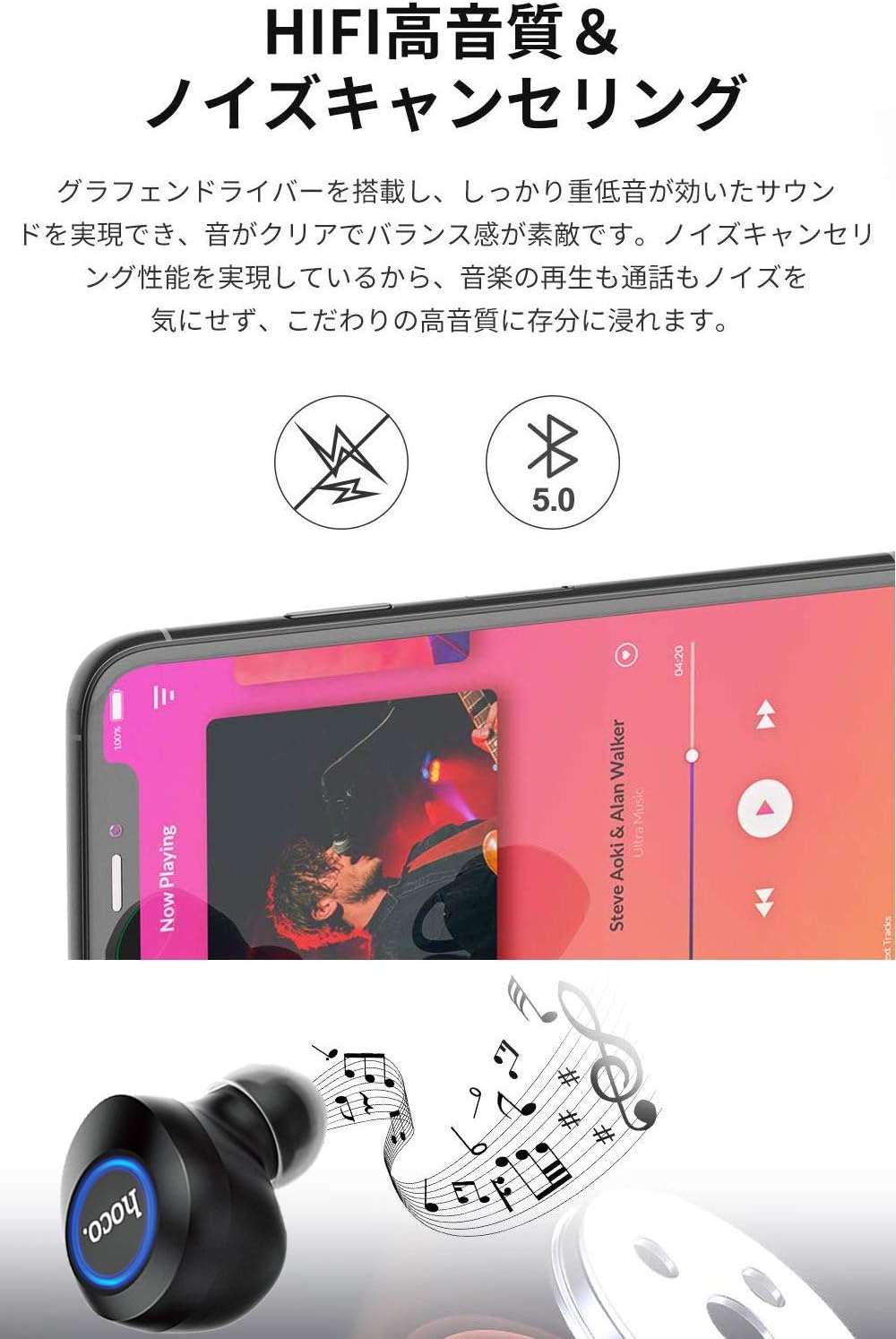
Image: A close-up of a Hoco ES24 earphone, with a smartphone screen in the background showing music playback, emphasizing HiFi sound quality and noise cancellation capabilities.
6. ጥገና
6.1 ጽዳት
- በመደበኛነት የጆሮ ማዳመጫውን እና ቻርጅ መሙያውን ለስላሳ፣ ደረቅ እና ከተሸፈነ ጨርቅ ያፅዱ።
- ሻካራ ማጽጃዎችን፣ አልኮልን ወይም ኬሚካዊ ፈሳሾችን አይጠቀሙ።
- ትንሽ ለስላሳ ብሩሽ ወይም የጥጥ መጠቅለያ በመጠቀም ማንኛውንም የጆሮ ሰም ወይም ፍርስራሹን ከጆሮ ምክሮች እና የድምጽ ማጉያ መረብ ላይ በጥንቃቄ ያስወግዱ።
6.2 ማከማቻ
- ጥቅም ላይ በማይውልበት ጊዜ የጆሮ ማዳመጫዎቹን ከአቧራ እና ከጉዳት ለመጠበቅ በቻርጅ ቻርሳቸው ውስጥ ያከማቹ።
- Avoid storing the device in extreme temperatures (hot or cold) or in humid environments.
6.3 የባትሪ እንክብካቤ
- የባትሪውን ዕድሜ ለማራዘም የጆሮ ማዳመጫዎቹን እና የኃይል መሙያ መያዣውን ብዙ ጊዜ ሙሉ በሙሉ ከማላቀቅ ይቆጠቡ።
- በተደጋጋሚ ጥቅም ላይ ባይውልም እንኳ መሳሪያውን በመደበኛነት ይሙሉት።
7. መላ መፈለግ
If you encounter any issues with your Hoco ES24 earphones, refer to the following common problems and solutions:
| ችግር | መፍትሄ |
|---|---|
| የጆሮ ማዳመጫዎች አይበሩም። | Ensure the earphones and charging case are fully charged. Place earphones in the case and close the lid, then open again. |
| ከመሳሪያ ጋር ማጣመር አይቻልም። | Make sure Bluetooth is enabled on your device. Ensure earphones are in pairing mode (flashing LED). Turn off and on your device's Bluetooth. Forget "Hoco ES24" from your device's Bluetooth list and try pairing again. |
| No sound from one or both earphones. | Check device volume. Ensure earphones are properly connected. Try re-pairing. Clean any debris from the speaker mesh. |
| የመሙያ መያዣው እየሞላ አይደለም። | Verify the USB cable is securely connected to both the case and the power source. Try a different USB cable or power adapter. |
| የንክኪ መቆጣጠሪያዎች ምላሽ የማይሰጡ ናቸው። | Ensure your fingers are clean and dry. Restart the earphones by placing them in the case and taking them out again. |
8. ዝርዝሮች
Below are the technical specifications for the Hoco ES24 Wireless Sound Earphones:
- ሞዴል፡ ኢኤስ24
- ግንኙነት፡ ገመድ አልባ (ብሉቱዝ 5.0)
- የቅጽ ምክንያት፡ ጆሮ ውስጥ
- ቁሳቁስ፡ ፕላስቲክ
- የመቆጣጠሪያ ዘዴ፡- ንካ
- ማይክሮፎን አዎ
- ጫጫታ መሰረዝ; No (Passive noise isolation may be present due to in-ear design)
- ተስማሚ መሣሪያዎች All devices with Bluetooth functionality
- የእቃው ክብደት፡ 55 grams (earphones + case)
- የምርት መጠኖች: 2.38 x 2.1 x 2.35 cm (earphone dimensions)
- የተካተቱ አካላት፡- Protective charging case
- ቀለም፡ ጥቁር
- የዕድሜ ክልል፡ አዋቂ
- የኃይል መሙያ ጊዜ: Approximately 1 hour (fast charge)
- የአጠቃቀም ጊዜ፡- Approximately 4-5 hours (single use)
9. የደህንነት መረጃ
በመሳሪያው ላይ ጉዳት እንዳይደርስ ወይም በራስዎ ላይ ጉዳት እንዳይደርስ ለመከላከል እባክዎ የሚከተሉትን የደህንነት መመሪያዎችን ይከተሉ፡-
- ምርቱን አይሰብስቡ, አይጠግኑ ወይም አይቀይሩት.
- መሳሪያውን ከውሃ፣ እርጥበት እና ከፍተኛ የሙቀት መጠን ያርቁ።
- የመስማት ችግርን ለመከላከል ለከፍተኛ መጠን ደረጃዎች ለረጅም ጊዜ መጋለጥን ያስወግዱ.
- ልጆች እና የቤት እንስሳት በማይደርሱበት ቦታ ያስቀምጡ.
- በአካባቢው ደንቦች መሰረት ምርቱን በሃላፊነት ያስወግዱ.
10. ዋስትና እና ድጋፍ
Hoco products are designed and manufactured to the highest quality standards. For warranty information, technical support, or customer service inquiries, please refer to the warranty card included in your package or contact your local retailer or Hoco customer support directly. Please retain your proof of purchase for any warranty claims.