
መግቢያ
Thank you for choosing the Conceptronic REGAS01B Optical Desktop Mouse. This manual provides essential information for setting up, operating, and maintaining your new mouse. Please read these instructions carefully before use to ensure proper functionality and longevity of your device.
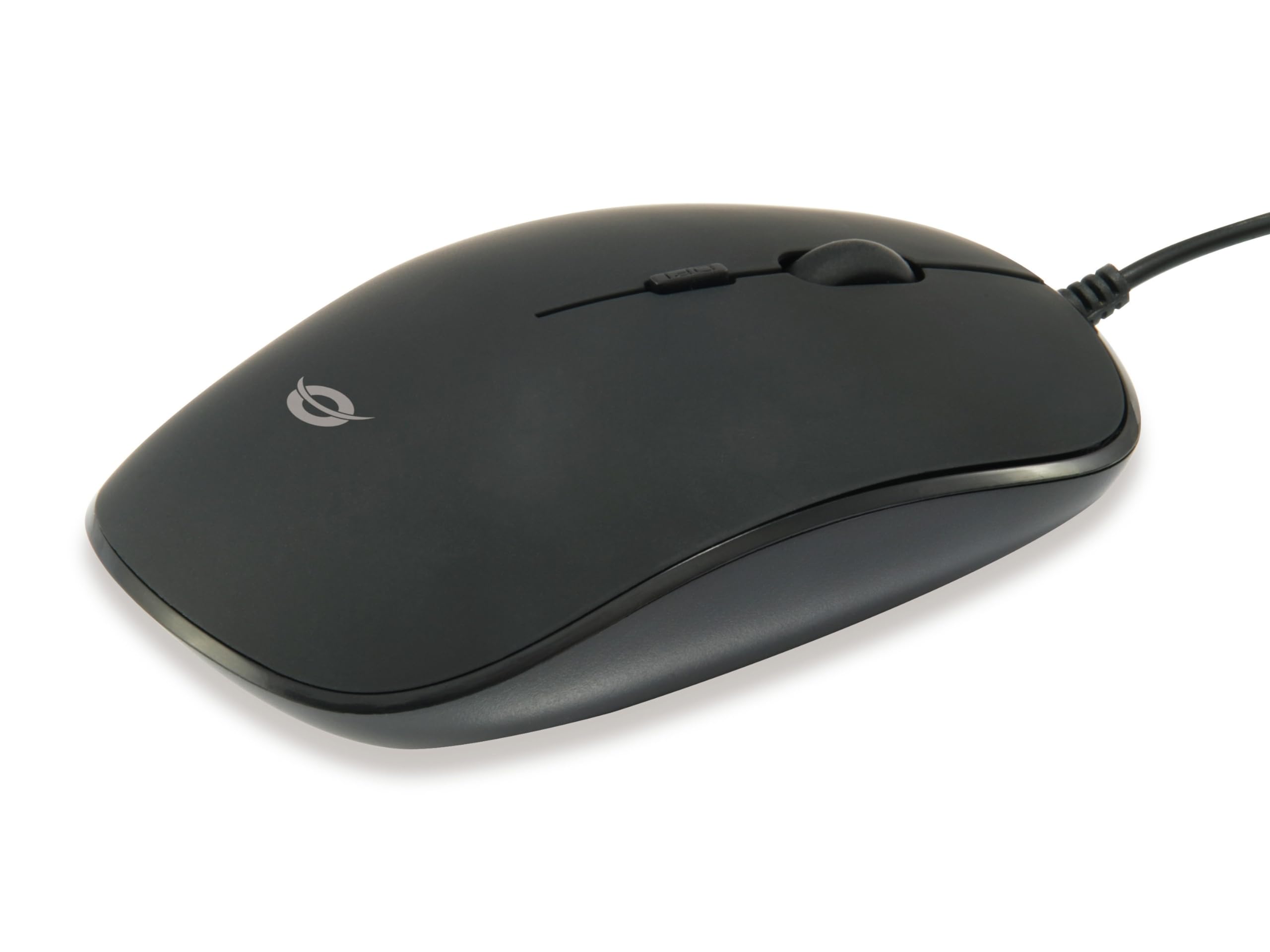
ምስል: ከፍተኛ view of the Conceptronic REGAS01B Optical Desktop Mouse, showcasing its ergonomic black design.
የጥቅል ይዘቶች
ሁሉም እቃዎች በጥቅሉ ውስጥ መኖራቸውን ያረጋግጡ፡-
- Conceptronic REGAS01B Optical Desktop Mouse
- የተጠቃሚ መመሪያ (ይህ ሰነድ)
- Note: This is a wired USB mouse and does not require external batteries for operation, despite some generic product data indicating otherwise.
ባህሪያት
- ዲፒአይ መቀየሪያ፡- Adjustable sensitivity (800/1000/1200 DPI) for precise control.
- ይሰኩ እና ይጫወቱ፡ Easy installation without the need for additional drivers.
- አሻሚ ንድፍ; Comfortable for both left and right-handed users.
- የጎማ ወለል; Provides enhanced grip and comfort during extended use.
- የኦፕቲካል ትራኪንግ፡ Reliable and accurate cursor movement.
- የዩኤስቢ ግንኙነት; Standard wired connection for stable performance.
ማዋቀር
- መዳፊቱን ያገናኙ; Locate an available USB port on your computer. Insert the USB connector of the Conceptronic REGAS01B mouse into the USB port.
- ራስ-ሰር መጫን; Your operating system (Windows, Linux, etc.) will automatically detect and install the necessary drivers. This process typically takes a few seconds.
- ለመጠቀም ዝግጁ፡- Once the installation is complete, the mouse is ready for immediate use. No additional software is required.

ምስል፡ መቀራረብ view of the mouse's scroll wheel and the DPI switch button, located behind the scroll wheel.
የአሠራር መመሪያዎች
መሰረታዊ ተግባራት
- የግራ ጠቅታ፡- እቃዎችን ለመምረጥ የግራ አዝራሩን ይጫኑ፣ ይክፈቱ files፣ ወይም ተግባራትን ያግብሩ።
- በቀኝ ጠቅታ: የአውድ ምናሌዎችን ለመክፈት ወይም ተጨማሪ አማራጮችን ለመድረስ የቀኝ አዝራሩን ይጫኑ።
- የማሽከርከር ጎማ፡ ሰነዶችን ለማሰስ የማሸብለያውን ጎማ ወደ ላይ ወይም ወደ ታች ያንከባልሉት እና web ገጾች። በሶፍትዌር ውቅር ላይ በመመስረት የመሃል-ጠቅታ ተግባርን ለማካሄድ የማሸብለያ መንኮራኩሩ ሊጫን ይችላል።
የዲፒአይ ትብነት ማስተካከል
The Conceptronic REGAS01B mouse features a DPI switch to adjust cursor sensitivity on the fly. This allows you to quickly change between different tracking speeds for various tasks, such as precise editing or fast-paced gaming.
- የዲፒአይ መቀየሪያ አዝራር፡- Located behind the scroll wheel.
- የትብነት ደረጃዎች፡- Press the DPI switch button to cycle through 800, 1000, and 1200 DPI settings.
- ምርጫ፡- Each press will change the sensitivity, allowing you to find the optimal speed for your current activity.
ጥገና
- ማጽዳት፡ የመዳፊትን ወለል ለማጽዳት ለስላሳ እና ደረቅ ጨርቅ ይጠቀሙ። ለጠንካራ ቆሻሻ፣ ትንሽ ጠጣርampበጨርቁ ላይ በውሃ ወይም ለስላሳ የጽዳት መፍትሄ. ኃይለኛ ኬሚካሎችን ወይም ገላጭ ቁሳቁሶችን ያስወግዱ.
- የጨረር ዳሳሽ; ትክክለኛውን ክትትል ለማረጋገጥ በመዳፊት ስር ያለውን የጨረር ዳሳሽ ንፁህ እና ከአቧራ ወይም ከቆሻሻ የጸዳ ያድርጉት።
- ማከማቻ፡ When not in use, store the mouse in a clean, dry environment.
- ፈሳሾችን ያስወግዱ; Do not expose the mouse to excessive moisture or immerse it in liquids.
መላ መፈለግ
አይጥ ምላሽ አይሰጥም
- የዩኤስቢ ግንኙነትን ያረጋግጡ፡- የዩ ኤስ ቢ ገመዱ ደህንነቱ በተጠበቀ ሁኔታ በኮምፒዩተርዎ ላይ በሚሰራ የዩኤስቢ ወደብ ላይ መሰካቱን ያረጋግጡ። የተለየ የዩኤስቢ ወደብ ይሞክሩ።
- ኮምፒተርን እንደገና ያስጀምሩ; አንዳንድ ጊዜ ቀላል የኮምፒዩተር ዳግም መጀመር የግንኙነት ችግሮችን ሊፈታ ይችላል።
- በሌላ ኮምፒውተር ላይ ሞክር፡- ከተቻለ፣ ችግሩ ከመዳፊት ወይም ከኮምፒውተርዎ ማዋቀር ጋር መሆኑን ለማረጋገጥ መዳፊቱን በሌላ ኮምፒውተር ላይ ይሞክሩ።
Inaccurate Cursor Movement
- ንፁህ የኦፕቲካል ዳሳሽ፡ በመዳፊት ግርጌ ላይ ያለው የኦፕቲካል ሴንሰር ንፁህ እና ከአቧራ ወይም ከቆሻሻ የጸዳ መሆኑን ያረጋግጡ።
- የመዳፊት ፓድ/ገጽታ፡ መዳፊቱን በንጹህ፣ በማያንጸባርቅ እና ወጥ በሆነ ወለል ላይ ይጠቀሙ። በጣም አንጸባራቂ ወይም ግልጽ በሆኑ ቦታዎች ላይ ያስወግዱ።
- ዲፒአይን ያስተካክሉ፦ Experiment with the DPI switch to find a sensitivity setting that provides accurate tracking for your needs.
ዝርዝሮች
| ባህሪ | ዝርዝር |
|---|---|
| የምርት ስም | ጽንሰ-ሐሳብ |
| የሞዴል ስም | REGAS01B |
| ቀለም | ጥቁር |
| የግንኙነት ቴክኖሎጂ | ዩኤስቢ (ገመድ) |
| የእንቅስቃሴ ማወቂያ ቴክኖሎጂ | ኦፕቲካል |
| የዲፒአይ ቅንብሮች | 800 / 1000 / 1200 DPI (ሊስተካከል የሚችል) |
| የአዝራር ብዛት | 3 (Left, Right, Scroll Wheel/Middle Click) + DPI Switch |
| የእጅ አቀማመጥ | አሻሚ |
| ተስማሚ መሣሪያዎች | የግል ኮምፒተር |
| የስርዓተ ክወና ተኳኋኝነት | ሊኑክስ፣ ዊንዶውስ 7፣ ዊንዶውስ ኤክስፒ (እና አዳዲስ ስሪቶች) |
| የእቃው ክብደት | 61 ግራም |
| ልዩ ባህሪያት | Ergonomic Design, Rubberized Surface, Plug & Play |
| የአምራች ክፍል ቁጥር | REGAS01B |
| ጂቲን (ዩፒሲ) | 04015867208526 |
ዋስትና እና ድጋፍ
For warranty information and technical support, please refer to the official Conceptronic webጣቢያ ወይም የአካባቢዎን ቸርቻሪ ያነጋግሩ። ለዋስትና ጥያቄዎች የግዢ ማረጋገጫዎን ያስቀምጡ።
- የመስመር ላይ ድጋፍ ጎብኝ www.conceptronic.net (ማስታወሻ፡ ይህ ቦታ ያዥ ነው። URL, please replace with the actual support URL የሚገኝ ከሆነ.)
- ያነጋግሩ፡ Refer to the contact information provided on the product packaging or the Conceptronic webለደንበኞች አገልግሎት ጣቢያ.