
መግቢያ
This manual provides instructions for the Speedlink PIAVO Wireless Ergonomic Vertical Mouse (Model SL-630019-BK-01). This ergonomic mouse is designed to promote a natural, relaxed wrist posture, reducing strain on the hand, arm, shoulder, and neck during extended computer use. It features 5 buttons, adjustable DPI settings, and wireless 2.4 GHz connectivity.

ምስል 1፡ Speedlink PIAVO Wireless Ergonomic Vertical Mouse, front view. This image shows the overall ergonomic design of the mouse.
የጥቅል ይዘቶች
እባክዎ ሁሉም እቃዎች በጥቅሉ ውስጥ መኖራቸውን ያረጋግጡ፡-
- Speedlink PIAVO Wireless Ergonomic Vertical Mouse
- USB-A ተቀባይ
- Battery (pre-installed or included separately)
- የትምህርት መመሪያ (ይህ ሰነድ)

ምስል 2፡ Packaging of the Speedlink PIAVO Wireless Ergonomic Vertical Mouse. The box indicates "Wireless Vertical Mouse" and "10m Range".
ማዋቀር
- ባትሪ አስገባ፡ If the battery is not pre-installed, open the battery compartment on the underside of the mouse and insert the included battery, ensuring correct polarity.
- የዩኤስቢ ተቀባይን ያገናኙ፡ Locate an available USB-A port on your computer or laptop. Insert the USB-A receiver into the port.
- በመዳፊት ላይ ኃይል; Locate the On/Off switch on the underside of the mouse. Slide the switch to the "On" position.
- የአሽከርካሪ ጭነት; The mouse is designed for plug-and-play operation. Your operating system (e.g., Windows) should automatically detect and install the necessary drivers. This process typically takes a few seconds.
- በመሞከር ላይ፡ Once installed, move the mouse to test cursor movement. If the cursor does not respond, ensure the mouse is powered on and the USB receiver is securely connected.

ምስል 3፡ Underside of the mouse, illustrating the battery compartment and the On/Off switch. Ensure the switch is in the 'On' position for operation.
የአሠራር መመሪያዎች
The Speedlink PIAVO mouse features 5 buttons and adjustable DPI settings for optimal control.
- የግራ ጠቅታ አዝራር፡- መደበኛ የመጀመሪያ ደረጃ ጠቅታ ተግባር።
- በቀኝ ጠቅ ያድርጉ አዝራር; መደበኛ ሁለተኛ ደረጃ ጠቅታ ተግባር።
- የማሽከርከር ጎማ፡ ሰነዶችን ለማሸብለል እና web pages. Can also be pressed for a middle-click function.
- የዲፒአይ መቀየሪያ አዝራር፡- Located near the scroll wheel. Press this button to cycle through the available DPI settings (800, 1200, 1600 DPI). This adjusts the cursor speed and sensitivity.
- ወደፊት/ወደኋላ አዝራሮች፡- Located on the side of the mouse, typically used for navigation in web አሳሾች ወይም file አሳሾች.
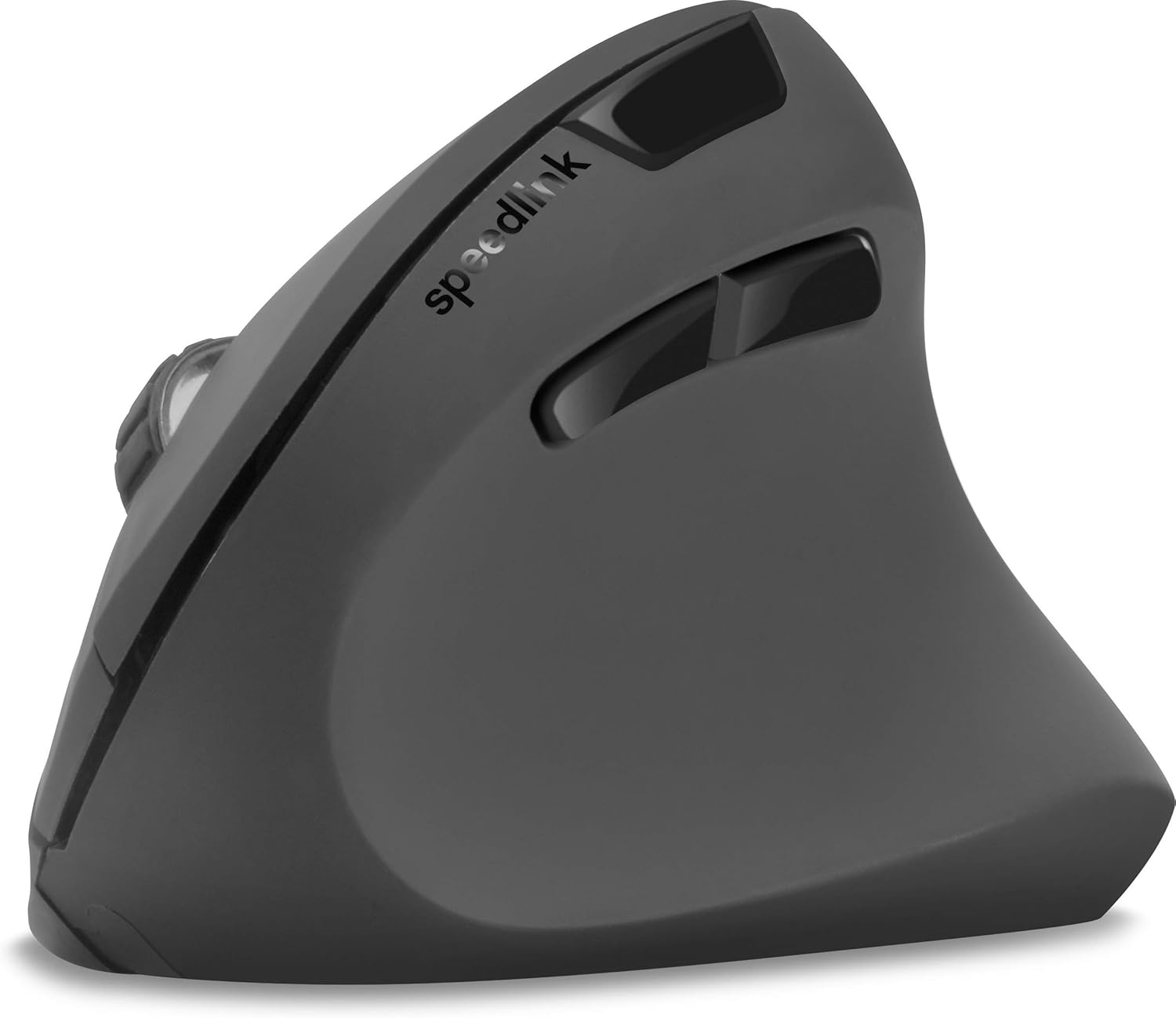
ምስል 4፡ ከላይ ወደታች view of the mouse, highlighting the left/right click buttons, scroll wheel, and DPI switch button.

ምስል 5፡ ጎን view of the mouse, illustrating the ergonomic grip and the forward/backward navigation buttons.
ኃይል ቆጣቢ ሁነታ
The mouse features an energy-saving mode to conserve battery life. If the mouse is inactive for a period, it will enter a sleep state. To wake it up, simply move the mouse or press any button.
ጥገና
To ensure the longevity and optimal performance of your Speedlink PIAVO mouse, follow these maintenance guidelines:
- ማጽዳት፡ የመዳፊቱን ውጫዊ ገጽታ ለማጽዳት ለስላሳ እና ደረቅ ጨርቅ ይጠቀሙ. ለግትር ቆሻሻ, ትንሽ መamp cloth can be used, but ensure no moisture enters the mouse. Avoid using harsh chemicals or abrasive cleaners.
- የአነፍናፊ ጽዳት; Occasionally, dust or debris may accumulate around the optical sensor on the underside of the mouse. Use a soft brush or compressed air to gently clean the sensor area.
- የባትሪ መተካት፡ When the mouse performance degrades or it stops responding, it may be time to replace the battery. Open the battery compartment, remove the old battery, and insert a new one of the same type, observing polarity.
- ማከማቻ፡ When not in use for extended periods, it is recommended to switch off the mouse using the On/Off switch to conserve battery life. Store the mouse and USB receiver in a dry, dust-free environment.
መላ መፈለግ
| ችግር | ሊሆን የሚችል ምክንያት | መፍትሄ |
|---|---|---|
| መዳፊት ምላሽ አይሰጥም / ጠቋሚው አይንቀሳቀስም። |
|
|
| የተሳሳተ የጠቋሚ እንቅስቃሴ። |
|
|
| DPI setting resets after sleep/reboot. | This is a known characteristic for some mice; the DPI setting may revert to default. | Press the DPI switch button to select your preferred sensitivity after waking the mouse or restarting the computer. |
ዝርዝሮች
| የሞዴል ቁጥር | SL-630019-BK-01 |
| ግንኙነት | Wireless 2.4 GHz via USB-A Receiver |
| የእንቅስቃሴ ማወቂያ | ኦፕቲካል |
| የአዝራሮች ብዛት | 5 |
| የዲፒአይ ቅንብሮች | 800, 1200, 1600 DPI (Adjustable) |
| የእጅ አቀማመጥ | ቀኝ እጅ |
| ገመድ አልባ ክልል | እስከ 10 ሜትር |
| የኃይል ምንጭ | Battery-powered (Battery included) |
| ተስማሚ ስርዓተ ክወናዎች | ዊንዶውስ |
| ክብደት | 106 ግራም |
| ቀለም | ጥቁር |
ዋስትና እና ድጋፍ
ስለተወሰኑ የዋስትና ውሎች እና የደንበኛ ድጋፍ የእውቂያ ዝርዝሮች መረጃ በተሰጠው የምርት መረጃ ውስጥ አይገኝም። እባክዎን የምርት ማሸጊያውን ወይም የአምራቹን ኦፊሴላዊ አድራሻ ይመልከቱ። webበጣም ወቅታዊ የዋስትና መረጃ እና የድጋፍ አማራጮችን ለማግኘት ጣቢያ።
ለተጨማሪ እርዳታ፣ ን መጎብኘት ይችላሉ። Speedlink official webጣቢያ.


