
1. መግቢያ
Thank you for choosing the CREATE NETBOT S15 Robot Vacuum Cleaner. This manual provides essential information for the safe operation, maintenance, and troubleshooting of your device. Please read it thoroughly before first use and retain it for future reference.
ምርት አልቋልview

The image above displays the CREATE NETBOT S15 Robot Vacuum Cleaner, its dedicated remote control, and a smartphone screen showing the companion application interface. The robot is black with a textured top surface and a central green power button. The remote control features a digital display and various control buttons. The app shows a map of a cleaned area.
The NETBOT S15 is designed to simplify your cleaning routine, offering multiple cleaning modes and smart features for efficient floor maintenance.
2. የደህንነት መመሪያዎች
ደህንነቱ የተጠበቀ አሰራርን ለማረጋገጥ እና ጉዳት እንዳይደርስ ለመከላከል የሚከተሉትን የደህንነት ጥንቃቄዎች ይከተሉ።
- መሳሪያውን ከመጠቀምዎ በፊት ሁሉንም መመሪያዎች ያንብቡ.
- ልጆች የሮቦቱን ቫክዩም እንዲያንቀሳቅሱ አይፍቀዱላቸው። ሮቦቱ በሚሰራበት ጊዜ ልጆችንና የቤት እንስሳትን ይቆጣጠሩ።
- Ensure the charging base is placed against a wall on a hard, level surface, with adequate clear space around it.
- ፀጉርን፣ የለበሰ ልብስን፣ ጣቶችን እና ሁሉንም የሰውነት ክፍሎችን ከመክፈትና ከሚንቀሳቀሱ ክፍሎች ያርቁ።
- ትላልቅ ነገሮችን፣ ስለታም ነገሮችን፣ ፈሳሾችን ወይም የሚቃጠሉ/የሚጨሱ ቁሳቁሶችን አያንሱ።
- ሮቦቱን እርጥብ በሆኑ አካባቢዎች ወይም እርጥብ በሆኑ ቦታዎች ላይ አይጠቀሙ።
- ከመተጣጠፍ ወይም ከመጎዳት ለመከላከል የኤሌክትሪክ ገመዶችን፣ ትናንሽ ነገሮችን እና በቀላሉ የሚሰበሩ እቃዎችን ከመሬት ላይ ያስወግዱ።
- Use only the original charger and battery provided by the manufacturer.
- Do not modify or attempt to repair the robot vacuum yourself. Contact qualified service personnel for repairs.
3. የጥቅል ይዘቶች
ሁሉም ክፍሎች በጥቅሉ ውስጥ መገኘታቸውን ያረጋግጡ፡-

The image shows the retail box for the CREATE NETBOT S15 Robot Vacuum Cleaner, indicating the product and its key features.
- የኔትቦት ኤስ15 ሮቦት ቫክዩም ማጽጃ ይፍጠሩ
- የኃይል መሙያ መሠረት
- የኃይል አስማሚ
- የርቀት መቆጣጠሪያ
- Dustbin (600 ml capacity)
- የውሃ ማጠራቀሚያ (400 ሚሊ ሊትር አቅም)
- Side Brushes (2 + 2 replacements)
- HEPA Filter (1 + 1 replacement)
- Cleaning Mop (1 + 1 replacement)
- የጽዳት ብሩሽ
- መግነጢሳዊ አውታር
- የተጠቃሚ መመሪያ
4. ማዋቀር
4.1 የመሙያ መሠረት አቀማመጥ

The image shows the CREATE NETBOT S15 Robot Vacuum Cleaner correctly docked on its charging station, indicating proper placement for recharging.
- የኃይል መሙያውን መሠረት ክፍት በሆነ ቦታ ግድግዳ ላይ ያድርጉት።
- Ensure there is at least 1 meter (3 feet) of clear space on both sides of the charging base and 2 meters (6 feet) in front of it.
- የኃይል አስማሚውን ከኃይል መሙያው መሠረት ጋር ያገናኙ እና ከግድግድ መውጫ ጋር ይሰኩት።
- Ensure the power indicator light on the charging base is illuminated.
4.2 የመጀመሪያ ደረጃ መሙላት

This image depicts the CREATE NETBOT S15 Robot Vacuum Cleaner positioned near its charging dock in a room, ready for or undergoing charging.
Before first use, fully charge the robot vacuum. Place the robot onto the charging base, ensuring the charging contacts align. The indicator light on the robot will show charging status. A full charge typically takes 4-5 hours.
4.3 የመተግበሪያ ጭነት እና ግንኙነት
The CREATE NETBOT S15 can be controlled via a smartphone application, compatible with Alexa and Google Home.
- Download the official CREATE app from your smartphone's app store.
- መለያ ይመዝገቡ እና ይግቡ።
- Follow the in-app instructions to add your NETBOT S15 device. This typically involves putting the robot into pairing mode and connecting it to your home Wi-Fi network.
- Once connected, you can program cleaning schedules, select cleaning modes, and monitor the robot's status from your phone.
- For voice control, link the CREATE app with your Alexa or Google Home account through their respective applications.
5. የአሠራር መመሪያዎች
5.1 የጽዳት ሁነታዎች
The NETBOT S15 offers four cleaning functions:
- ጠረግ Uses side brushes to gather debris.
- የአበባ ጉንጉን Utilizes suction power to collect dust and dirt. Features up to 1500 Pa suction power with adjustable levels.
- ማጽጃ Wipes floors with a damp cloth from the water tank.
- ማጠብ፡ Combines sweeping, vacuuming, and mopping for comprehensive cleaning.

This image illustrates the CREATE NETBOT S15 Robot Vacuum Cleaner actively cleaning under a sofa, demonstrating its ability to reach confined spaces. Two dogs are visible in the foreground, suggesting a pet-friendly environment.
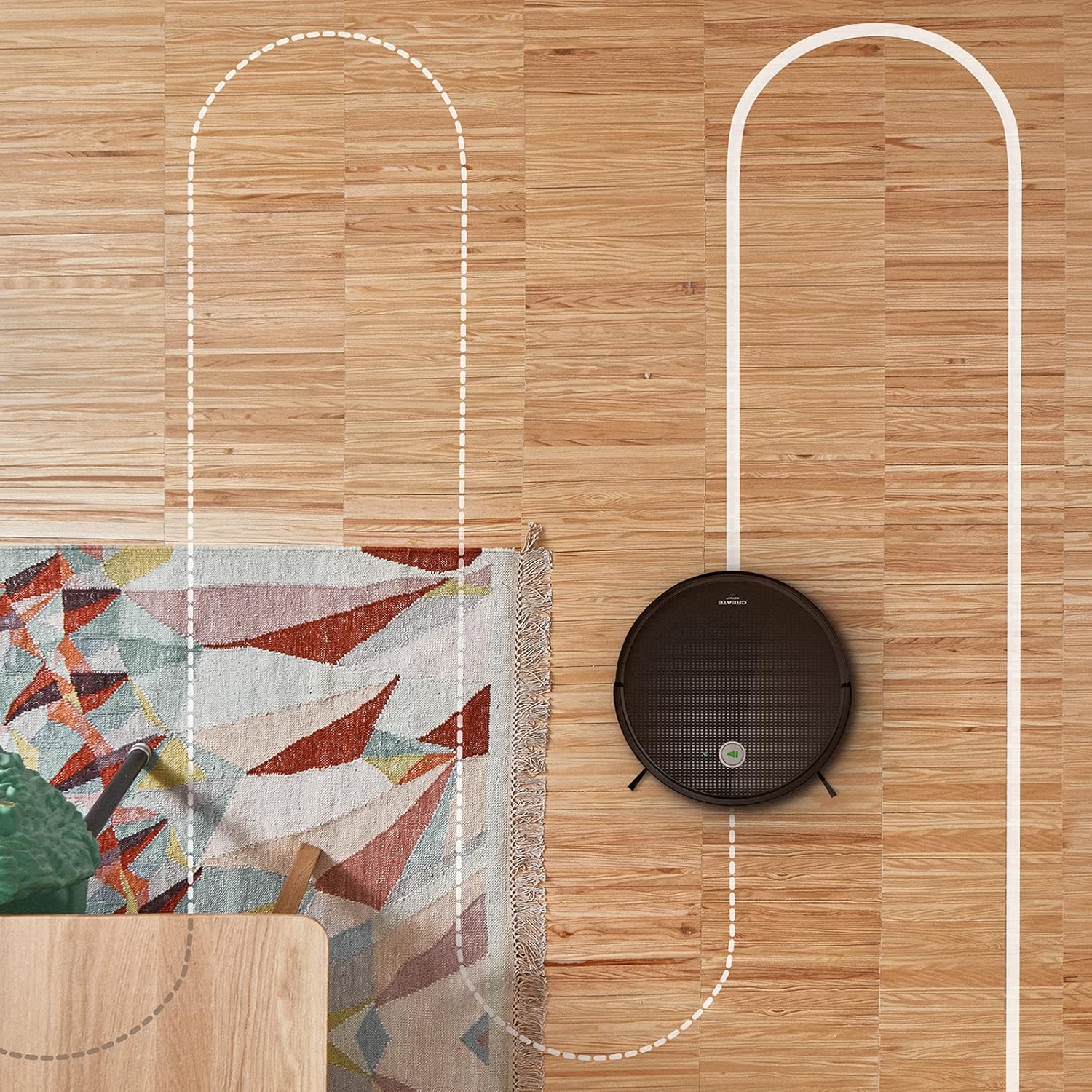
የአየር ላይ view shows the CREATE NETBOT S15 Robot Vacuum Cleaner moving across a wooden floor, with a dotted line indicating its systematic cleaning path, highlighting its gyroscopic navigation.
5.2 የርቀት መቆጣጠሪያውን በመጠቀም
The included remote control allows for direct operation of the robot vacuum. Refer to the remote control diagram in your quick start guide for button functions. Common functions include:
- ማጽዳት ይጀምሩ / ለአፍታ ያቁሙ
- ወደ ኃይል መሙያ መሠረት ይመለሱ
- Directional Control (manual steering)
- ስፖት ማጽዳት
- የጠርዝ ማጽዳት
- የጊዜ ሰሌዳ ማዘጋጀት
5.3 Magnetic Strip Usage
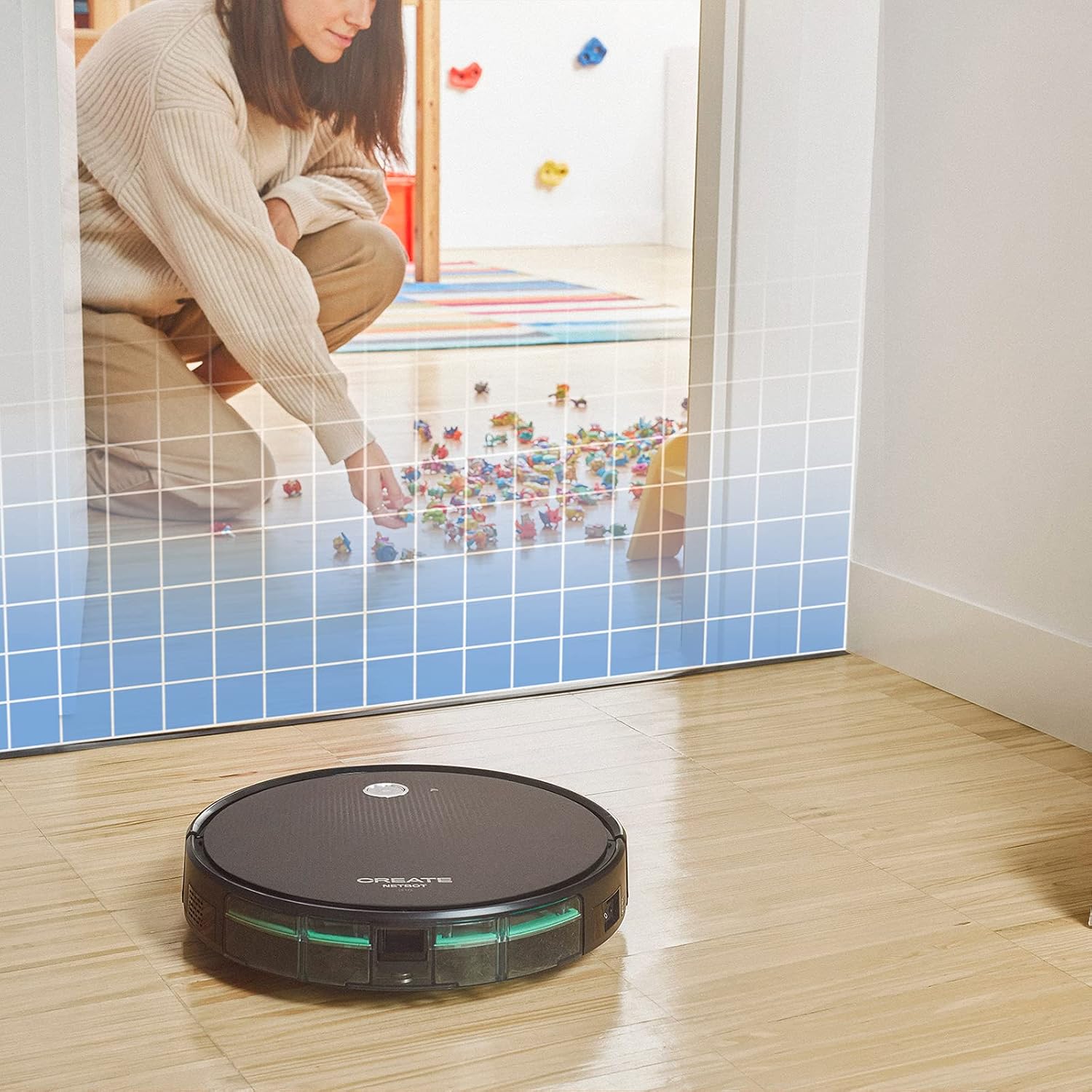
This illustration demonstrates the CREATE NETBOT S15 Robot Vacuum Cleaner approaching a virtual boundary, represented by a grid, which prevents it from entering a specific area, such as where toys are located.
Use the provided magnetic strip to create virtual boundaries that the robot will not cross. Place the strip on the floor to delimit areas where the robot should not enter, such as pet feeding zones or areas with delicate items.
5.4 የባትሪ ህይወት
The NETBOT S15 is equipped with a long-lasting LG Lithium battery, providing up to 120 minutes of cleaning autonomy on a single charge, depending on the selected power mode.
6. ጥገና
መደበኛ ጥገና ጥሩ አፈጻጸምን ያረጋግጣል እና የእርስዎን ሮቦት ቫክዩም ዕድሜ ያራዝመዋል።
6.1 አቧራ እና የውሃ ማጠራቀሚያ ማጽዳት
Empty the dustbin after each use. The 600 ml dustbin is easily removable. If using the mopping function, empty and rinse the 400 ml water tank after each use to prevent mold or odors.
6.2 ብሩሽ ማጽዳት

መቀራረብ view of the CREATE NETBOT S15 Robot Vacuum Cleaner's side brush, showing its design for sweeping debris into the main suction path.
- የጎን ብሩሽዎች; Regularly check for hair or debris entanglement. Remove and clean as needed. Replace worn brushes with the provided spares.
- ዋና ብሩሽ፡ ዋናውን የብሩሽ ሽፋን ያስወግዱና ብሩሹን ያንሱ። የተዛባ ጸጉርንና ፍርስራሽ ለማስወገድ የጽዳት መሣሪያውን ይጠቀሙ።
6.3 የማጣሪያ ጽዳት/መተካት
The robot uses a double filter system: a sponge filter and a HEPA filter. Tap the filters to remove loose dirt. Do not wash HEPA filters with water. Replace filters every 3-6 months, or more frequently with heavy use, to maintain suction performance.
6.4 ዳሳሽ ማጽዳት
Wipe the cliff sensors (located on the bottom of the robot) and the bumper sensors (on the front) with a clean, dry cloth to ensure proper navigation and obstacle detection.
7. መላ መፈለግ
If you encounter issues with your NETBOT S15, refer to the following common problems and solutions:
| ችግር | ሊሆን የሚችል ምክንያት | መፍትሄ |
|---|---|---|
| ሮቦት አይጀምርም ወይም ምላሽ አይሰጥም. | ባትሪ ዝቅተኛ፤ የኃይል ማብሪያ / ማጥፊያ ጠፍቷል፤ ሮቦቱ ተጣብቋል። | ሮቦቱን ይሙሉት፤ የኃይል ማብሪያ / ማጥፊያው መብራቱን ያረጋግጡ፤ ማንኛውንም እንቅፋት ያስወግዱ። |
| ደካማ የጽዳት አፈፃፀም. | ሙሉ የቆሻሻ መጣያ፤ የተዘጉ ብሩሾች/ማጣሪያዎች፤ የተበላሹ ብሩሾች። | Empty dustbin; Clean brushes and filters; Replace brushes/filters. |
| ሮቦቱ የኃይል መሙያውን መሠረት ማግኘት አልቻለም። | Charging base obstructed; Robot too far from base; Base not powered. | Ensure clear space around base; Manually place robot closer; Check power connection to base. |
| ሮቦት በተደጋጋሚ ይጣበቃል. | Cables/small objects on floor; Uneven surfaces; Dark colored carpets. | Clear floor of obstacles; Use magnetic strips for problem areas; Robot may struggle on very dark surfaces. |
| የWi-Fi ግንኙነት ችግሮች። | የተሳሳተ የ Wi-Fi ይለፍ ቃል; ራውተር በጣም ሩቅ; 5GHz አውታረ መረብ. | Verify password; Move robot closer to router; Ensure connection to a 2.4GHz Wi-Fi network. |
8. ዝርዝሮች
Key technical specifications for the CREATE NETBOT S15 Robot Vacuum Cleaner:
- የምርት ስም፡ ፍጠር
- የሞዴል ቁጥር፡- Netbot S15
- ቀለም፡ Black - Turquoise
- ልኬቶች (L x W x H)፦ 33 x 33 x 7.5 ሴ.ሜ
- ክብደት፡ 3 ኪ
- ኃይል፡- 25 ዋት
- የመሳብ ኃይል; እስከ 1500 ፓ
- የድምጽ ደረጃ፡ 62 ዲቢቢ
- የባትሪ ዓይነት፡ ሊቲየም-አዮን
- የባትሪ ህይወት፡ እስከ 120 ደቂቃዎች ድረስ
- የዱስትቢን አቅም; 600 ሚሊ ሊትር
- የውሃ ማጠራቀሚያ አቅም; 400 ሚሊ ሊትር
- የማጣሪያ ስርዓት፡ Double sponge Clean + HEPA filter
- ግንኙነት፡ ዋይፋይ፣ የመተግበሪያ ቁጥጥር
- የድምጽ ረዳት ተኳኋኝነት፡- ጎግል መነሻ፣ አሌክሳ
- ልዩ ባህሪያት፡ Gyroscopic navigation, Magnetic strip boundary, 4 cleaning modes (sweep, vacuum, mop, wash)
9. ዋስትና እና ድጋፍ
For warranty information, technical support, or service inquiries, please refer to the warranty card included with your product or visit the official CREATE webጣቢያ. የግዢ ደረሰኝህን እንደ ግዢ ማረጋገጫ አቆይ።