
መግቢያ
This manual provides detailed instructions for the installation, operation, and maintenance of your XVIM 8CH 1080P Home Security Camera System. Please read this manual thoroughly before using the product to ensure proper setup and functionality. Keep this manual for future reference.
ምርት አልቋልview
The XVIM 8CH 1080P Home Security Camera System includes an 8-channel Digital Video Recorder (DVR) with a 1TB hard drive and four 2MP HD outdoor IP66 waterproof cameras. The system is designed for reliable surveillance with features such as night vision and remote access capabilities.

ምስል፡ አልቋልview of the XVIM 1080P HD Security Camera System, showing a camera and a smartphone displaying live view.
የካሜራ ባህሪያት
- የአይፒ66 የብረት መያዣ፡ Durable and weatherproof construction.
- 3.6ሚሜ ኤችዲ ሌንስ፡ Provides a 75° viewአንግል።
- የ IR-Cut ማጣሪያ፡ Ensures clear day and night vision.
- 24 LEDs: Offers up to 65ft night vision range.

Image: Diagram highlighting key camera features: IP66 metal housing, 3.6mm HD lens, IR-cut filter, and 24 LEDs.
የቀን እና የሌሊት ክትትል
The cameras are equipped with an IR-Cut filter and infrared LEDs to provide clear surveillance both during the day and at night. During the day, images are colorful and high definition. At night, the cameras automatically switch to infrared mode for clear black and white vision in low-light conditions.
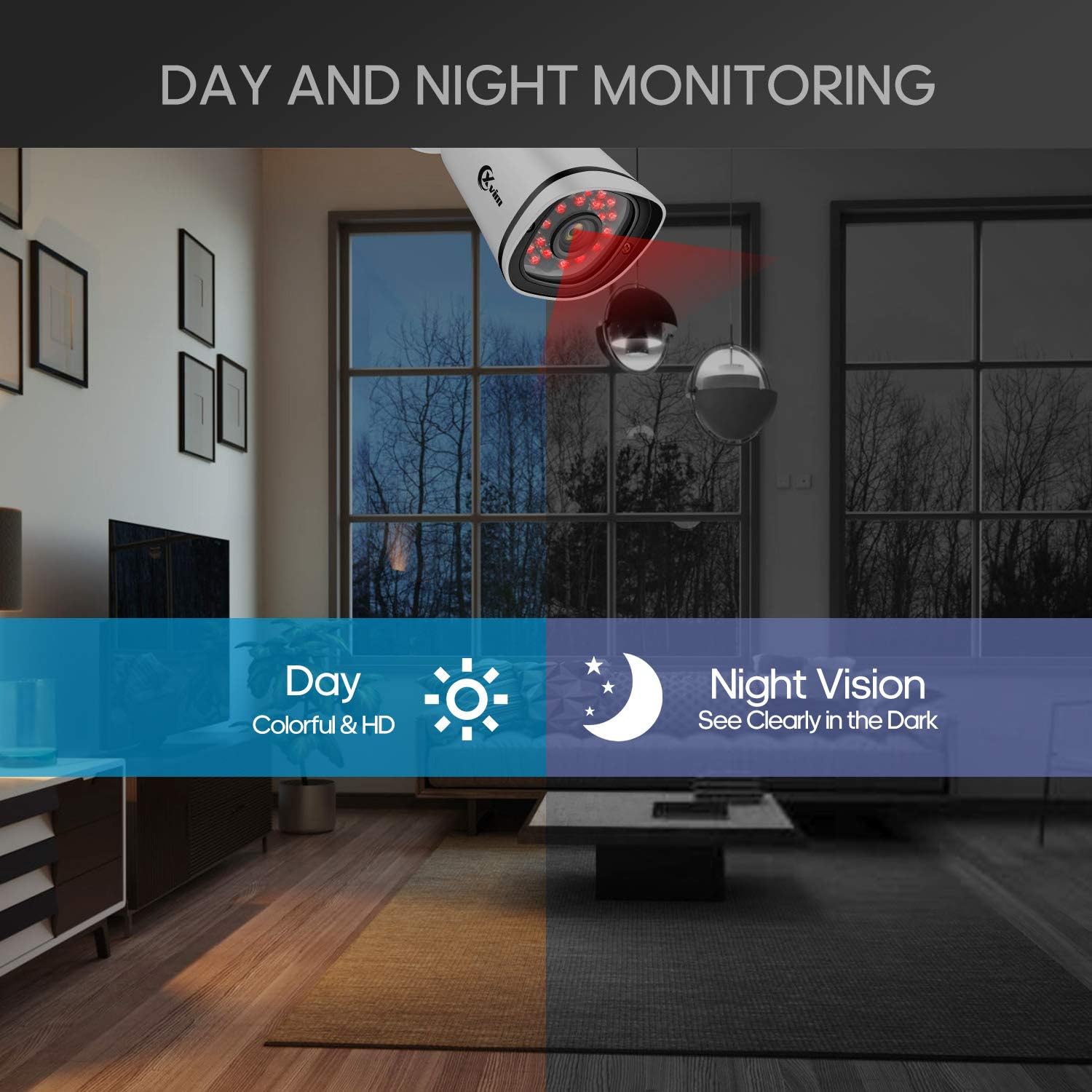
Image: Illustration showing the camera's ability to monitor both during the day (colorful HD) and at night (clear vision in the dark).
የውሃ መከላከያ ንድፍ
The cameras feature an IP66-rated metal housing, ensuring they are protected against dust and powerful water jets, making them suitable for outdoor installation in various weather conditions.
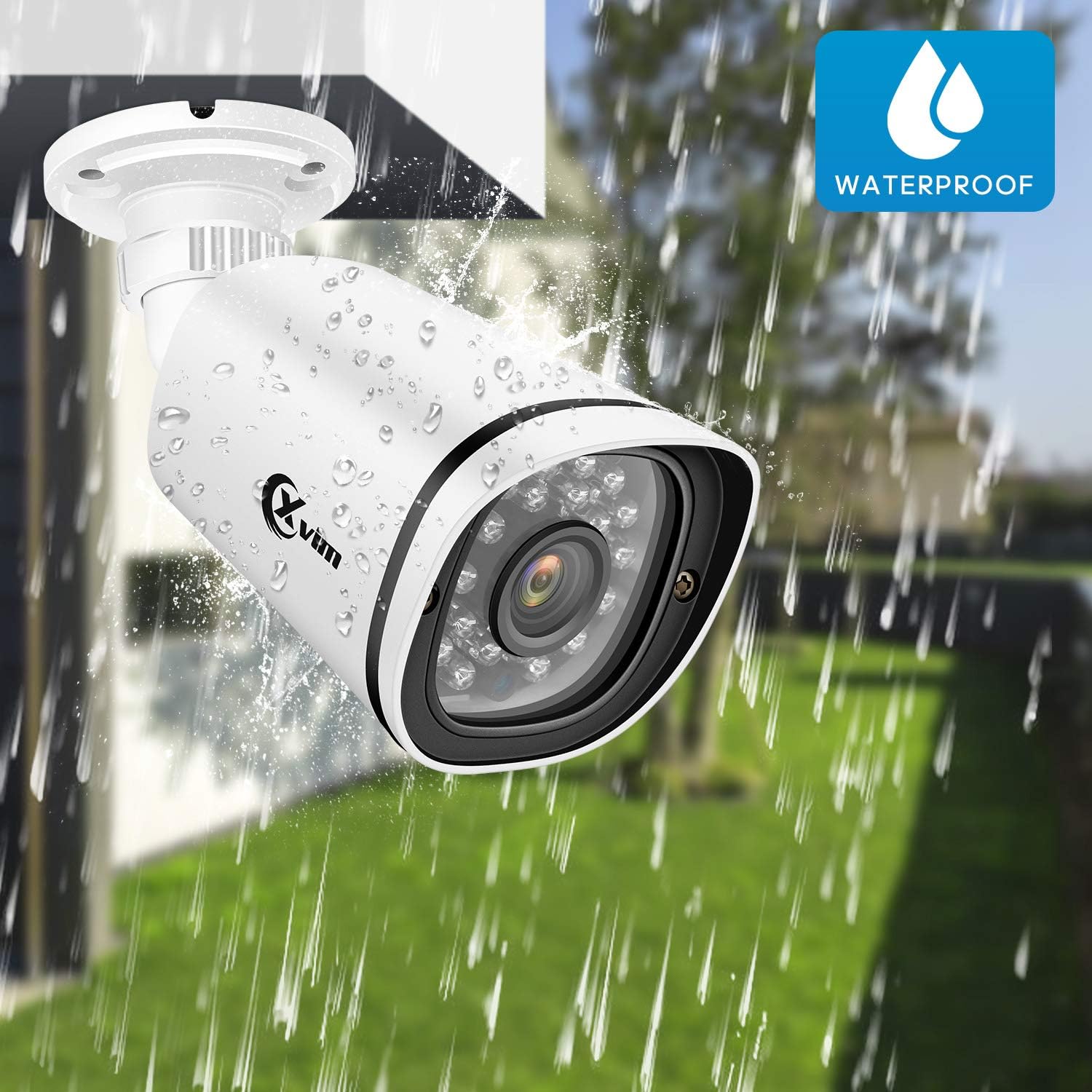
Image: An XVIM camera being sprayed with water, illustrating its waterproof design.
DVR Back Panel Overview
The DVR unit provides multiple ports for connecting cameras, a monitor, audio input/output, and network connectivity. Familiarize yourself with the ports before installation.
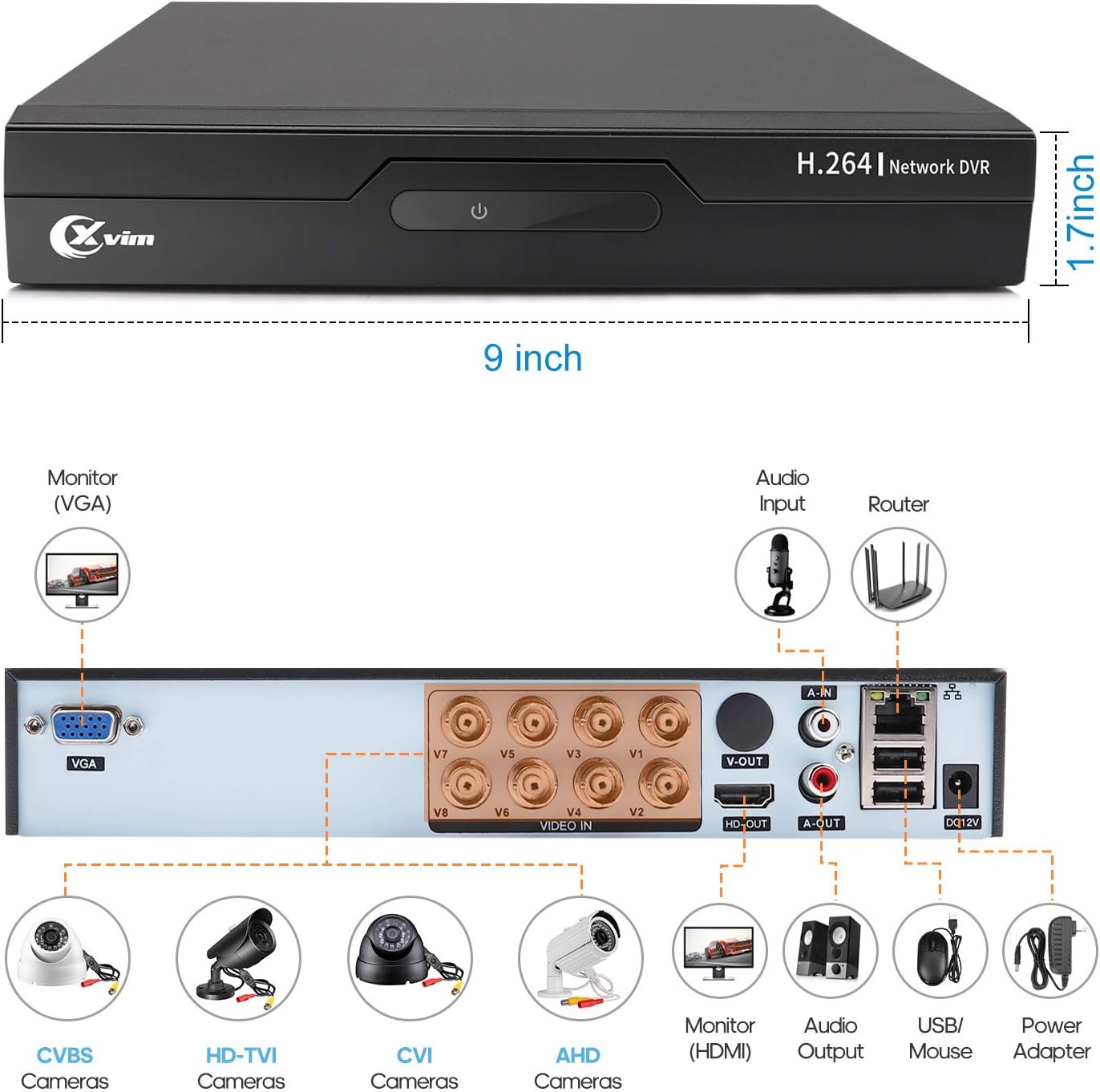
Image: Diagram of the DVR's back panel, showing ports for VGA, HDMI, video input (BNC), audio input/output, USB, and power.
የማዋቀር መመሪያዎች
- Connect Cameras to DVR: Connect each camera to the corresponding video input (BNC) port on the DVR using the provided cables. Ensure secure connections.
- DVRን ከሞኒተር ጋር ያገናኙ፡ Connect the DVR to a monitor using either the VGA or HDMI port.
- Connect DVR to Network: For remote access, connect the DVR to your router using an Ethernet cable.
- የግንኙነት ኃይል; Connect the power adapters to the cameras and the DVR, then plug them into a power outlet. The system will power on automatically.
- የመጀመሪያ ማዋቀር፡- Follow the on-screen prompts on your monitor to complete the initial DVR setup, including setting up a password and configuring basic settings.
- የሞባይል መተግበሪያ ማዋቀር;
- Download the "XVR Pro" app from your smartphone's app store.
ለአንድሮይድ አውርድ
ለ iOS አውርድ - Register for an account within the app.
- Add your DVR device by scanning the QR code displayed on the DVR's monitor or by manually entering the device ID.
- አንዴ ከተጨመረ በኋላ፣ ይችላሉ view your cameras remotely from anywhere.
- Download the "XVR Pro" app from your smartphone's app store.

Image: Step-by-step guide for connecting the system components and setting up the XVR Pro mobile application.
የአሠራር መመሪያዎች
ቀጥታ View
ከተሳካ ማዋቀር በኋላ የሚከተሉትን ማድረግ ይችላሉ view ኑ footage from your cameras on the connected monitor or through the XVR Pro mobile app. The DVR interface allows you to switch between single-camera view እና ባለብዙ ካሜራ ፍርግርግ view.
የመቅዳት ሞዶች
The system supports various recording modes:
- በእጅ መቅዳት፡ Start and stop recording manually via the DVR interface.
- የእንቅስቃሴ ፍለጋ ቀረጻ Configure the system to record automatically when motion is detected in specified areas. This helps conserve hard drive space.
- የታቀደ ቀረፃ Set specific times for continuous recording.
Refer to the DVR's on-screen menu for detailed configuration of recording schedules and motion detection zones.
የርቀት መዳረሻ
The XVR Pro app enables you to:
- View live camera feeds from anywhere with an internet connection.
- መልሶ ማጫወት ተመዝግቧል footage stored on the DVR.
- የእንቅስቃሴ ማወቂያ ማንቂያዎችን ተቀበል።
- Control certain DVR settings remotely.
Camera Mode Switching (OSD Menu)
Each camera features an OSD (On-Screen Display) button on its cable, allowing you to switch between different video modes (Analog, AHD, TVI, CVI) to ensure compatibility with various DVRs. To access the OSD menu and switch modes:
- Analog (CVBS) Mode: የ OSD ቁልፍን ይጫኑ ወደላይ ለ 5 ሰከንድ.
- AHD Mode: የ OSD ቁልፍን ይጫኑ ወደ ግራ ለ 5 ሰከንድ.
- TVI Mode: የ OSD ቁልፍን ይጫኑ ወደ ቀኝ ለ 5 ሰከንድ.
- CVI Mode: የ OSD ቁልፍን ይጫኑ ወደ ታች ለ 5 ሰከንድ.
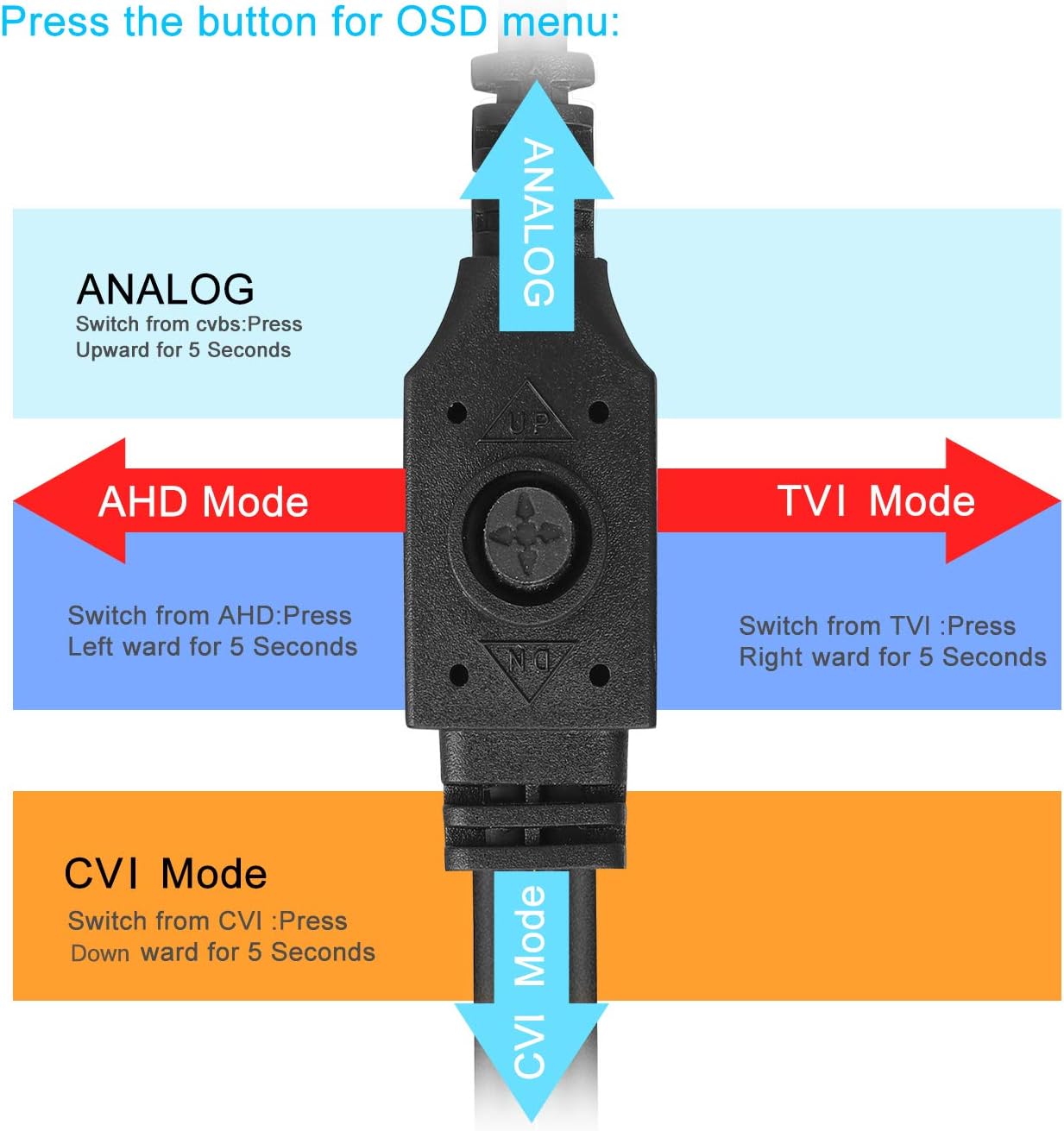
Image: Diagram illustrating how to use the OSD button on the camera cable to switch between Analog, AHD, TVI, and CVI video modes.
ጥገና
- የካሜራ ማጽዳት፡ የካሜራ ሌንሶችን በመደበኛነት ለስላሳ በሆነ ጨርቅ ያጽዱamp የምስል ጥራትን ለማረጋገጥ ጨርቅ። ገላጭ ማጽጃዎችን ያስወግዱ.
- የኬብል ምርመራ; Periodically check all cables and connections for wear, damage, or loose connections.
- የDVR አየር ማናፈሻ፡ የDVR ክፍሉ ከመጠን በላይ ሙቀትን ለመከላከል በቂ የአየር ዝውውር እንዳለው ያረጋግጡ። የአየር ማስገቢያ ቀዳዳዎችን ከእንቅፋት ያርቁ።
- የሃርድ ድራይቭ አስተዳደር፡ የ1ቴባ ሃርድ ድራይቭ በጣም ጥንታዊውን የ foo በራስ-ሰር ይተካዋልtage when full. Regularly back up important recordings if needed.
- የጽኑዌር ዝማኔዎች ፦ Check the XVIM official webለDVRዎ የሚገኙ የጽኑዌር ዝማኔዎችን ለማግኘት ጣቢያዎን በመጠቀም ከፍተኛ አፈጻጸም እና ደህንነትን ማረጋገጥ ይችላሉ።
መላ መፈለግ
No Video Display
- Check all power connections for the DVR and cameras.
- Verify that the monitor is correctly connected to the DVR via VGA or HDMI and is set to the correct input source.
- Ensure camera cables are securely connected to the DVR's video input ports.
- If a specific camera has no video, try switching its video mode using the OSD button (refer to "Camera Mode Switching" section).
Remote Access Issues
- Confirm the DVR is connected to your router and has internet access.
- የራውተርዎን የበይነመረብ ግንኙነት ያረጋግጡ።
- Ensure the XVR Pro app is updated to the latest version.
- Verify that the device ID is correctly added in the app and your login credentials are correct.
ደካማ የምሽት እይታ
- የካሜራ ሌንስ ንጹህ እና ከእንቅፋቶች የጸዳ መሆኑን ያረጋግጡ።
- Check for strong light sources near the camera that might interfere with the infrared LEDs.
DVR እየቀረጸ አይደለም
- Check the hard drive status in the DVR's system settings. Ensure it is detected and functioning.
- የቀረጻ መርሃ ግብሮች ወይም የእንቅስቃሴ ማወቂያ ቅንብሮች በትክክል መዋቀራቸውን ያረጋግጡ።
- Ensure there is sufficient hard drive space (though the system typically overwrites old footagሠ) ፡፡
If you encounter persistent issues not covered here, please contact XVIM customer support for assistance.
ዝርዝሮች
| የምርት ስም | XVIM |
| የሞዴል ቁጥር | US-D8-4AHD7-1T-203 |
| የግንኙነት ቴክኖሎጂ | ባለገመድ |
| የቪዲዮ ቀረጻ ጥራት | 1080 ፒ |
| ልዩ ባህሪያት | Image, Motion Sensor, Night Vision, Waterproof |
| የሰርጦች ብዛት | 4 (cameras included, DVR supports 8 channels) |
| የማህደረ ትውስታ ማከማቻ አቅም | 1 ቴባ (ሃርድ ድራይቭ) |
| የኃይል ምንጭ | ባለገመድ ኤሌክትሪክ |
| የንጥል መጠኖች (L x W x H) | 13.94 x 11.85 x 6.93 ኢንች |
| የምሽት ራዕይ ክልል | 85 ጫማ |
| የመቅዳት ሁነታ | Manual, Motion Detection |
| የሃርድዌር በይነገጽ | ዩኤስቢ 3.0 ዓይነት B |
| የሌንስ አይነት | ቋሚ |
| የቪዲዮ ግቤት | BNC, RCA (CVBS) |
| Viewማእዘን | 81 ዲግሪዎች |
ዋስትና እና ድጋፍ
XVIM products are designed for reliability and performance. For specific warranty details, please refer to the warranty card included with your product or visit the official XVIM website. For technical support, troubleshooting assistance, or any inquiries, please contact XVIM customer service through their official channels.
የመስመር ላይ መርጃዎች፡- For additional support, FAQs, and software downloads, please visit the XVIM Store on Amazon or the official XVIM webጣቢያ.