
1. መግቢያ
The VIVOSUN LumaLight 400W LED Grow Light is designed to provide optimal full-spectrum lighting for indoor plants across all growth stages, from seedling to bloom. Featuring smart dimmable controls and high energy efficiency, this grow light ensures healthy plant development and increased yields. Its robust construction and advanced thermal management contribute to a long lifespan and reliable performance.
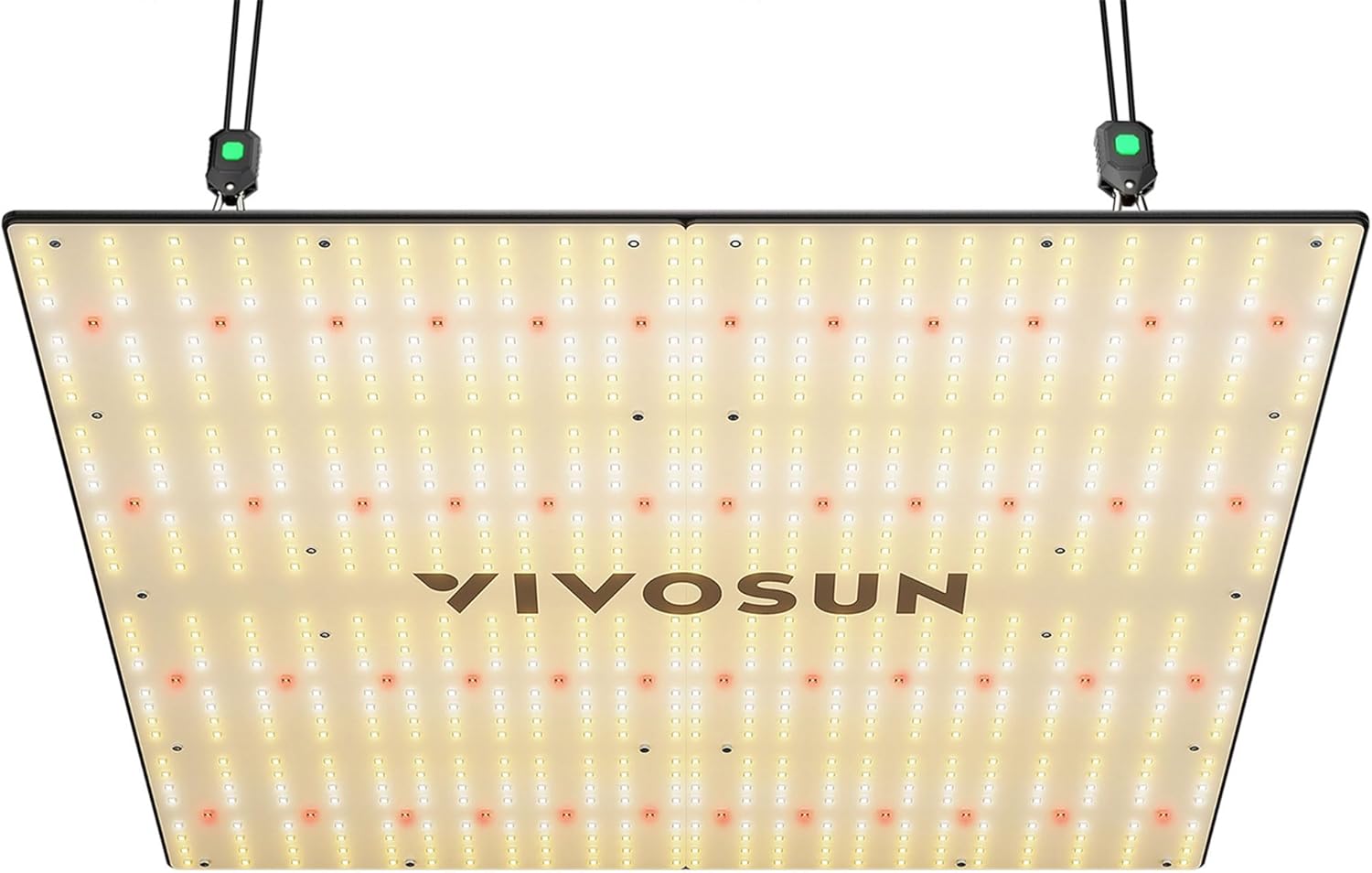
VIVOSUN LumaLight 400W LED Grow Light with hanging ropes and dimming control.
2. የምርት ባህሪዎች
- Low Costs & High Efficiency: Utilizes full-spectrum diodes and a brand driver for high energy efficiency (2.9 μmol/J), consuming only 400W while covering a 4x4ft area (5x5ft max).
- Convenient Dimmable Lights: Features a dimming knob and ballast, allowing output adjustment from 25% to 100% to suit different plant growth stagኢ.
- Sunlike Full-Spectrum Light: Delivers optimal full-spectrum coverage and power for efficient photosynthesis throughout all plant growth stagኢ.
- Low Noise & Low Heat: Designed with a power supply and ventilation holes, eliminating the need for fans, resulting in low noise and minimal heat output to prevent plant damage.
- የሚበረክት እና እንደገና ጥቅም ላይ ሊውል የሚችል: Constructed for longevity with a 5-year after-sales service.
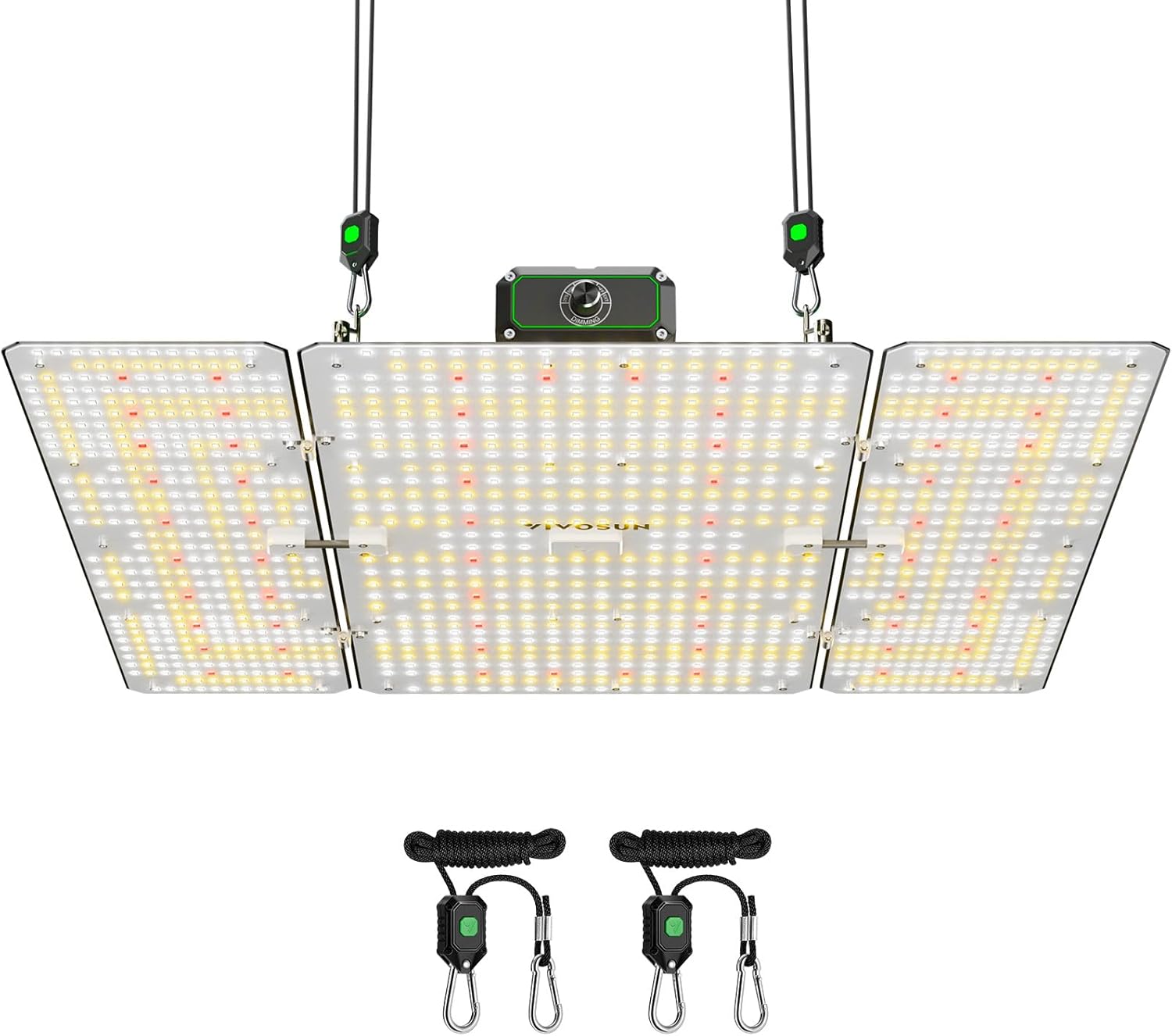
Diagram illustrating the full spectrum light output of the VIVOSUN LumaLight, showing different diode types and their wavelengths for optimal plant growth stagኢ.

Chart showing average PPFD (Photosynthetic Photon Flux Density) at different distances (12", 18", 24") from the VIVOSUN LumaLight, indicating light intensity for plant growth.

Illustration of the VIVOSUN LumaLight's diode layout, designed for even light distribution across a grow area, minimizing dark spots.
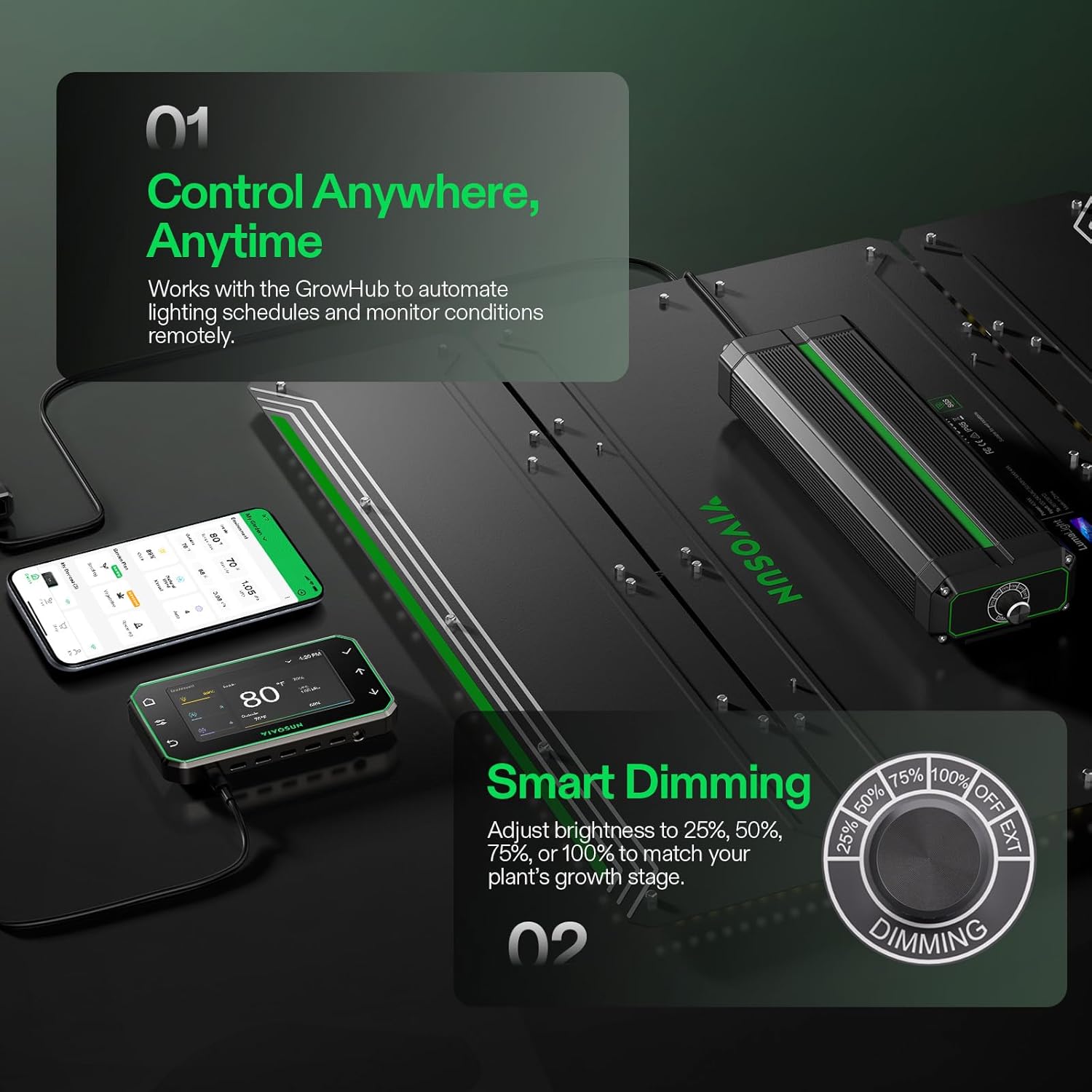
Diagram illustrating the advanced thermal management system with specially designed heat sink fins, ensuring a Q90 lifetime of over 36,000 hours for the VIVOSUN LumaLight.

Icons representing IP65 waterproof rating, dust prevention, and plant protection features of the VIVOSUN LumaLight, ensuring durability and hassle-free use.
3. የጥቅል ይዘቶች
እባክዎ ሁሉም ክፍሎች በጥቅሉ ውስጥ መኖራቸውን ያረጋግጡ፡-
- VIVOSUN LumaLight 400W LED Grow Light
- Rope Hangers (2 pairs)
- መመሪያ መመሪያ
- የኃይል ገመድ
- RJ11 Network Cable (for daisy-chaining)
4. ማዋቀር እና መጫን
Follow these steps to properly install your VIVOSUN LumaLight 400W LED Grow Light:
- የገመድ ማያያዣዎችን ያያይዙ; Securely attach one end of each rope hanger to the tent poles or a sturdy overhead structure.
- Hook the Light: Hook the other end of the rope hangers to the designated hanging points on the VIVOSUN LumaLight fixture.
- ቁመትን አስተካክል; Use the rope hangers' adjustment mechanism to set the desired height of the grow light above your plants. Ensure the light is balanced and level.
- የግንኙነት ኃይል; Plug the power cord into the grow light and then into a suitable power outlet.
Official VIVOSUN video providing an unboxing and installation guide for the LumaLight Grow Light, demonstrating how to set up the light, adjust dimming, and connect multiple lights using an RJ11 cable.

Image showing the VIVOSUN LumaLight being installed in a grow tent, highlighting the hanging mechanism.

Image showing the dimming knob on the VIVOSUN LumaLight, allowing for light intensity adjustments.
5. የአሠራር መመሪያዎች
5.1 የመደብዘዝ መቆጣጠሪያ
The VIVOSUN LumaLight offers flexible dimming options to match your plants' specific needs at different growth stagኢ፡
- Manual Dimming Knob: Adjust the knob on the light fixture to set the output to 25%, 50%, 75%, or 100%.
- GrowHub Controller / VIVOSUN App: For advanced control, connect the light to a VIVOSUN GrowHub controller (sold separately) using the RJ11 network cable. This allows for precise light intensity adjustments, scheduling, and remote monitoring via the VIVOSUN app.
Official VIVOSUN video demonstrating the key features of the VS4000 LED Grow Light, including its optimized full spectrum, dimmable controller, low heat and noise operation, and high-density diodes for increased yields.
5.2 Daisy-Chaining Multiple Lights
If using multiple LumaLights, you can connect them in a daisy chain for synchronized control:
- Connect the RJ11 network cable from the 'OUT' port of the first light to the 'IN' port of the second light.
- Repeat this process for additional lights.
- The dimming settings of the first light (or connected GrowHub) will control all connected lights.

Image showing multiple VIVOSUN LumaLights connected in a daisy chain configuration for synchronized control.
6. ጥገና
Proper maintenance ensures the longevity and optimal performance of your VIVOSUN LumaLight:
- ማጽዳት፡ Regularly wipe the light fixture with a soft, dry cloth to remove dust and debris. Ensure the light is unplugged before cleaning.
- የአካባቢ ጥበቃ; The light has an IP65 waterproof rating, providing protection against sprays, moisture, and dust. However, avoid direct water exposure or submersion.
- የሙቀት አስተዳደር; The advanced heat sink fins are designed to dissipate heat efficiently. Ensure proper airflow around the fixture to maintain optimal operating temperatures.
- የኬብል ምርመራ; Periodically check all cables and connections for any signs of wear or damage. Replace any damaged components immediately.
7. መላ መፈለግ
If you encounter any issues with your VIVOSUN LumaLight, refer to the following troubleshooting tips:
- መብራት የማይበራ;
- Check if the power cord is securely plugged into both the light fixture and the power outlet.
- ሌላ መሳሪያ በመክተት የኃይል ማከፋፈያው የሚሰራ መሆኑን ያረጋግጡ።
- Ensure the dimming knob is not set to 'OFF' or 0% intensity.
- ያልተስተካከለ የብርሃን ስርጭት;
- Ensure the light fixture is hung level and centered over your plants.
- Adjust the height of the light to achieve the desired coverage and intensity.
- Dimming Not Working Properly:
- If using the manual knob, ensure it clicks into place at each percentagሠ ቅንብር።
- If using a GrowHub/App, check the RJ11 cable connection and ensure the controller/app is properly configured.
- ከመጠን በላይ ሙቀት;
- Ensure there is adequate ventilation around the light fixture.
- Verify that the ambient temperature in your grow area is within acceptable limits.
If these steps do not resolve the issue, please contact VIVOSUN customer support for further assistance.
8. ዝርዝሮች
| ዝርዝር መግለጫ | ዋጋ |
|---|---|
| ሞዴል | LED-400 |
| ኃይል | 400 ዋ |
| ግብዓት Voltage | 120-240 VAC, 50/60 Hz, Max 4.1 A |
| ክብደት | 17.46 ፓውንድ (7.92 ኪ.ግ) |
| ሽፋን አካባቢ | 4x4 ft (5x5 ft max) |
| መፍዘዝ | Manual Mode/Grow Hub: 25%/50%/75%/100%/OFF |
| አማካይ PPFD | 967 (12") / 717 (18") / 579 (24") μmol/(m²·s) |
| የምርት ልኬቶች | 23.5"ኤል x 23.5" ዋ x 3.23" ሸ (60.7 ሴሜ ኤል x 60.7 ሴሜ ዋ x 6.5 ሴሜ ሸ) |
| ቁሳቁስ | አሉሚኒየም |
| የብርሃን ምንጭ ዓይነት | LED |
| የአይፒ ደረጃ አሰጣጥ | IP65 |

Detailed specifications of the VIVOSUN LumaLight 400W LED Grow Light, including model, power, weight, warranty, coverage, dimming options, and dimensions.
9. ዋስትና እና ድጋፍ
The VIVOSUN LumaLight 400W LED Grow Light comes with a 5-ዓመት በኋላ-የሽያጭ አገልግሎት, ensuring peace of mind and support for your product. For any inquiries, technical assistance, or warranty claims, please contact VIVOSUN customer support through their official webበምርት ማሸጊያዎ ውስጥ የቀረበው ጣቢያ ወይም የእውቂያ መረጃ።
VIVOSUN is dedicated to providing high-quality products and excellent customer service to help you achieve successful indoor gardening.