
1. መግቢያ
Thank you for choosing the Aduro PowerUp Ultra Boost 20,000mAh Portable Charger. This device is designed to provide reliable power for your mobile devices on the go. Please read this manual carefully to ensure proper use and optimal performance.
2. የጥቅል ይዘቶች
- Aduro PowerUp Ultra Boost 20,000mAh Portable Charger
- የዩኤስቢ ኃይል መሙያ ገመድ (የኃይል ባንክን እንደገና ለመሙላት)
- የተጠቃሚ መመሪያ

Image: The Aduro PowerUp Ultra Boost portable charger shown alongside its retail packaging and included USB cable.
3. የምርት ባህሪዎች
- 20,000mAh ከፍተኛ አቅም; ለስማርትፎኖች እና ታብሌቶች ብዙ ክፍያዎችን ያቀርባል።
- ባለሁለት የዩኤስቢ ውፅዓት ወደቦች፡- ሁለት መሳሪያዎችን በአንድ ጊዜ ይሙሉ።
- ስማርት ቻርጅ ቴክኖሎጂ፡- Automatically detects and delivers optimal charging current for connected devices.
- የ LED ኃይል አመልካች; የቀረውን የባትሪ አቅም ያሳያል።
- የታመቀ እና ተንቀሳቃሽ ንድፍ; ለጉዞ እና ለዕለታዊ አጠቃቀም ለመሸከም ቀላል።
- አብሮገነብ የደህንነት መከላከያዎች; Guards against over-heating, over-current, over-charging, over-circuit, and anti-fire.
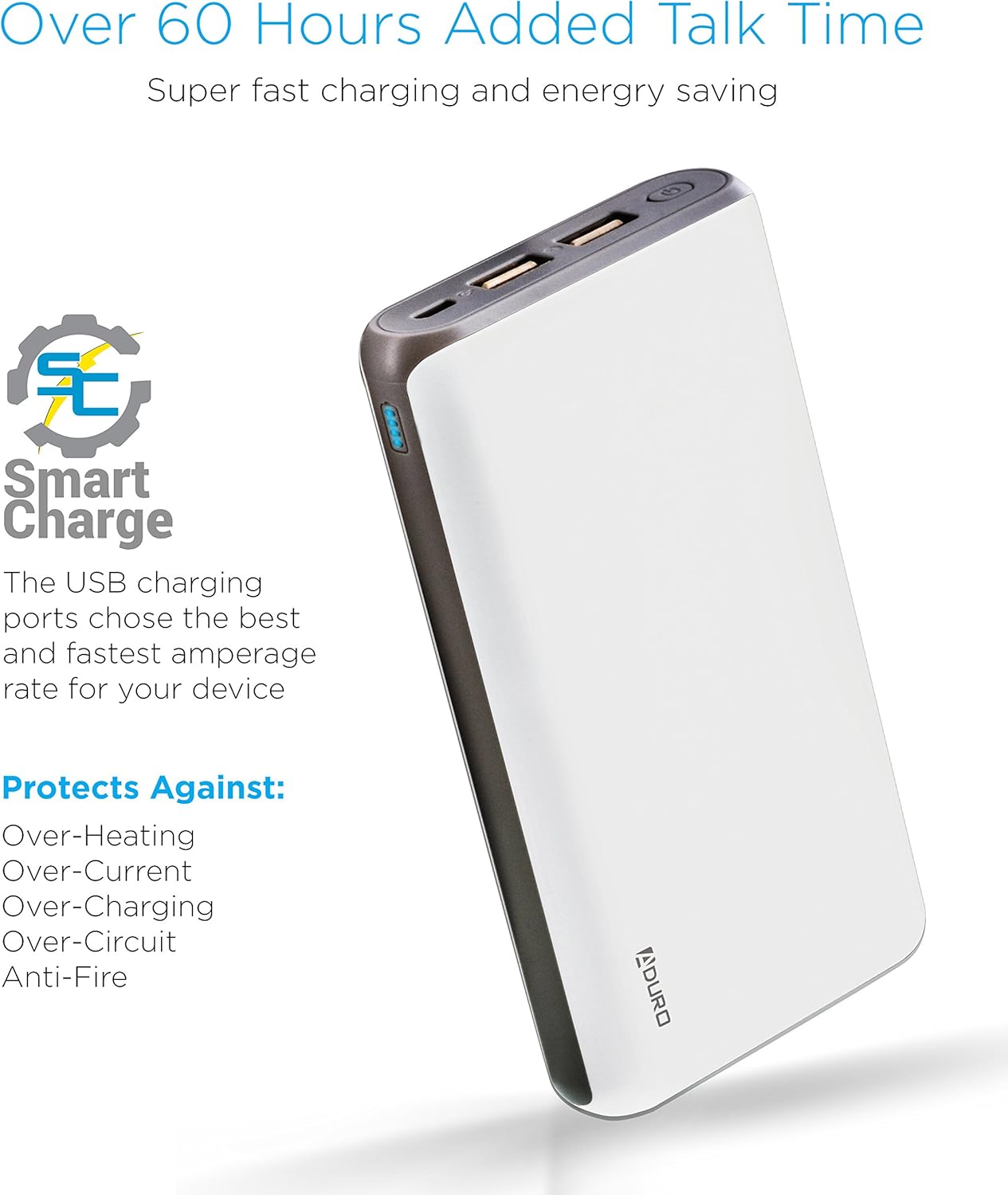
Image: The Aduro power bank highlighting its Smart Charge technology and various safety features like protection against over-heating and over-charging.

ምስል: ዝርዝር view of the Aduro power bank's dual USB output ports, micro USB input port, and the LED power indicator lights.
4. መጀመር
4.1 የኃይል ባንክን መሙላት
- Connect the included USB charging cable to the power bank's Micro USB input port.
- Plug the other end of the USB cable into a USB wall adapter (not included) or a computer's USB port.
- The LED indicators will illuminate and blink to show the charging progress. All four LEDs will be solid when the power bank is fully charged.
የኃይል ባንኩን ለመጀመሪያ ጊዜ ጥቅም ላይ ከመዋሉ በፊት ሙሉ በሙሉ መሙላት ይመከራል።
4.2 መሳሪያዎችዎን መሙላት
- Connect your device's charging cable to one of the power bank's USB output ports.
- የኬብሉን ሌላኛው ጫፍ ከመሣሪያዎ ጋር ያገናኙ።
- የኃይል ባንኩ መሳሪያዎን በራስ-ሰር መሙላት ይጀምራል። የ LED አመልካቾች የቀረውን ኃይል ያሳያሉ።
- To charge a second device, connect it to the other USB output port.
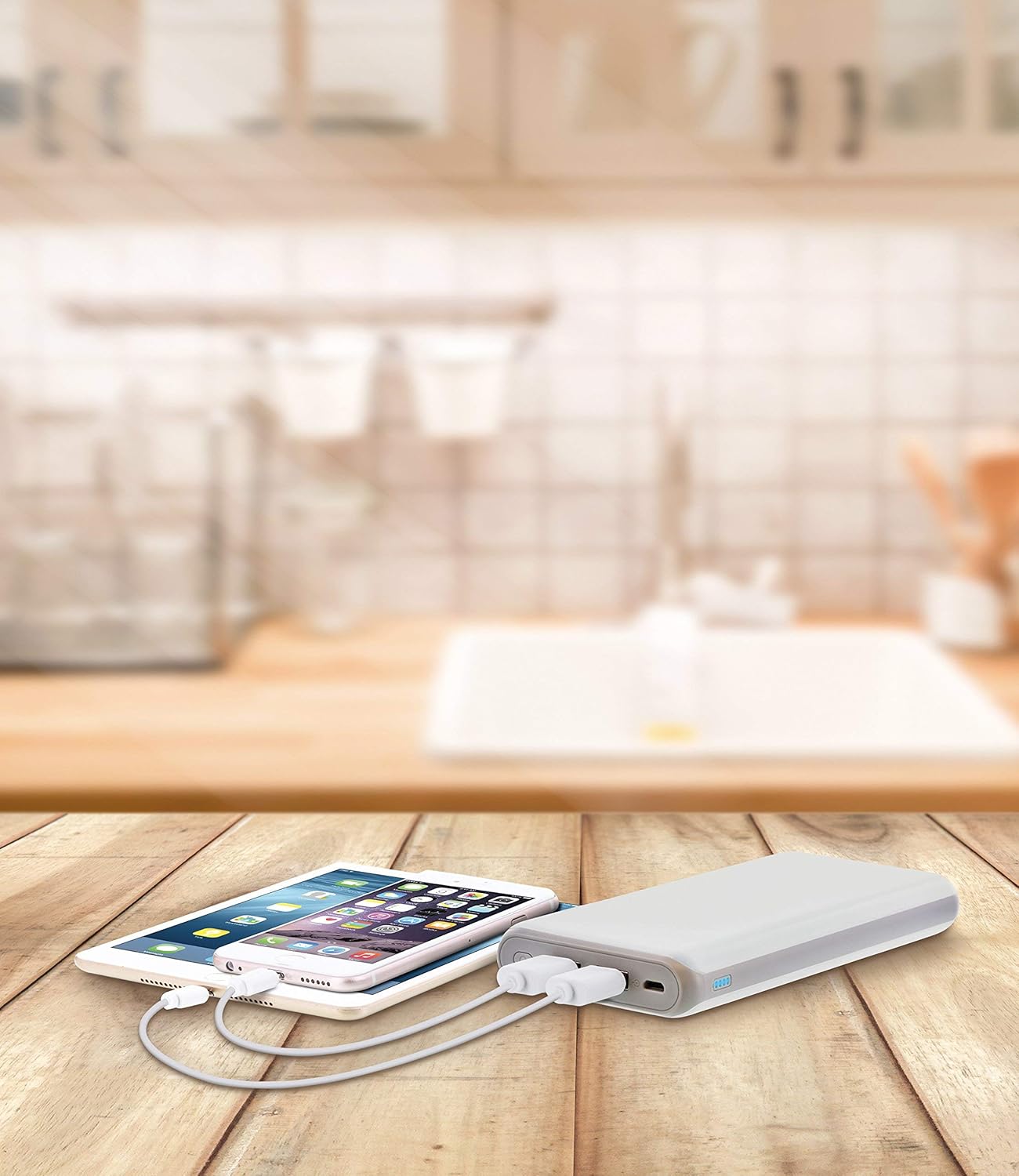
Image: The Aduro power bank connected via USB cables to two smartphones, demonstrating its dual-device charging capability.
5. የ LED አመላካች መመሪያ
በኃይል ባንክ ላይ ያሉት የ LED መብራቶች የቀረውን የባትሪ አቅም ያመለክታሉ፡
- 4 LEDs Solid: 75% - 100% የተሞላ
- 3 LEDs Solid: 50% - 75% የተሞላ
- 2 LEDs Solid: 25% - 50% የተሞላ
- 1 LED Solid: 0% - 25% ሞልቷል (በቅርቡ እንደገና ሞልቷል)
- LEDs Blinking: Power bank is currently charging
6. የደህንነት ጥንቃቄዎች
- Do not expose the power bank to extreme temperatures (above 104°F / 40°C or below 14°F / -10°C).
- አይሰበስቡ, አይቀይሩ, ወይም መሳሪያውን ለመጠገን አይሞክሩ.
- የኃይል ባንኩን ለጠንካራ ተጽእኖዎች ከመጣል ወይም ከማስገዛት ይቆጠቡ።
- ከውሃ፣ እርጥበት እና ተቀጣጣይ ቁሶች ይራቁ።
- የኃይል ባንኩ ከተበላሸ ወይም ካበጠ አይጠቀሙ.
- ልጆች በማይደርሱበት ቦታ ያስቀምጡ.
- በሃገር ውስጥ ደንቦች መሰረት የኃይል ባንክን በሃላፊነት ያስወግዱ.
7. እንክብካቤ እና ጥገና
- የኃይል ባንኩን ለስላሳ እና ደረቅ ጨርቅ ያጽዱ. ኃይለኛ ኬሚካሎችን ወይም ሻካራ ማጽጃዎችን አይጠቀሙ.
- ጥቅም ላይ በማይውልበት ጊዜ የኃይል ባንኩን በቀዝቃዛና ደረቅ ቦታ ያከማቹ።
- ረዘም ላለ ጊዜ የሚከማች ከሆነ የባትሪውን ጤንነት ለመጠበቅ በየ 3 ወሩ በግምት 50% የሚሆነውን የኃይል ባንክ ያስከፍሉት።
8. መላ መፈለግ
- የኃይል ባንክ እየሞላ አይደለም፡- Ensure the charging cable is securely connected to both the power bank and the power source. Try a different USB cable or wall adapter.
- መሣሪያ ከኃይል ባንክ እየሞላ አይደለም፡- Ensure the power bank has sufficient charge. Check that the cable connecting your device to the power bank is functional and properly connected. Try a different USB port on the power bank.
- ቀስ ብሎ መሙላት; Ensure you are using a compatible charging cable. Some devices may charge slower due to their input requirements or the cable used.
9. ዝርዝሮች
| ባህሪ | ዝርዝር |
|---|---|
| የሞዴል ቁጥር | F-208 ሴ |
| የባትሪ አቅም | 20,000 ሚአሰ |
| ግቤት | 5V / 2A (ማይክሮ ዩኤስቢ) |
| ውጤት 1 | 5V / 1A (USB Type A) |
| ውጤት 2 | 5V / 2.1A (USB Type A) |
| የምርት ልኬቶች | 6.4 x 3 x 0.8 ኢንች |
| የእቃው ክብደት | 13.6 አውንስ |
| ቀለም | ነጭ |

Image: The Aduro power bank displaying its physical dimensions for reference.
10. የዋስትና መረጃ
Aduro provides a Lifetime Limited Warranty for this product. This warranty covers manufacturing defects and ensures the product functions as intended under normal use. Please retain your proof of purchase for warranty claims.
11. የደንበኛ ድጋፍ
For any questions, technical assistance, or warranty claims, please contact Aduro customer service. Refer to the product packaging or the official Aduro webበጣም ወቅታዊ የእውቂያ መረጃ ለማግኘት ጣቢያ.