
1. መግቢያ
ስለገዙ እናመሰግናለንasing the JVC XS-N2239TC Wireless Stereo Speaker System. This manual provides essential information for the safe and efficient use of your new speaker system. Please read these instructions thoroughly before operating the device and retain them for future reference.
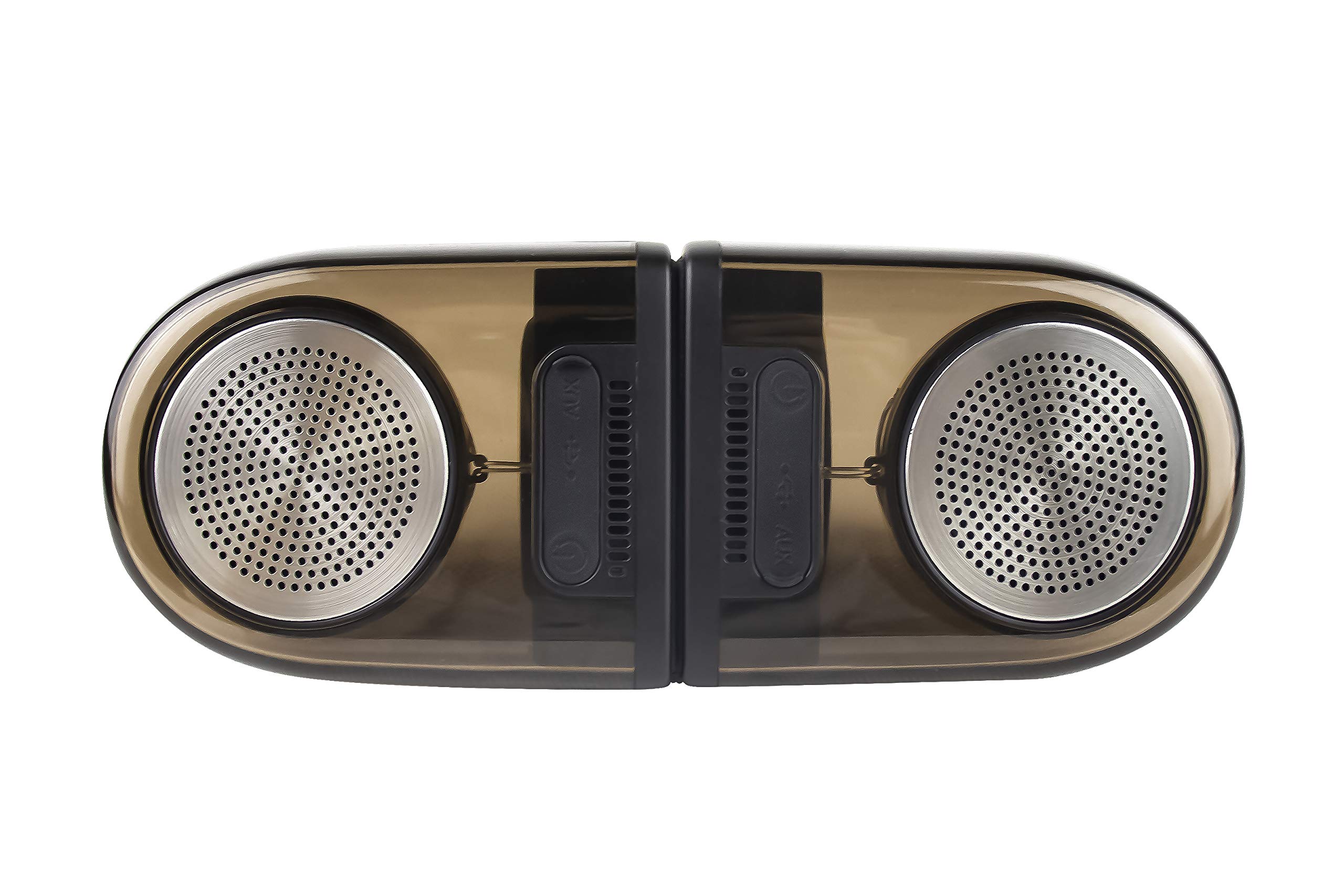
Image of the JVC XS-N2239TC speaker system, showcasing የእሱ ንድፍ እና አካላት.
2. የሳጥን ይዘት
እባኮትን ሁሉም የሚከተሉት እቃዎች በጥቅልዎ ውስጥ መካተታቸውን ያረጋግጡ፡
- 1 x JVC XS-N2239TC Speaker Unit
- 1 x AUX ገመድ
- 1 x የተጠቃሚ መመሪያ (ይህ ሰነድ)
- 1 x የኃይል መሙያ ገመድ
- 1 x የዋስትና ካርድ
3. ማዋቀር
3.1 አቀማመጥ
The JVC XS-N2239TC speakers are designed for versatile placement, suitable as Bookshelf or Floor Standing units. Ensure the speakers are placed on a stable, flat surface or floor, away from direct sunlight, heat sources, and moisture. For optimal stereo sound, position the two speakers appropriately within your listening area.
3.2 የኃይል ግንኙነት
- Connect the charging cable to the speaker's power input port.
- የኃይል መሙያ ገመዱን ሌላኛውን ጫፍ ተስማሚ በሆነ የኃይል መውጫ ላይ ይሰኩ።
- Ensure the speaker is fully charged before initial use for optimal battery life.
4. የአሠራር መመሪያዎች
4.1 ማብራት / ማጥፋት
Locate the power button on the speaker unit. Press and hold the button for a few seconds to power the speaker on or off. An indicator light will typically confirm the power status.
4.2 ግንኙነት
4.2.1 ገመድ አልባ ግንኙነት
The speaker supports wireless streaming. To connect wirelessly:
- Ensure the speaker is powered on and in pairing mode (refer to the speaker's indicator lights for status).
- On your device (e.g., smartphone, tablet, television), enable wireless functionality.
- ፈልግ available devices and select "JVC XS-N2239TC" from the list.
- Once connected, you can stream audio wirelessly to the speaker system.
4.2.2 የዩኤስቢ ግንኙነት
The speaker features a plug-and-play USB card reader. Insert a USB storage device containing audio files into the designated USB port on the speaker. The speaker will automatically detect and begin playing compatible audio files.
4.2.3 AUX ግንኙነት
Use the provided AUX cable to connect the speaker to devices with a 3.5mm audio output jack, such as televisions or other audio sources. Plug one end of the AUX cable into the speaker's AUX input and the other end into your audio source's output.
4.3 መቆጣጠሪያዎች
4.3.1 Multifunctional Panel Keys
The speaker unit is equipped with multifunctional panel keys. These keys allow you to:
- Adjust volume (increase/decrease).
- Play/Pause audio playback.
- Navigate tracks (forward/backward) when playing from USB or wireless sources.
4.3.2 የርቀት መቆጣጠሪያ
The included remote control provides convenient access to various functions from a distance. Use the remote to:
- Power on/off the speaker.
- ድምጽን አስተካክል.
- Control playback (play, pause, skip tracks).
- Switch input modes (e.g., Wireless, USB, AUX).
5. ጥገና
5.1 ጽዳት
To clean the speaker, use a soft, dry cloth. Do not use abrasive cleaners, waxes, or solvents as they may damage the finish. Ensure the speaker is powered off and unplugged before cleaning.
5.2 የውሃ መቋቋም
The JVC XS-N2239TC speaker is designed with water resistance. While it can withstand splashes, it is not intended for submersion. Avoid exposing the speaker to excessive moisture or direct water jets to prevent damage.
6. መላ መፈለግ
If you encounter issues with your speaker system, please refer to the following common solutions:
- ኃይል የለም፡ Ensure the charging cable is securely connected to both the speaker and a working power outlet. Check if the power button has been pressed correctly.
- ድምጽ የለም፡ Verify the volume level on both the speaker and your connected device. Ensure the correct input mode (Wireless, USB, AUX) is selected. Check all cable connections.
- የገመድ አልባ ግንኙነት ችግሮች፡- Make sure the speaker is within range of your device. Try unpairing and re-pairing the speaker with your device. Ensure no other devices are interfering with the wireless signal.
- የዩኤስቢ መልሶ ማጫወት ጉዳዮች፡- Confirm the USB device is formatted correctly and contains compatible audio files. Try a different USB device.
- የርቀት መቆጣጠሪያ አይሰራም; Check the remote control's batteries and replace them if necessary. Ensure there are no obstructions between the remote and the speaker's sensor.
ችግሩ ከቀጠለ፣ እባክዎ የደንበኛ ድጋፍን ያግኙ።
7. ዝርዝሮች
| ባህሪ | ዝርዝር |
|---|---|
| የምርት ስም | JVC |
| የሞዴል ስም | JVC XS-N2239TC |
| የግንኙነት ቴክኖሎጂ | ዩኤስቢ ፣ ገመድ አልባ |
| የገመድ አልባ ቴክኖሎጂ አይነት | ገመድ አልባ |
| የግንኙነት ፕሮቶኮል | ዩኤስቢ |
| የድምጽ ውፅዓት ሁኔታ | ስቴሪዮ |
| የድምጽ ማጉያ አይነት | የመጽሐፍ መደርደሪያ |
| የመጫኛ አይነት | የወለል ንጣፍ |
| የምርት ባህሪያት | የርቀት መቆጣጠሪያ |
| የመቆጣጠሪያ ዘዴ | የርቀት |
| ተስማሚ መሣሪያዎች | ቴሌቪዥን |
| የድምጽ ቻናሎች ብዛት | 2.1 |
| የድምጽ ማጉያ መጠን | 7.5 ሴ.ሜ |
| Subwoofer Speaker Diameter | 5 ኢንች |
| Tweeter Driver Diameter | 1 ኢንች |
| የድምጽ ሾፌር ዓይነት | ተለዋዋጭ ሾፌር |
| ቀለም | ጥቁር |
| ውሃ የማይገባ ነው። | እውነት |
| የውሃ መቋቋም ደረጃ | የውሃ መከላከያ |
| ለምርት ልዩ አጠቃቀሞች | የቤት መዝናኛ ስርዓቶች |
| የባትሪ አማካይ ሕይወት | 6 ሰዓታት |
| የእቃው ክብደት | 0.56 ኪ |
8. ዋስትና እና ድጋፍ
8.1 የዋስትና መረጃ
ይህ ምርት ከ ሀ የ 1 ዓመት ዋስትና ከገዙበት ቀን ጀምሮ በአምራቹ የቀረበ። እባክዎን ለማንኛውም የዋስትና ጥያቄ የግዢ ደረሰኝዎን እና የዋስትና ካርድዎን ያስቀምጡ።
8.2 የደንበኛ ድጋፍ
For any complaints, technical assistance, or support regarding your JVC XS-N2239TC speaker system, please contact JVC customer care:
- የደንበኛ እንክብካቤ ቁጥር፡- + 91-9910332380
እባክዎን የድጋፍ አገልግሎትን ሲያነጋግሩ የምርትዎን የሞዴል ቁጥር እና የግዢ ዝርዝሮች ያዘጋጁ።