
JETBeam MINI ONE SE
JETBEAM MINI ONE SE Keychain Flashlight User Manual
Model: MINI ONE SE
Brand: JETBeam
መግቢያ
The JETBEAM MINI ONE SE is a compact and versatile keychain flashlight designed for everyday carry. It features a powerful CREE XP-G3 LED for main illumination, along with auxiliary RGB and UV lights for various applications, including fluorescent whitening agent detection. Its durable plastic construction, USB Type-C rechargeable battery, and IPX8 waterproof rating make it a reliable tool for diverse needs.
ባህሪያት
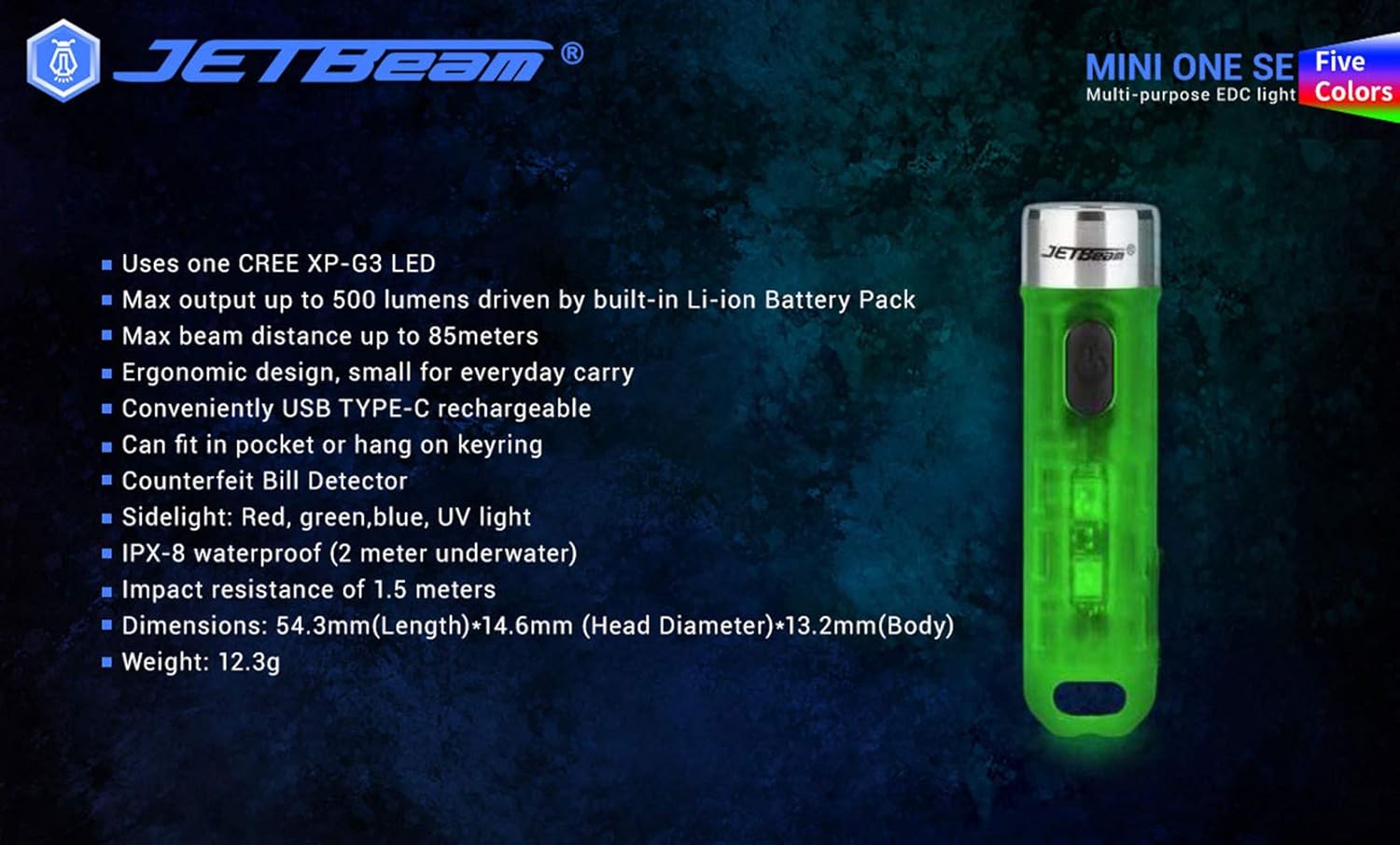
- Utilizes one CREE XP-G3 LED for main light.
- Equipped with auxiliary RGB LED and 365nm UV light for fluorescent whitening agent detection.
- Maximum output of 500 Lumens, powered by a built-in Li-ion battery pack.
- Achieves a maximum beam distance of up to 85 meters.
- Ergonomic design for comfortable everyday carry.
- Conveniently rechargeable via USB Type-C.
- Compact size allows it to fit easily in a pocket or attach to a keyring.
- ከረጅም ጊዜ የፕላስቲክ እቃዎች የተሰራ.
- Sidelight functions include Red, Green, Blue, and UV light.
- IPX8 waterproof rating (submersible up to 2 meters underwater).
- Impact resistance of 1.5 meters.
- Features various light modes for diverse applications, including identifying counterfeits.
- ክብደቱ 29 ግራም የሚመዝን ቀላል ክብደት ያለው ዲዛይን።
- All light modes include a memory function.
የጥቅል ይዘቶች
ሁሉም እቃዎች መኖራቸውን ለማረጋገጥ እባክዎን ቦክስ ሲወጡ የጥቅል ይዘቱን ያረጋግጡ፡-
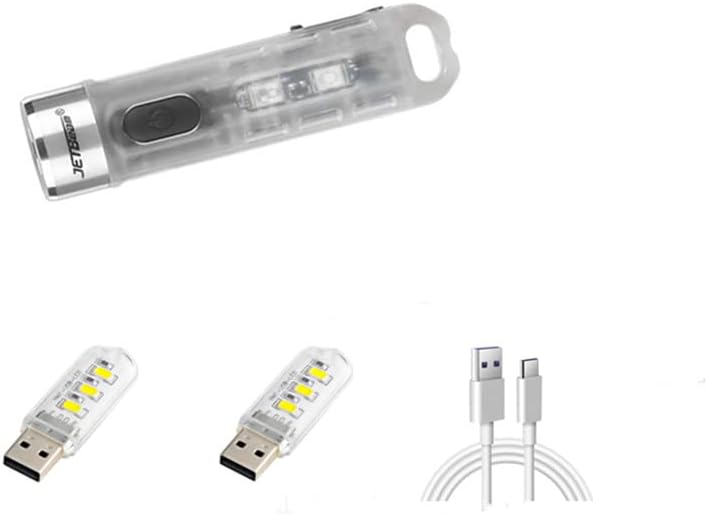
- 1 x JETBEAM MINI ONE SE Flashlight
- 1 x የዩኤስቢ ዓይነት-ሲ ኃይል መሙያ ገመድ
ማዋቀር
መሣሪያውን በመሙላት ላይ
The JETBEAM MINI ONE SE features a built-in Li-ion battery and is conveniently USB Type-C rechargeable. Before first use, it is recommended to fully charge the device.
- Locate the USB Type-C charging port on the side of the flashlight.
- Connect the provided Type-C charging cable to the flashlight's port.
- Plug the other end of the USB Type-C charging cable into a compatible USB power source (e.g., computer USB port, wall adapter, power bank).
- The charging indicator light will illuminate to show the charging status. (Specific indicator behavior, e.g., red for charging, green for full, may vary slightly but generally indicates progress).
- Once fully charged, disconnect the charging cable and ensure the port cover (if any) is securely closed to maintain water resistance.

የአሠራር መመሪያዎች
The JETBEAM MINI ONE SE features a single side switch for all operations. All modes have a memory function, meaning the flashlight will turn on in the last used mode.
Main Light (White Light) Operation
- አብራ/አጥፋ፡ የኃይል አዝራሩን በአጭሩ ይጫኑ።
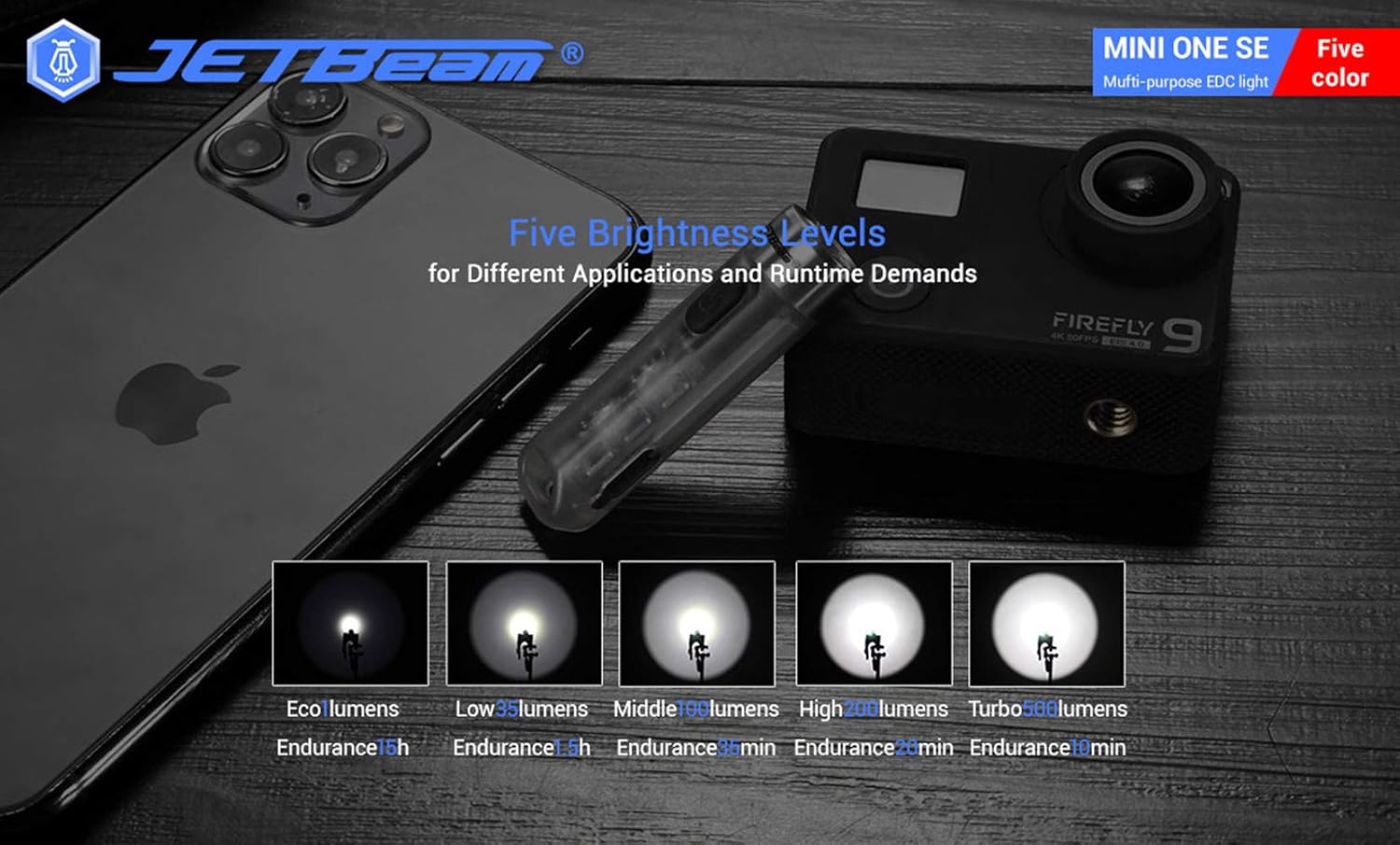
- ብሩህነት ይቀይሩ; When the main light is ON, a long press of the power button will cycle through the brightness modes: Eco → Low → Middle → High. Release the button at your desired brightness.
- Access Turbo Mode (from OFF): When the main light is OFF, press and hold the power button to instantly access Turbo mode. Release the button to turn it off. (Note: Turbo mode automatically shuts down after approximately 30 seconds to prevent overheating).

የጎን ብርሃን አሠራር
- አብራ/አጥፋ፡ Double press the power button to turn the side lights ON. Press the power button again to turn them OFF.
- ቀለሞችን/ሁነታዎችን ቀይር፡ When the side light is ON, a long press of the power button will cycle through the side light colors and modes: Red → Green → Blue → Red Flash → Flowing Light → Beacon. Release the button at your desired mode.
UV Light Operation
- አብራ/አጥፋ፡ Triple press the power button to turn the UV light ON. Press the power button again to turn it OFF.

ጥገና
To ensure optimal performance and longevity of your JETBEAM MINI ONE SE, follow these maintenance guidelines:
- ማጽዳት፡ የእጅ ባትሪውን አካል ለስላሳ፣ መamp ጨርቅ። ሻካራ ማጽጃዎችን ወይም መሟሟቶችን አይጠቀሙ። ከፍተኛ የብርሃን ውጤት ለማግኘት ሌንሱን ንጹህ ያድርጉት።
- ማከማቻ፡ የእጅ ባትሪውን ከቀጥታ የፀሐይ ብርሃን እና ከፍተኛ የሙቀት መጠን ራቅ ባለ ቀዝቃዛና ደረቅ ቦታ ያስቀምጡ። ለረጅም ጊዜ ከተከማቹ የባትሪውን ጤና ለመጠበቅ ባትሪው በከፊል (በግምት 50%) መሙላትዎን ያረጋግጡ።
- የባትሪ እንክብካቤ The built-in Li-ion battery does not require removal. Recharge the device regularly, especially if it has not been used for a long time, to prevent deep discharge.
- የውሃ መቋቋም; While the device is IPX8 waterproof, ensure the USB port cover is securely closed before exposing it to water.
መላ መፈለግ
If you encounter issues with your JETBEAM MINI ONE SE, please refer to the following common problems and solutions:
- የእጅ ባትሪ አይበራም፦
- Ensure the battery is charged. Connect the flashlight to a USB Type-C charger and check the charging indicator.
- Verify that the power button is being pressed correctly (short press for main light, double press for side lights, triple press for UV light).
- የብርሃን ውፅዓት ደብዛዛ ነው፡-
- ባትሪው ዝቅተኛ ሊሆን ይችላል. የእጅ ባትሪውን እንደገና ይሙሉ.
- The lens might be dirty. Clean the lens gently with a soft cloth.
- Side lights or UV light not working:
- Ensure you are using the correct button press sequence (double press for side lights, triple press for UV light).
- የመሙላት ችግር፡-
- Check if the USB Type-C cable is properly connected to both the flashlight and the power source.
- የተለየ የዩኤስቢ ወደብ ወይም የኃይል አስማሚ ይሞክሩ።
- የኃይል መሙያው ወደብ ከቆሻሻ የጸዳ መሆኑን ያረጋግጡ።
እነዚህን እርምጃዎች ከሞከሩ በኋላ ችግሩ ከቀጠለ፣ እባክዎ የደንበኛ ድጋፍ ሰጪን ያነጋግሩ።
ዝርዝሮች
| ባህሪ | ዝርዝር መግለጫ |
|---|---|
| የምርት ስም | ጄትቤም |
| ሞዴል | MINI ONE SE |
| የብርሃን ምንጭ | 1*CREE XP-G3 LED (Main), RGB LED, 365nm UV LED (Auxiliary) |
| ከፍተኛ ውፅዓት | 500 Lumens |
| ከፍተኛ የጨረር ርቀት | 85 ሜትር |
| የኃይል ምንጭ | Built-in Li-ion battery pack |
| በመሙላት ላይ | የዩኤስቢ ዓይነት-ሲ |
| ቁሳቁስ | ፕላስቲክ |
| የውሃ መቋቋም | IPX8 (2 meters underwater) |
| ተጽዕኖ መቋቋም | 1.5 ሜትር |
| Dimensions (L x Head D x Body D) | 54.3ሚሜ x 14.6ሚሜ x 13.2ሚሜ (2.14 x 0.57 x 0.52 ኢንች) |
| ክብደት | 29 ግ (1.06 አውንስ) |
| የተካተቱ አካላት | የኃይል መሙያ ገመድ |
| ዩፒሲ | 644925520009 |
| የመጀመሪያ ቀን ይገኛል። | ዲሴምበር 3፣ 2020 |
የዋስትና መረጃ
Warranty information for the JETBEAM MINI ONE SE is not provided in this manual. Please refer to the product packaging or the manufacturer's official webየዋስትና ሽፋን እና ውሎችን በተመለከተ ዝርዝር መረጃ ለማግኘት ድህረ ገጽ።
ድጋፍ
For further assistance, technical support, or inquiries regarding your JETBEAM MINI ONE SE, please visit the official JETBeam website or contact their customer service department. Contact details may also be found on the product packaging or purchase receipt.
Ask a question about this manual
Ask about setup, troubleshooting, compatibility, parts, safety, or missing instructions. Manuals+ will review the question and use this page’s manual context to help answer it.