
1. መግቢያ
This manual provides essential information for the installation, operation, maintenance, and troubleshooting of your MAXSUN GeForce RTX 2060 iCraft 6GB graphics card. Please read this manual thoroughly before installing and using the product to ensure proper functionality and safety.
2. የደህንነት መረጃ
- ማንኛውንም አካላት ከመጫንዎ ወይም ከማስወገድዎ በፊት ሁል ጊዜ ከኮምፒዩተርዎ ላይ ያለውን ኃይል ያላቅቁ።
- በክፍሎቹ ላይ የኤሌክትሮስታቲክ ፍሳሽ (ESD) ጉዳት እንዳይደርስ ለመከላከል ፀረ-ስታቲክ የእጅ አንጓ ማሰሪያ ይልበሱ ወይም መሬት ላይ የተተከለ የብረት ነገርን ብዙ ጊዜ ይንኩ።
- ስሱ ክፍሎችን እንዳይነኩ የግራፊክስ ካርዱን በጠርዙ ይያዙ።
- ከመጠን በላይ ሙቀትን ለመከላከል በኮምፒተርዎ መያዣ ውስጥ በቂ የአየር ዝውውርን ያረጋግጡ.
- Do not attempt to repair the graphics card yourself. Refer to qualified service personnel.
3. የጥቅል ይዘቶች
ጥቅልዎ የሚከተሉትን ንጥሎች መያዙን ያረጋግጡ፡-
- 1 x MAXSUN GeForce RTX 2060 iCraft 6GB Graphics Card
ማንኛቸውም እቃዎች ከጠፉ ወይም ከተበላሹ እባክዎን ቸርቻሪዎን ያነጋግሩ።
4. ምርት አብቅቷልview
The MAXSUN GeForce RTX 2060 iCraft 6GB graphics card is designed for gaming PCs, featuring NVIDIA's Turing GPU architecture, 6GB GDDR6 memory, and a 192-bit memory interface. It includes a triple-fan cooling system and RGB lighting.

ምስል 4.1: የፊት view of the MAXSUN GeForce RTX 2060 iCraft 6GB graphics card, showing the three cooling fans and RGB lighting elements.

ምስል 4.2: ማዕዘን view of the graphics card, highlighting its robust design and cooling solution.

ምስል 4.3: የኋላ view የግራፊክስ ካርድ፣ ማሳያasing the alloy backplate designed for structural integrity and heat dissipation.

Figure 4.4: Display output ports on the graphics card, including DisplayPort (DP), HDMI, and DVI connectors.
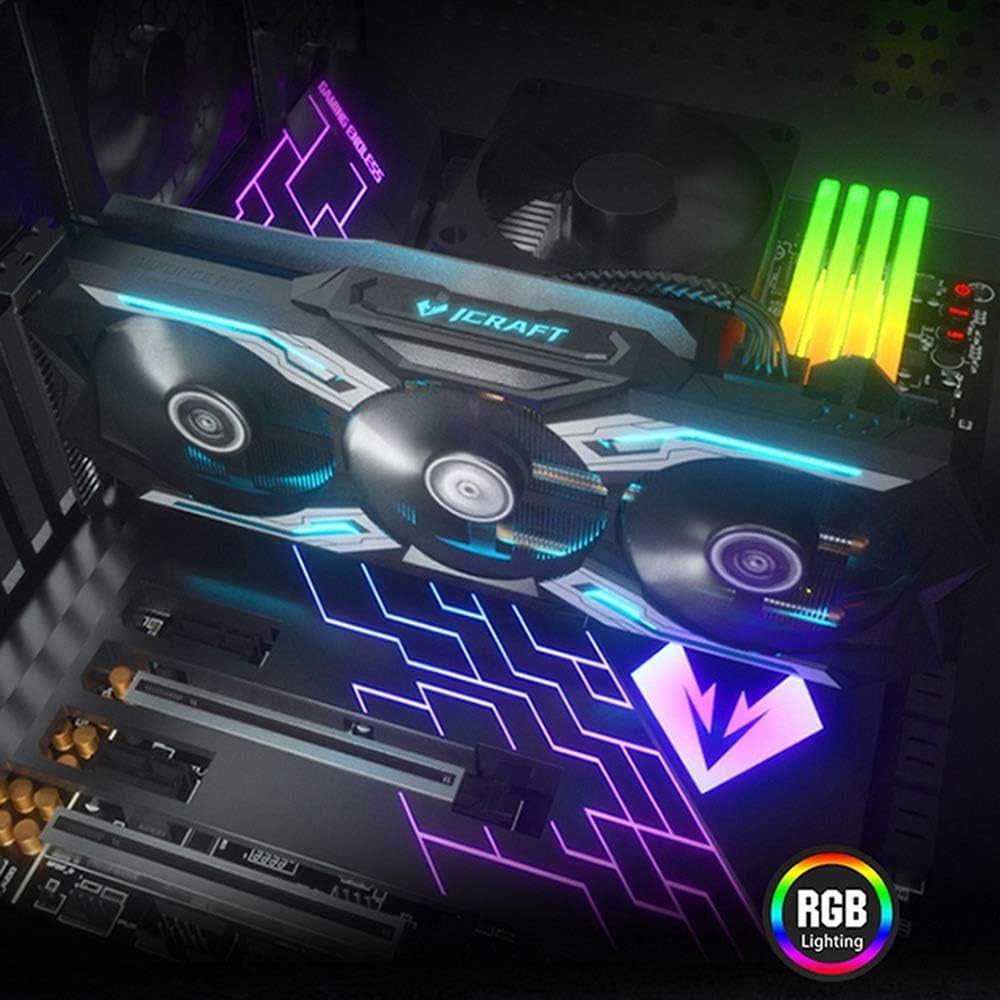
Figure 4.5: The graphics card installed in a PC case, demonstrating its integrated RGB lighting.
ቁልፍ ባህሪዎች
- Turing GPU Architecture: Provides enhanced performance for real-time ray tracing and AI capabilities.
- iCraft Series RGB Lighting: Features auto RGB lighting for aesthetic customization within your PC build.
- Triple Fan Cooling: Equipped with 3 MAXSUN Blade II hydro-mechanics low noise fans for efficient heat dissipation.
- Alloy Backplate & Radiator: Includes an alloy backplate and a high-end fin technology radiator with 5 heat pipes for improved thermal performance.
- አፈጻጸም፡ Boost Clock up to 1680 MHz, 6GB GDDR6 memory, 192-bit memory interface.
5. ማዋቀር እና መጫን
5.1 ቅድመ-መጫኛ
- ኃይል ዝጋ: ኮምፒተርዎን ያጥፉ እና የኃይል ገመዱን ከግድግዳ ሶኬት ያላቅቁ።
- ክፈት መያዣ፡ የኮምፒተርዎን መያዣ ይክፈቱ እና የ motherboard እና PCIe slots ን ያግኙ።
- የማይንቀሳቀስ ጥበቃ፡ Ground yourself by touching a metal part of the computer chassis or wearing an anti-static wrist strap to prevent ESD.
- የድሮ ካርድ ያስወግዱ (የሚመለከተው ከሆነ) If replacing an existing graphics card, carefully remove it by unscrewing its bracket and releasing the PCIe retention clip.
5.2 አካላዊ ጭነት
- PCIe ማስገቢያ አግኝ፡ Identify an available PCIe x16 slot on your motherboard. This is typically the topmost long slot.
- ግራፊክስ ካርድ አስገባ፡ Align the graphics card with the PCIe slot and press down firmly until it is securely seated. The PCIe retention clip should click into place.
- ደህንነቱ የተጠበቀ ካርድ፡ የግራፊክስ ካርዱን ከኮምፒዩተር መያዣው ጋር በዊንችዎች ያያይዙት።
- የግንኙነት ኃይል; Connect the required PCIe power cables from your power supply to the graphics card. This model typically requires one 8-pin PCIe power connector. Ensure all connections are firm.
- መያዣ ዝጋ፡ የኮምፒውተርዎን መያዣ ይዝጉ እና የኃይል ገመዱን እንደገና ያገናኙ።
5.3 የአሽከርካሪዎች መጫኛ
- አብራ፡ Connect your monitor to one of the graphics card's output ports (HDMI, DisplayPort, or DVI) and power on your computer.
- ነጂዎችን አውርድ ወደ ኦፊሴላዊው NVIDIA ይሂዱ webጣቢያ (www.nvidia.com/drivers) to download the latest drivers for the GeForce RTX 2060.
- ነጂዎችን ጫን; Run the downloaded driver installer and follow the on-screen instructions. A restart may be required after installation.
Video 5.1: An official video demonstrating the MAXSUN Nvidia Geforce RTX 2060 iCraft 6GB graphics card, showcasing its design and features. This video provides a visual overview የምርቱ.
6. የአሠራር መመሪያዎች
6.1 ማሳያዎችን በማገናኘት ላይ
Connect your monitor(s) to the available display output ports on the graphics card (HDMI, DisplayPort, DVI). The card supports multiple displays simultaneously. Ensure your display cables are securely connected.
6.2 RGB መብራት
The MAXSUN iCraft series graphics card features automatic RGB lighting. The lighting effects are pre-programmed and activate upon system power-on. Please note that dedicated software for controlling the RGB lighting is not typically provided for this model, and it may not be compatible with third-party motherboard RGB software.
7. ጥገና
7.1 ጽዳት
- ድግግሞሽ፡ Clean your graphics card periodically, especially if you notice dust accumulation on the fans or heatsink.
- ሂደት፡- Disconnect power from your PC. Use compressed air to gently blow dust out of the heatsink fins and fan blades. Hold the fan blades in place while blowing to prevent over-spinning and potential damage.
- አስወግድ፡ Do not use liquid cleaners or abrasive materials on the graphics card.
7.2 የደጋፊ ጥገና
The Blade II hydro-mechanics fans are designed for durability. If you notice unusual fan noise or reduced cooling performance, ensure there are no obstructions to the fan blades. Do not attempt to lubricate or disassemble the fans.
8. መላ መፈለግ
8.1 ምንም የማሳያ ውጤት የለም
- የመቆጣጠሪያው ገመድ ከግራፊክስ ካርዱ እና ከማሳያው ጋር ደህንነቱ በተጠበቀ ሁኔታ መገናኘቱን ያረጋግጡ።
- Verify that the graphics card is fully seated in the PCIe slot and that all power connectors are properly attached.
- ማሳያዎ ወደ ትክክለኛው የግቤት ምንጭ መዋቀሩን ያረጋግጡ።
- ከተቻለ የተለየ የማሳያ ገመድ ወይም ሞኒተር ይሞክሩ።
8.2 Performance Issues or Crashes
- Ensure you have the latest NVIDIA drivers installed.
- Monitor your GPU temperatures using third-party software. High temperatures can lead to throttling or instability. Ensure proper case airflow.
- የኃይል አቅርቦት አሃድዎ (PSU) ዝቅተኛውን ዋት የሚያሟላ መሆኑን ያረጋግጡtagየግራፊክስ ካርድን ጨምሮ ለስርዓትዎ የሚያስፈልጉ መስፈርቶች።
- Check for any conflicting software or background applications that might be consuming system resources.
8.3 የአድናቂዎች ጫጫታ
- Ensure no cables or obstructions are interfering with the fan blades.
- Clean any dust accumulation from the fans and heatsink.
- Fan speed will increase under load to maintain optimal temperatures. This is normal operation.
9. ዝርዝሮች
| ባህሪ | ዝርዝር መግለጫ |
|---|---|
| ግራፊክስ ኮፕሮሰሰር | NVIDIA GeForce RTX 2060 |
| የምርት ስም | maxsun |
| ግራፊክስ ራም መጠን | 6 ጊባ GDDR6 |
| የቪዲዮ ውፅዓት በይነገጽ | DVI፣ DisplayPort፣ HDMI |
| ግራፊክስ ፕሮሰሰር አምራች | NVIDIA |
| የምርት ልኬቶች | 12.05 x 4.92 x 1.61 ኢንች |
| የእቃው ክብደት | 3.19 ፓውንድ |
| የሞዴል ቁጥር | NVIDIA Geforce RTX 2060 iCraft 6G |
10. ዋስትና እና ድጋፍ
For warranty information and technical support, please refer to the documentation provided with your purchase or visit the official MAXSUN webጣቢያ. ለዋስትና ጥያቄዎች የግዢ ማረጋገጫዎን ያስቀምጡ።