
1. መግቢያ
This user manual provides detailed instructions for the proper use and maintenance of your Zebra DS8178 Wireless 2D/1D Barcode Scanner. Please read this manual thoroughly before operating the device to ensure optimal performance and safety. The DS8178 is designed for efficient and reliable barcode scanning in various environments, offering both 1D and 2D barcode reading capabilities with wireless connectivity.
2. የደህንነት መረጃ
በመሳሪያው ላይ ጉዳት ወይም ጉዳት እንዳይደርስ ለመከላከል የሚከተሉትን የደህንነት ጥንቃቄዎች ያክብሩ።
- Do not expose the scanner or cradle to extreme temperatures, moisture, or corrosive substances.
- Avoid direct eye exposure to the scanner's light source.
- Use only the specified power adapter and USB cable for charging.
- መሣሪያውን ለመበተን ወይም ለማሻሻል አይሞክሩ. ሁሉንም አገልግሎቶች ብቁ ለሆኑ ባለሙያዎች ያመልክቱ።
- መሳሪያውን ከጠንካራ መግነጢሳዊ መስኮች ያርቁ.
3. የጥቅል ይዘቶች
ሁሉም እቃዎች በጥቅልዎ ውስጥ መኖራቸውን ያረጋግጡ፡-
- Zebra DS8178 Wireless Barcode Scanner
- USB Communication/Charging Cradle
- የዩኤስቢ ገመድ
- ፈጣን ጅምር መመሪያ (በዚህ መመሪያ ውስጥ አልተካተተም)
4. ምርት አብቅቷልview
Familiarize yourself with the components of your Zebra DS8178 scanner and its cradle.

ምስል 4.1፡ ጎን view of the Zebra DS8178 Wireless Barcode Scanner, showing its ergonomic design.

ምስል 4.2፡ ፊት ለፊት view of the Zebra DS8178 Wireless Barcode Scanner, highlighting the scanning window and trigger button.

ምስል 4.3፡ ፊት ለፊት view of the USB Communication/Charging Cradle, featuring the pairing button.
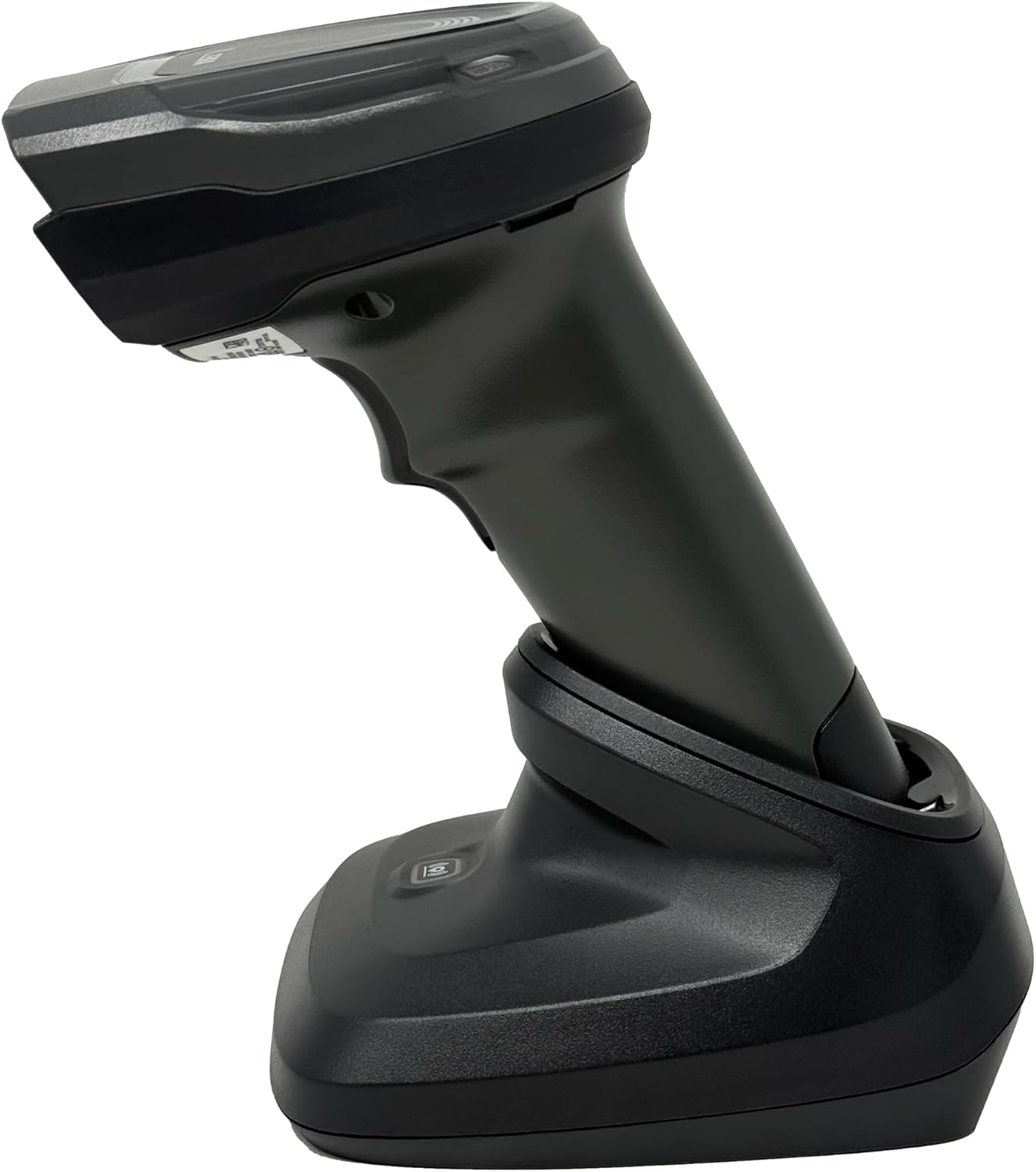
ምስል 4.4፡ The Zebra DS8178 scanner securely docked in its USB cradle, ready for charging or communication.
4.1 የስካነር አካላት
- መስኮት ይቃኙ፡ Area through which barcodes are read.
- ቀስቅሴ፡ Activates the scanning beam.
- የ LED አመልካቾች Provide status feedback (e.g., battery, scan success).
- የባትሪ ክፍል፡ Houses the removable/rechargeable battery.
4.2 Cradle Components
- Scanner Slot: Where the scanner docks for charging and communication.
- የዩኤስቢ ወደብ፡ Connects the cradle to a host device (PC, laptop).
- የማጣመጃ ቁልፍ Initiates Bluetooth pairing with the scanner.
- የ LED አመልካቾች Show cradle status (e.g., power, connection).
5. ማዋቀር
5.1 ስካነርን መሙላት
- Connect the USB cable to the cradle's USB port.
- የዩኤስቢ ገመዱን ሌላኛውን ጫፍ በኮምፒተርዎ ላይ ካለው ኃይለኛ የዩኤስቢ ወደብ ወይም ከዩኤስቢ ግድግዳ አስማሚ ጋር ያገናኙ።
- Place the DS8178 scanner into the cradle. Ensure it is seated correctly.
- The scanner's LED indicator will show charging status. A full charge typically takes approximately 3-4 hours.
5.2 Connecting the Cradle to a Host Device
The cradle connects to your computer via a standard USB cable.
- Plug the USB cable into the USB port on the back of the cradle.
- Connect the other end of the USB cable to an available USB port on your desktop or laptop computer.
- ስርዓተ ክወናው አስፈላጊዎቹን አሽከርካሪዎች በራስ-ሰር ማግኘት እና መጫን አለበት።
5.3 የብሉቱዝ ማጣመር
The DS8178 offers two primary Bluetooth pairing methods: via the cradle or direct to a host device.
5.3.1 Pairing via Cradle (Recommended for PC/Laptop)
- Ensure the cradle is connected to your host device (PC/Laptop) via USB.
- Place the DS8178 scanner into the cradle.
- The scanner will automatically pair with the cradle. Once paired, the scanner can be removed from the cradle and will communicate wirelessly with the host device through the cradle.
- A successful connection is indicated by a specific LED pattern on both the scanner and cradle (refer to the scanner's LED guide for details).
5.3.2 Direct Bluetooth Pairing (for Phones/Tablets or PC/Laptop without cradle)
- Power on the DS8178 scanner.
- Scan the "Pairing Barcode" (usually found in a quick start guide or on the scanner itself) to put the scanner into discoverable mode. Alternatively, press and hold the Bluetooth pairing button on the scanner (if available) or scan a specific Bluetooth pairing configuration barcode.
- On your phone, tablet, or computer, navigate to the Bluetooth settings.
- ፈልግ available devices. The DS8178 should appear in the list (e.g., "Zebra DS8178").
- Select the scanner to initiate pairing. You may be prompted to confirm a passkey or scan a pairing barcode displayed on your screen.
- Once paired, the scanner's LED will indicate a successful connection.
6. ኦፕሬሽን
6.1 ባርኮዶችን በመቃኘት ላይ
- Point the scan window of the DS8178 scanner at the barcode you wish to read.
- Press and hold the trigger button. A red aiming pattern will appear.
- Center the aiming pattern over the barcode. For 1D barcodes, the aiming line should cross the entire barcode. For 2D barcodes, the aiming pattern should encompass the entire code.
- Once the barcode is successfully read, the scanner will emit an audible beep and/or the LED indicator will flash green.
- ቀስቅሴውን ይልቀቁት።
6.2 Cordless Range
The Zebra DS8178 offers a cordless range of up to 330 feet (100 meters) from its cradle or directly paired host device, depending on environmental conditions and line of sight. Obstructions such as walls or other electronic devices may reduce the effective range.
6.3 የቃኝ ሁነታዎች
- የሙከራ ሁኔታ The scanner reads a barcode only when the trigger is pressed.
- Presentation Mode (Hands-Free): When placed in the presentation cradle, the scanner can be configured to automatically detect and read barcodes placed within its field of view without requiring a trigger press. This mode is ideal for high-volume scanning applications.
7. ጥገና
7.1 ስካነርን ማጽዳት
To maintain optimal scanning performance, keep the scan window clean.
- ለስላሳ፣ ንፁህ፣ እና ከላጣ ነፃ የሆነ ጨርቅ ይጠቀሙampened with water or a mild cleaning solution (e.g., isopropyl alcohol).
- Gently wipe the scan window and the exterior of the scanner.
- ሻካራ ማጽጃዎችን፣ ፈሳሾችን ወይም ጠንካራ ኬሚካሎችን አይጠቀሙ።
- Ensure the scanner is powered off before cleaning.
7.2 የባትሪ እንክብካቤ
The DS8178 features a 2500mAh removable and rechargeable battery. Proper battery care extends its lifespan.
- መጀመሪያ ከመጠቀምዎ በፊት ባትሪውን ሙሉ በሙሉ ኃይል ይሙሉ ፡፡
- Avoid completely discharging the battery regularly.
- ስካነሩን ለረጅም ጊዜ ጥቅም ላይ በማይውልበት ጊዜ ቀዝቃዛና ደረቅ ቦታ ያስቀምጡት።
- If the battery performance significantly degrades, it may need replacement. Contact support for genuine replacement batteries.
8. መላ መፈለግ
| ችግር | ሊሆን የሚችል ምክንያት | መፍትሄ |
|---|---|---|
| ስካነር እየበራ አይደለም። | ዝቅተኛ ወይም የተሟጠጠ ባትሪ። | Charge the scanner using the USB cradle and cable. |
| ስካነር በብሉቱዝ በኩል እየተገናኘ አይደለም። | Not in pairing mode; out of range; interference; host device Bluetooth off. | Ensure scanner is in pairing mode. Check host device Bluetooth settings. Move closer to the host device. Reduce interference. |
| ስካነር የአሞሌ ኮድ አያነብም። | Barcode damaged/poor quality; scan window dirty; incorrect symbology enabled; scanner not aimed correctly. | Try scanning a different barcode. Clean the scan window. Ensure correct aiming. Check scanner configuration for enabled symbologies. |
| No data transmitted to host. | Not paired; application not in focus; incorrect interface settings. | Confirm successful Bluetooth pairing. Ensure the target application (e.g., text editor, POS software) is active and ready to receive input. |
9. ዝርዝሮች
| ባህሪ | ዝርዝር |
|---|---|
| ሞዴል | DS8178 |
| የምርት ስም | Zebra (formerly Symbol) |
| የግንኙነት ቴክኖሎጂ | ብሉቱዝ፣ የዩኤስቢ ገመድ፣ ገመድ አልባ |
| ተስማሚ መሣሪያዎች | Desktop, Laptop, Phones, Tablets |
| የኃይል ምንጭ | Battery Powered, Corded Electric, Rechargeable |
| የባትሪ አቅም | 2500mAh (Removable/Rechargeable) |
| Cordless Range | እስከ 330 ጫማ (100 ሜትር) |
| የመቃኘት ችሎታ | የ1D እና የ2D ባርኮዶች |
| እውነተኛ አንግል View | 17 ዲግሪዎች |
| UPC / GTIN | 649661651499 |
10. ዋስትና እና ድጋፍ
This Zebra DS8178 Barcode Scanner comes with a 90-ቀን የተወሰነ ዋስትና. This warranty covers defects in materials and workmanship under normal use. It does not cover damage caused by misuse, accidents, unauthorized modifications, or external causes.
For technical support, warranty claims, or to purchase genuine replacement parts (such as batteries), please contact your reseller or visit the official Zebra support website. Please have your model number (DS8178) and any purchase information ready when contacting support.


