
መግቢያ
ስለገዙ እናመሰግናለንasing the Hoco HC4 5.0 Wireless Bluetooth Sport Speaker. This manual provides detailed instructions for the proper setup, operation, and maintenance of your device. Please read this manual thoroughly before use to ensure optimal performance and to prevent damage.
ምርት አልቋልview
The Hoco HC4 is a portable wireless speaker designed for outdoor and sport use, featuring Bluetooth 5.0 connectivity, multiple playback options, and a robust design.
የጥቅል ይዘቶች፡-
- Hoco HC4 Wireless Bluetooth Speaker
- የዩኤስቢ ባትሪ መሙያ ገመድ
- የተጠቃሚ መመሪያ
መቆጣጠሪያዎች እና ወደቦች;
ከተናጋሪው አዝራሮች እና የግንኙነት ወደቦች ጋር እራስዎን ይወቁ፡

ምስል፡ Close-up of the Hoco HC4 speaker showing the AUX port, DC-5V charging port, USB port, TF card slot, and control buttons.
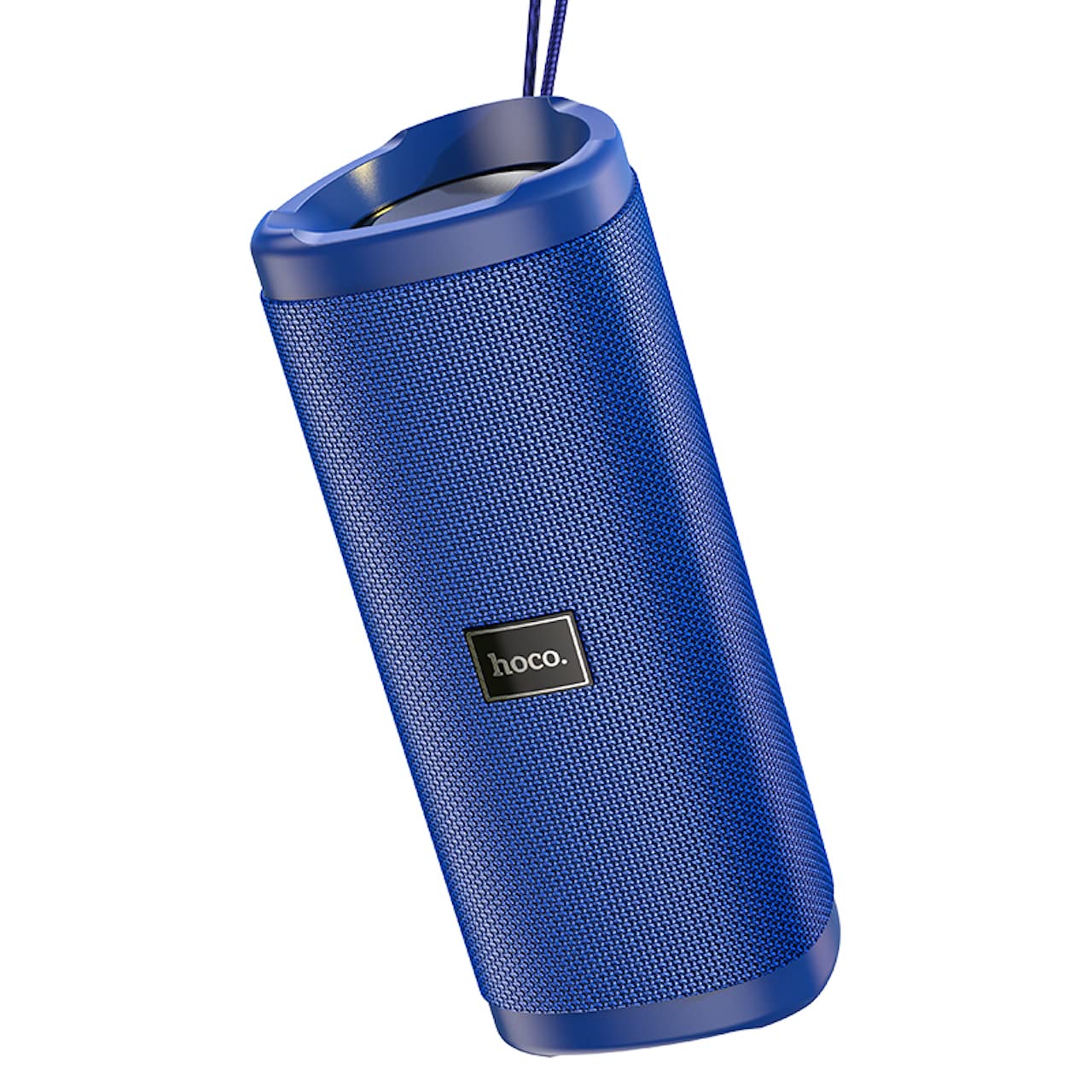
ምስል፡ አንግል view of the Hoco HC4 blue wireless speaker, highlighting its cylindrical design and fabric mesh.
- የኃይል ቁልፍ፡- ለማብራት/ለማጥፋት ተጭነው ይያዙ። ለመጫወት/ለማቆም አጭር ይጫኑ።
- ሁነታ አዝራር (ኤም)፦ Short press to switch between Bluetooth, FM Radio, TF Card, USB, and AUX modes.
- ድምጽ ወደ ታች / ቀዳሚ የትራክ አዝራር (-): ለቀደመው ትራክ አጭር ተጫን፣ ድምጽን ለመቀነስ በረጅሙ ተጫን።
- የድምጽ መጨመሪያ / ቀጣይ ትራክ አዝራር (+)፦ ለቀጣይ ትራክ አጭር ተጫን፣ ድምጽን ለመጨመር በረጅሙ ተጫን።
- AUX ወደብ ባለ 3.5 ሚሜ የድምጽ ገመድ በመጠቀም ለሽቦ የድምጽ ግንኙነት።
- DC-5V ወደብ፡ የቀረበውን የዩኤስቢ ገመድ በመጠቀም ድምጽ ማጉያውን ለመሙላት።
- የዩኤስቢ ወደብ፡ ከዩኤስቢ ፍላሽ አንፃፊ ድምጽ ለማጫወት።
- የ TF ካርድ ማስገቢያ ከTF (MicroSD) ካርድ ኦዲዮ ለማጫወት።
ማዋቀር
የመጀመሪያ ክፍያ
- መጀመሪያ ከመጠቀምዎ በፊት ድምጽ ማጉያውን ሙሉ በሙሉ ይሙሉ።
- Connect the small end of the USB charging cable to the DC-5V port on the speaker.
- Connect the larger end of the USB cable to a USB power adapter (5V/1A recommended) or a computer's USB port.
- የኃይል መሙያ አመልካች መብራቱ በሚሞላበት ጊዜ ያበራል እና ሙሉ በሙሉ ሲሞላ ይጠፋል።
የአሠራር መመሪያዎች
ማብራት/ማጥፋት፡
- ለማብራት፡- የኃይል አዝራሩን ለ3 ሰከንዶች ያህል ተጭነው ይያዙት። የሚሰማ ጥያቄ ይሰማሉ።
- ለማጥፋት፡- የኃይል አዝራሩን ለ3 ሰከንዶች ያህል ተጭነው ይያዙት። የሚሰማ ጥያቄ ይሰማሉ።
የብሉቱዝ ማገናኘት
- Ensure the speaker is powered on and in Bluetooth mode (indicated by a flashing blue LED and an audible prompt). If not, short press the 'M' (Mode) button to switch to Bluetooth mode.
- በተንቀሳቃሽ መሣሪያዎ ላይ ብሉቱዝን ያንቁ (ስማርትፎን ፣ ታብሌት ፣ ወዘተ)።
- ፈልግ available Bluetooth devices. Select "HC4" from the list.
- Once paired, the blue LED will stop flashing and remain solid, and you will hear a confirmation sound.
- አሁን በድምጽ ማጉያው በኩል ከመሳሪያዎ ላይ ድምጽ ማጫወት ይችላሉ።
ኤፍኤም ሬዲዮ ሞድ;
- Short press the 'M' (Mode) button until you hear the FM radio prompt.
- To auto-scan and save available stations, short press the Power button. The speaker will scan and store stations automatically.
- Use the '-' and '+' buttons to navigate between saved stations.
TF Card / USB Playback:
- Insert a TF (MicroSD) card or USB flash drive into the respective slot.
- The speaker will automatically switch to TF card or USB mode and begin playing audio files. If not, short press the 'M' (Mode) button to select the correct mode.
- Use the Power button to play/pause, and the '-' and '+' buttons for track navigation and volume control.
የ ‹XX› ሁነታ
- በድምጽ ማጉያው ላይ ካለው የ AUX ወደብ የ3.5ሚሜ የድምጽ ገመድ አንዱን ጫፍ (ያልተካተተ) ያገናኙ።
- ሌላኛውን ጫፍ ከመሳሪያዎ የድምጽ ውፅዓት (ለምሳሌ፣ ላፕቶፕ፣ MP3 ማጫወቻ) ጋር ያገናኙ።
- Short press the 'M' (Mode) button to switch to AUX mode.
- Audio will now play through the speaker. Volume can be controlled via the speaker or your connected device.
እውነተኛ ሽቦ አልባ ስቴሪዮ (TWS) ተግባር፡-
The TWS function allows you to pair two Hoco HC4 speakers together for a stereo sound experience.
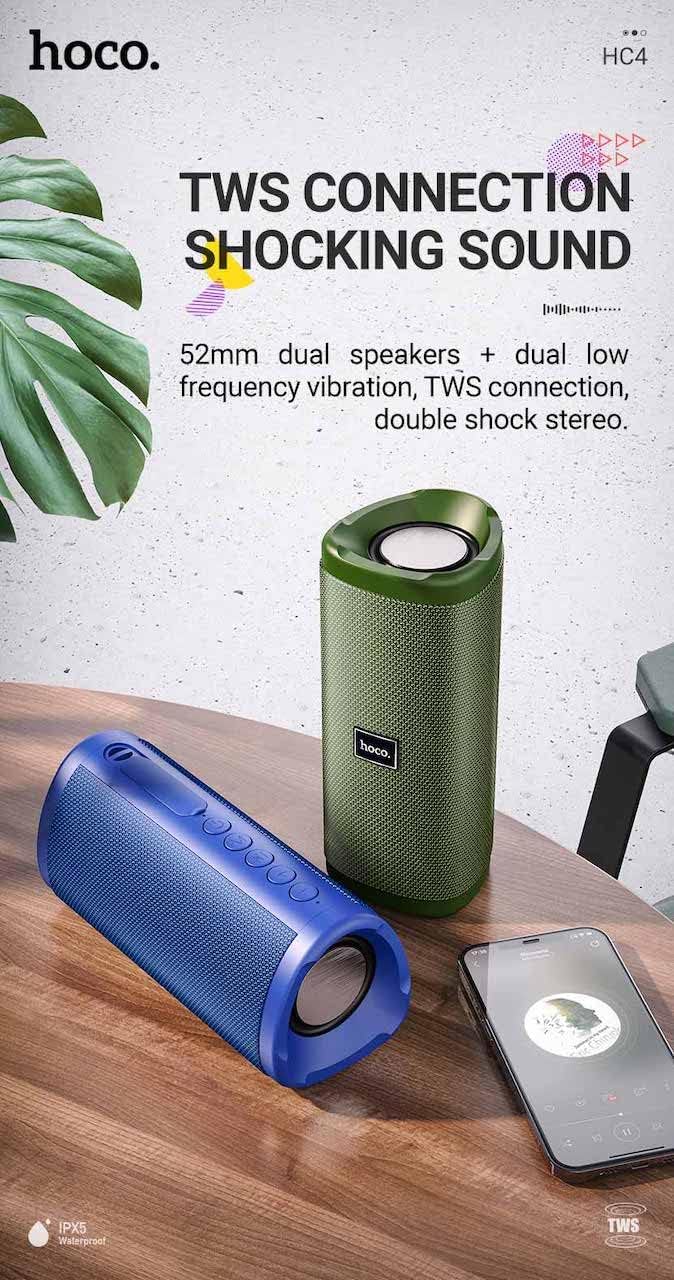
ምስል፡ A promotional image showing two Hoco HC4 speakers (blue and green) connected via TWS, with a smartphone playing music. The image also highlights 'IPX5 Waterproof'.
- Ensure both HC4 speakers are powered on and in Bluetooth pairing mode (flashing blue LED).
- On one of the speakers (this will be the primary speaker), double-press the Power button. You will hear a tone indicating it is searching for another speaker.
- The two speakers will automatically connect to each other. Once connected, you will hear a confirmation sound, and the LED on the primary speaker will flash, while the secondary speaker's LED will be solid.
- አሁን፣ በ"ብሉቱዝ ማጣመር" ክፍል ውስጥ እንደተገለጸው ተንቀሳቃሽ መሣሪያዎን ከዋናው ድምጽ ማጉያ ጋር በብሉቱዝ ያገናኙ።
- ኦዲዮ አሁን በሁለቱም ድምጽ ማጉያዎች በኩል በስቲሪዮ ውስጥ ይጫወታል።
በመሙላት ላይ
When the battery is low, the speaker will emit an audible warning. Connect the speaker to a power source using the provided USB cable to recharge. A full charge takes approximately 2-3 hours. The speaker provides up to 3 hours of playtime on a full charge, depending on volume level and usage.
ጥገና
ማጽዳት፡
ድምጽ ማጉያውን ለስላሳና ደረቅ ጨርቅ ይጥረጉ። ሻካራ ማጽጃዎችን፣ አልኮል ወይም ሌሎች ኬሚካል ማሟያዎችን አይጠቀሙ፣ ምክንያቱም እነዚህ ንጣፎች ንጣፉን ሊጎዱ ይችላሉ።
ማከማቻ፡
Store the speaker in a cool, dry place away from direct sunlight and extreme temperatures. If storing for an extended period, charge the battery at least once every three months to prolong its lifespan.
የውሃ መቋቋም (IPX5)
The Hoco HC4 speaker features an IPX5 water resistance rating, meaning it is protected against low-pressure water jets from any direction. This makes it suitable for outdoor use and resistant to splashes and light rain. ድምጽ ማጉያውን በውሃ ውስጥ አታስገቡት. የውሃ መከላከያን ለመጠበቅ የወደብ ሽፋኑ ደህንነቱ በተጠበቀ ሁኔታ መዘጋቱን ያረጋግጡ።
መላ መፈለግ
| ችግር | ሊሆን የሚችል ምክንያት | መፍትሄ |
|---|---|---|
| ተናጋሪው አይበራም። | ዝቅተኛ ባትሪ; የኃይል ቁልፉ በቂ ጊዜ አልተጫነም። | ድምጽ ማጉያውን መሙላት; የኃይል አዝራሩን ለ 3 ሰከንዶች ተጭነው ይያዙ |
| ድምጽ የለም። | Volume too low; Incorrect mode; Device not connected | Increase volume; Switch to correct mode (Bluetooth, AUX, etc.); Ensure device is paired/connected |
| የብሉቱዝ ማጣመር አልተሳካም። | ድምጽ ማጉያ በማጣመር ሁነታ ላይ አይደለም፤ የመሣሪያ ብሉቱዝ ጠፍቷል፤ ከድምጽ ማጉያው በጣም ርቋል | Ensure speaker is in Bluetooth mode (flashing LED); Turn on device Bluetooth; Move device closer (within 10m) |
| የ TWS ማጣመር አልተሳካም | Speakers not in TWS pairing mode; Too far apart | Ensure both speakers are in Bluetooth mode, then double-press Power button on one; Keep speakers close during TWS pairing |
ዝርዝሮች

ምስል፡ The Hoco HC4 speaker with its dimensions clearly marked: 20 cm in length, 8.8 cm in height, and 8.1 cm in width.
- የምርት ስም፡ Hoco
- ሞዴል፡ HC4
- የብሉቱዝ ስሪት፡ 5.0
- የውጤት ኃይል፡ 10 ዋ
- የድምጽ ማጉያ መጠን፡ 52 ሚሜ
- የባትሪ አቅም፡- 1500mAh
- የጨዋታ ጊዜ፡ በግምት 3 ሰዓታት (በ 80% ድምጽ)
- የኃይል መሙያ ጊዜ: በግምት 2-3 ሰአታት
- መጠኖች፡- 200 x 88 x 81 mm (Length x Height x Width)
- ክብደት፡ 540 ግራም
- የግንኙነት አማራጮች፡- Bluetooth, FM Radio, TF Card, USB, AUX
- የውሃ መቋቋም; IPX5 (ስፕላሽ-ተከላካይ)
- የቁጥጥር አይነት፡ አዝራር
የደህንነት መረጃ
- ተናጋሪውን ለረጅም ጊዜ ለከፍተኛ ሙቀት ወይም ቀጥተኛ የፀሐይ ብርሃን አታጋልጥ።
- ተናጋሪውን ለጠንካራ ተጽእኖዎች ከመጣል ወይም ከማስገዛት ተቆጠብ።
- Keep the speaker away from water and liquids, especially when ports are open.
- Do not attempt to disassemble, repair, or modify the speaker yourself. This will void the warranty and may cause damage.
- የተገለጸውን የኃይል መሙያ ጥራዝ ብቻ ይጠቀሙtage (DC 5V) and the provided charging cable.
- ልጆች በማይደርሱበት ቦታ ያስቀምጡ.
ዋስትና እና ድጋፍ
This product is covered by a standard manufacturer's warranty. For specific warranty terms and conditions, please refer to the warranty card included with your purchase or contact your local retailer. For technical support or service inquiries, please contact Hoco customer service or the authorized distributor in your region.