
መግቢያ
Thank you for choosing the MEDION MD 10319 Tower Fan. This manual provides essential information for the safe and efficient operation of your new fan. Please read these instructions carefully before use and keep them for future reference.
አስፈላጊ የደህንነት መመሪያዎች
የኤሌክትሪክ ዕቃዎችን በሚጠቀሙበት ጊዜ ሁልጊዜ የእሳት፣ የኤሌክትሪክ ንዝረት እና በሰዎች ላይ የሚደርሰውን ጉዳት ለመቀነስ መሰረታዊ የደህንነት ጥንቃቄዎችን ይከተሉ።
- የኃይል አቅርቦቱን ጥራዝ ያረጋግጡtagሠ በደጋፊው ላይ ካለው የደረጃ መለያ ጋር ይዛመዳል።
- ማራገቢያውን በተበላሸ ገመድ ወይም መሰኪያ አያንቀሳቅሱት። ገመዱ ከተበላሸ አደጋን ለማስወገድ በአምራቹ፣ በአገልግሎት ወኪሉ ወይም በተመሳሳይ ብቃት ባላቸው ሰዎች መተካት አለበት።
- ማራገቢያው ከውሃ ወይም ከሌሎች ፈሳሾች ያርቁ። ማራገቢያው በውሃ ውስጥ አይጥሉት።
- ማራገቢያው በሚሰራበት ጊዜ ጣቶችን ወይም የውጭ ነገሮችን ወደ ፍርግርግ ውስጥ አያስገቡ።
- ጥቅም ላይ በማይውልበት ጊዜ, ከአንድ ቦታ ወደ ሌላ ቦታ ሲዘዋወሩ እና ከማጽዳትዎ በፊት የአየር ማራገቢያውን ከኃይል ማከፋፈያው ይንቀሉ.
- ይህ መሳሪያ ለደህንነታቸው ኃላፊነት ባለው ሰው ቁጥጥር ወይም መመሪያ ካልተሰጣቸው በስተቀር የአካል፣ የስሜት ወይም የአዕምሮ ችሎታዎች ወይም የልምድ እና የእውቀት እጥረት ላላቸው ሰዎች (ልጆችን ጨምሮ) ለመጠቀም የታሰበ አይደለም።
- ልጆች ከመሳሪያው ጋር እንደማይጫወቱ ለማረጋገጥ ክትትል ሊደረግባቸው ይገባል.
- ማራገቢያውን ወደ ላይ እንዳይወድቅ በተረጋጋ ጠፍጣፋ መሬት ላይ ያድርጉት።
የጥቅል ይዘቶች
እባክዎን የሚከተሉትን ክፍሎች ለማግኘት ጥቅሉን ያረጋግጡ፡
- MEDION MD 10319 Tower Fan
- መሠረት (ሁለት ግማሽ)
- የለውዝ ደህንነትን መጠበቅ
- 4 Mounting Screws for Base
- Remote Control (with 2 x AAA batteries)
- መመሪያ መመሪያ
መሰብሰብ እና ማዋቀር
የማማ አድናቂዎን ለመሰብሰብ እነዚህን ደረጃዎች ይከተሉ፡-
- ሁሉንም ንጥረ ነገሮች ከማሸጊያው ውስጥ በጥንቃቄ ያስወግዱ.
- Assemble the two halves of the base by interlocking them.
- Align the assembled base with the bottom of the fan unit. Ensure the power cord passes through the designated slot in the base.
- Secure the base to the fan unit using the 4 mounting screws provided.
- Tighten the securing nut from underneath the base to firmly attach it to the fan body.
- Insert the 2 AAA batteries into the remote control, observing polarity.
- ማራገቢያውን በጠንካራ ደረጃ ላይ ያስቀምጡት.
- የኃይል ገመዱን ተስማሚ በሆነ የኤሌክትሪክ ሶኬት (220V) ውስጥ ይሰኩት።
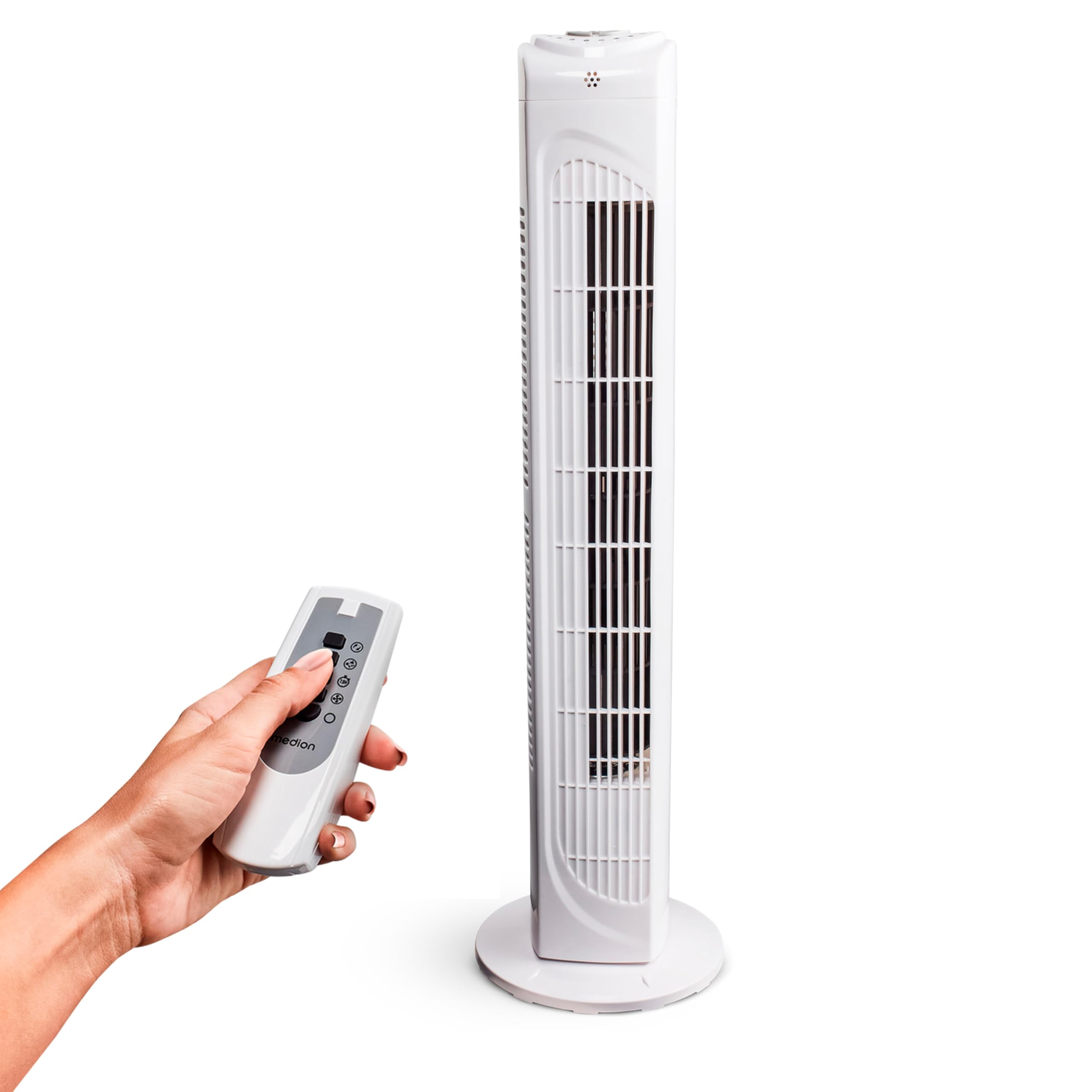
Image: The MEDION MD 10319 Tower Fan, fully assembled with its base, ready for use.

Image: A hand demonstrating the integrated carrying handle on top of the fan for easy portability.
ምርት አልቋልview
የቁጥጥር ፓነል
The control panel is located on the top of the fan unit. It features buttons for power, speed, oscillation, and timer functions.

ምስል፡ ዝርዝር view of the fan's top control panel, showing buttons for power, speed settings (3 levels), timer, and oscillation.
የርቀት መቆጣጠሪያ
The included remote control allows you to operate all fan functions from a distance.
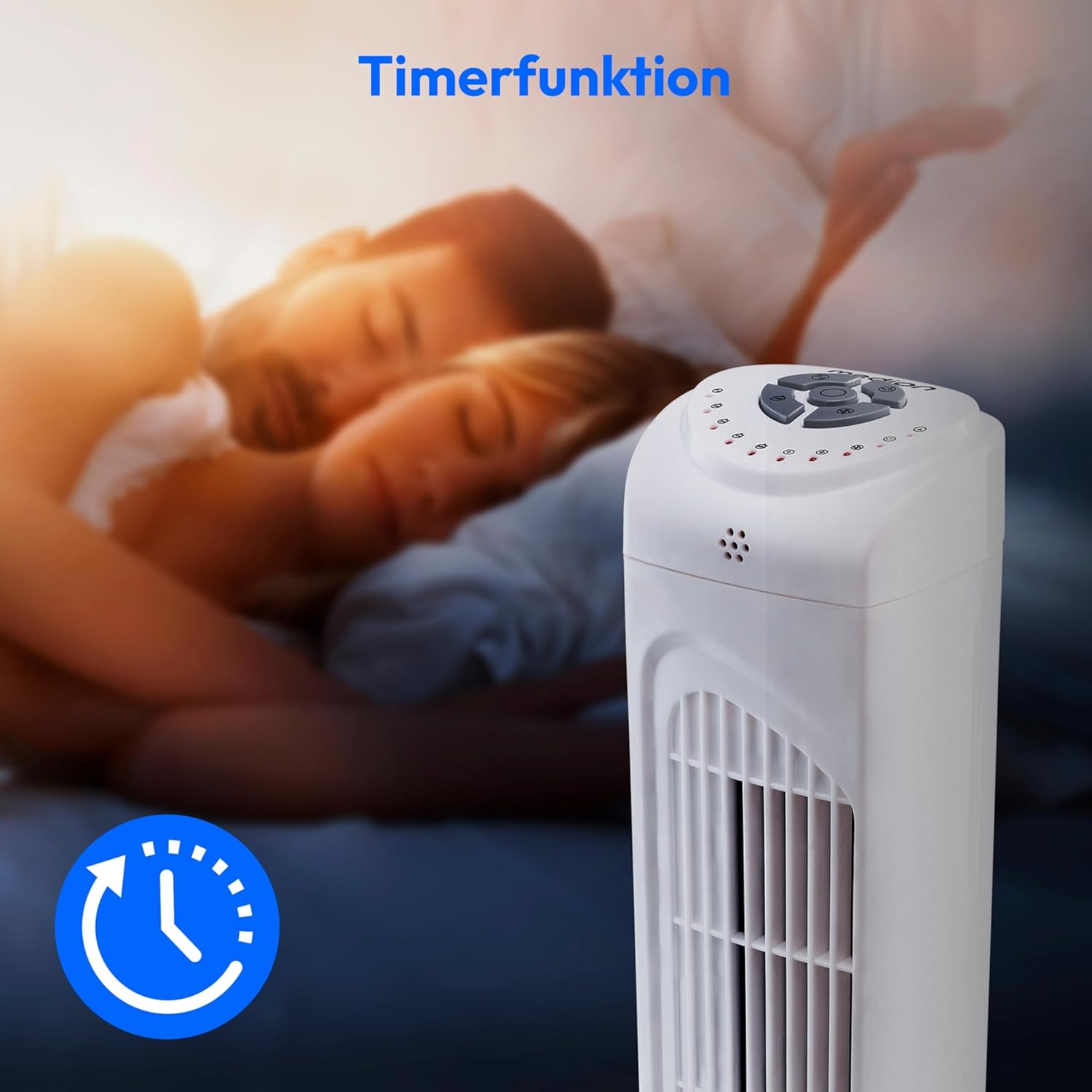
Image: A hand holding the remote control, which features buttons for power, speed, oscillation, and timer, mirroring the main control panel.
የአሠራር መመሪያዎች
ኃይል አብራ/ አጥፋ
- የሚለውን ይጫኑ ኃይል button on the control panel or remote control to turn the fan ON.
- የሚለውን ይጫኑ ኃይል አድናቂውን ለማጥፋት እንደገና ይጫኑ።
የደጋፊ ፍጥነት ማስተካከል
The fan has 3 speed settings: Low, Medium, and High.
- የሚለውን ይጫኑ ፍጥነት button repeatedly to cycle through the speed settings.
- The current speed level will be indicated by LED lights on the control panel.
የመወዛወዝ ተግባር
The oscillation function allows the fan to rotate horizontally, distributing air over a wider area.
- የሚለውን ይጫኑ OSC button on the control panel or remote control to activate oscillation. The fan will rotate approximately 60 degrees.
- የሚለውን ይጫኑ OSC button again to stop oscillation. The fan will stop in its current position.

Image: The tower fan oscillating, indicated by blue arrows showing a 60-degree rotation for wider air distribution.
የሰዓት ቆጣሪ ተግባር
The timer function allows you to set the fan to automatically turn off after a specified period, up to 7.5 hours.
- የሚለውን ይጫኑ TIMER button repeatedly to set the desired operating time (e.g., 0.5h, 1h, 2h, 4h, up to 7.5h).
- The selected timer duration will be indicated by LED lights on the control panel.
- To cancel the timer, cycle through the settings until no timer LEDs are illuminated, or turn the fan off.

Image: The fan with a timer icon, illustrating its use for setting automatic shut-off, ideal for use during sleep.
ጥገና
Regular cleaning will help maintain the performance and extend the lifespan of your fan.
- ከማጽዳትዎ በፊት ሁል ጊዜ የአየር ማራገቢያውን ከኃይል ማሰራጫው ያላቅቁት።
- ለስላሳ ይጠቀሙ, መamp የማራገቢያውን ውጫዊ ገጽታዎች ለማጽዳት ጨርቅ. ገላጭ ማጽጃዎችን ወይም ፈሳሾችን አይጠቀሙ.
- Use a vacuum cleaner with a brush attachment to gently remove dust from the air intake and outlet grilles.
- ውሃ ወደ ማራገቢያው ውስጠኛ ክፍል እንዲፈስ አይፍቀዱ።
- ለረጅም ጊዜ ጥቅም ላይ በማይውልበት ጊዜ የአየር ማራገቢያውን ቀዝቃዛና ደረቅ ቦታ ያስቀምጡ።
መላ መፈለግ
If you encounter any issues with your MEDION MD 10319 Tower Fan, please refer to the following common problems and solutions:
| ችግር | ሊሆን የሚችል ምክንያት | መፍትሄ |
|---|---|---|
| ደጋፊ አይበራም። | የኃይል አቅርቦት የለም። የኃይል ቁልፉ አልተጫነም። | የኤሌትሪክ ገመዱ ደህንነቱ በተጠበቀ ሁኔታ በሚሰራ ሶኬት ውስጥ መጫኑን ያረጋግጡ። Press the POWER button on the fan or remote. |
| የርቀት መቆጣጠሪያ አይሰራም። | ባትሪዎች ሞተዋል ወይም በስህተት ገብተዋል። በርቀት እና በደጋፊ መካከል መከልከል። | ባትሪዎችን (2 x AAA) ይተኩ እና ትክክለኛውን ፖላሪቲ ያረጋግጡ። Remove any objects blocking the signal path. Ensure you are within range. |
| ደጋፊ ያልተለመደ ድምጽ እያሰማ ነው። | ደጋፊው ደረጃው ላይ አይደለም። Obstruction in the fan grille. | ማራገቢያውን በተረጋጋ, ጠፍጣፋ መሬት ላይ ያስቀምጡት. Unplug the fan and carefully check for any foreign objects in the grilles. |
| Oscillation function is not working. | የOscillation አዝራር አልነቃም። | Press the OSC button on the control panel or remote control. |
ዝርዝሮች
| ባህሪ | ዝርዝር |
|---|---|
| የምርት ስም | MEDION |
| የሞዴል ስም | ኤም. 10319 |
| ዓይነት | Tower Fan / Floor Fan |
| ቀለም | ነጭ |
| የኃይል ምንጭ | ባለገመድ ኤሌክትሪክ |
| ዋትtage | 45 ዋ |
| ጥራዝtage | 220 ቮልት |
| የፍጥነት ብዛት | 3 |
| ልዩ ባህሪያት | Oscillating, Timer Function |
| የመወዛወዝ አንግል | 60° |
| የሰዓት ቆጣሪ ተግባር | እስከ 7.5 ሰዓታት ድረስ |
| የመቆጣጠሪያ ዘዴ | የርቀት፣ በዩኒት አዝራሮች |
| የድምጽ ደረጃ | 50 ዲሴብል |
| የምርት ልኬቶች (D x W x H) | 28 ሴሜ x 28 ሴሜ x 79 ሴ.ሜ |
| የእቃው ክብደት | 2.5 ኪ |
| ቁሳቁስ | ፕላስቲክ |
| ዋና የኃይል ማገናኛ አይነት | ሲኢኢ 7/7 (ሹኮ) |

Image: The MEDION MD 10319 Tower Fan with its height (79 cm) and base width (28 cm) clearly indicated.
ዋስትና እና ድጋፍ
Your MEDION MD 10319 Tower Fan comes with a manufacturer's warranty. Please refer to the warranty card included in your package for detailed terms and conditions, including the warranty period and coverage.
For technical support, service, or spare parts, please contact MEDION customer service. Contact information can typically be found on the MEDION official webጣቢያ ወይም የዋስትና ሰነዶች ውስጥ.


