
HOCO BS37
HOCO BS37 Dancer Outdoor Wireless Speaker User Manual
ሞዴል: BS37
1. መግቢያ
Thank you for choosing the HOCO BS37 Dancer Outdoor Wireless Speaker. This manual provides detailed instructions for the safe and efficient operation of your device. Please read this manual thoroughly before use and retain it for future reference.
The HOCO BS37 is a versatile outdoor wireless speaker featuring Bluetooth V5.0 connectivity, TWS (True Wireless Stereo) support, FM radio, USB playback, and AUX input. It includes a wired microphone for karaoke functions and independent colored lights to enhance your audio experience.
2. የጥቅል ይዘቶች
እባክዎን ጥቅሉን ለሚከተሉት ነገሮች ያረጋግጡ፡
- HOCO BS37 Dancer Outdoor Wireless Speaker
- ባለ ገመድ ማይክሮፎን
- የኃይል መሙያ ገመድ (ዩኤስቢ)
- የተጠቃሚ መመሪያ
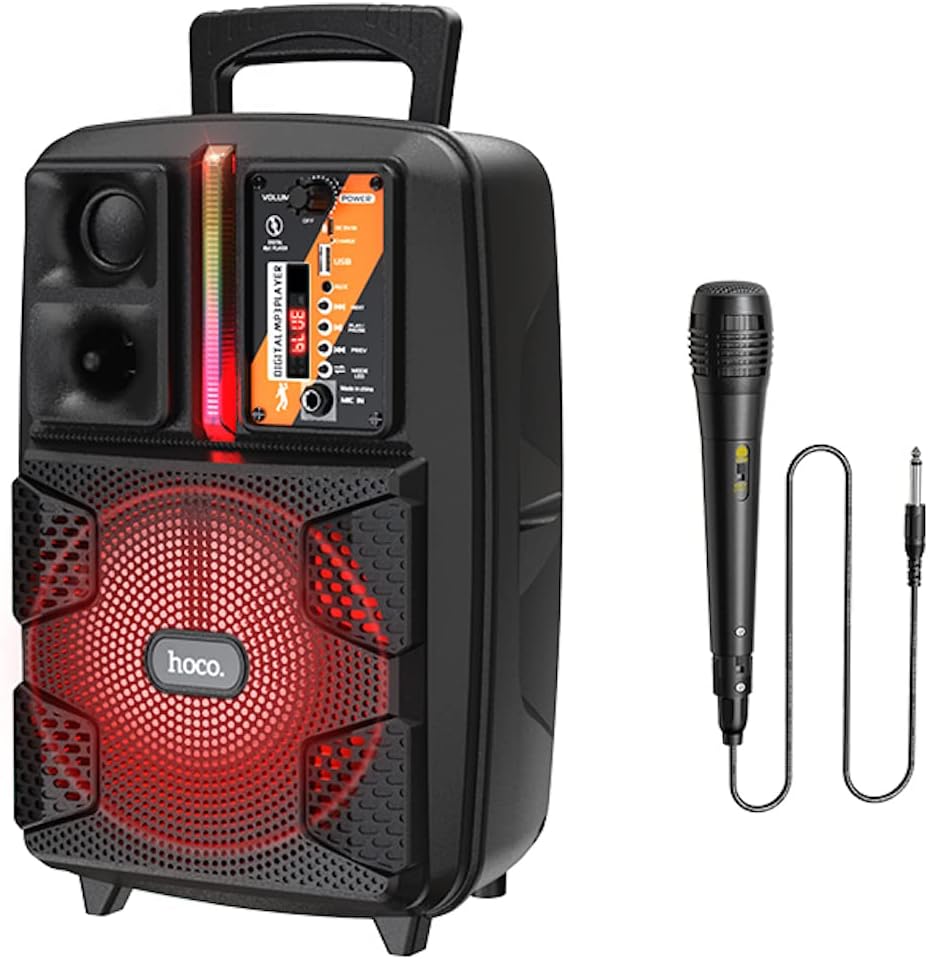
Image: The HOCO BS37 speaker shown with its included wired microphone.
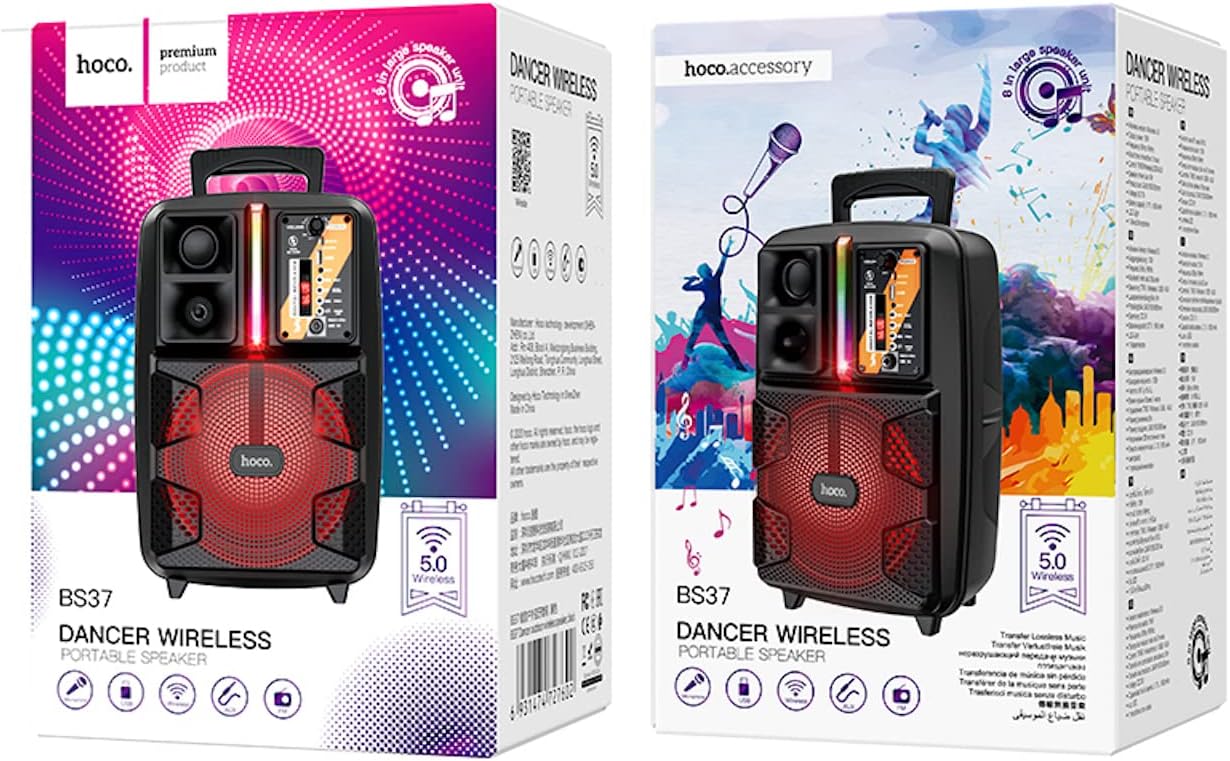
Image: The retail packaging for the HOCO BS37 Dancer Outdoor Wireless Speaker.
3. ምርት አብቅቷልview
The HOCO BS37 speaker features an 8-inch speaker unit and a control panel for various functions. Familiarize yourself with the layout of the speaker's controls and ports.

ምስል: ዝርዝር view of the HOCO BS37 speaker's control panel, showing volume knob, power switch, USB port, AUX input, microphone input, and mode selection buttons.
የቁጥጥር ፓነል ባህሪዎች
- የድምፅ ኖት ፦ Adjusts the overall speaker volume.
- የኃይል መቀየሪያ; ድምጽ ማጉያውን ያበራል ወይም ያጠፋል።
- DC 5V በ፡ ለድምጽ ማጉያው የኃይል መሙያ ወደብ።
- የዩኤስቢ ወደብ፡ ለዩኤስቢ ፍላሽ አንፃፊ መልሶ ማጫወት።
- ዐውደ ውስጥ: 3.5 ሚሜ የድምጽ ግብዓት ለውጫዊ መሳሪያዎች.
- MIC ውስጥ፡ 6.35mm input for the wired microphone.
- MODE አዝራር፡- Switches between Bluetooth, FM, USB, and AUX modes.
- አጫውት/ለአፍታ አቁም አዝራር የድምጽ መልሶ ማጫወትን ያጫውታል ወይም ባለበት ያቆማል።
- ቀዳሚ/ቀጣይ አዝራሮች፡ ወደ ቀዳሚው ወይም ወደሚቀጥለው ትራክ/ጣቢያ ይዝለላል።
- የመብራት መቀየሪያ; Controls the independent colored lights.
4. ማዋቀር
4.1 የመጀመሪያ ደረጃ መሙላት
Before first use, fully charge the speaker. Connect the provided charging cable to the DC 5V IN port on the speaker and the other end to a suitable USB power adapter (not included). The charging time is approximately 2.5 hours.
4.2 ማብራት / ማጥፋት
To power on the speaker, slide the ኃይል switch to the "ON" position. To power off, slide it to the "OFF" position.
5. የአሠራር መመሪያዎች
5.1 የብሉቱዝ ማጣመር
- Turn on the speaker. It will automatically enter Bluetooth pairing mode, indicated by an audible prompt or flashing indicator light.
- በተንቀሳቃሽ መሣሪያዎ ላይ ብሉቱዝን ያንቁ (ስማርትፎን ፣ ታብሌት ፣ ወዘተ)።
- ፈልግ "HOCO BS37" in the list of available Bluetooth devices.
- Select "HOCO BS37" to connect. Once connected, you will hear a confirmation sound.
The speaker supports Bluetooth V5.0 for stable and efficient wireless connection.
5.2 TWS (ትሩ ገመድ አልባ ስቴሪዮ) ግንኙነት
To connect two HOCO BS37 speakers for a stereo sound experience:
- Ensure both HOCO BS37 speakers are powered on and not connected to any Bluetooth device.
- በአንደኛው ድምጽ ማጉያ (ይህ ዋናው ድምጽ ማጉያ ይሆናል) ተጭነው ይያዙት። MODE button or a dedicated TWS button (if available, refer to specific button labels on your device) until you hear a pairing prompt.
- ሁለቱ ድምጽ ማጉያዎች እርስ በእርስ ለመገናኘት ይሞክራሉ። አንዴ በተሳካ ሁኔታ ከተጣመሩ በኋላ የማረጋገጫ ድምጽ ይሰማሉ።
- አሁን፣ በክፍል 5.1 ላይ እንደተገለጸው ተንቀሳቃሽ መሣሪያዎን ከዋናው ድምጽ ማጉያ ጋር በብሉቱዝ ያገናኙ። ኦዲዮ በሁለቱም ድምጽ ማጉያዎች በኩል በስቲሪዮ ይጫወታል።
5.3 ኤፍኤም ሬዲዮ ሁነታ
- የሚለውን ይጫኑ MODE button repeatedly until you enter FM radio mode.
- የሚለውን ይጫኑ አጫውት/አፍታ አቁም button once to automatically scan and save available FM stations.
- የሚለውን ተጠቀም ቅድመ ሁኔታ እና ቀጣይ በተቀመጡ ጣቢያዎች መካከል ለማሰስ አዝራሮች።
5.4 የዩኤስቢ መልሶ ማጫወት
- MP3 ኦዲዮ የያዘ የዩኤስቢ ፍላሽ አንፃፊ አስገባ fileወደ ውስጥ s የዩኤስቢ ወደብ.
- ድምጽ ማጉያው በራስ-ሰር ወደ ዩኤስቢ ሁነታ ይቀየራል እና ኦዲዮ ማጫወት ይጀምራል። ካልሆነ፣ ይጫኑ። MODE የዩኤስቢ ሁነታን ለመምረጥ አዝራር.
- የሚለውን ተጠቀም አጫውት/አፍታ አቁም, ቅድመ ሁኔታ, እና ቀጣይ መልሶ ማጫወትን ለመቆጣጠር አዝራሮች።
5.5 AUX ሁነታ
- ውጫዊ የድምጽ መሳሪያ (ለምሳሌ፣ MP3 ማጫወቻ፣ ላፕቶፕ) ከ ጋር ያገናኙ ኤክስኤክስ IN የ3.5ሚሜ የድምጽ ገመድ (ያልተካተተ) በመጠቀም ወደብ።
- የሚለውን ይጫኑ MODE የ AUX ሁነታን ለመምረጥ አዝራር።
- ከተገናኘው ውጫዊ መሣሪያዎ መልሶ ማጫወትን ይቆጣጠሩ።

Image: The HOCO BS37 speaker highlighting its multiple playback options: Bluetooth, USB, and AUX.
5.6 የማይክሮፎን አጠቃቀም (ካራኦኬ)
- ባለገመድ ማይክሮፎኑን ከ ጋር ያገናኙ MIC ውስጥ በድምጽ ማጉያው ላይ ወደብ.
- የማይክሮፎኑ የማብሪያ/ማጥፊያ ማብሪያ / ማጥፊያ በ"በርቷል" ቦታ ላይ መሆኑን ያረጋግጡ።
- ዋናውን ያስተካክሉ ድምጽ knob on the speaker to control the microphone's output level.
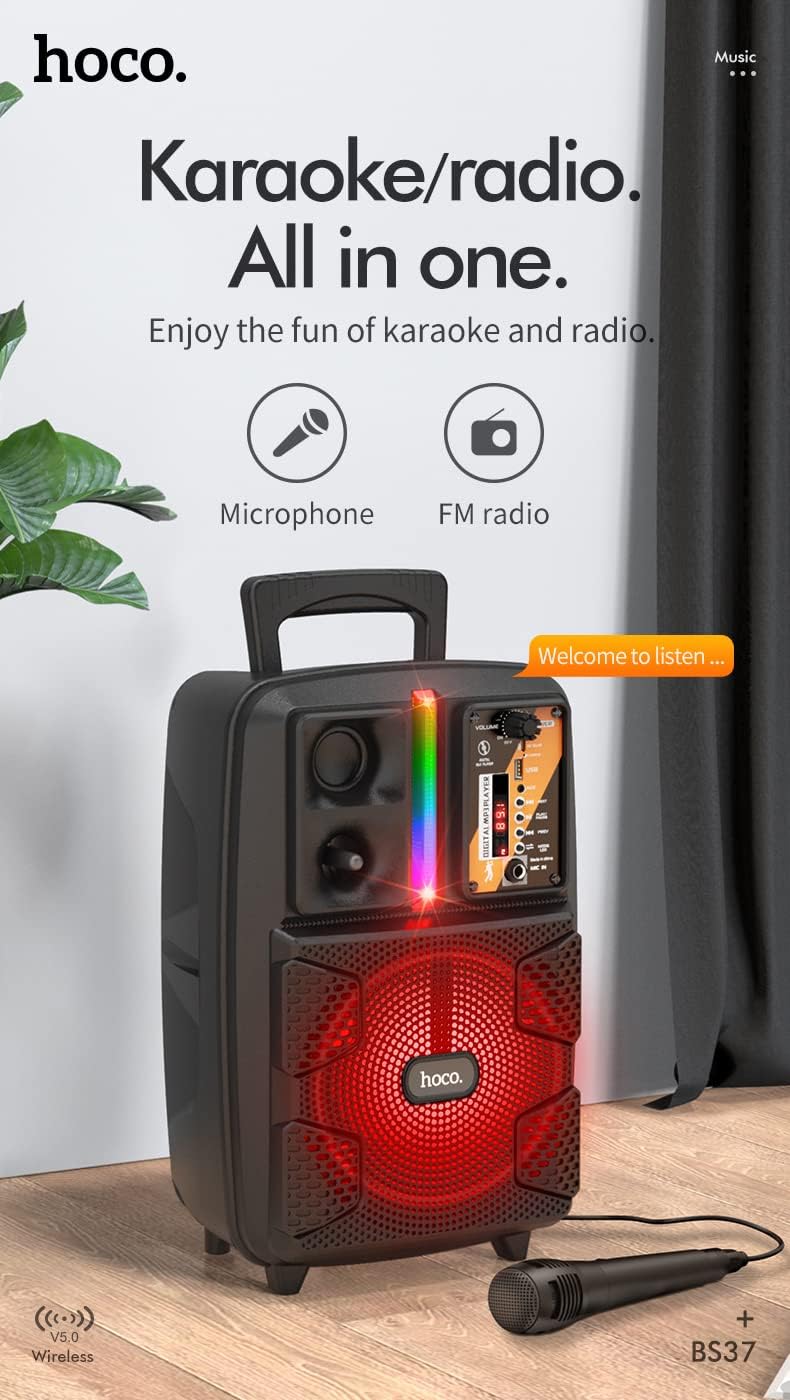
Image: The HOCO BS37 speaker with the wired microphone connected, illustrating its karaoke and radio capabilities.
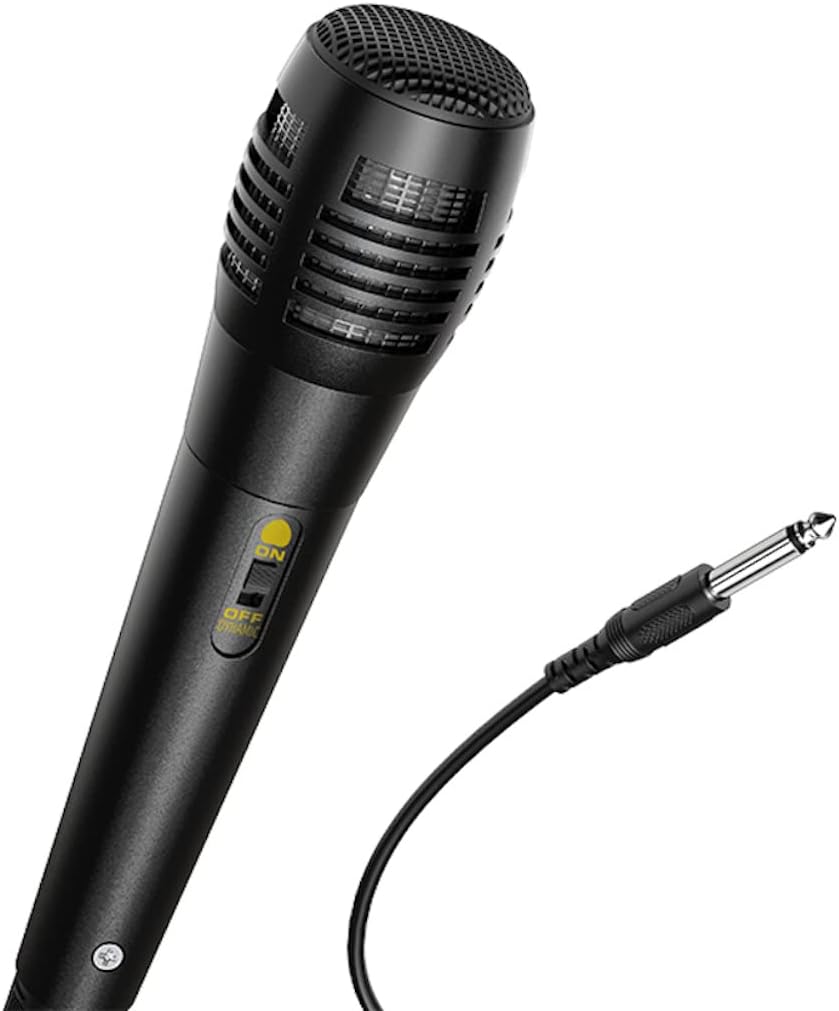
ምስል፡ መቀራረብ view of the wired microphone included with the HOCO BS37 speaker, showing its ON/OFF switch and connector.
5.7 የብርሃን ተፅእኖዎች
The speaker features independent colored lights. Use the dedicated የብርሃን መቀየሪያ on the control panel to turn the lights ON or OFF, or to cycle through different light modes (if applicable).

Image: The HOCO BS37 speaker displaying its colorful breathing light effects.
6. አፈጉባ Charውን ኃይል መሙላት
When the battery is low, the speaker may indicate this with an audible prompt or a flashing indicator light. To charge:
- የኃይል መሙያ ገመዱን ከ ዲሲ 5 ቪ ውስጥ በድምጽ ማጉያው ላይ ወደብ.
- Connect the other end of the charging cable to a standard USB power source (e.g., wall adapter, computer USB port).
- የኃይል መሙያ አመልካች መብራቱ ይበራል። ሙሉ በሙሉ ከተሞላ በኋላ (በግምት 2.5 ሰዓታት)፣ የአመላካች መብራቱ ሊለወጥ ወይም ሊጠፋ ይችላል።
A full charge provides approximately 3 hours of music playback at 80% volume.
7. ጥገና
- ድምጽ ማጉያውን ለስላሳ እና ደረቅ ጨርቅ ያጽዱ. ገላጭ ማጽጃዎችን ወይም ፈሳሾችን አይጠቀሙ.
- ድምጽ ማጉያውን ከውሃ፣ እርጥበት እና ከፍተኛ የሙቀት መጠን ያርቁ።
- ለረጅም ጊዜ አገልግሎት በማይሰጥበት ጊዜ ድምጽ ማጉያውን በቀዝቃዛና ደረቅ ቦታ ያከማቹ።
- ተናጋሪውን ለጠንካራ ተጽእኖዎች ከመጣል ወይም ከማስገዛት ተቆጠብ።
8. መላ መፈለግ
| ችግር | ሊሆን የሚችል ምክንያት | መፍትሄ |
|---|---|---|
| ድምጽ ማጉያ አይበራም። | ባትሪው ተሟጧል። | ድምጽ ማጉያውን ቢያንስ ለ 30 ደቂቃዎች ይሙሉ. |
| በብሉቱዝ በኩል ማጣመር አይቻልም። | ድምጽ ማጉያ በማጣመር ሁነታ ላይ አይደለም; ብሉቱዝ በመሣሪያው ላይ ጠፍቷል; መሣሪያው በጣም ሩቅ ነው። | Ensure speaker is in pairing mode. Turn Bluetooth off/on on your device. Move device closer to speaker (within 10 meters). |
| ከተናጋሪው ምንም ድምፅ የለም። | የድምጽ መጠኑ በጣም ዝቅተኛ ነው፤ የተሳሳተ ሁነታ ተመርጧል፤ ገመድ በአግባቡ አልተገናኘም። | የድምጽ ማጉያውን እና የመሳሪያውን ድምጽ ይጨምሩ። ይጫኑ። MODE button to select correct input. Check all cable connections. |
| ማይክሮፎን አይሰራም። | Microphone switch is off; not plugged in correctly. | Ensure microphone switch is ON. Plug microphone firmly into MIC ውስጥ ወደብ. |
9. ዝርዝሮች
| ሞዴል | BS37 Dancer |
| የድምጽ ማጉያ ክፍል | 8 inch, 2Ω10W |
| ልኬቶች (L x W x H) | 367 x 243 x 196 ሚሜ (14.45 x 9.57 x 7.72 ኢንች) |
| ክብደት | 1.9 ኪ.ግ (4.19 ፓውንድ) |
| የብሉቱዝ ስሪት | V5.0 (Blue trum 5322) |
| የባትሪ አቅም | 1800mAh (A grade 18650) |
| የሙዚቃ ማጫዎቻ ጊዜ | በግምት 3 ሰዓታት (በ 80% ድምጽ) |
| የኃይል መሙያ ጊዜ | በግምት 2.5 ሰዓታት |
| የግንኙነት አማራጮች | Bluetooth, TWS, FM Radio, USB, AUX |
| የተካተቱ መለዋወጫዎች | ባለ ገመድ ማይክሮፎን |
| ተስማሚ መሣሪያዎች | ዴስክቶፕ፣ ላፕቶፕ፣ MP3 ማጫወቻ፣ ስማርትፎን፣ ታብሌት |
10. የደህንነት መረጃ
- Do not expose the speaker to rain or moisture to prevent electric shock or fire.
- መሳሪያውን እራስዎ አይሰብስቡ, አይጠግኑት ወይም አይቀይሩት. ሁሉንም አገልግሎቶች ብቁ ለሆኑ ባለሙያዎች ያመልክቱ።
- Avoid placing the speaker near heat sources, such as radiators, heat registers, stoves, or other apparatus that produce heat.
- የተገለጸውን የኃይል መሙያ ጥራዝ ብቻ ይጠቀሙtagኢ እና ወቅታዊ.
- ልጆች በማይደርሱበት ቦታ ያስቀምጡ.
- በከፍተኛ የድምፅ መጠን ለረጅም ጊዜ ማዳመጥ የመስማት ችሎታን ሊጎዳ ይችላል።
11. ዋስትና እና ድጋፍ
This product is covered by a limited warranty. Please refer to the warranty card included with your purchase or contact your local HOCO distributor for details regarding warranty terms and conditions.
For technical support or service inquiries, please contact the retailer where you purchased the product or visit the official HOCO webየእውቂያ መረጃ ለማግኘት ጣቢያ.
Ask a question about this manual
Ask about setup, troubleshooting, compatibility, parts, safety, or missing instructions. Manuals+ will review the question and use this page’s manual context to help answer it.