
1. ምርት አብቅቷልview
The PHEANOO D5 is a 2.1 channel sound bar system designed to enhance your television's audio experience. It includes a main sound bar unit and a dedicated wired subwoofer for deep bass. The system offers multiple connectivity options, including HDMI (ARC), Bluetooth 5.0, Optical, and AUX, ensuring compatibility with a wide range of devices. Its compact and stylish design allows for flexible placement, either on a TV stand or wall-mounted.

Image: The PHEANOO D5 sound bar and its wired subwoofer, both in black, shown together. The sound bar is long and cylindrical, and the subwoofer is a rectangular box.
2. በሳጥኑ ውስጥ ያለው
እባክዎ የጥቅል ይዘቱን በጥንቃቄ ያረጋግጡ። ማንኛቸውም ነገሮች ከጠፉ ወይም ከተበላሹ የደንበኛ ድጋፍን ያነጋግሩ።
- Soundbar and Wired Subwoofer
- HDMI ገመድ
- የ RCA ድምጽ ገመድ
- Remote Control (Bass, Treble Adjustable) - ባትሪዎች አልተካተቱም።
- የግድግዳ Mount Kit

Image: All components included in the PHEANOO D5 package: the sound bar, subwoofer, power adapter, remote control, HDMI cable, RCA audio cable, and wall mounting hardware.
3. ማዋቀር እና መጫን
3.1 አካላዊ አቀማመጥ
The PHEANOO D5 sound bar offers flexible placement options to suit your home entertainment setup.
- የጠረጴዛ አቀማመጥ; Place the sound bar directly on a flat surface below your television. Ensure there is adequate space and that the sound bar is stable.
- የግድግዳ መጫኛ; Use the included wall mount kit to securely attach the sound bar to a wall. It is recommended to measure and mark drilling points accurately using a level, rather than relying solely on paper stencils, to ensure proper alignment.

ምስል፡ ሁለት የቀድሞ ሰዎችamples of sound bar placement: one mounted on a wall below a television, and another placed on a TV stand. This illustrates the flexible installation options.
The sound bar has a slim design with dimensions of 2.8"D x 29.5"W x 2.4"H, making it suitable for placement in front of most televisions without obstructing the screen.
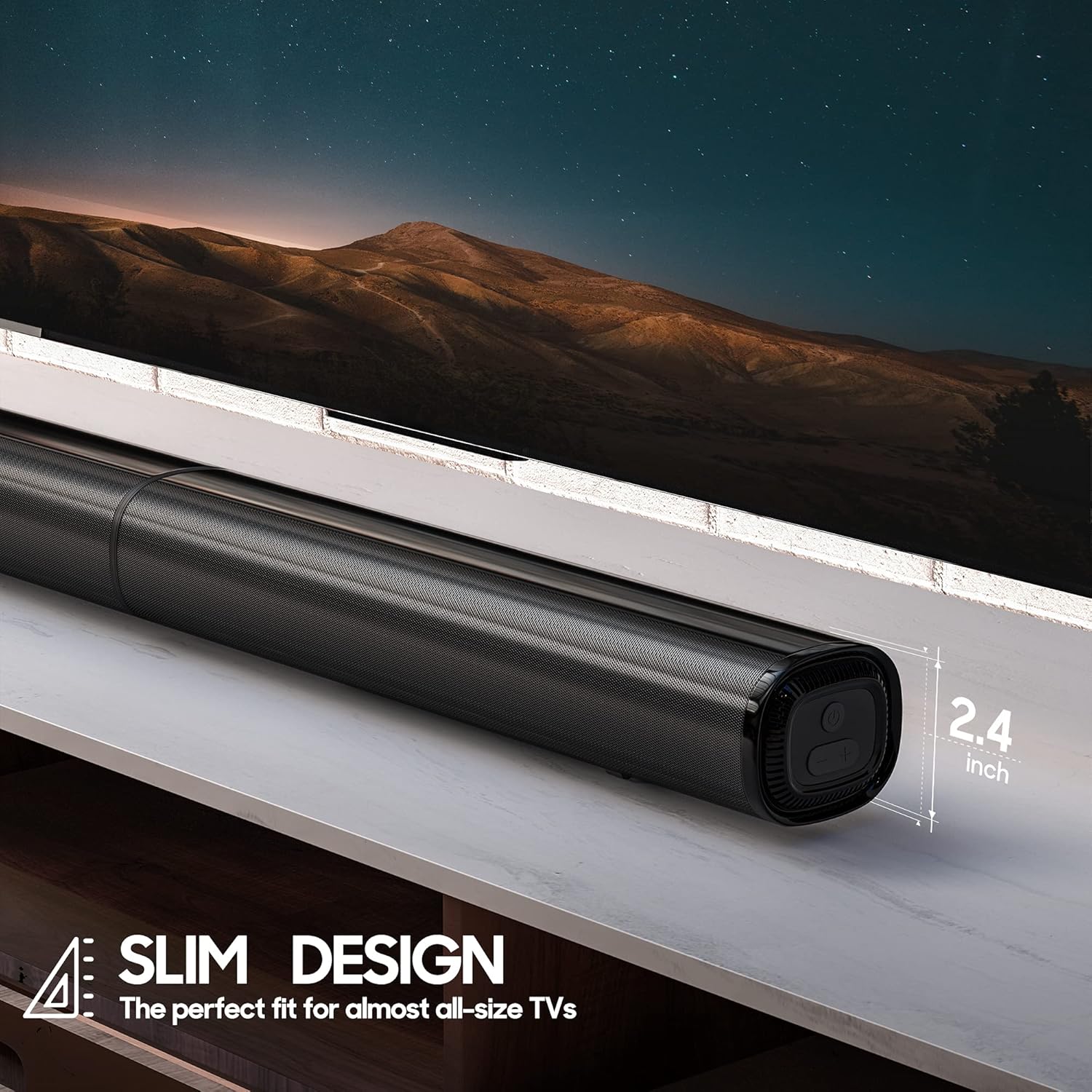
ምስል፡ መቀራረብ view of the PHEANOO D5 sound bar placed under a television, highlighting its slim profile of 2.4 inches in height.
3.2 የሱብዎፈርን ማገናኘት
The dedicated subwoofer connects to the sound bar via a wired connection. Ensure the subwoofer is placed in a location that allows for optimal bass distribution, ideally in a corner for enhanced effect.
3.3 ከቴሌቪዥንዎ ወይም ከመሳሪያዎ ጋር መገናኘት
The D5 sound bar offers multiple connectivity options for seamless integration with your devices. Choose the connection method that best suits your television or audio source.
- ኤችዲኤምአይ (አርአክ) For the best audio quality and control, connect the sound bar to your TV's HDMI ARC port using the provided HDMI cable. This allows your TV remote to control the sound bar's volume.
- ኦፕቲካል፡ Connect using an optical cable (not included) for high-quality digital audio.
- AUX፡ Use the provided RCA audio cable to connect to devices with a 3.5mm audio output.
- ብሉቱዝ 5.0: ከስማርት ስልኮች፣ ታብሌቶች ወይም ከሌሎች ብሉቱዝ የነቁ መሳሪያዎች ገመድ አልባ የድምጽ ዥረት ለማግኘት።

Image: The rear panel of the PHEANOO D5 sound bar showing the various input ports: AUX, Optical, HDMI (ARC), and USB. Bluetooth connectivity is also indicated.
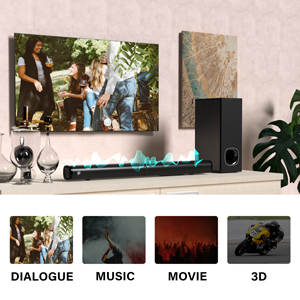
Image: A diagram illustrating the AUX, Optical, and HDMI (ARC) connection options available on the PHEANOO D5 sound bar.
3.4 Roku TV Ready Setup
The D5 is certified to work seamlessly with any Roku TV through the HDMI (ARC) connection. This provides a smooth setup process, easy access to sound settings, and compatibility with your existing Roku TV remote.
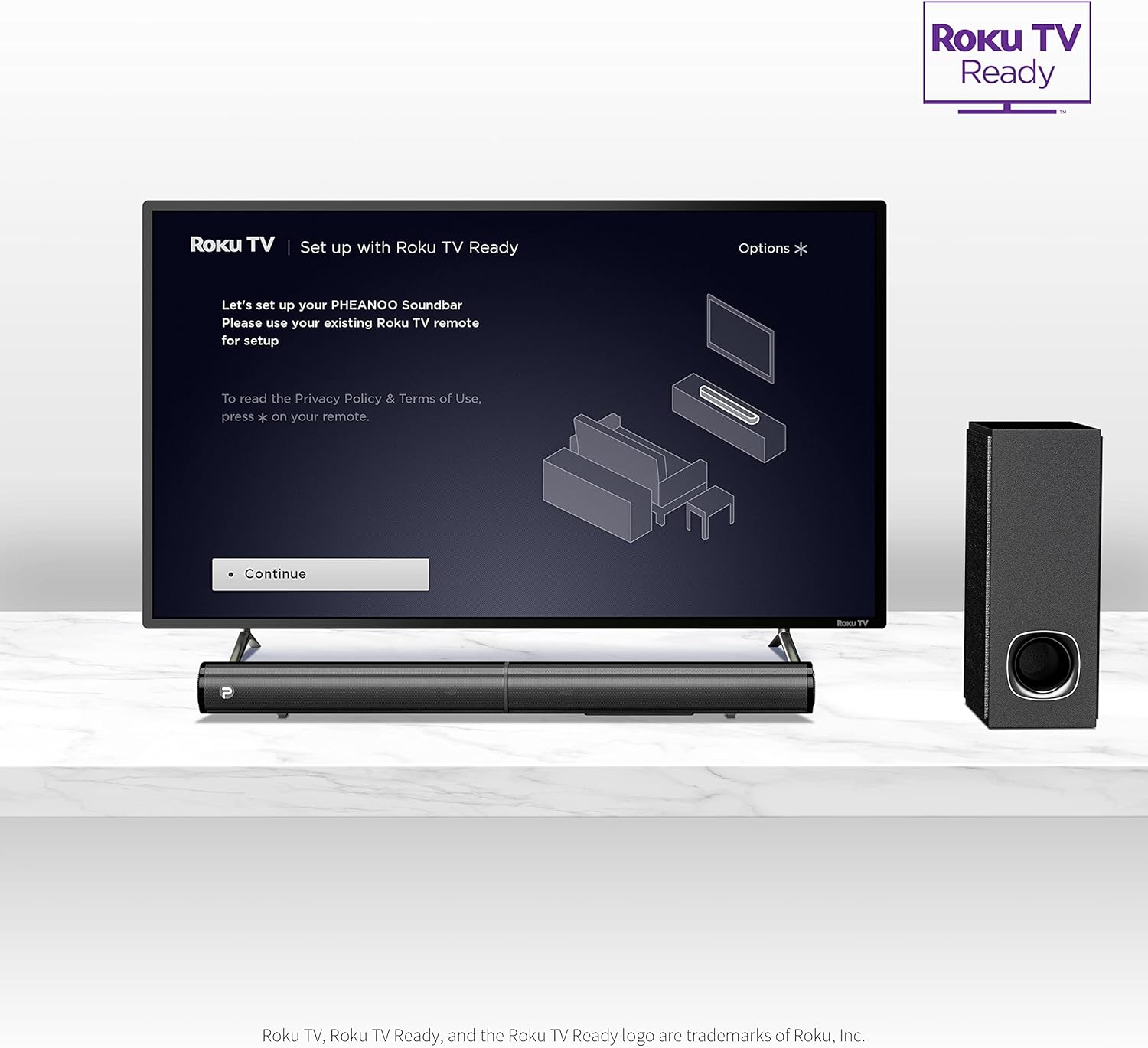
Image: A television screen displaying the "Roku TV | Set up with Roku TV Ready" interface, with the PHEANOO sound bar and subwoofer positioned below the TV, indicating easy integration.
4. የአሠራር መመሪያዎች
4.1 ማብራት / ማጥፋት
Press the power button on the sound bar or the remote control to turn the unit on or off. The indicator light on the sound bar will show its status.
Image: A close-up of the sound bar's indicator light and a remote control, highlighting the 'PAIR' and 'INDICATOR' buttons for status and pairing.
4.2 የግቤት ምንጭ ምርጫ
Use the "Input" button on the remote control or the sound bar to cycle through available input sources: HDMI (ARC), Optical, AUX, and Bluetooth.
4.3 የድምጽ መቆጣጠሪያ
Adjust the master volume using the Volume Up (+) and Volume Down (-) buttons on the remote control or the sound bar. The remote also allows for independent bass and treble adjustments.
4.4 የድምጽ ሁነታዎች
The D5 sound bar features various sound modes optimized for different content types. Use the remote control to select:
- የውይይት ሁነታ፡ የድምፅን ግልጽነት ያሻሽላል፣ ንግግርን ለመረዳት ቀላል ያደርገዋል።
- የሙዚቃ ስልት፡ ለሙዚቃ መልሶ ማጫወት የተመቻቸ።
- የፊልም ሁኔታ Provides an immersive audio experience for films.
- 3D ሁነታ: ሰፋ ያለ፣ የበለጠ የቦታ ድምጾችን ይፈጥራልtage.
Image: A visual representation of the four sound modes: Dialogue, Music, Movie, and 3D, with corresponding icons and a sound wave graphic emanating from the sound bar.
4.5 የብሉቱዝ ማጣመር
የብሉቱዝ መሣሪያን ለማጣመር፡-
- Select Bluetooth input on the sound bar. The indicator light will flash.
- Enable Bluetooth on your device (e.g., smartphone).
- ፈልግ "PHEANOO D5" in your device's Bluetooth settings and select it to pair.
- ከተጣመረ በኋላ ጠቋሚው መብራቱ ጠንካራ ይሆናል፣ እና ድምጽን ያለገመድ መልቀቅ ይችላሉ።
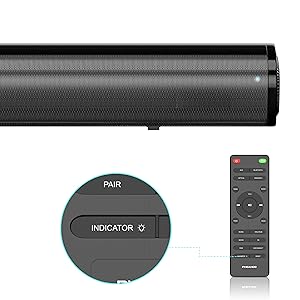
Image: A smartphone displaying a music player interface, with a Bluetooth icon and a sound wave connecting it wirelessly to the PHEANOO D5 sound bar.
5. ቁልፍ ባህሪያት
5.1 Clear and Precise Dialogue
The D5 sound bar features a specially tuned dialogue mode that makes speech crystal clear and easier to understand, enhancing your viewing experience, especially for movies and TV shows.

Image: A group of people watching TV with the PHEANOO D5 sound bar, accompanied by a "CRYSTAL-CLEAR DIALOGUE" graphic, illustrating enhanced speech clarity.
5.2 Enhanced Bass Performance
The dedicated wired subwoofer provides deep and powerful bass, significantly improving the overall sound quality compared to standalone sound bars. The 5.25-inch subwoofer delivers a robust low-frequency response.

Image: A close-up of the PHEANOO D5 subwoofer, with a graphic indicating "BETTER BASS" and ripples suggesting powerful sound waves emanating from the unit.
5.3 Compact and Stylish Design
With overall dimensions of 29.5"W x 2.4"H x 2.8"D, the D5 sound bar features a compact and sleek design that blends easily into any living space, complementing your television without being obtrusive.
6. ዝርዝሮች
| ባህሪ | ዝርዝር |
|---|---|
| የሞዴል ስም | Sound Bar 4 (D5) |
| የድምጽ ማጉያ አይነት | የድምጽ አሞሌ፣ ንዑስ ድምጽ ማጉያ |
| የዙሪያ ድምጽ ቻናል ውቅር | 2.1 |
| የግንኙነት ቴክኖሎጂ | Auxiliary, Bluetooth, HDMI (ARC), Optical, USB |
| ገመድ አልባ የመገናኛ ቴክኖሎጂ | ብሉቱዝ 5.0 |
| የድምጽ ማጉያ ከፍተኛ የውጤት ኃይል | 200 ዋት |
| የምርት ልኬቶች | 2.8" ዲ x 29.5" ዋ x 2.4" ኤች |
| የእቃው ክብደት | 11.57 ፓውንድ |
| Subwoofer ዲያሜትር | 8.27 ኢንች (Woofer ዲያሜትር) |
| የመጫኛ አይነት | የግድግዳ ተራራ, የጠረጴዛ ጫፍ |
| ቀለም | ጥቁር |
| የመቆጣጠሪያ ዘዴ | የርቀት |
| የኃይል ምንጭ | ባለገመድ ኤሌክትሪክ |
| ተስማሚ መሣሪያዎች | ቴሌቪዥን፣ ስማርት ስልኮች፣ ታብሌቶች |
7. ጥገና
To ensure the longevity and optimal performance of your PHEANOO D5 Sound Bar, follow these maintenance guidelines:
- ማጽዳት፡ Use a soft, dry cloth to clean the surfaces of the sound bar and subwoofer. Avoid using liquid cleaners, aerosols, or abrasive materials, as these can damage the finish.
- የአየር ማናፈሻ; የድምፅ አሞሌው እና የሱፍ ሰሪው በቂ የአየር ዝውውር እንዳላቸው ያረጋግጡ። የአየር ማናፈሻ ክፍተቶችን አይዝጉ።
- አካባቢ፡ ክፍሉን በቀጥታ ከፀሀይ ብርሀን ፣ ከሙቀት ምንጮች ፣ ከመጠን በላይ አቧራ ፣ እርጥበት እና ጠንካራ መግነጢሳዊ መስኮችን ያርቁ።
- የኃይል ገመድ; የኃይል ገመዱን በየጊዜው ይመርምሩ። ከተበላሸ መጠቀም ያቁሙ እና የደንበኞችን ድጋፍ ያነጋግሩ።
8. መላ መፈለግ
If you encounter issues with your PHEANOO D5 Sound Bar, refer to the following common troubleshooting steps:
| ችግር | ሊሆን የሚችል መፍትሄ |
|---|---|
| ከድምጽ አሞሌ ምንም ድምፅ የለም። |
|
| Subwoofer ባስ እያመረተ አይደለም። |
|
| የብሉቱዝ ማጣመር ጉዳዮች። |
|
| የርቀት መቆጣጠሪያ አይሰራም። |
|
9. ዋስትና እና ድጋፍ
The PHEANOO D5 Sound Bar comes with a limited warranty. Please refer to the warranty card included in your package for specific terms and conditions.
For further assistance, technical support, or warranty claims, please refer to the official PHEANOO support channels or the comprehensive User Manual PDF available online.
የመስመር ላይ የተጠቃሚ መመሪያ (ፒዲኤፍ)፡- እዚህ ያውርዱ