
መግቢያ
Thank you for choosing the PHEANOO D6 Sound Bar System. This 2.1 channel soundbar with a dedicated wired subwoofer is designed to enhance your audio experience, providing clear dialogue, powerful bass, and immersive sound for your home entertainment. This manual provides detailed instructions for setup, operation, maintenance, and troubleshooting to ensure optimal performance and longevity of your device.
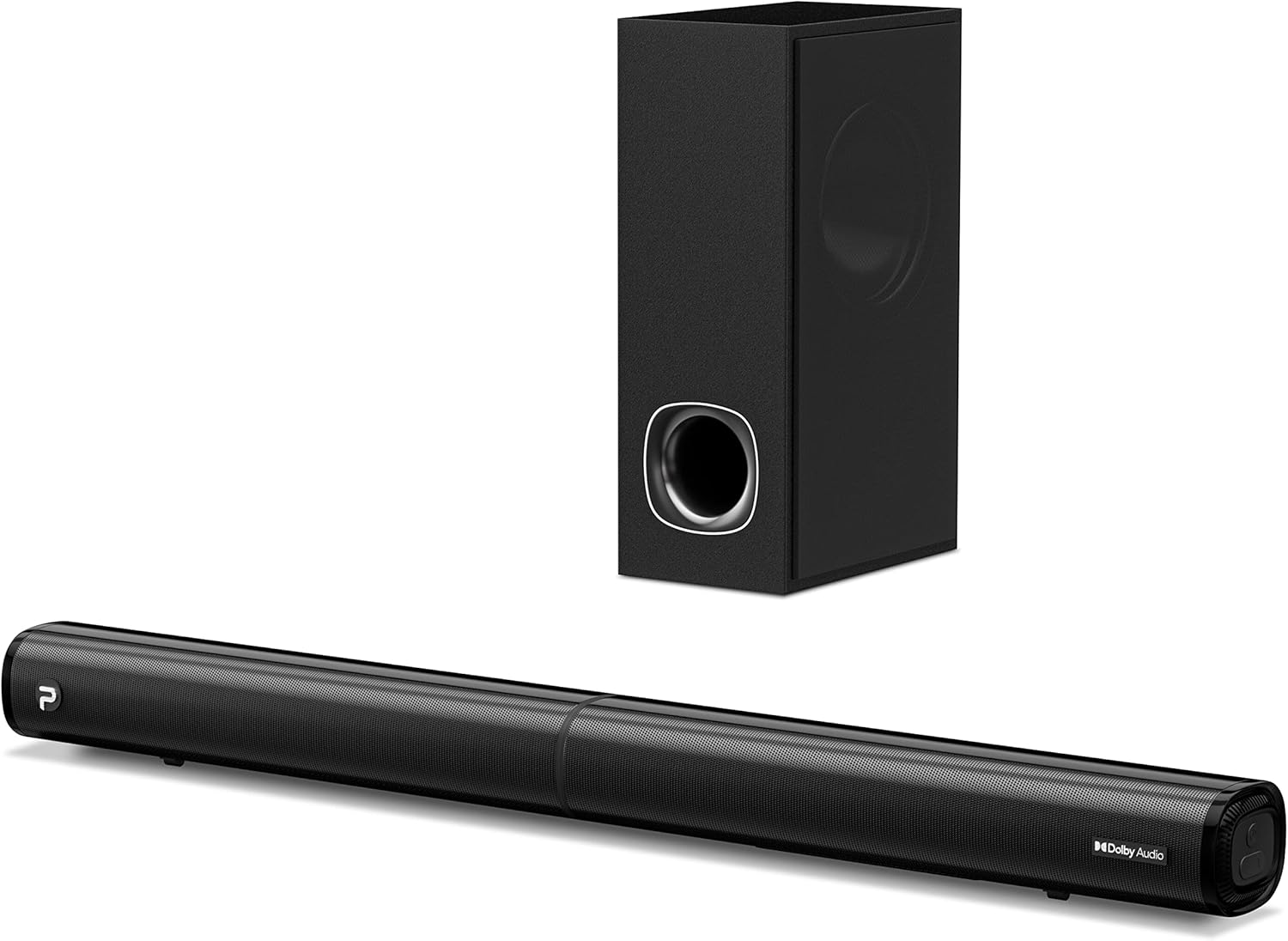
Image: The PHEANOO D6 Sound Bar and its accompanying wired subwoofer, showcasing የእነሱ ለስላሳ ጥቁር ንድፍ.
በሣጥኑ ውስጥ ያለው
እባክዎ የጥቅል ይዘቱን በጥንቃቄ ያረጋግጡ። ማንኛቸውም ነገሮች ከጠፉ ወይም ከተበላሹ የደንበኛ ድጋፍን ያነጋግሩ።
- Soundbar and Wired Subwoofer
- HDMI ገመድ
- የ RCA ድምጽ ገመድ
- የግድግዳ መጫኛ ኪት (ዊንጣዎች እና መልሕቆች)
- የርቀት መቆጣጠሪያ (ባትሪዎች አልተካተቱም)
- የኃይል አስማሚ

Image: All components included in the PHEANOO D6 Sound Bar package, laid out for clear identification, including the soundbar, subwoofer, cables, remote, and wall mount kit.
ማዋቀር
1. Assembling the Soundbar (Detachable Design)
The PHEANOO D6 soundbar features a unique detachable design for flexible placement. Follow these steps to assemble it:
- Align the audio connector from one half of the soundbar with the corresponding port on the other half.
- Gently push the two halves together until they click into place.
- Twist the two halves to secure the connection, ensuring the soundbar is firmly assembled.

Image: A three-step visual guide demonstrating how to connect the two halves of the detachable soundbar, ensuring proper alignment and secure locking.
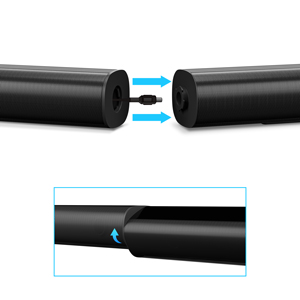
ምስል፡ መቀራረብ view of the soundbar's detachable connection point, showing the male and female connectors.
2. Subwooferን በማገናኘት ላይ
የተገጠመውን የሱፍ ሰሪ ገመድ በመጠቀም ከድምጽ አሞሌው ጋር ያገናኙት። ግንኙነቱ ደህንነቱ የተጠበቀ መሆኑን ያረጋግጡ።
3. የምደባ አማራጮች
You can place the soundbar on a tabletop or mount it on a wall.
- የጠረጴዛ አቀማመጥ; Place the soundbar directly in front of your TV, ensuring it does not obstruct the TV's remote sensor.
- የግድግዳ መጫኛ; Use the included wall mount kit. It is recommended to measure and mark the drilling points accurately, rather than relying solely on the paper stencil, to ensure a level installation.
4. የድምፅ ግንኙነቶች
The PHEANOO D6 offers multiple connectivity options. Choose the best one for your device:
- ኤችዲኤምአይ (አርአክ) For the best audio quality and control, connect an HDMI cable from the soundbar's HDMI (ARC) port to your TV's HDMI (ARC) port. This allows your TV remote to control the soundbar's volume.
- ኦፕቲካል፡ Connect an optical cable from the soundbar's Optical port to your TV's Optical Digital Audio Out port.
- AUX፡ Use the 3.5mm AUX cable to connect to devices with a 3.5mm audio output.
- ብሉቱዝ 5.0: For wireless connection, pair your device via Bluetooth.

Image: The rear panel of the PHEANOO D6 Sound Bar, highlighting the HDMI (ARC), Bluetooth, Optical, and AUX input ports with corresponding icons.

ምስል: ዝርዝር view of the soundbar's input panel, showing the AUX, Optical, and HDMI (ARC) ports clearly labeled.
5. የኃይል ግንኙነት
Connect the power adapter to the soundbar and then plug it into a wall outlet.
የአሠራር መመሪያዎች
የርቀት መቆጣጠሪያ
The included remote control allows you to manage all functions of the soundbar. Insert two AAA batteries (not included) into the remote before use.

Image: The remote control for the PHEANOO D6 Sound Bar, showing its buttons and an indicator light.
ኃይል አብራ/ አጥፋ
Press the power button on the remote or the soundbar to turn the unit on or off.
የግቤት ምርጫ
Press the "Input" button on the remote to cycle through available input sources: HDMI (ARC), Optical, AUX, and Bluetooth.
የብሉቱዝ ማጣመር
የብሉቱዝ መሣሪያን ለማጣመር፡-
- Select Bluetooth input on the soundbar. The indicator light will flash.
- Enable Bluetooth on your device (smartphone, tablet, etc.) and search for "PHEANOO D6".
- Select the soundbar from the list to pair. Once connected, the indicator light will be solid.

Image: A smartphone displaying a music app, wirelessly connected to the PHEANOO D6 Sound Bar via Bluetooth, indicated by a Wi-Fi like symbol.
የድምጽ ሁነታዎች
የድምፅ አሞሌው የማዳመጥ ልምድዎን ለማሻሻል የተለያዩ የድምፅ ሁነታዎችን ያቀርባል፦
- የውይይት ሁነታ፡ የድምፅን ግልጽነት ያሻሽላል፣ ንግግርን ለመረዳት ቀላል ያደርገዋል።
- የሙዚቃ ስልት፡ Optimized for music playback, providing balanced audio.
- የፊልም ሁኔታ Delivers an immersive cinematic experience with enhanced effects.
- 3D ሁነታ: Creates a wider, more enveloping soundstage.

Image: Icons representing different sound modes: Dialogue, Music, Movie, and 3D, indicating the soundbar's versatility.
የባስ ማስተካከያ
Use the dedicated bass control buttons on the remote to increase or decrease the subwoofer's output level to your preference.

Image: A close-up of the subwoofer, with a visual effect suggesting powerful bass emanating from it.
Dolby Digital Support
The PHEANOO D6 Sound Bar supports Dolby Digital decoding, providing a rich and dynamic audio experience for compatible content.

Image: A living room setup with the soundbar and TV, overlaid with a grid pattern indicating premium 3D surround sound powered by Dolby Audio.

Image: The Dolby Audio logo accompanied by visual representations of sound waves, emphasizing the enhanced audio quality.
Roku TV ዝግጁ
This soundbar is certified to work seamlessly with your Roku TV. Enjoy smooth setup, easy access to sound settings, and compatibility with any Roku TV remote.

Image: A television screen displaying the "Roku TV Ready" setup interface, with the PHEANOO Soundbar and subwoofer positioned below it, illustrating seamless integration.
ጥገና
- ማጽዳት፡ Use a soft, dry cloth to clean the surfaces of the soundbar and subwoofer. Do not use liquid cleaners or aerosols.
- የአየር ማናፈሻ; ከመጠን በላይ ሙቀትን ለመከላከል በድምፅ አሞሌ እና በንዑስ ድምጽ ማጉያ ዙሪያ ትክክለኛውን አየር ማናፈሻን ያረጋግጡ። የአየር ማናፈሻ ክፍተቶችን አያግዱ።
- ማከማቻ፡ ክፍሉን ረዘም ላለ ጊዜ ካስቀመጠው ከኃይል ጋር ያለውን ግንኙነት ያላቅቁት እና በቀዝቃዛና ደረቅ ቦታ ያስቀምጡት።
መላ መፈለግ
| ችግር | ሊሆን የሚችል ምክንያት | መፍትሄ |
|---|---|---|
| ኃይል የለም | የኃይል ገመድ አልተገናኘም; የኃይል ማመንጫው አይሰራም. | የኃይል ገመድ ደህንነቱ በተጠበቀ ሁኔታ መገናኘቱን ያረጋግጡ። የተለየ የኃይል መውጫ ይሞክሩ። |
| ድምጽ የለም። | የተሳሳተ ግቤት ተመርጧል; በጣም ዝቅተኛ መጠን; ገመዶች በትክክል አልተገናኙም. | ትክክለኛውን የግቤት ምንጭ ይምረጡ። የድምጽ መጠን ይጨምሩ። ሁሉንም የድምጽ ገመድ ግንኙነቶች ያረጋግጡ። |
| የብሉቱዝ ማጣመር አልተሳካም። | የድምጽ አሞሌ በማጣመር ሁነታ ላይ አይደለም; መሣሪያ በጣም ሩቅ; ጣልቃ ገብነት. | Ensure soundbar is in Bluetooth input and indicator is flashing. Move device closer. Turn off other Bluetooth devices. |
| ደካማ የድምፅ ጥራት | Incorrect sound mode; Source audio quality is low. | Try different sound modes (Music, Movie, Dialogue). Ensure the audio source is high quality. |
| የርቀት መቆጣጠሪያ አይሰራም | Batteries dead or incorrectly inserted; Obstruction between remote and soundbar. | ባትሪዎችን ይተኩ, ትክክለኛውን ፖሊነት ያረጋግጡ. ማናቸውንም እንቅፋቶችን ያስወግዱ. |
For more detailed troubleshooting, refer to the official Troubleshooting Guide PDF available on the product page or contact PHEANOO customer support.
ዝርዝሮች
| ባህሪ | ዝርዝር |
|---|---|
| ሞዴል | D6 |
| የምርት ስም | PHEANOO |
| የድምጽ ማጉያ አይነት | የድምጽ አሞሌ ከገመድ ንዑስ ድምጽ ማጉያ ጋር |
| የሰርጥ ውቅር | 2.1 CH |
| የግንኙነት ቴክኖሎጂ | HDMI (ARC), Bluetooth 5.0, Optical, AUX |
| የብሉቱዝ ክልል | እስከ 100 ሜትር (በግምት 328 ጫማ) |
| የድምጽ ማጉያ ከፍተኛ የውጤት ኃይል | 240 ዋት |
| የምርት ልኬቶች (የድምጽ አሞሌ) | 29.5" ዋ x 2.4" ኤች x 2.8" ዲ |
| የእቃው ክብደት | 11.57 ፓውንድ £ |
| የመቆጣጠሪያ አይነት | የርቀት መቆጣጠሪያ |
| ልዩ ባህሪያት | Dolby Digital Decoding, Dialogue Enhancement, Bass Adjustable, Detachable Design, Roku TV Ready |
ዋስትና እና ድጋፍ
The PHEANOO D6 Sound Bar System comes with a የተወሰነ ዋስትና. ለተወሰኑ የአገልግሎት ውሎች እባክዎን በጥቅልዎ ውስጥ የተካተተውን የዋስትና ካርድ ይመልከቱ።
For technical support, warranty claims, or further assistance, please visit the official PHEANOO website or contact their customer service department. You can also find additional resources like the የተጠቃሚ መመሪያ (ፒዲኤፍ) እና የመላ መፈለጊያ መመሪያ (ፒዲኤፍ) መስመር ላይ.