
መግቢያ
ስለገዙ እናመሰግናለንasing the AZATOM A2 Portable DAB/DAB+ Digital Radio. This compact and versatile device is designed to provide high-quality digital and FM radio reception, offering a superior listening experience on the go. Please read this manual carefully to understand the features and operation of your new radio.

The AZATOM A2 radio, showcasing its stylish and compact design, perfect for portability.
በሣጥኑ ውስጥ ያለው
- AZATOM A2 Portable DAB/DAB+ Digital Radio
- የ USB-C ገመድ
- ስፖርት የጆሮ ማዳመጫዎች
- የተጠቃሚ መመሪያ (ይህ ሰነድ)
- የዋስትና ካርድ
ምርት አልቋልview
Familiarize yourself with the buttons and ports on your AZATOM A2 radio:

ፊት ለፊት view of the AZATOM A2 radio, highlighting the display and control buttons.
- ማብሪያ ማጥፊያ: ሬዲዮን ያበራል/ያጠፋል።
- የምናሌ አዝራር፡- የምናሌ አማራጮችን ይደርሳል።
- VOL+ / VOL- አዝራሮች፡ የድምፅ ደረጃን ያስተካክላል.
- ENTER/SCAN Button: የጣቢያ ቅኝትን ያረጋግጣል ወይም የጣቢያ ቅኝትን ይጀምራል።
- PRESET Buttons (1/2, 3/4): Recalls stored preset stations.
- MODE አዝራር፡- በDAB/DAB+ እና በኤፍኤም ሁነታዎች መካከል ይቀያየራል።
- የጆሮ ማዳመጫ ጃክ Connects the included earphones, which also function as the antenna.
- ዩኤስቢ-ሲ ወደብ መሣሪያውን ለመሙላት.
ማዋቀር
1. ባትሪውን በመሙላት ላይ
Before first use, fully charge the radio. Connect the supplied USB-C cable to the radio's USB-C port and the other end to a USB power adapter (not included) or a computer's USB port. The display will indicate charging status. A full charge provides up to 24 hours of playtime.

The AZATOM A2 features a long-lasting rechargeable battery for extended use.
2. Connecting Earphones (Antenna)
The included earphones serve as the radio's antenna for both DAB/DAB+ and FM reception. It is essential to connect the earphones to the 3.5mm jack before operating the radio to ensure proper signal reception.
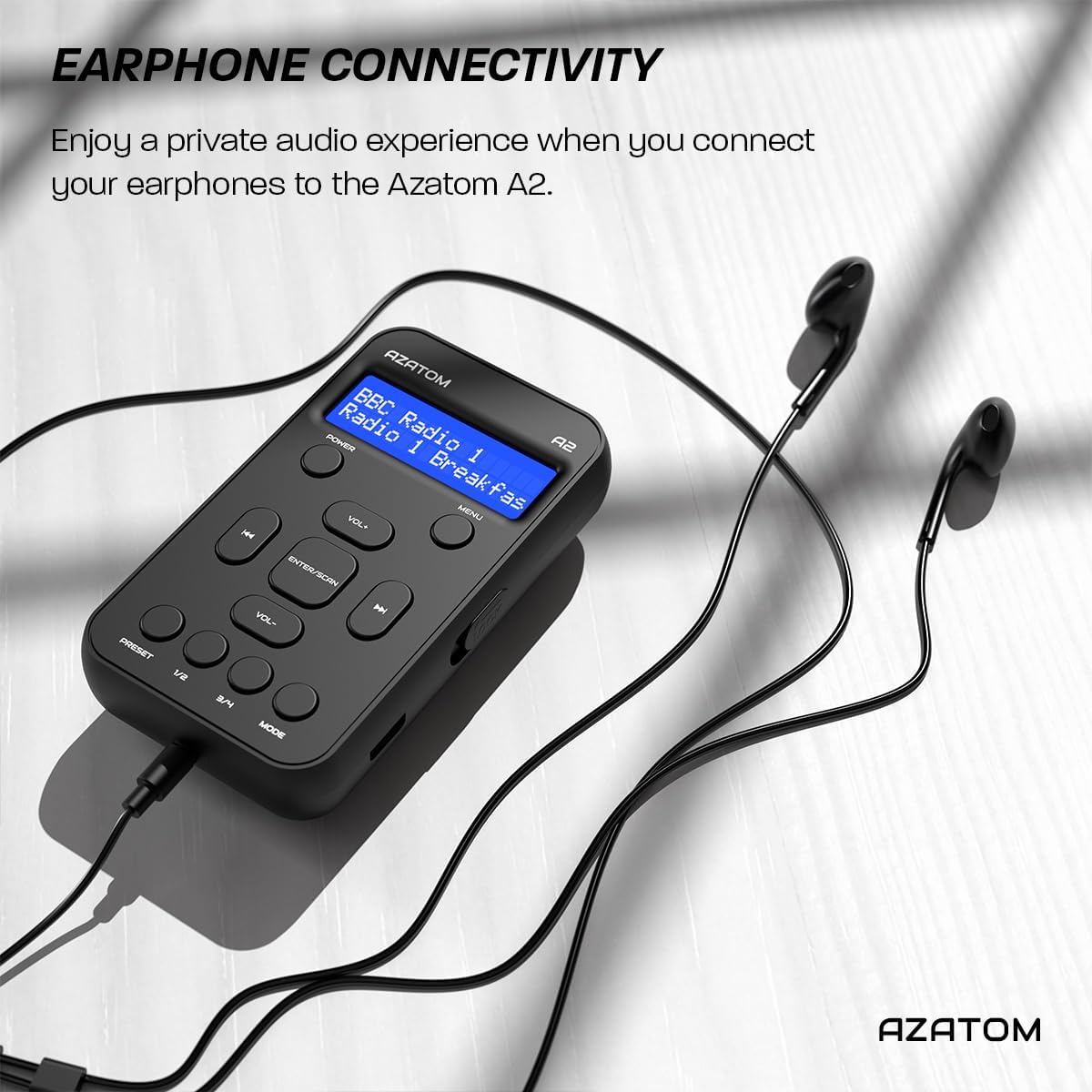
Connect the supplied earphones to the radio for optimal reception and a private listening experience.
የአሠራር መመሪያዎች
ኃይል አብራ/ አጥፋ
- ተጭነው ይያዙት። ኃይል ሬዲዮን ለማብራት ወይም ለማጥፋት አዝራር.
DAB/DAB+ የሬዲዮ ኦፕሬሽን

The AZATOM A2 supports both DAB/DAB+ and FM radio technologies.
- Ensure the earphones are connected.
- የሚለውን ይጫኑ MODE button until 'DAB' or 'DAB+' is displayed.
- The radio will automatically perform a full scan for available DAB/DAB+ stations upon first use or if no stations are found. To manually scan, press and hold the አስገባ/መቃኘት አዝራር።
- የሚለውን ተጠቀም ቮል+ or ድምጽ- በተገኙ ጣቢያዎች ዝርዝር ውስጥ ለማሰስ አዝራሮች።
- ተጫን አስገባ/መቃኘት ጣቢያ ለመምረጥ.
የኤፍኤም ሬዲዮ ኦፕሬሽን
- Ensure the earphones are connected.
- የሚለውን ይጫኑ MODE 'FM' እስኪታይ ድረስ አዝራሩን ይጫኑ።
- የኤፍኤም ጣቢያዎችን በራስ-ሰር ለመቃኘት፣ ተጭነው ይያዙት አስገባ/መቃኘት አዝራር። ሬዲዮው የሚገኙትን ጣቢያዎች ይቃኛል እና ያስቀምጣል።
- በእጅ ለማስተካከል፣ በአጭሩ ይጫኑ ቮል+ or ድምጽ- buttons to adjust the frequency in small increments.
ቅድመ-ቅምጥዎችን ማዘጋጀት እና ማስታወስ
The AZATOM A2 allows you to store up to 40 DAB+ and 40 FM favorite stations.

The AZATOM A2 allows for easy recall of your favorite preset stations.
ቅድመ-ቅምጥን ለማስቀመጥ፦
- ወደሚፈለገው ጣቢያ ያቀናብሩ።
- አንዱን ተጭነው ይያዙ ቅድመ ሁኔታ buttons (1/2 or 3/4) until the display shows 'Preset Store'.
- የሚለውን ተጠቀም ቮል+ or ድምጽ- የተፈለገውን ቅድመ-ቅምጥ ቁጥር ለመምረጥ አዝራሮች (1-40).
- ተጫን አስገባ/መቃኘት ጣቢያውን ለማረጋገጥ እና ለማስቀመጥ።
ቅድመ ዝግጅትን ለማስታወስ፡-
- አንዱን በአጭሩ ይጫኑ ቅድመ ሁኔታ buttons (1/2 or 3/4).
- የሚለውን ተጠቀም ቮል+ or ድምጽ- buttons to navigate through your stored presets.
- ተጫን አስገባ/መቃኘት የተፈለገውን የቅድመ ዝግጅት ጣቢያ ለመምረጥ እና ለማጫወት።
የድምጽ መቆጣጠሪያ
- ተጫን ቮል+ ድምጹን ለመጨመር.
- ተጫን ድምጽ- ድምጹን ለመቀነስ.
ብሩህነት አሳይ
The XL digital display's brightness can be adjusted to your preference. Access this setting through the MENU options.

መቀራረብ view of the AZATOM A2's clear digital display.
ጥገና
- ማጽዳት፡ የሬዲዮውን ገጽ ለማጽዳት ለስላሳ እና ደረቅ ጨርቅ ይጠቀሙ። ገላጭ ማጽጃዎችን ወይም ፈሳሾችን አይጠቀሙ.
- የባትሪ እንክብካቤ የባትሪውን ዕድሜ ለማራዘም፣ ባትሪውን ሙሉ በሙሉ ደጋግሞ ከመሙላት ይቆጠቡ። ለረጅም ጊዜ አገልግሎት ላይ ባይውልም እንኳ ሬዲዮውን በመደበኛነት ቻርጅ ያድርጉ።
- ማከማቻ፡ ራዲዮውን በቀጥታ ከፀሀይ ብርሀን እና ከከፍተኛ ሙቀት ርቆ በቀዝቃዛና ደረቅ ቦታ ያከማቹ።
መላ መፈለግ
| ችግር | ሊሆን የሚችል ምክንያት | መፍትሄ |
|---|---|---|
| No power/Radio won't turn on. | ባትሪው ተሟጧል። | Charge the radio using the supplied USB-C cable. |
| ደካማ የሬዲዮ አቀባበል (DAB/FM)። | Earphones not connected or not fully inserted. Weak signal area. | Ensure earphones are securely connected. Try moving to an open area or near a window. Perform a new scan. |
| ድምጽ የለም። | Volume is too low or muted. Earphones not connected. | Increase the volume using VOL+. Ensure earphones are connected. |
| Radio freezes or becomes unresponsive. | ጊዜያዊ የሶፍትዌር ችግር። | Press and hold the POWER button to force a restart. If issue persists, allow battery to fully discharge then recharge. |
ዝርዝሮች

Dimensions of the AZATOM A2 radio.
| ባህሪ | ዝርዝር |
|---|---|
| ሞዴል | A2 |
| ልኬቶች (L x W x H) | 9 x 4 x 11 cm (approx. 90mm x 50mm x 24mm) |
| ክብደት | 90 ግ |
| የሬዲዮ ባንዶች ይደገፋሉ | DAB፣ DAB+፣ FM |
| ቅድመ-ቅምጦች | 40 DAB+፣ 40 FM |
| የባትሪ ዓይነት | Rechargeable Lithium Ion (1800mAh) |
| የጨዋታ ጊዜ | እስከ 24 ሰዓታት ድረስ |
| የማሳያ ዓይነት | LCD |
| ግንኙነት | USB-C (for charging), 3.5mm Earphone Jack |
| ቁሳቁስ | ፕላስቲክ |
ዋስትና እና ድጋፍ
AZATOM products are designed and engineered in the UK. The AZATOM A2 comes with a premium 3-year warranty (registration required). For any questions or support, please contact our dedicated customer service team. Lifetime customer support is provided to assist you with any queries.
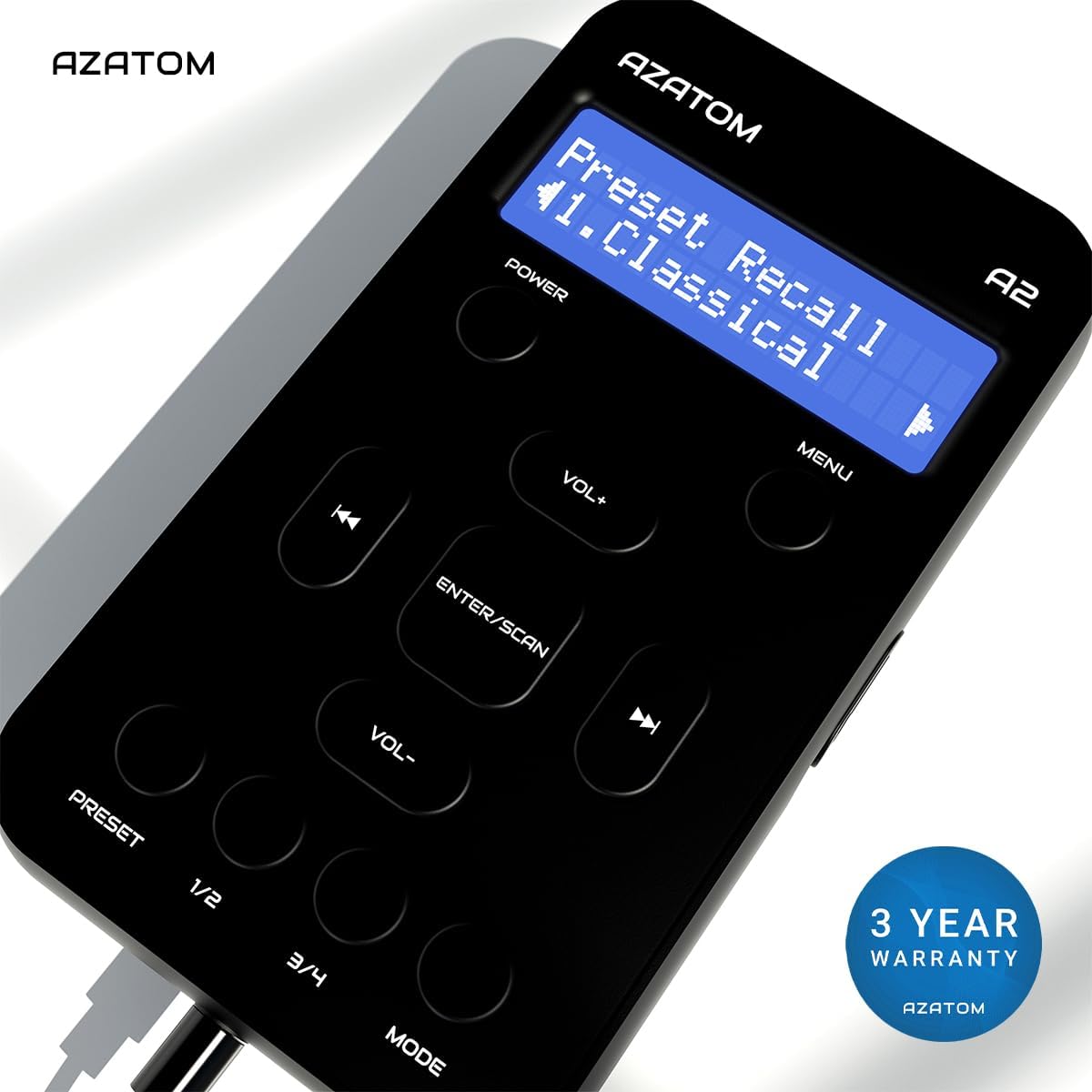
The AZATOM A2 is backed by a 3-year warranty.