
መግቢያ
The Poly DA75 is a versatile USB-A/USB-C digital adapter designed to connect Poly Quick Disconnect (QD) headsets to computers. It ensures clear audio quality for call center environments, supporting both USB-A and USB-C connections for compatibility with various systems. This adapter is engineered to work seamlessly with platforms such as Avaya, Genesys, and Cisco, providing a reliable audio solution for professionals.
ቁልፍ ባህሪያት የሚከተሉትን ያካትታሉ:
- ሁለንተናዊ ግንኙነት; Equipped with both USB-A and USB-C connectors on the cable for broad compatibility with new and legacy equipment.
- Intelligent Headset Recognition: Automatically adjusts audio performance to the specific Poly Quick Disconnect headset for optimized call quality.
- Acoustic Protection: Incorporates features to manage safe volume levels, protecting user hearing.
- የመድረክ ውህደት፡ Fully compatible with leading call center platforms including Avaya, Genesys, and Cisco.
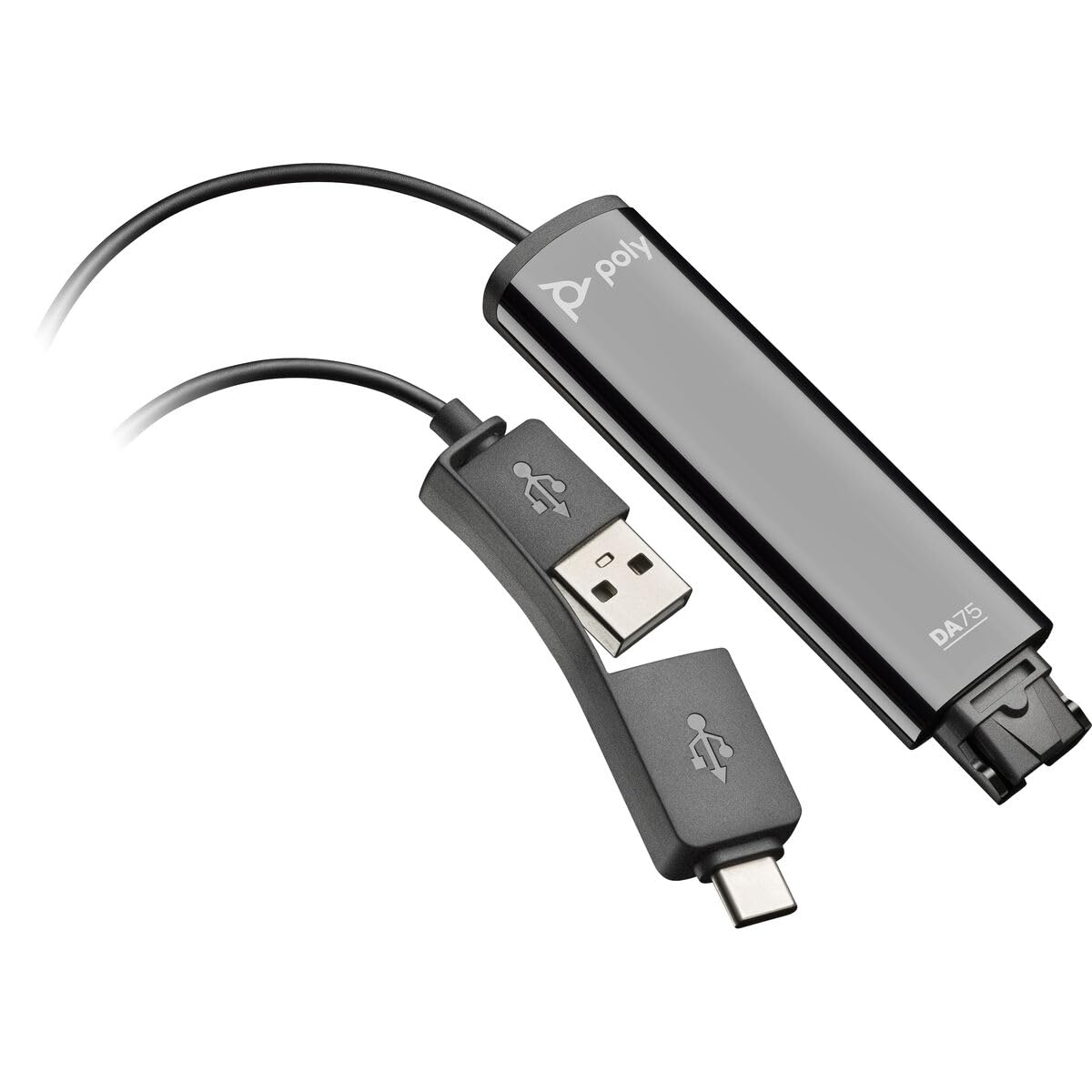
Image: The Poly DA75 USB-A/USB-C Digital Adapter, showing its dual USB-A and USB-C connectors and the Quick Disconnect port for headsets.
በሣጥኑ ውስጥ ያለው
The Poly DA75 package typically includes the following items:
- Poly DA75 USB-A/USB-C Digital Adapter
- ሰነድ (ፈጣን ጅምር መመሪያ፣ የደህንነት መረጃ)
Note: Headsets are sold separately and are not included with the DA75 adapter.
ማዋቀር
Follow these steps to set up your Poly DA75 Digital Adapter:
- የጆሮ ማዳመጫ ያገናኙ፦ Connect your Poly Quick Disconnect (QD) headset to the QD port on the Poly DA75 adapter. Ensure the connection is secure.
- ከኮምፒዩተር ጋር ይገናኙ;
- If your computer has a USB-A port, use the USB-A connector on the DA75 cable.
- If your computer has a USB-C port, use the USB-C connector on the DA75 cable.
Plug the appropriate USB connector into an available USB port on your computer.
- የአሽከርካሪ ጭነት; The DA75 is a plug-and-play device. Your operating system (Windows, macOS) should automatically detect the device and install the necessary drivers. This process may take a few moments.
- የመሣሪያውን እውቅና ያረጋግጡ፡
- ዊንዶውስ፡ ወደ ሂድ ቅንብሮች > ስርዓት > ድምጽ or የቁጥጥር ፓነል > ድምጽ. The Poly DA75 should appear as an audio input and output device.
- macOS: ወደ ሂድ System Settings > Sound. The Poly DA75 should appear as an input and output device.
Select the Poly DA75 as your default communication device for both playback and recording.
- የሶፍትዌር ማዋቀር፡- If you are using communication software (e.g., Avaya, Genesys, Cisco, Microsoft Teams, Zoom), ensure that the Poly DA75 is selected as the audio device within the application's settings.
የአሠራር መመሪያዎች
The Poly DA75 adapter facilitates audio communication through your connected Poly QD headset. Its operation is primarily managed through your computer's operating system and communication software.
- ጥሪዎችን ማድረግ/መቀበል፡ Use your communication software to initiate or answer calls. The audio will be routed through your connected Poly QD headset via the DA75 adapter.
- የድምጽ መቆጣጠሪያ፡- Adjust the listening volume using your computer's system volume controls or the volume controls within your communication application.
- የማይክሮፎን ድምጸ-ከል አድርግ፡ Mute and unmute your microphone using the controls provided by your communication software.
- Audio Optimization: The DA75 automatically optimizes audio for your specific Poly QD headset. No manual adjustments are typically required for audio profiles.
ጥገና
To ensure the longevity and optimal performance of your Poly DA75 Digital Adapter, follow these maintenance guidelines:
- ማጽዳት፡ Gently wipe the adapter with a soft, dry, anti-static cloth. Do not use liquid cleaners or abrasive materials.
- ማከማቻ፡ አስማሚውን በቀጥታ ከፀሀይ ብርሀን እና ከከፍተኛ ሙቀት ርቆ በቀዝቃዛና ደረቅ ቦታ ያከማቹ።
- አያያዝ፡ የውስጥ ብልሽትን ለመከላከል ገመዱን ከመጠን በላይ ማጠፍ ወይም ማጠፍ ያስወግዱ, በተለይም በማገናኛዎች አጠገብ.
- ግንኙነት፡ Ensure the Quick Disconnect (QD) connection and USB connections are clean and free of debris before connecting.
መላ መፈለግ
If you encounter issues with your Poly DA75 Digital Adapter, refer to the following troubleshooting steps:
| ችግር | ሊሆን የሚችል ምክንያት | መፍትሄ |
|---|---|---|
| ከጆሮ ማዳመጫ ምንም ኦዲዮ የለም። |
|
|
| ማይክሮፎን አይሰራም |
|
|
| Adapter not recognized by computer |
|
|
ዝርዝሮች
| ባህሪ | ዝርዝር |
|---|---|
| የሞዴል ቁጥር | 218266-01 |
| የምርት ስም | ፖሊ |
| የማገናኛ አይነት | USB-A, USB-C (dual connector) |
| ተስማሚ መሣሪያዎች | Poly Quick Disconnect (QD) Headsets |
| ልዩ አጠቃቀሞች | PC, Call Center Platforms (Avaya, Genesys, Cisco) |
| ቀለም | ጥቁር |
| የንጥል መጠኖች (L x W x H) | 0.98 x 0.39 x 2.95 ኢንች |
| የእቃው ክብደት | 30 ግራም |
| የወደብ ብዛት | 2 (USB-A/USB-C to QD) |
| ዩፒሲ | 197029650054፣ 017229175112 |
ዋስትና እና ድጋፍ
የዋስትና መረጃ፡- The Poly DA75 Digital Adapter comes with a የ 2-አመት የአምራች የተወሰነ ዋስትና. ይህ ዋስትና በመደበኛ አጠቃቀም ላይ የቁሳቁሶች እና የአሠራር ጉድለቶችን ይሸፍናል ። ለዋስትና ጥያቄዎች እባክዎ የግዢ ማረጋገጫዎን ያቆዩ።
የቴክኒክ ድጋፍ; For technical assistance, product inquiries, or warranty service, please contact Poly customer support. Visit the official Poly website for the most up-to-date support contact information, FAQs, and additional resources.
የመስመር ላይ መርጃዎች፡- የፖሊ ድጋፍ Webጣቢያ