
መግቢያ
This manual provides detailed instructions for the safe and efficient operation of your Prixton Picasso Portable Projector. Please read this manual thoroughly before using the device and retain it for future reference.
በሣጥኑ ውስጥ ያለው
ማሸጊያውን ሲከፍቱ፣እባክዎ የሚከተሉት እቃዎች መኖራቸውን ያረጋግጡ፡-
- Prixton Picasso Portable Projector
- የርቀት መቆጣጠሪያ
- HDMI ገመድ
- የዩኤስቢ ገመድ
- (Optional: 100" Projection Screen, if included in your package)

Image: Prixton Picasso portable projector with a projection screen.
የደህንነት መረጃ
- l ጊዜ በቀጥታ ወደ ፕሮጀክተር ሌንስን አይመልከቱamp በርቷል ።
- ከመጠን በላይ ሙቀትን ለመከላከል ትክክለኛ የአየር ዝውውርን ያረጋግጡ.
- መሳሪያውን ከውሃ ወይም ከሌሎች ፈሳሾች ያርቁ.
- የቀረበውን የኃይል አስማሚ ብቻ ይጠቀሙ።
- ፕሮጀክተሩን እራስዎ ለመበተን ወይም ለመጠገን አይሞክሩ። ብቃት ያላቸውን የአገልግሎት ባለሙያዎችን ያነጋግሩ።
ምርት አልቋልview
The Prixton Picasso is a portable Full HD projector designed for versatile use. It features a high-quality LED lamp እና በርካታ የግንኙነት አማራጮች።
ቁልፍ ባህሪዎች
- Full HD 1920 x 1080 native resolution.
- 9000 lumens brightness (260 ANSI lumens).
- 3000:1 contrast ratio.
- LED ኤልamp life of over 50,000 hours.
- Projection distance: 1 to 7 meters.
- Projection size: 30" to 210".
- Wireless connectivity for Android and iOS devices.
- Multiple input ports: 2x HDMI, USB 2.0, TF card, Jack, AV IN, DC IN.

Image: Prixton Picasso projector shown with its remote control.

ምስል: ከፍተኛ view of the projector, highlighting the lens and control buttons.
ማዋቀር
1. አቀማመጥ
Place the projector on a stable, flat surface. Ensure there is adequate space around the projector for ventilation. The optimal projection distance is between 1 and 7 meters, allowing for a screen size from 30 to 210 inches.

Image: Visual guide for projection distance and screen size.
2. የኃይል ግንኙነት
Connect the power adapter to the DC IN port on the projector and then plug it into a power outlet.
3. የመጀመሪያ ኃይል በርቷል
መሳሪያውን ለማብራት በፕሮጀክተሩ ላይ ያለውን የኃይል ቁልፍ ወይም የርቀት መቆጣጠሪያውን ይጫኑ። የአመላካች መብራቱ ያበራል።

Image: Projector displaying its brightness specification.

Image: Projector powered on and projecting light.
4. የትኩረት እና የቁልፍ ድንጋይ ማስተካከያ
Adjust the focus ring on the projector lens until the image is clear. Use the keystone correction dial (if available) to correct any trapezoidal distortion of the image.

Image: Projector emphasizing Full HD compatibility, relevant for image clarity.
የአሠራር መመሪያዎች
1. የግቤት ምንጭ ምርጫ
Use the "Source" button on the remote control or the projector to select your desired input: HDMI 1, HDMI 2, USB, TF Card, or AV.
2. መሣሪያዎችን ማገናኘት
- ኤችዲኤምአይ: ላፕቶፕዎን፣ የጨዋታ ኮንሶልዎን ወይም ሌሎች በኤችዲኤምአይ የነቁ መሳሪያዎችን በኤችዲኤምአይ ገመድ ያገናኙ።
- የዩኤስቢ/TF ካርድ፡ Insert a USB drive or TF card into the respective port to play media files በቀጥታ.
- ኤቪ Use the AV input for older devices with composite video output.
3. ገመድ አልባ ግንኙነት (የስክሪን ማንጸባረቅ)
The projector supports wireless screen mirroring for both Android and iOS devices.
- Select the "Screen Mirroring" or "Wireless Display" option from the projector's main menu.
- For iOS devices, enable "Screen Mirroring" or "AirPlay" on your device and select the projector from the list.
- For Android devices, enable "Wireless Display," "Smart View," or "Cast" on your device and select the projector.
- Ensure both the projector and your mobile device are connected to the same Wi-Fi network for optimal performance.
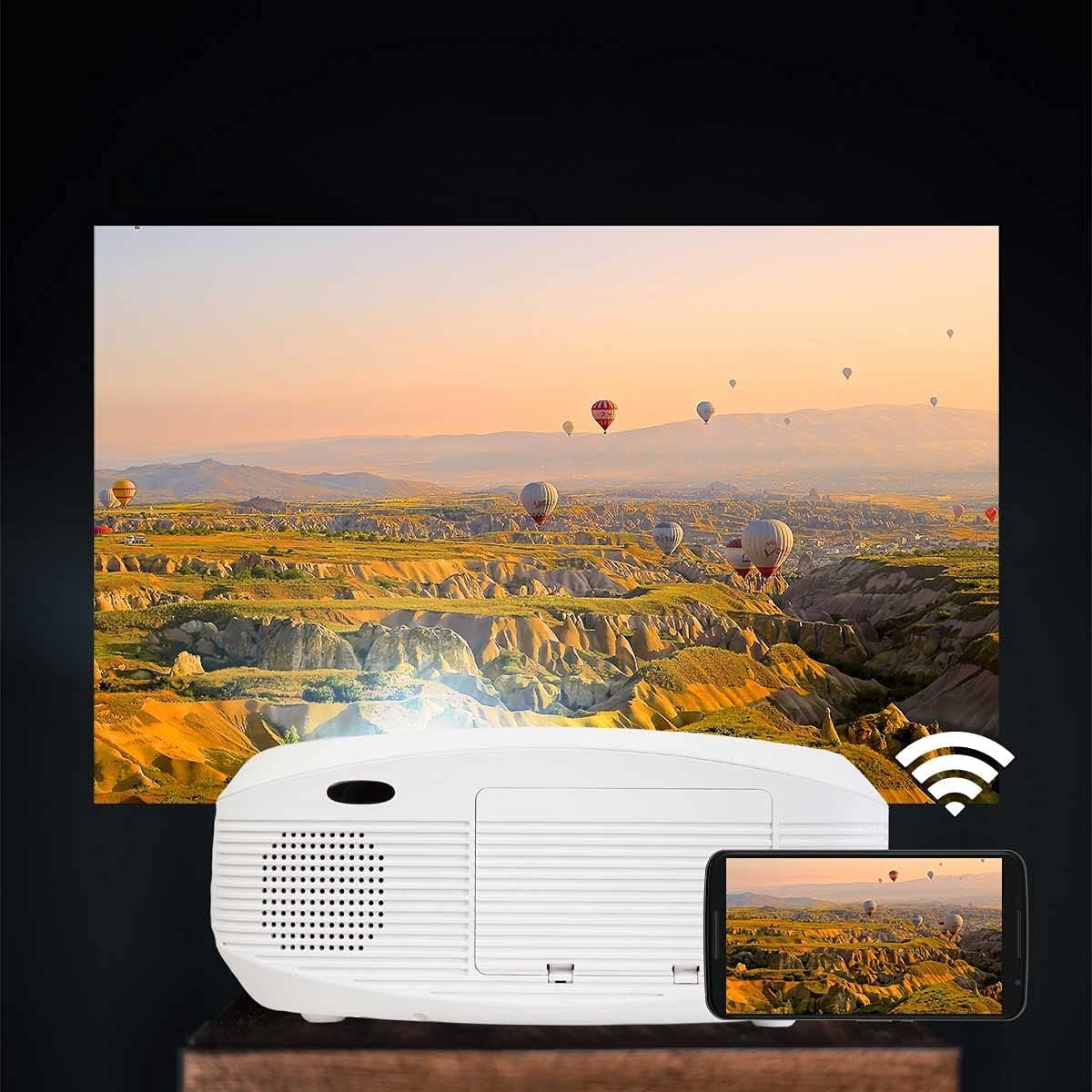
Image: Projector connected wirelessly to a smartphone.

Image: Wireless connectivity icon and smartphone mirroring.
4. የኦዲዮ ውፅዓት
The projector has built-in speakers. You can also connect external speakers or headphones via the 3.5mm audio jack for enhanced sound.
ጥገና
- ሌንስን ማጽዳት; Use a soft, lint-free cloth specifically designed for optical lenses to gently wipe the projector lens. Avoid using abrasive cleaners.
- ሲን ማጽዳትasing: Wipe the projector's exterior with a soft, dry cloth. Do not use liquid or aerosol cleaners.
- የአየር ማናፈሻ; Regularly check that the ventilation openings are not blocked by dust or debris to ensure proper airflow and prevent overheating.
- ማከማቻ፡ ለረጅም ጊዜ ጥቅም ላይ በማይውሉበት ጊዜ፣ ፕሮጀክተሩን ከአቧራ የተጠበቀ ቀዝቃዛና ደረቅ ቦታ ያስቀምጡት።
መላ መፈለግ
| ችግር | ሊሆን የሚችል ምክንያት | መፍትሄ |
|---|---|---|
| ምንም ምስል አልታየም። | Power not connected; incorrect input source; cable not connected properly. | Check power connection; select correct input source; ensure HDMI/USB/AV cables are securely connected. |
| ምስሉ ደብዛዛ ነው | ትኩረት አልተስተካከለም፤ ፕሮጀክተር ከማያ ገጹ በጣም የቀረበ/በጣም የራቀ። | Adjust the focus ring on the lens. Adjust projection distance. |
| ምስል የተዛባ ነው (ትራፔዞይድ ቅርጽ) | ፕሮጀክተር ከማያ ገጹ ጋር ቀጥተኛ ያልሆነ። | Adjust keystone correction dial. Reposition the projector. |
| ድምጽ የለም። | Volume too low; audio cable not connected; source device muted. | Increase projector volume; check audio cable connections; unmute source device. |
| Cannot connect to Wi-Fi / Screen Mirroring issues | Incorrect Wi-Fi password; devices not on the same network; device compatibility issues. | Verify Wi-Fi password; ensure both devices are on the same 2.4GHz Wi-Fi network; restart both devices. |
| Spot on the lens / projected image | Dust or debris on the lens or inside the projector. | Gently clean the lens with a soft, lint-free cloth. If the spot is internal, contact customer support. |
ዝርዝሮች
| ባህሪ | ዝርዝር |
|---|---|
| የምርት ስም | ፕሪክስተን |
| የሞዴል ስም | ፒካሶ |
| የሚመከር አጠቃቀም | የቤት ሲኒማ |
| ልዩ ባህሪ | Portable, Wireless Connection |
| የግንኙነት ቴክኖሎጂ | ኤችዲኤምአይ ፣ ዩኤስቢ |
| የማሳያ ጥራት | 1920 x 1080 (ሙሉ ኤችዲ) |
| ከፍተኛው የማሳያ ጥራት | 1920 x 1080 |
| የማሳያ ዓይነት | LCD |
| የቅጽ ምክንያት | ተንቀሳቃሽ |
| የመጫኛ አይነት | የወለል ተራራ |
| ብሩህነት | 9000 ሉመንስ (260 ANSI Lumens) |
| ዋትtage | 85 ዋት |
| Control Device Type | የርቀት መቆጣጠሪያ |
| ተስማሚ መሣሪያዎች | ላፕቶፕ, ስማርትፎን |
| የንፅፅር ሬሾ | 3000፡1 |
| Maximum Projection Distance | 7 ሜትር |
| የብርሃን ምንጭ ሕይወት | 50,000 ሰዓታት |
| ከፍተኛው የምስል መጠን | 210 ኢንች |
| ዝቅተኛ የፕሮጀክት ርቀት | 1 ሜትር |
| ዝቅተኛው የምስል መጠን | 30 ኢንች |
| የቪዲዮ ኢንኮዲንግ | ህ.264 |
| የትውልድ ሀገር | ቻይና |
ዋስትና እና ድጋፍ
Your Prixton Picasso Portable Projector is covered by a standard manufacturer's warranty. Please refer to the specific warranty terms provided at the time of purchase for details on coverage duration and conditions.
For technical support, troubleshooting assistance, or warranty claims, please contact Prixton customer service. Contact information can typically be found on the official Prixton webጣቢያ ወይም በግዢ ሰነድዎ ላይ።
የመመለሻ መመሪያ፡ This product is eligible for return or replacement within 30 days of purchase, subject to the retailer's return policy.