1. መግቢያ
This manual provides detailed instructions for the setup, operation, and maintenance of your Bytech BYMCWC101BLK PC Web Camera. Please read this manual thoroughly before using the product to ensure proper functionality and longevity.
2. የጥቅል ይዘቶች
ከዚህ በታች የተዘረዘሩት ሁሉም እቃዎች በምርት ጥቅልዎ ውስጥ መካተታቸውን ያረጋግጡ፡-
- ባይቴክ BYMCWC101BLK ፒሲ Web ካሜራ
- የተጠቃሚ መመሪያ (ይህ ሰነድ)
- የተዋሃደ የዩኤስቢ ገመድ
3. ማዋቀር
Follow these steps to set up your Bytech BYMCWC101BLK PC Web ካሜራ፡
- አቀማመጥ፡- አስቀምጥ webcam on top of your computer monitor, laptop screen, or a flat surface. The adjustable clip allows for secure attachment.
- ከኮምፒዩተር ጋር ይገናኙ; የተቀናጀውን የዩኤስቢ ገመድ ከ ይሰኩ webበኮምፒተርዎ ላይ ወደሚገኝ የዩኤስቢ ወደብ ካሜራ።
- የአሽከርካሪ ጭነት; የ webcam is typically plug-and-play. Your operating system (Windows, macOS, Linux) should automatically detect and install the necessary drivers. Wait for the installation to complete.
- ማረጋገጫ፡- Open a video conferencing application (e.g., Zoom, Skype, Microsoft Teams) or your computer's camera application to confirm the webካሜራው የሚታወቅ ሲሆን ቪዲዮ ያሳያል።
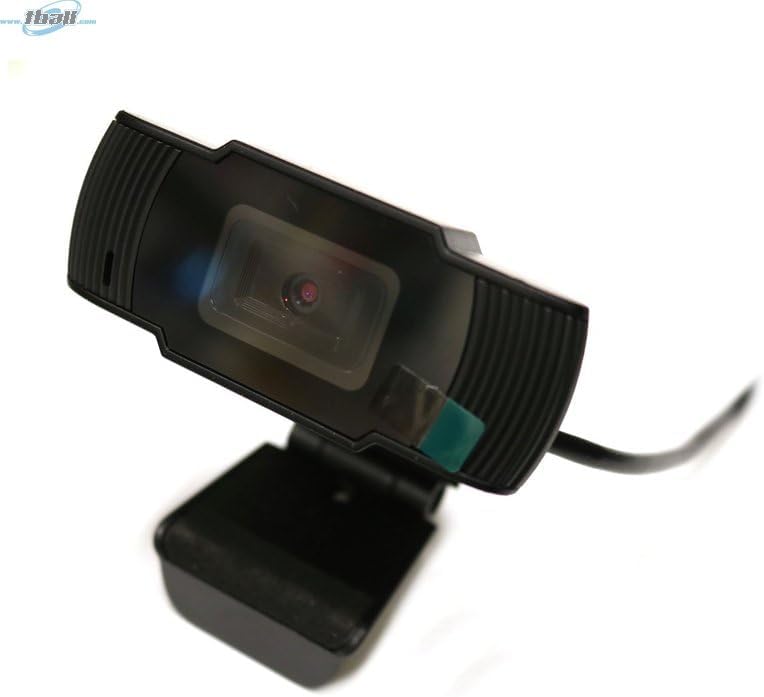
Image: The Bytech BYMCWC101BLK PC Web Camera securely mounted on top of a computer monitor, demonstrating its adjustable clip design.
4. የአሠራር መመሪያዎች
Once installed, the Bytech BYMCWC101BLK PC Web Camera can be used with various applications:
- የቪዲዮ ኮንፈረንስ፡- Select the Bytech webcam as your video input device within your preferred video conferencing software (e.g., Zoom, Skype, Google Meet).
- ዥረት For live streaming platforms, configure the webcam as your primary video source in your streaming software (e.g., OBS Studio).
- መቅዳት፡ Use your computer's built-in camera application or third-party software to record video.
- ዝቅተኛ የብርሃን አፈጻጸም; የ webcam features BSI CMOS photo sensor technology and is designed to perform effectively in low-light conditions, providing clear video even with limited ambient lighting.
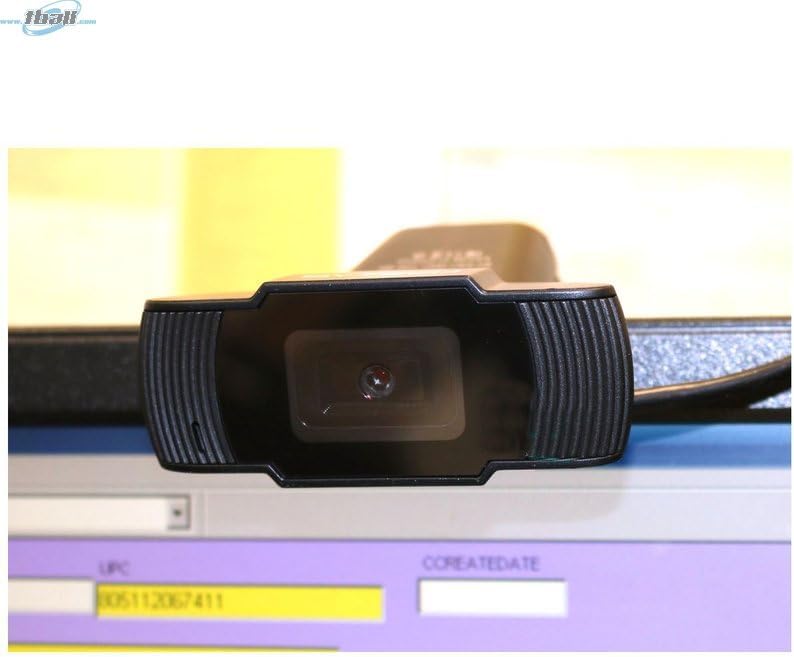
ምስል፡ መቀራረብ view of the Bytech BYMCWC101BLK PC Web Camera's lens, highlighting its design and integrated privacy cover (if applicable, otherwise just lens).
5. ጥገና
To ensure optimal performance and extend the lifespan of your webካሜራ:
- ማጽዳት፡ ሌንሱን ለስላሳ፣ ከላጣ አልባ ጨርቅ በቀስታ ይጥረጉ። ጠጣር ኬሚካሎችን ወይም ሻካራ ቁሳቁሶችን ከመጠቀም ይቆጠቡ።
- ማከማቻ፡ ስራ ላይ በማይውልበት ጊዜ ፣ ያከማቹ webcam in a clean, dry environment away from direct sunlight and extreme temperatures.
- የኬብል እንክብካቤ; የዩኤስቢ ገመዱን ከመጠን በላይ አያጠፍጡ ወይም አያጠምዱ።
6. መላ መፈለግ
ከእርስዎ ጋር ችግሮች ካጋጠሙዎት webካም፣ የሚከተሉትን የተለመዱ ችግሮችን እና መፍትሄዎችን ተመልከት፡-
- ምስል/ቪዲዮ የለም፡
- የዩኤስቢ ገመድ ከሁለቱም ጋር ደህንነቱ በተጠበቀ ሁኔታ መገናኘቱን ያረጋግጡ webካም እና ኮምፒውተርዎ።
- ለመሰካት ይሞክሩ webካሜራ ወደተለየ የዩኤስቢ ወደብ።
- ኮምፒተርዎን እንደገና ያስጀምሩ.
- Check your application settings to ensure the Bytech webካሜራ እንደ የቪዲዮ ግቤት መሣሪያ ተመርጧል።
- ደካማ የቪዲዮ ጥራት፡
- በአካባቢዎ ውስጥ በቂ ብርሃን መኖሩን ያረጋግጡ.
- ያጽዱ webcam lens with a soft cloth.
- Check your application's video settings for resolution and frame rate.
- Microphone Not Working (if applicable):
- መሆኑን ያረጋግጡ webcam's microphone is selected as the audio input device in your computer's sound settings and within your application.
- Ensure the microphone is not muted in your system or application.
7. ዝርዝሮች
| ባህሪ | ዝርዝር |
|---|---|
| የሞዴል ስም | BYMCWC101BLK |
| የምርት ስም | ባይቴክ |
| የግንኙነት ቴክኖሎጂ | ዩኤስቢ |
| የፎቶ ዳሳሽ ቴክኖሎጂ | BSI CMOS |
| የቪዲዮ ቀረጻ ቅርጸት | MP4 |
| ልዩ ባህሪ | ዝቅተኛ ብርሃን |
| ቀለም | ጥቁር |
| የእቃው ክብደት | 4.9 አውንስ |
| የጥቅል ልኬቶች | 7.76 x 4.65 x 2.44 ኢንች |
8. ዋስትና እና ድጋፍ
For warranty information or technical support, please refer to the documentation included with your purchase or contact your retailer. Keep your proof of purchase for warranty claims.