
መግቢያ
The Ring Spotlight Cam Plus, Battery is a versatile security camera designed for home or business surveillance. It features 1080p HD video, Two-Way Talk, Color Night Vision, and a built-in security siren to enhance your property's safety. This manual provides essential information for setting up, operating, and maintaining your device.
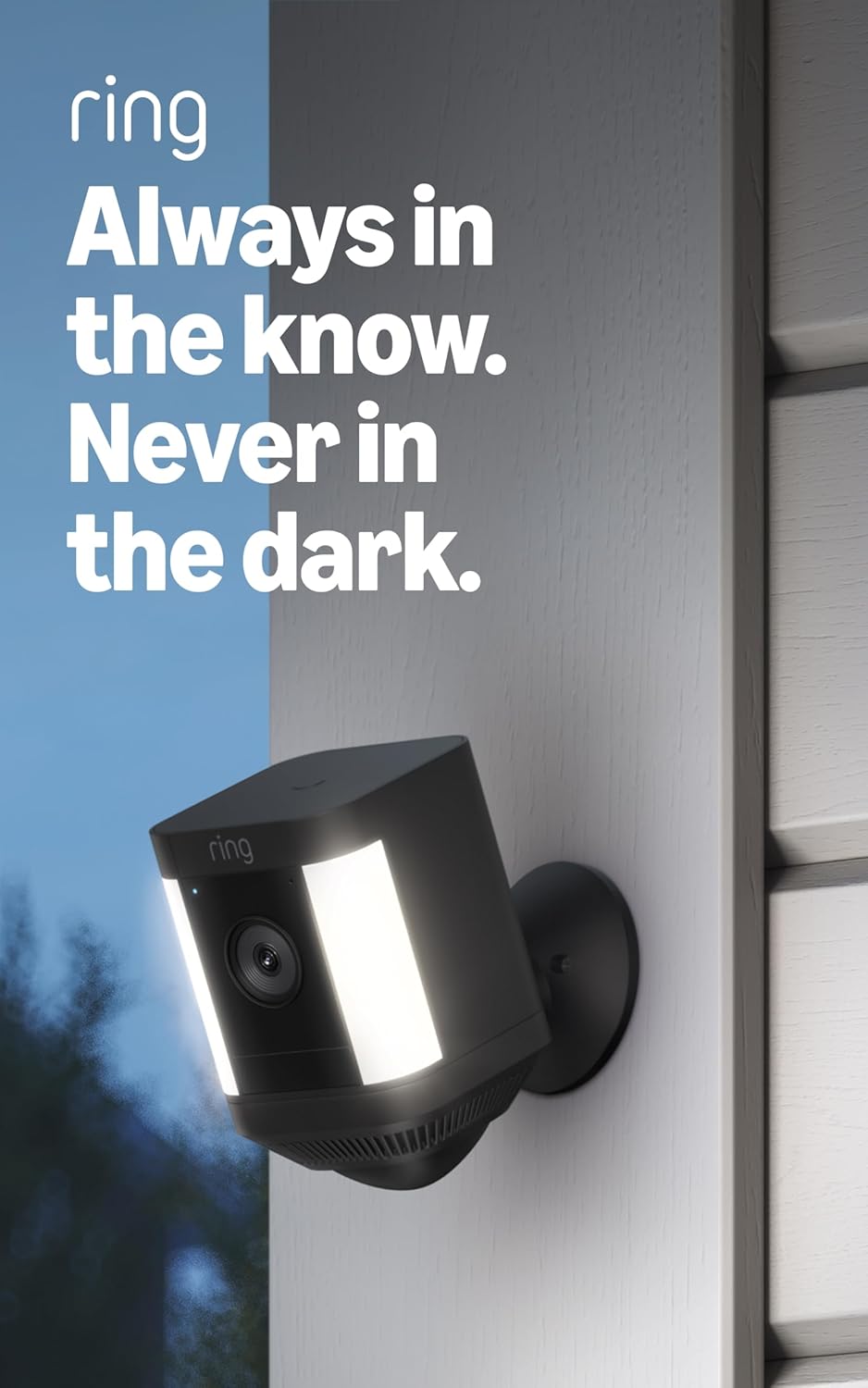
Image: The Ring Spotlight Cam Plus, Battery, showcasing its design and integrated spotlights.
ማዋቀር
The average installation time for the Spotlight Cam Plus, Battery is 5 to 10 minutes. Ensure you have a vertical or horizontal surface for mounting and a stable 2.4 GHz Wi-Fi connection with a minimum upload speed of 2 Mbps for optimal performance.
የሳጥን ይዘቶች፡-
- ስፖትላይት ካም ፕላስ (ባትሪ)
- የመሠረት መሠረት
- ፈጣን-የሚለቀቅ የባትሪ ጥቅል
- የመጫኛ ሃርድዌር
- የማይክሮ ዩኤስቢ ባትሪ መሙያ ገመድ
- የተጠቃሚ መመሪያ
- የደህንነት ተለጣፊ
የመጫኛ ደረጃዎች
- ባትሪውን መሙላት; Fully charge the Quick-Release Battery Pack using the provided Micro USB charging cable.
- የቀለበት መተግበሪያን ያውርዱ፡- Download the Ring app from your device's app store and create an account or log in.
- መሣሪያ አክል፡ In the Ring app, select "Set Up a Device" and follow the on-screen instructions to add your Spotlight Cam Plus.
- ካሜራውን ይጫኑ; Secure the mounting base to your desired vertical or horizontal surface using the installation hardware. Insert the charged battery pack into the camera and attach the camera to the mounting base.
- አስተካክል። View: Adjust the camera angle to cover your desired area.

Image: A user performing a DIY installation of the Ring Spotlight Cam Plus camera on a home exterior.
የአሠራር መመሪያዎች
Your Ring Spotlight Cam Plus offers various features for comprehensive security monitoring.
ቁልፍ ባህሪዎች
- 1080p HD Video & Live View: Access real-time, high-definition video of your property at any time through the Ring app.
- የቀለም የምሽት እይታ; See clear, full-color video even in low-light conditions.
- የሁለት መንገድ ንግግር፡- Speak to visitors or deter intruders using the built-in microphone and speaker.

Image: A user interacting with the Ring app on a smartphone, utilizing the Two-Way Talk function to communicate with individuals visible on camera.
- የላቀ እንቅስቃሴ ማወቂያ፡- Receive alerts when motion is detected. Customize motion zones to focus on specific areas and reduce unnecessary notifications.

Image: The Ring app displaying a customizable motion zone feature, allowing users to define specific areas for motion detection.
- Remote-Activated Security Siren: Activate a loud siren from the Ring app to deter unwanted visitors.
- ከአሌክሳ ጋር ይሠራል Integrate your camera with Alexa-enabled devices. Receive motion announcements, stream live video to Echo Show devices, and use voice commands to control security features.
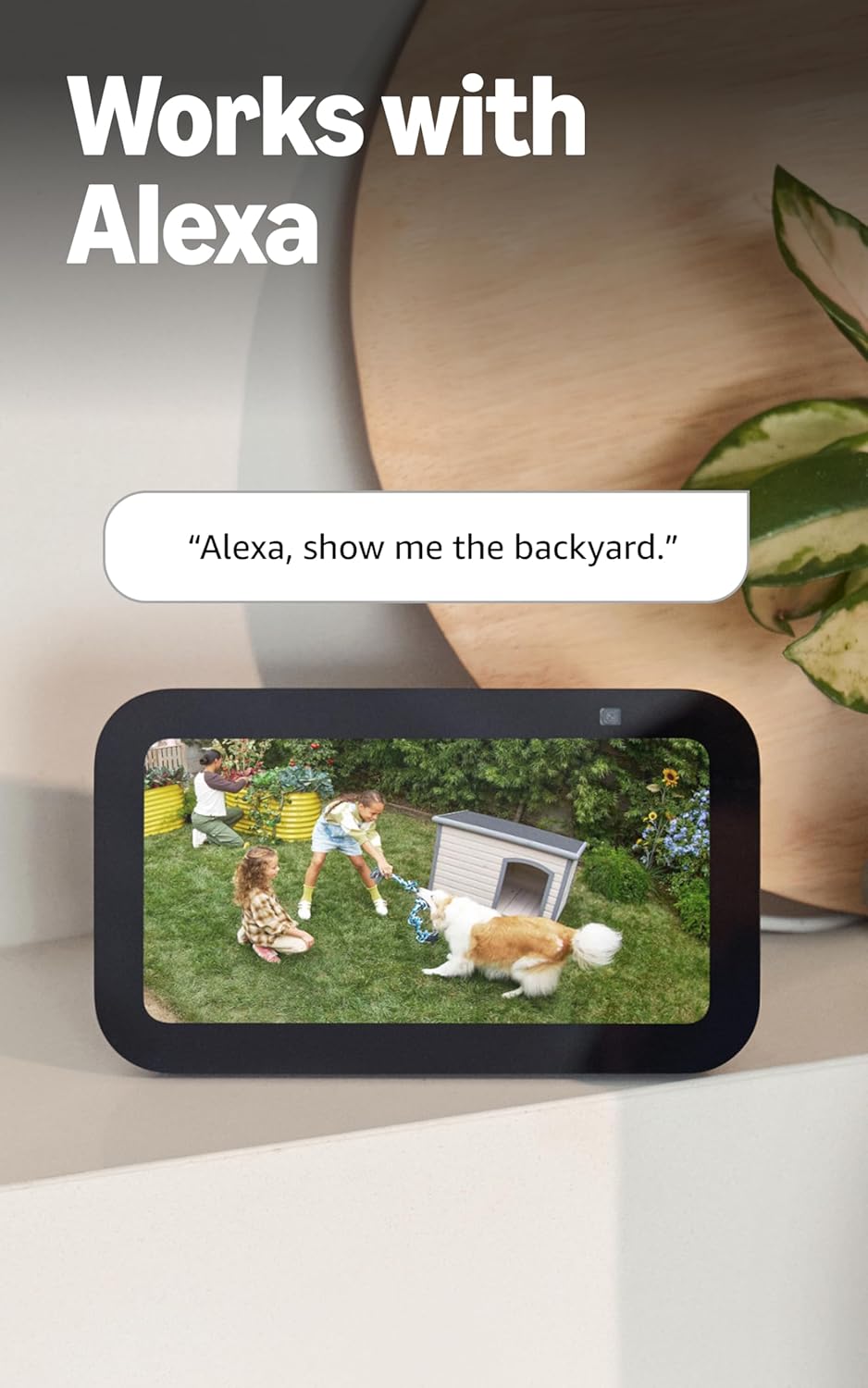
Image: An Echo Show device displaying a live video feed from a Ring camera, demonstrating integration with Alexa.
ጥገና
Proper maintenance ensures optimal performance and longevity of your Ring Spotlight Cam Plus.
የባትሪ አስተዳደር፡
- The camera uses a Quick-Release Battery Pack. Monitor battery levels via the Ring app.
- To recharge, remove the battery pack from the camera and connect it to the Micro USB charging cable.
- ግዢን ግምት ውስጥ ያስገቡasing an additional battery pack (sold separately) to ensure continuous operation while one battery charges.
- An optional solar panel (sold separately) can be connected to provide continuous charging.
ማጽዳት፡
- የካሜራ ሌንስንና ሰውነትን በየጊዜው ለስላሳ በሆነ ጨርቅ ያጽዱ፤amp አቧራ እና ቆሻሻን ለማስወገድ ጨርቅ. ገላጭ ማጽጃዎችን ያስወግዱ.
- የካሜራውን መስክ ያረጋግጡ view remains unobstructed by foliage or other objects.
መላ መፈለግ
If you encounter issues with your Ring Spotlight Cam Plus, refer to the following common solutions:
- No Power/Battery Issues: Ensure the Quick-Release Battery Pack is fully charged and correctly inserted. If using a solar panel, verify it is receiving adequate sunlight and properly connected.
- የግንኙነት ችግሮች፡- Check your Wi-Fi router and ensure it is functioning correctly. Confirm your camera is within range of your 2.4 GHz Wi-Fi network. A minimum upload speed of 2 Mbps is required for optimal performance.
- የእንቅስቃሴ ማወቂያ አይሰራም፡ Review your motion zone settings in the Ring app. Ensure the zones cover the desired areas and sensitivity is adjusted appropriately.
- ደካማ የቪዲዮ ጥራት፡ Verify your internet connection meets the minimum speed requirements. Ensure the camera lens is clean and free from obstructions.
- የመተግበሪያ ጉዳዮች፡- Ensure your Ring app is updated to the latest version. Try restarting the app or your mobile device.
For further assistance, consult the Ring app's help section or the official Ring support webጣቢያ.
ዝርዝሮች
| ባህሪ | ዝርዝር |
|---|---|
| መጠኖች | 3.0 በ x 3.2 በ x 5.0 ኢንች (76.40ሚሜ x 80.50 ሚሜ x 126.25 ሚሜ) |
| የቀለም አማራጮች | ጥቁር ፣ ነጭ |
| ቪዲዮ | 1080p HD ቪዲዮ፣ ቀጥታ ስርጭት View, ቀለም የምሽት እይታ |
| እንቅስቃሴ ማወቂያ | ሊበጁ በሚችሉ የእንቅስቃሴ ዞኖች የላቀ የእንቅስቃሴ ማወቂያ |
| መስክ የ View | 140 ° አግድም |
| ሳይረን | በርቀት የነቃ የደህንነት ሳይረን |
| ኦዲዮ | ባለ ሁለት መንገድ ኦዲዮ ከድምጽ ስረዛ ጋር |
| ኃይል | ዳግም ሊሞላ የሚችል የባትሪ ጥቅል (1 ተካትቷል፣ እስከ 2 የሚይዝ)፣ አማራጭ የፀሐይ ፓነል (ለብቻው የሚሸጥ) |
| ባለሁለት ኃይል ሁነታ | በተሰኪ እና የባትሪ ሃይል ሁነታዎች መካከል ተለዋዋጭ መቀያየር (የተሰኪ አስማሚ መግዛትን ይጠይቃል) |
| የበይነመረብ መስፈርቶች | Minimum upload speed of 2 Mbps for optimal performance |
| ግንኙነት | 802.11 b/g/n የዋይ ፋይ ግንኙነት @ 2.4 GHz |
| አማካይ የመጫኛ ጊዜ | ከ 5 እስከ 10 ደቂቃዎች |
| የአሠራር ሁኔታዎች | -5°F እስከ 120°F (-20°C እስከ 48°ሴ)፣ የአየር ሁኔታን መቋቋም |
| የማዋቀር መስፈርቶች | Vertical or horizontal surface for mounting |
ተጨማሪ ማስታወሻዎች፡-
- Ring Home Plan: Your Ring videos in the cloud are stored temporarily, up to 180 days of Video Event History. Changing your video storage time will only affect videos recorded after the adjustment. Snapshot Capture photos are stored for up to 7 days. Refer to Ring Home Plan for more details.
- አሌክሳ ውህደት Works with Alexa to illuminate and send announcements to Echo devices, and allows viewing, hearing, and speaking to people on camera with select Echo and Fire TV devices.
ዋስትና
The Ring Spotlight Cam Plus, Battery comes with a የአንድ አመት የተወሰነ ዋስትና. Please retain your proof of purchase for warranty claims. For specific terms and conditions, refer to the warranty documentation included with your product or visit the official Ring webጣቢያ.
ድጋፍ
For technical support, product information, or assistance with your Ring Spotlight Cam Plus, Battery, please utilize the following resources:
- መተግበሪያ ይደውሉ፦ The Ring app provides in-app help, FAQs, and troubleshooting guides.
- የሶፍትዌር ደህንነት ዝማኔዎች፡- For information specific to your device regarding software security updates, visit the Software Security Updates section in the Ring Control Center.
- የመስመር ላይ መርጃዎች፡- Visit the official Ring support website for comprehensive guides, video tutorials, and community forums.