
1. ምርት አብቅቷልview
The Satechi USB-C Multiport MX Adapter is a versatile docking solution designed to expand the connectivity of your USB-C enabled devices, including MacBooks, Windows laptops, and iPads. It provides a comprehensive array of ports to enhance your productivity and multimedia experience.

Image: The Satechi USB-C Multiport MX Adapter, a compact and sleek device.
2. የማዋቀር መመሪያዎች
- አስማሚውን ያገናኙ፡ Plug the integrated USB-C cable from the Multiport MX Adapter into an available USB-C port on your host device (laptop, tablet, etc.).
- የኃይል ግንኙነት (አማራጭ ግን የሚመከር) For optimal performance and to charge your host device, connect your USB-C power adapter to the USB-C PD port on the Multiport MX Adapter. This port supports up to 100W Power Delivery.
- Dual HDMI Display Setup:
- Connect your HDMI-enabled monitors to the two HDMI ports on the adapter. One port supports 4K@60Hz, and the other supports 4K@30Hz.
- ጠቃሚ፡- For both HDMI ports to function simultaneously, installation of the SiliconMotion software is required. Please refer to the official Satechi website for the latest software and installation guide.
- ተያያዥ ነገሮች፡- Plug in your USB-A devices, Ethernet cable, Micro/SD cards, and audio devices into their respective ports on the adapter.

Image: The Satechi USB-C Multiport MX Adapter connected to a laptop via its integrated USB-C cable.
3. የአሠራር መመሪያዎች
The Satechi USB-C Multiport MX Adapter is designed for plug-and-play functionality, requiring no additional drivers for most basic operations (except for dual HDMI as noted above). Simply connect your devices to the corresponding ports.
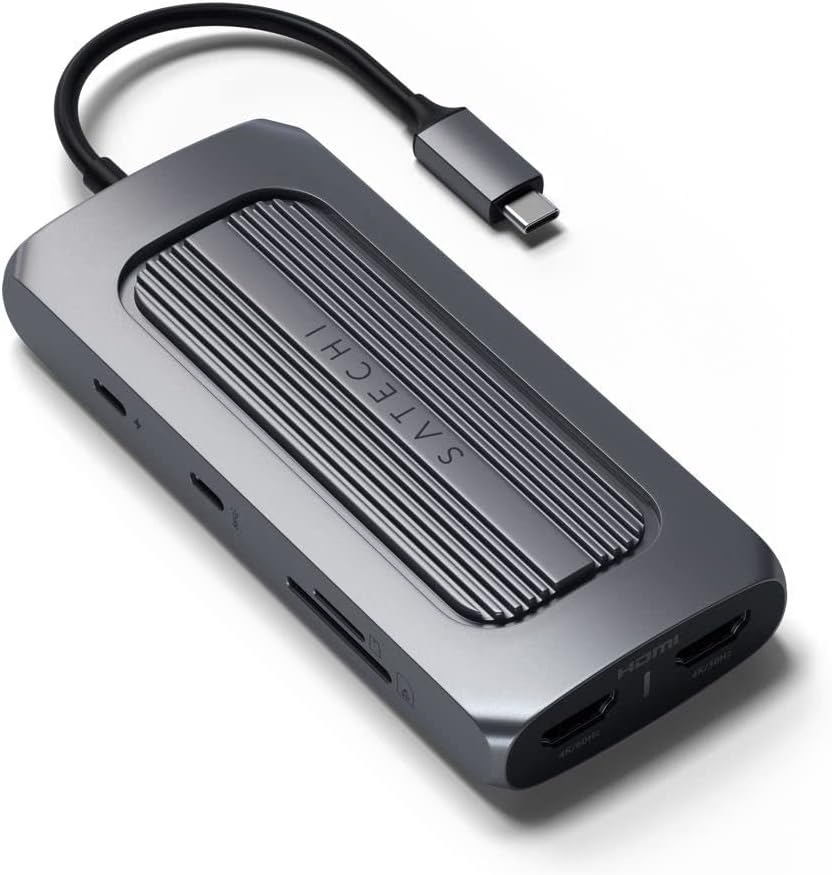
ምስል: ጎን view of the adapter highlighting USB-C PD, USB-C Data, SD, and MicroSD card slots.
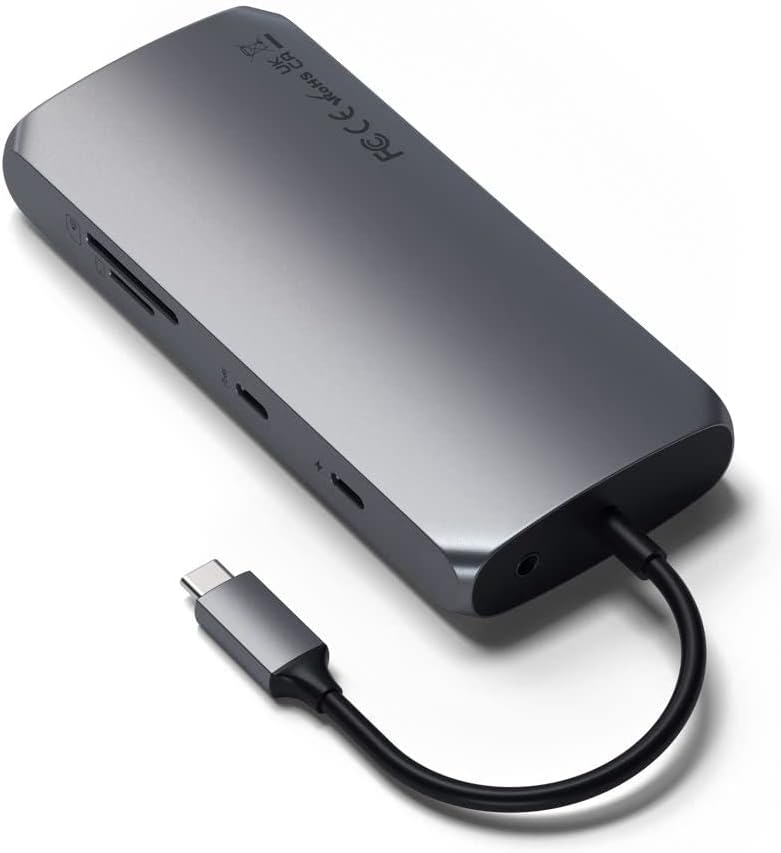
ምስል: ጎን view of the adapter highlighting Ethernet, USB-A 3.0 ports, and HDMI ports.
- የዩኤስቢ-ሲ የኃይል አቅርቦት (PD) ወደብ፡ Use this port to power your host device and the adapter itself. It supports up to 100W input, with approximately 15W reserved for the adapter's operation.
- የዩኤስቢ-ሲ ውሂብ ወደብ፡- Connect USB-C peripherals for data transfer speeds up to 5Gbps. This port is for data only and does not support video output.
- USB-A 3.0 ወደቦች (x2) Connect traditional USB-A devices such as external hard drives, keyboards, mice, or flash drives. These ports offer data transfer speeds up to 5Gbps.
- Dual 4K HDMI Ports: Connect external monitors for extended or mirrored display. One port supports 4K resolution at 60Hz, and the other supports 4K resolution at 30Hz. Ensure SiliconMotion software is installed for dual display functionality.
- የኢተርኔት ወደብ Provides a stable and fast wired network connection with Gigabit Ethernet speeds.
- Micro/SD Card Readers: Insert MicroSD and standard SD cards for quick data transfer (UHS-I speeds).
- ኦዲዮ ጃክ ፦ የድምጽ ውፅዓት ለማግኘት የጆሮ ማዳመጫዎችን ወይም ድምጽ ማጉያዎችን ያገናኙ።
Video: Official Satechi overview of the USB-C Multiport MX Adapter, demonstrating its various ports and features.
4. ጥገና
- ማጽዳት፡ Use a soft, dry cloth to clean the adapter. Avoid using harsh chemicals or abrasive materials.
- ማከማቻ፡ አስማሚውን በቀጥታ ከፀሀይ ብርሀን እና ከከፍተኛ ሙቀት ርቆ በቀዝቃዛና ደረቅ ቦታ ያከማቹ።
- የሙቀት መጠን፡ The adapter is designed to operate within a temperature range of 30-50°C (86-122°F). Prolonged use outside this range may affect performance.
5. መላ መፈለግ
- በውጫዊ ማሳያዎች ላይ ምንም ማሳያ የለም፡
- Ensure your HDMI cables are securely connected to both the adapter and the monitors.
- Verify that the SiliconMotion software is correctly installed on your host device. This software is crucial for dual HDMI output.
- Check your display settings on your computer to ensure the external monitors are detected and configured correctly (extended or mirrored).
- አስማሚው ሞቅ ያለ ስሜት ይሰማዋል፦ It is normal for the adapter to become warm during operation, especially when multiple ports are in use or when charging your device at high wattage. This is due to power conversion and data processing. If it becomes excessively hot, disconnect it and allow it to cool down.
- USB-C Port Not Functioning: Ensure your host device's USB-C port supports the necessary functions (Power Delivery, DisplayPort Alt Mode, data transfer) for the features you are trying to use. Not all USB-C ports have the same capabilities.
- የውሂብ ዝውውር ቀርፋፋ፦ Ensure you are using high-quality cables and that your connected devices support the advertised speeds (e.g., USB 3.0 for 5Gbps).
- የኤተርኔት ግንኙነት ጉዳዮች፡- Check the Ethernet cable connection. Ensure your network drivers are up to date on your host device.
6. ዝርዝሮች
| የምርት ስም | ሳቴቺ |
| ሞዴል | የዩኤስቢ-ሲ መልቲፖርት MX አስማሚ |
| የሃርድዌር በይነገጽ | የዩኤስቢ ዓይነት C |
| ተስማሚ መሣሪያዎች | MacBook Pro 14/16-inch (2025 M5/M4/M3/M2/M1), MacBook Air 13/15-inch (2025 M4/M3/M2/M1), iPad Pro 11/13-inch (2025 M5/M4/M2/M1), iPad Air 11/13-inch (2025 M3/M2/M1), iPad Mini (2024 A17/6th Gen), Mac Mini (2024 M4/M2/M1), iMac (2024 M4/M3/M1), Mac Studio (2025 M4/M3/M2/M1), Lenovo ThinkPad, Microsoft Surface, Google Pixelbook |
| ጠቅላላ የዩኤስቢ ወደቦች | 4 (1x USB-C Data, 2x USB-A 3.0, 1x USB-C PD) |
| የወደብ ብዛት | 9 (including HDMI, Ethernet, Card Readers, Audio Jack) |
| የምርት ልኬቶች | 5.12"ኤል x 2.28" ዋ x 0.79" ኤች |
| የእቃው ክብደት | 171 ግራም |
| ጠቅላላ የኤችዲኤምአይ ወደቦች | 2 (4K@60Hz, 4K@30Hz) |
| ዋትtage | 100 ዋ የኃይል አቅርቦት |
| ቀለም | ክፍተት ግራጫ |
| ዩፒሲ | 810086360130 |
7. ዋስትና እና ድጋፍ
የሳቴቺ ምርቶች በሚከተሉት ተሸፍነዋል የ 2 ዓመት የተወሰነ ዋስትና against defects in materials and workmanship under normal use. For customer support, technical assistance, or warranty claims, please visit the official Satechi webጣቢያ ወይም የደንበኞች አገልግሎት ክፍልን ያነጋግሩ።
For further assistance, please refer to the Satechi support page or contact their customer service directly.