
መግቢያ
This manual provides essential information for the proper use and care of your SUPVAN E10 & E11 compatible label maker tape. This continuous laminated thermal label tape is designed for durability and versatility in various labeling applications.

Image: A roll of SUPVAN label tape with dimensions 0.59 inches (15mm) width and 19.68 feet (6m) length, featuring a black on dots pattern.
የምርት ባህሪያት
- ተኳኋኝነት Designed for use with SUPVAN E10 and E11 label makers.
- መጠኖች፡- 0.59 inches (15mm) width by 19.7 feet (6m) length.
- Genuine Quality: Constructed from multi-layer synthetic material for enhanced resistance.
- ዘላቂነት፡ Resists water, oil, and extreme temperatures, offering a 5-year extended durability.
- ደህንነት፡ BPA-free, complying with safety standards for baby products, suitable for food, cosmetics, and consumables labeling.
- ማጣበቂያ፡ Features strong adhesiveness for secure placement.
- ቀሪ-ነጻ ማስወገድ፡ Easy to tear off without leaving adhesive residue.
- Smart RFID Auto-Detection: Enables instant size recognition by compatible printers, minimizing misalignment and waste.
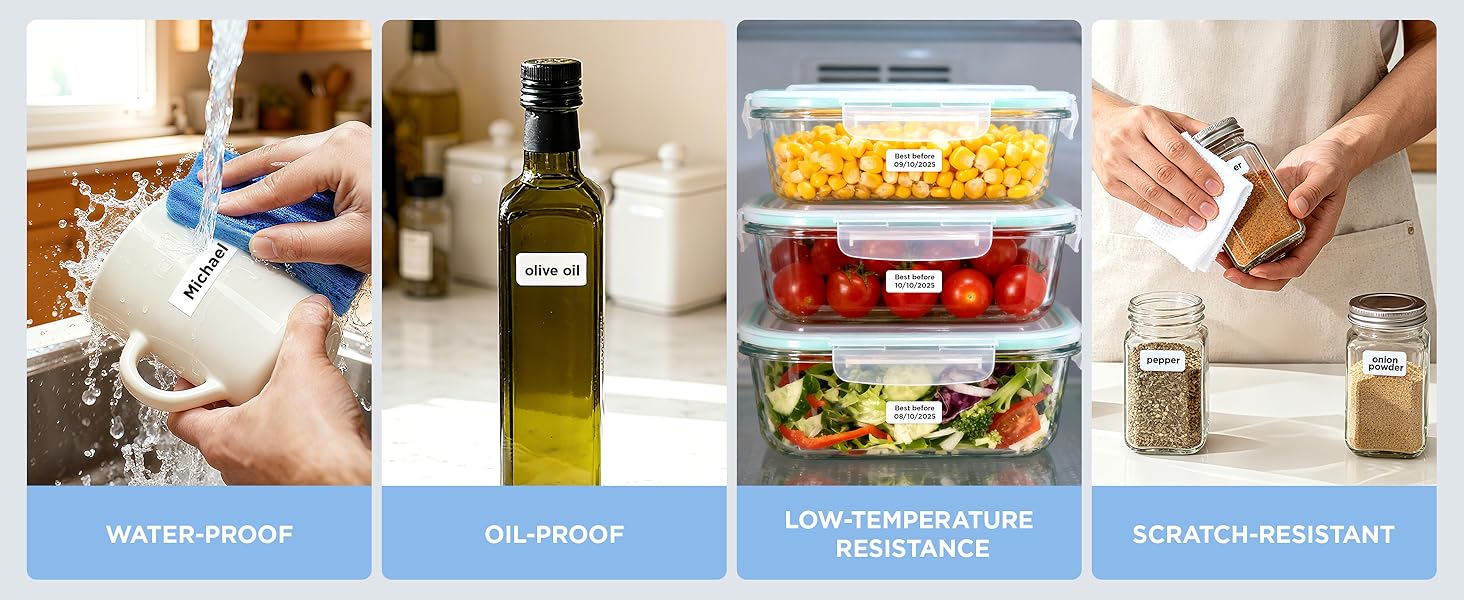
Image: Demonstrates the tape's resistance to water, oil, low temperatures, and scratches, highlighting its robust design.
ተኳኋኝነት
This label tape is specifically designed for seamless integration and optimal performance with SUPVAN E10, E11, and E16 label makers. Ensure your label maker model is compatible before installation.
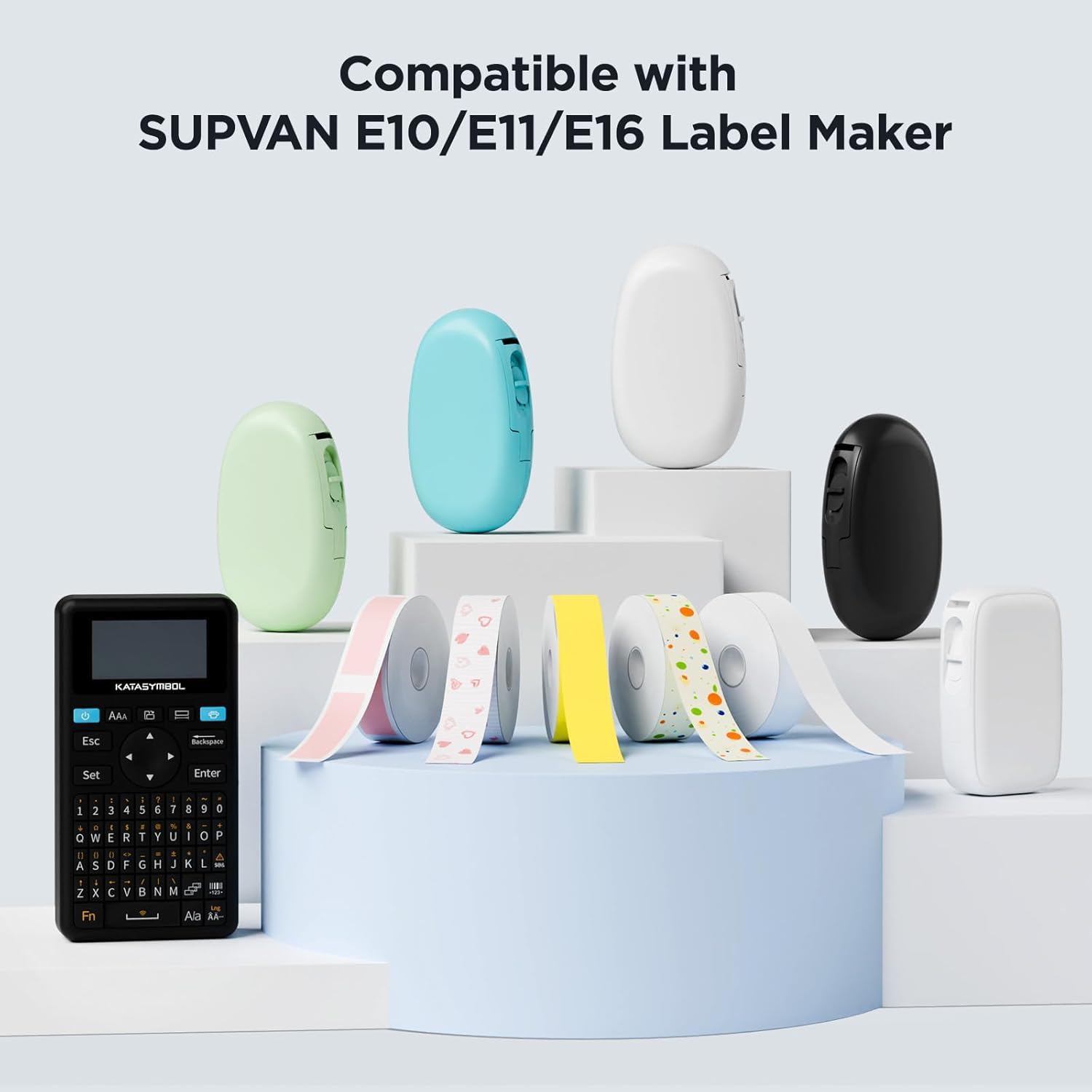
Image: Displays several SUPVAN label makers and a variety of label tape rolls, illustrating product compatibility.
Setup: Installing the Label Tape
- Open the Label Maker: Locate the tape compartment on your SUPVAN E10 or E11 label maker and open the cover.
- Insert the Tape Cassette: Place the label tape cassette into the compartment, ensuring it clicks securely into place. The tape should feed smoothly from the cassette.
- ሽፋኑን ዝጋ; Close the label maker cover firmly until it latches.
- ራስ-ሰር ማወቂያ፡ The label maker's RFID auto-detection feature will recognize the tape size and type automatically.
የአሠራር መመሪያዎች
To create and print labels using your SUPVAN E10 or E11 label maker with this tape, follow these general steps:
- ከመተግበሪያው ጋር ይገናኙ፡ Ensure your label maker is connected to the SUPVAN mobile application via Bluetooth.
- መለያዎን ይንደፉ፡ Use the app to input text, select fonts, add icons, and customize your label design. The app offers various templates and customization options.
- ቅድመview እና አትም: ቅድመview your label design within the app. Adjust settings such as print density or number of copies if necessary.
- Initiate Printing: Tap the 'Print' button in the app. The label maker will print the label onto the installed tape.
- መለያውን ይቁረጡ; Use the label maker's integrated cutter to separate the printed label from the continuous roll.
- መለያ ተግብር፡ Peel off the backing and apply the label to your desired surface.
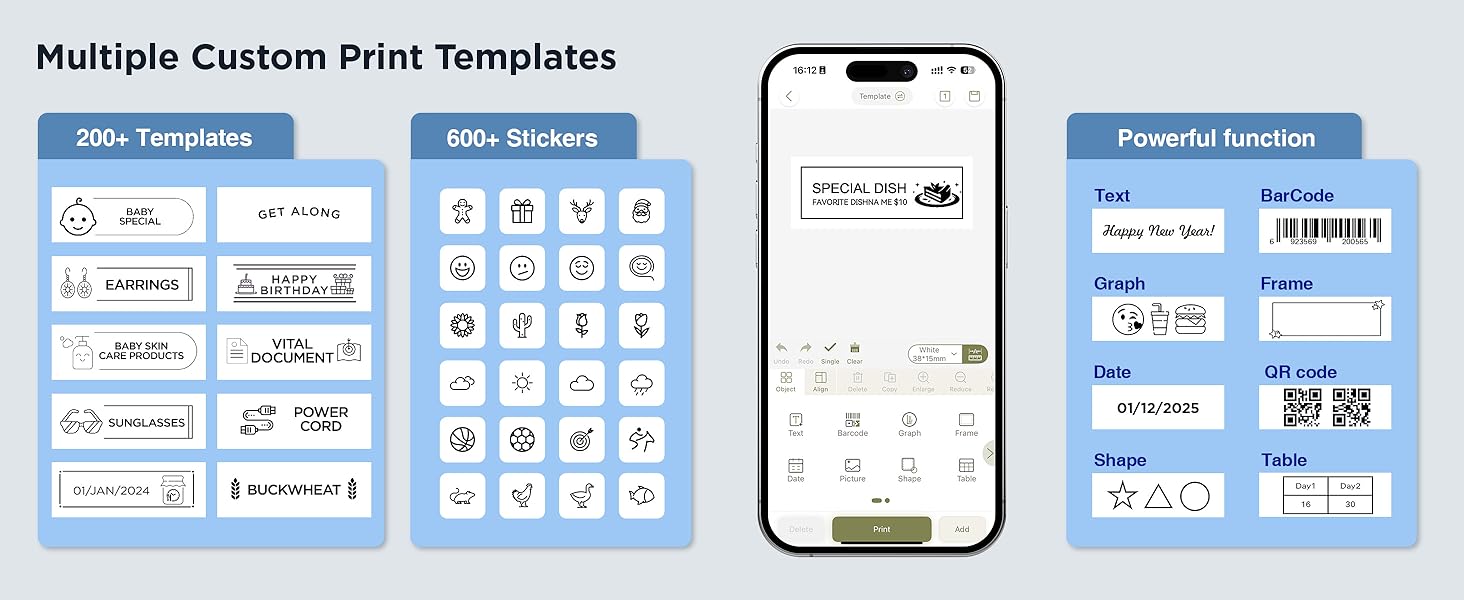
Image: A visual representation of the SUPVAN app's interface, showcasing template selection and design functionalities for label creation.

ምስል፡ ዘጸamples of labels used in different settings such as organizing toys, documents, kitchen items, and office supplies.
ጥገና
- ማከማቻ፡ Store unused label tape rolls in a cool, dry place away from direct sunlight and extreme temperatures to preserve adhesive quality and print integrity.
- አያያዝ፡ Avoid touching the printing surface of the tape to prevent smudges or oil transfer that could affect print quality.
- ማጽዳት፡ If the label maker's print head or tape path becomes dirty, refer to your label maker's specific cleaning instructions. Do not attempt to clean the tape itself.
መላ መፈለግ
- ደካማ የህትመት ጥራት፡- Ensure the tape is correctly installed and the label maker's print head is clean. Check print density settings in the app.
- Tape Not Detected: Verify the tape cassette is fully seated in the compartment. The RFID chip on the cassette should be properly aligned for automatic detection.
- መለያዎች የማይጣበቁ፡ Ensure the application surface is clean, dry, and smooth. Avoid applying labels to textured or oily surfaces.
- ቴፕ መጨናነቅ፡ Check for any obstructions in the tape path. Ensure the tape is not creased or damaged before insertion.
ዝርዝሮች
| ባህሪ | ዝርዝር |
|---|---|
| የምርት ስም | SUPVAN |
| ተስማሚ ሞዴሎች | SUPVAN E10, E11 |
| የቴፕ ስፋት | 0.59 ኢንች (15 ሚሜ) |
| የቴፕ ርዝመት | 19.7 ጫማ (6 ሜትር) |
| ቀለም | Black on Dots |
| የቁስ ዓይነት | Plastic (Multi-layer synthetic) |
| የማጠናቀቂያ ዓይነት | Adhesive, Laminated |
| ልዩ ባህሪያት | Waterproof, Oilproof, Child-Safe (BPA-free), Durable, Auto Detect (RFID) |
| የእቃው ክብደት | 0.6 አውንስ |
የዋስትና መረጃ
SUPVAN products are manufactured to high-quality standards. This label tape is designed for extended durability. For specific warranty details regarding your label maker or any manufacturing defects with the tape, please refer to the documentation provided with your SUPVAN label maker or contact customer support.
የደንበኛ ድጋፍ
For further assistance, technical support, or inquiries regarding your SUPVAN label maker tape, please visit the official SUPVAN website or contact their customer service department. You can often find detailed FAQs and support resources online.
ን ይጎብኙ SUPVAN Store on Amazon ለተጨማሪ ምርቶች እና መረጃ.