
CREATE Chefbot Touch
የ IKOHS Chefbot Touch የተጠቃሚ መመሪያን ይፍጠሩ
Model: Chefbot Touch | Brand: CREATE
1. መግቢያ
Welcome to the world of smart cooking with the CREATE IKOHS Chefbot Touch. This innovative kitchen robot is designed to simplify your cooking process, offering a wide range of functions and pre-programmed recipes to help you prepare delicious meals with ease. With its intuitive touch screen and integrated WiFi, the Chefbot Touch brings convenience and versatility to your kitchen.
Please read this manual carefully before using the appliance to ensure safe and optimal operation. Keep this manual for future reference.

Image: The CREATE IKOHS Chefbot Touch, a versatile kitchen robot featuring a stainless steel mixing bowl and an interactive touchscreen interface.
2. ቁልፍ ባህሪያት
The CREATE IKOHS Chefbot Touch is equipped with advanced features to enhance your culinary experience:
- የተዋሃደ የዋይፋይ አውታረ መረብ፦ Allows for periodic updates of recipes and software.
- 5 ኢንች የንክኪ ማያ ገጽ፦ For easy navigation and recipe selection.
- 24 አውቶማቲክ ፕሮግራሞች; Pre-set functions for various cooking tasks.
- 12 Speeds + Turbo Function: For precise control over mixing and processing.
- የሙቀት መጠን: ከ 37 ዲግሪ ሴንቲግሬድ እስከ 120 ° ሴ ማስተካከል ይቻላል.
- የማብሰያ ጊዜ; Up to 90 minutes of continuous operation.
- 140+ Preloaded Recipes: A wide variety of recipes available directly on the device.
- ሁለገብ ተግባራት፡- Capable of beating, whipping, emulsifying, mixing, stirring, confiting, precision cooking (degree by degree), kneading, boiling, keeping warm, fermenting, poaching, bain-marie, low-temperature cooking, slow cooking, steaming, crushing, chopping, grinding, grating, peeling, slicing, dicing, and pulverizing.
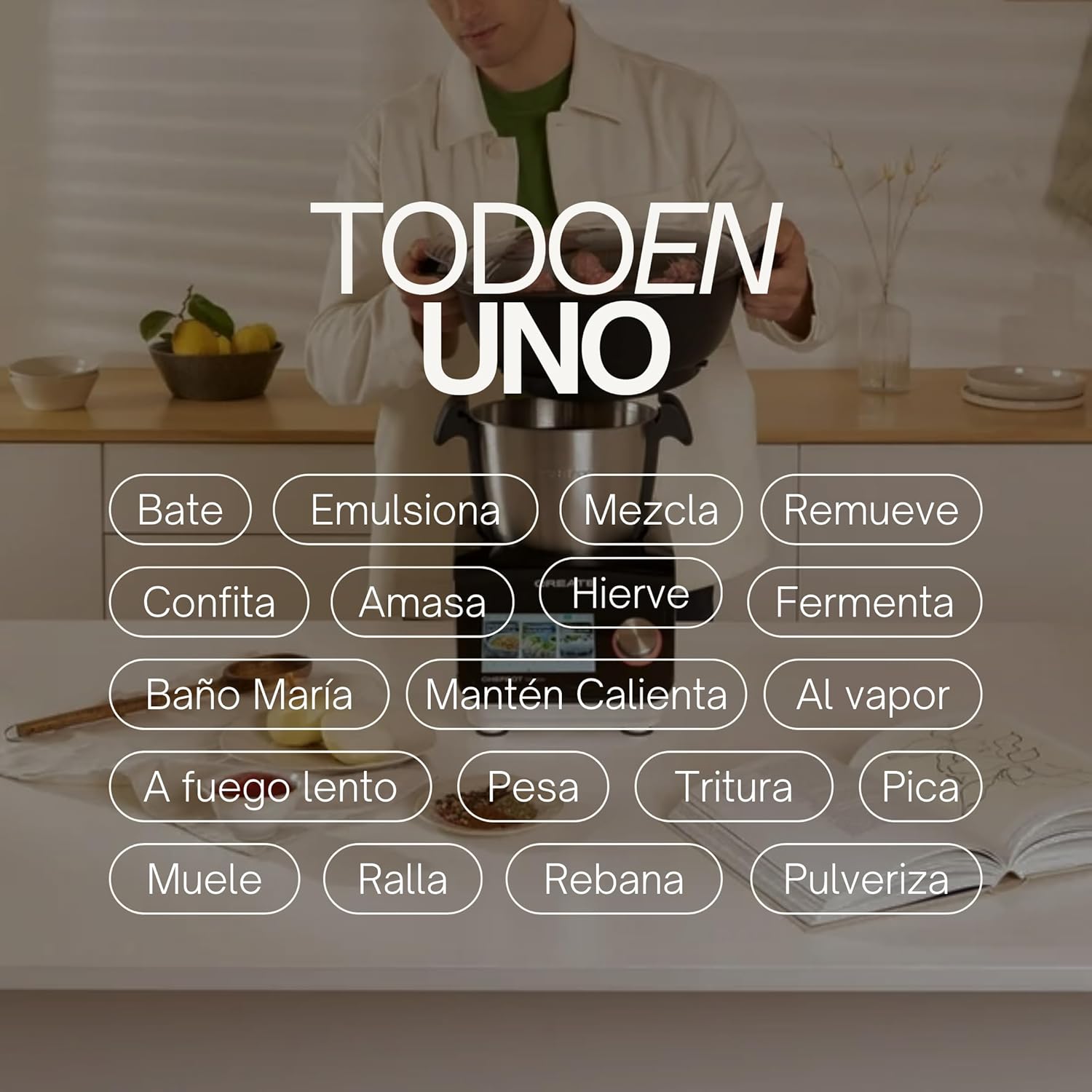
Image: An illustration highlighting the "All-in-One" capabilities of the Chefbot Touch, including functions such as beating, emulsifying, mixing, and more.

Image: A visual summary of the Chefbot Touch's core features: 24 automatic programs, 12 speeds with turbo, and over 140 pre-installed recipes.
3. አካላት እና መለዋወጫዎች
The Chefbot Touch comes with a comprehensive set of accessories to support its many functions:
- Ice-crushing Blades: For crushing ice and hard ingredients.
- ቅልቅል መቅዘፊያ; For gentle stirring and mixing.
- Hand Spatula: ለመቧጨር እና ለማነሳሳት።
- Separator Basket: For cooking ingredients separately within the bowl.
- መለኪያ ኩባያ: ለትክክለኛ ፈሳሽ መለኪያዎች.
- የቢራቢሮ ዊስክ፦ ለመገረፍ እና ኢሙልሲንግ።
- Reversible Cutting Disc: ለመቁረጥ እና ለመፍጨት።
- Food Processor Lid: For use with the cutting disc.
- የምግብ አስተላላፊ; For safely guiding food into the cutting disc.
- 2-level Steamer Basket: For steaming multiple ingredients simultaneously.

Image: The Chefbot Touch displayed with its full set of ten accessories, designed for various cooking tasks.
4. ማዋቀር
4.1 Unboxing እና የመጀመሪያ አቀማመጥ
Carefully remove all components from the packaging. Place the Chefbot Touch on a stable, flat, and dry surface. Ensure there is adequate ventilation around the unit. Keep the appliance away from heat sources and direct sunlight.
4.2 የኃይል ግንኙነት
የኃይል ገመዱን ከመሬት ላይ ካለው የኤሌክትሪክ መውጫ ጋር ያገናኙ። ቮልቱን ያረጋግጡtagሠ ከመሣሪያዎ ዝርዝር (110 ቮልት) ጋር ይዛመዳል።
4.3 የመጀመሪያ ጽዳት
Before first use, clean all removable parts (bowl, lid, accessories) with warm soapy water. Rinse thoroughly and dry completely. Wipe the main unit with a damp ጨርቅ. ዋናውን ክፍል በውሃ ውስጥ አታስቀምጡ.
4.4 የ WiFi ግንኙነት
To access online recipes and updates, connect your Chefbot Touch to your home WiFi network.
- Turn on the Chefbot Touch.
- Navigate to the settings menu on the touch screen.
- Select "WiFi" or "Network Settings".
- Choose your WiFi network from the list.
- ከተጠየቁ የ WiFi ይለፍ ቃልዎን ያስገቡ።
- Confirm the connection. Once connected, the device will be able to download recipe updates.
5. የአሠራር መመሪያዎች
5.1 አጠቃላይ ኦፕሬሽን
The Chefbot Touch is operated primarily through its 5-inch touch screen and the control knob.
- የንክኪ ማያ Use to select programs, recipes, and adjust settings.
- የቁጥጥር አንጓ Rotate to adjust values (time, temperature, speed) and press to confirm selections.
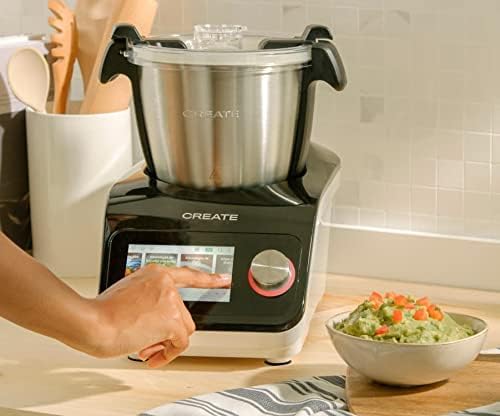
Image: A user demonstrating interaction with the Chefbot Touch's intuitive touchscreen interface.
5.2 አውቶማቲክ ፕሮግራሞችን መጠቀም
The 24 automatic programs simplify complex cooking tasks.
- From the main menu, select "Programs".
- Browse through the available programs (e.g., Knead, Steam, Chop).
- Select the desired program. The device will guide you through the necessary steps and settings.
5.3 Following Preloaded Recipes
Access over 140 preloaded recipes directly on the device.
- Select "Recipes" from the main menu.
- Browse or search for a recipe.
- Select the recipe. The screen will display step-by-step instructions, including ingredients, quantities, and cooking parameters.
- Follow the on-screen prompts to add ingredients and operate the machine.
5.4 በእጅ ሞድ
For custom cooking, use the manual mode to set time, temperature, and speed independently.
- Select "Manual" or "Custom" mode.
- Use the touch screen and control knob to set the desired cooking time (up to 90 minutes), temperature (37°C to 120°C), and speed (1-12 or Turbo).
- ምግብ ማብሰል ለመጀመር ጀምርን ይጫኑ።
5.5 በሚሠራበት ጊዜ የደህንነት ጥንቃቄዎች
- Always ensure the lid is properly secured before operating, especially when using high speeds or hot liquids.
- ሳህኑን ከመጠን በላይ አይሙሉ.
- Be cautious when handling hot liquids or steam.
- Use the provided spatula or other appropriate utensils to scrape down ingredients, always stopping the machine first.
- Keep hands and utensils away from moving blades.
6. ጥገና እና ጽዳት
Regular cleaning ensures the longevity and optimal performance of your Chefbot Touch.
6.1 ጎድጓዳ ሳህኑን እና መለዋወጫዎችን ማጽዳት
- The stainless steel bowl should be washed by hand with warm soapy water. Rinse thoroughly and dry immediately to prevent water spots.
- Most accessories are dishwasher safe. Refer to individual accessory instructions for specific cleaning guidelines.
- ለጠንካራ የምግብ ቅሪት፣ ከማጽዳትዎ በፊት ክፍሎቹን በሞቀ የሳሙና ውሃ ውስጥ ያጠቡ።
6.2 ዋናውን ክፍል ማጽዳት
- የዋናውን ክፍል ውጫዊ ገጽታ ለስላሳ, መamp ጨርቅ.
- Do not use abrasive cleaners or scouring pads, as they may damage the surface.
- ዋናውን ክፍል በጭራሽ በውኃ ወይም በሌላ በማንኛውም ፈሳሽ ውስጥ አያስገቡ ፡፡
- ከማጽዳቱ በፊት ክፍሉ እንዳልተሰካ ያረጋግጡ።
6.3 ማከማቻ
Store the Chefbot Touch and its accessories in a clean, dry place when not in use. Ensure all parts are completely dry before storage.
7. መላ መፈለግ
If you encounter issues with your Chefbot Touch, refer to the following common problems and solutions:
| ችግር | ሊሆን የሚችል ምክንያት | መፍትሄ |
|---|---|---|
| መሣሪያ አይበራም። | አልተሰካም፤ የኃይል ማብሪያ ማጥፊያ ጠፍቷል፤ ኃይል outage. | Ensure power cord is securely plugged in. Check the main power switch. Verify power supply. |
| ሞተሩ በሚሠራበት ጊዜ ወይም ከመጠን በላይ በሚሞቅበት ጊዜ ይቆማል። | Overload; prolonged continuous use; safety mechanism activated. | Reduce the amount of ingredients. Allow the appliance to cool down for at least 30-60 minutes before resuming use. This is a safety feature to prevent damage. |
| Lid not closing properly. | Obstruction; incorrect alignment. | Check for any food particles or accessories blocking the lid. Ensure the lid is correctly aligned and locked into place. |
| የ WiFi ግንኙነት ችግሮች። | Incorrect password; weak signal; router issues. | Double-check the WiFi password. Move the unit closer to the router. Restart your router. |
| በማያ ገጹ ላይ የስህተት መልእክት። | የተወሰነ የአሠራር ችግር። | Note the error code or message. Refer to the digital manual on the device or contact customer support for specific guidance. |
እነዚህን መፍትሄዎች ከሞከሩ በኋላ ችግሩ ከቀጠለ፣ እባክዎን የደንበኛ ድጋፍን CREATE ያግኙ።
8. ዝርዝሮች
Technical specifications for the CREATE IKOHS Chefbot Touch:
| ባህሪ | ዝርዝር መግለጫ |
|---|---|
| የምርት ስም | ፍጠር |
| ሞዴል | Chefbot Touch |
| ቀለም | ጥቁር |
| ኃይል | 1400 ዋት |
| ጥራዝtage | 110 ቮልት |
| ቁሳቁስ | Stainless Steel (bowl), Aluminum (body) |
| የፍጥነት ብዛት | 12+ ቱርቦ |
| የሙቀት ክልል | ከ 37 ° ሴ እስከ 120 ° ሴ |
| Max Continuous Operation | 90 ደቂቃዎች |
| ተስማሚ መሣሪያዎች | አይኦኤስ፣ አንድሮይድ |
| የምርት ልኬቶች (L x W x H) | 38 x 24 x 23 ሴ.ሜ |
| የምርት ክብደት | 10 ኪ.ግ |

ምስል፡ ፊት ለፊት view of the Chefbot Touch, illustrating its dimensions (465mm height, 380mm width) and 3.5L bowl capacity.
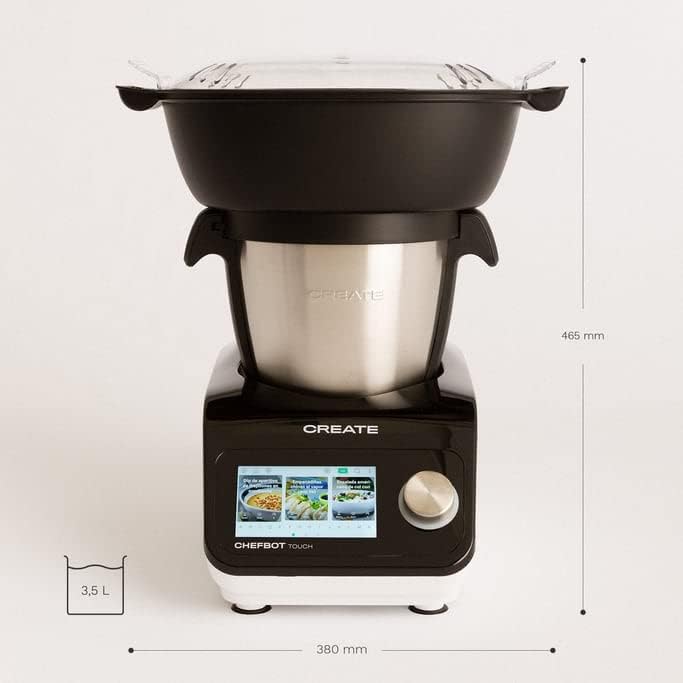
ምስል: ጎን view of the Chefbot Touch, showing its depth dimension of 380mm.
9. ዋስትና እና ድጋፍ
For information regarding warranty coverage, terms, and conditions, please refer to the documentation included with your purchase or visit the official CREATE webጣቢያ.
If you require technical assistance, have questions about your product, or need to report an issue, please contact CREATE customer support through their official channels.
አምራች፡ አይኮዎችን ይፍጠሩ
Ask a question about this manual
Ask about setup, troubleshooting, compatibility, parts, safety, or missing instructions. Manuals+ will review the question and use this page’s manual context to help answer it.