
መግቢያ
Thank you for choosing the Hoco CW31 15W Wireless Fast Charger. This device is designed to provide efficient and convenient wireless charging for compatible mobile phones and TWS earphones. Please read this manual carefully before use to ensure proper operation and to maximize the lifespan of your product.
የደህንነት መረጃ
- ቻርጀሩን ለውሃ፣ ለእርጥበት ወይም ለከፍተኛ ሙቀት አያጋልጡት።
- ቻርጅ መሙያውን ለጠንካራ ተጽእኖዎች ከመጣል ወይም ከማስገዛት ይቆጠቡ።
- Do not disassemble, modify, or attempt to repair the charger yourself. This will void the warranty and may cause damage or injury.
- ባትሪ መሙያውን ከልጆች እና ከቤት እንስሳት ያርቁ.
- Use only compatible power adapters (PD/QC charger recommended) to ensure optimal performance and safety.
- Do not place metal objects, credit cards, or other foreign objects between the charging pad and your device, as this may interfere with charging or cause overheating.
- If the charger emits smoke, unusual odors, or makes strange noises, immediately disconnect it from the power source.
የጥቅል ይዘቶች
እባክዎን ጥቅሉን ለሚከተሉት ነገሮች ያረጋግጡ፡
- Hoco CW31 Wireless Fast Charger
- ዩኤስቢ-ኤ ወደ ዓይነት-C የኃይል መሙያ ገመድ
- የትምህርት መመሪያ (ይህ ሰነድ)
ምርት አልቋልview
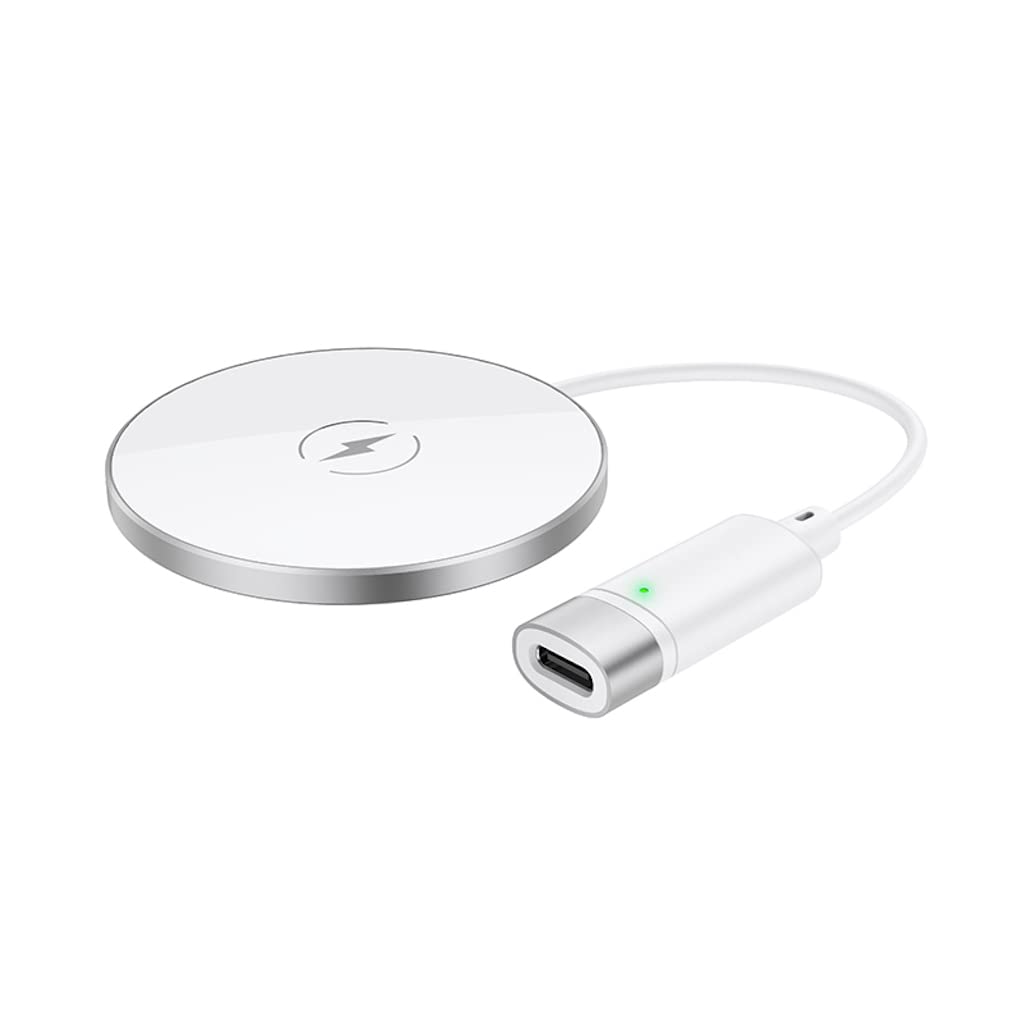
The Hoco CW31 features a sleek design with a tempered glass surface and aluminum alloy base, providing a stable and efficient charging platform.

The Hoco CW31 wireless charging pad is shown alongside its included USB-A to Type-C charging cable, highlighting the compact design of the charger.
This image shows a smartphone placed on the Hoco CW31 wireless charging pad, indicating active charging with a battery icon displaying 57% charged.
ዝርዝሮች
| የሞዴል ቁጥር | CW31 |
| ግቤት (አይነት-ሲ) | 5V-2A, 9V-2A, 12V-1.5A |
| የገመድ አልባ ውፅዓት | 5 ዋ / 7.5W / 10W / 15W |
| MagSafe ገመድ አልባ ውፅዓት | 7.5 ዋ |
| ቁሳቁስ | Tempered Glass + Aluminum Alloy |
| መጠኖች | 204 x 60 x 5 ሚ.ሜ |
| ክብደት | 37 ግ |
| የማገናኛ አይነት | ዩኤስቢ |
| ተስማሚ መሣሪያዎች | Cellular Phones, Qi-compatible TWS Earphones |
| ልዩ ባህሪያት | አጭር የወረዳ ጥበቃ ፣ ፈጣን ባትሪ መሙላት |
| ቀለም | ብር |
| ግብዓት Voltage | 5V |
| ጠቅላላ የዩኤስቢ ወደቦች | 1 |
| ኃይል | 15 ዋ |
| የውጤት ወቅታዊ | 3A |
ማዋቀር
- ከኃይል ምንጭ ጋር ይገናኙ Connect the provided USB-A to Type-C charging cable to the Type-C input port on the Hoco CW31 charger.
- Plug into Adapter: Connect the USB-A end of the cable to a compatible power adapter (a PD/QC fast charger is required for optimal 15W charging speeds, not included).
- አብራ፡ Once connected to a power source, the charger is ready for use.

The Hoco CW31 wireless charger is depicted connected to a wall power adapter via its cable, with a smartphone placed on the charging pad.
የአሠራር መመሪያዎች
- የመሳሪያ ቦታ፡ Place your Qi-compatible mobile phone or TWS earphones directly onto the center of the Hoco CW31 wireless charging pad.
- መሙላት አረጋግጥ፡ Ensure the device is properly aligned. Charging will begin automatically, and your device's screen or indicator light should confirm that it is charging.
- መሣሪያን ያስወግዱ; Once your device is fully charged or you wish to stop charging, simply lift it from the charging pad.
For MagSafe compatible devices, the charger will magnetically align for optimal charging at 7.5W.
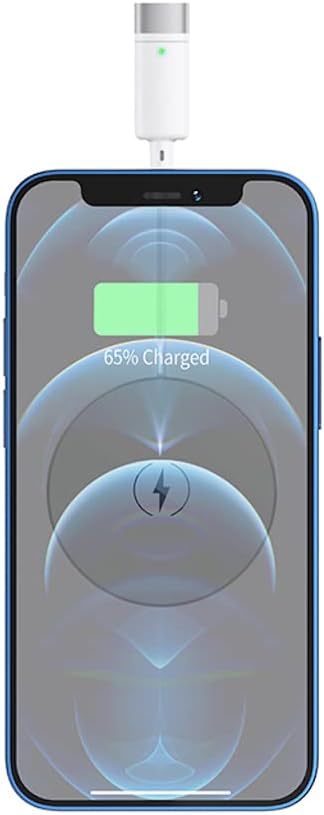
መቀራረብ view of a smartphone receiving a wireless charge from the Hoco CW31 pad, with the screen showing 65% battery.
ጥገና
- ማጽዳት፡ ከማጽዳትዎ በፊት ቻርጀሩን ከኃይል ምንጭ ያላቅቁ። ወለሉን ለማጽዳት ለስላሳ እና ደረቅ ጨርቅ ይጠቀሙ። ፈሳሽ ማጽጃዎችን ወይም ኤሮሶሎችን አይጠቀሙ።
- ማከማቻ፡ ቻርጀሩን በማይጠቀሙበት ጊዜ በቀጥታ የፀሐይ ብርሃን እና ከፍተኛ የሙቀት መጠን ሳይኖር ቀዝቃዛና ደረቅ ቦታ ያስቀምጡት።
- የኬብል እንክብካቤ; Avoid bending or twisting the charging cable excessively to prevent damage.
መላ መፈለግ
| ችግር | ሊሆን የሚችል መፍትሄ |
|---|---|
| መሣሪያ እየሞላ አይደለም። |
|
| ቀስ ብሎ መሙላት |
|
| Charger indicator light not working |
|
ዋስትና እና ድጋፍ
For warranty information and customer support, please refer to the documentation included with your purchase or contact Hoco customer service directly. Keep your proof of purchase for warranty claims.