
መግቢያ
Thank you for choosing the Vault Buds Duo Dual Driver Headphones. These in-ear headphones are engineered to deliver a rich and immersive audio experience, featuring dual dynamic drivers for enhanced sound clarity and bass. Designed for comfort and durability, they are compatible with a wide range of devices, making them ideal for everyday listening, gaming, and communication.
ምርት አልቋልview
The Vault Buds Duo headphones feature a lightweight, in-ear design with a durable cable and an integrated in-line microphone for convenient control and communication.

The Vault Buds Duo headphones, showcasing their sleek black design and in-ear form factor.

መቀራረብ view of the dual 6mm dynamic drivers within the earbud housing, responsible for the enhanced audio quality.

The 45-degree angled gold-plated 3.5mm audio jack, designed for durability and optimal connection.
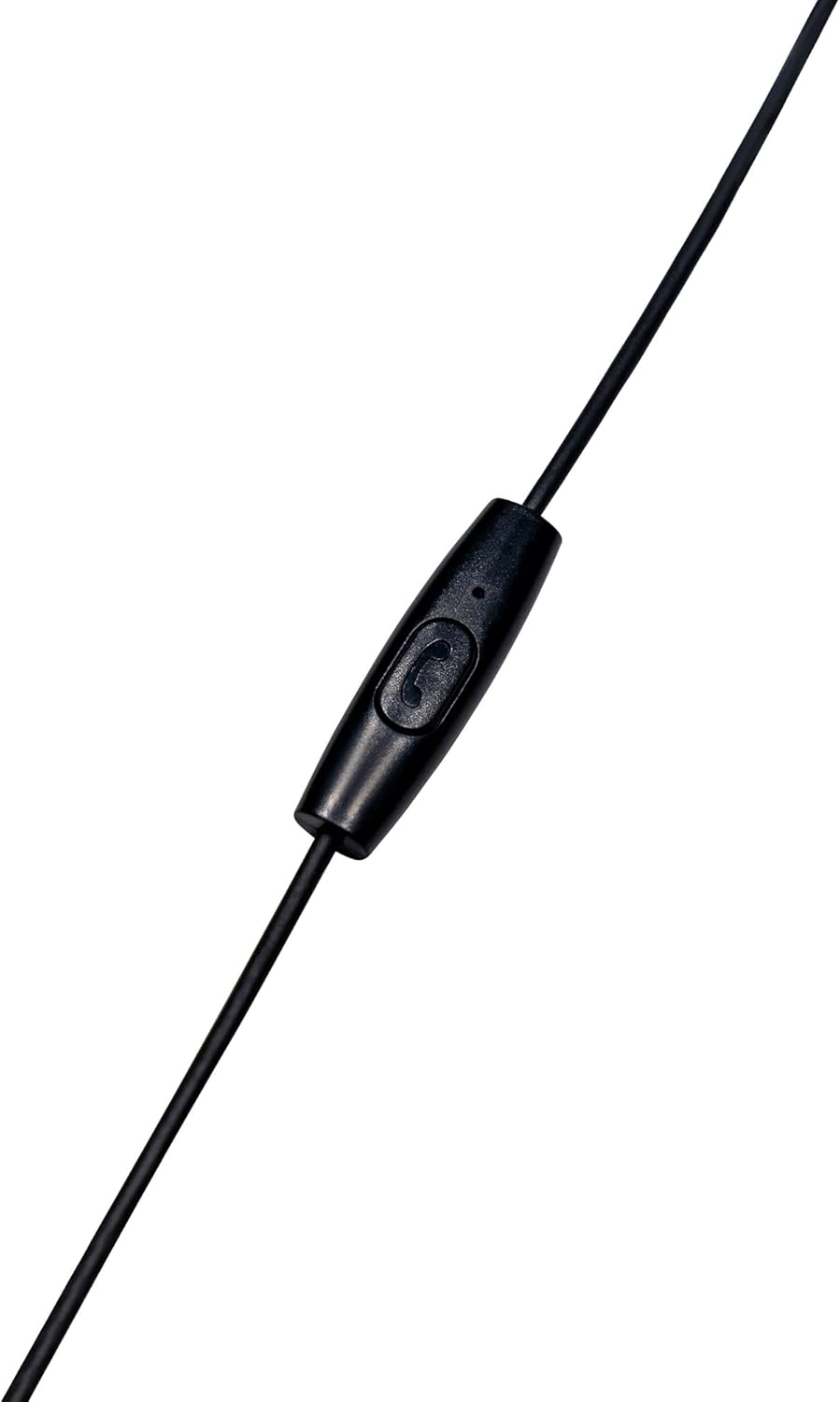
The in-line microphone and control button, allowing for hands-free calls and media management.
ይፋዊ የምርት ቪዲዮ
ይህ ቪዲዮ ማጠቃለያ ያቀርባልview of the Vault Buds Duo Dual Driver Headphones, highlighting key features and design elements.
ማዋቀር
- የጆሮ ምክሮችን ይምረጡ፡- Choose the ear tip size that provides the most comfortable and secure fit for your ears. Multiple sizes are included to ensure optimal comfort and sound isolation.
- የጆሮ ማዳመጫዎችን ያስገቡ፦ Gently insert the earbuds into your ears. Ensure a snug fit to maximize sound quality and bass response.
- ከመሳሪያ ጋር ተገናኝ፡ Plug the 3.5mm audio jack into the compatible audio port of your smartphone, tablet, PC, or laptop.
የአሠራር መመሪያዎች
The in-line microphone and control button allow for easy management of calls and media playback.
- ሙዚቃን አጫውት/ ለአፍታ አቁም፡ Press the control button once to play or pause audio playback.
- መልስ/ጥሪ ጨርስ፡ ገቢ ጥሪን ለመመለስ ወይም ቀጣይ ጥሪን ለማቆም የመቆጣጠሪያ አዝራሩን አንድ ጊዜ ይጫኑ።
- ጥሪን ውድቅ አድርግ፡ ገቢ ጥሪን ውድቅ ለማድረግ የመቆጣጠሪያ አዝራሩን ለ2 ሰከንዶች ያህል ተጭነው ይያዙት።
- ቀጣይ ትራክ፡ Press the control button twice quickly to skip to the next audio track.
- ቀዳሚ ትራክ Press the control button three times quickly to go back to the previous audio track.
ጥገና
- ማጽዳት፡ Regularly clean the ear tips with a soft, dry cloth. For deeper cleaning, remove the ear tips and wash them with mild soap and water, ensuring they are completely dry before reattaching. Do not use harsh chemicals or abrasive materials on the earbuds.
- ማከማቻ፡ When not in use, store the headphones in a clean, dry place, preferably in a protective pouch, to prevent tangling and damage to the cable or earbuds.
- የኬብል እንክብካቤ; Avoid excessive pulling, twisting, or bending of the cable, especially near the connectors, to prolong its lifespan.
መላ መፈለግ
- ድምጽ የለም፡
- የ3.5ሚሜ መሰኪያው ሙሉ በሙሉ በመሳሪያዎ የድምጽ ወደብ ውስጥ መግባቱን ያረጋግጡ።
- የመሣሪያዎን የድምጽ መጠን ቅንጅቶች ያረጋግጡ።
- በመሳሪያ ላይ የተወሰነ ችግርን ለማስወገድ የጆሮ ማዳመጫዎቹን በሌላ መሳሪያ ይሞክሩት።
- ደካማ የድምፅ ጥራት;
- Ensure ear tips are correctly sized and seated for a proper seal in your ear canal.
- ከጆሮ ማዳመጫ ግሪልስ ማንኛውንም ቆሻሻ ያፅዱ።
- ማይክሮፎን አይሰራም;
- Ensure the 3.5mm jack is fully inserted. Some devices require a TRRS (Tip-Ring-Ring-Sleeve) jack for microphone functionality, which these headphones provide.
- የመሣሪያዎን የማይክሮፎን ግቤት ቅንብሮች ያረጋግጡ።
ዝርዝሮች
| ባህሪ | መግለጫ |
|---|---|
| የሞዴል ስም | EP-1182 |
| የድምጽ ሾፌር ዓይነት | Dual Dynamic Driver |
| የድምጽ ነጂ መጠን | 2 * 6 Millimeters |
| የድግግሞሽ ምላሽ | 20Hz-20KHz |
| እክል | 32 ኦኤም |
| የግንኙነት ቴክኖሎጂ | ባለገመድ |
| የጆሮ ማዳመጫዎች ጃክ | 3.5 ሚሜ ሚሜ |
| የኬብል ባህሪ | Durable TPE Rubber, 1.2m length |
| የመቆጣጠሪያ ዓይነት | Media Control (In-line microphone) |
| ተስማሚ መሣሪያዎች | Smartphones, Tablets, PC, Laptop (with 3.5mm audio input) |
| የእቃው ክብደት | 1.13 አውንስ |
ዋስትና እና ድጋፍ
This Vault Buds Duo Dual Driver Headphones product comes with a የ 2 ዓመት ዋስትና from Vault, covering damages and defects. For further assistance, troubleshooting, or warranty claims, please refer to the contact information provided on the product packaging or visit the official Vault webጣቢያ.
For additional information and support, please visit the product detail page on Amazon: የአማዞን ምርት ገጽ