መግቢያ
Thank you for choosing the Colesma Smart Watch. This manual provides detailed instructions on how to set up, operate, and maintain your new smartwatch. Please read this manual thoroughly before using the device to ensure optimal performance and longevity.
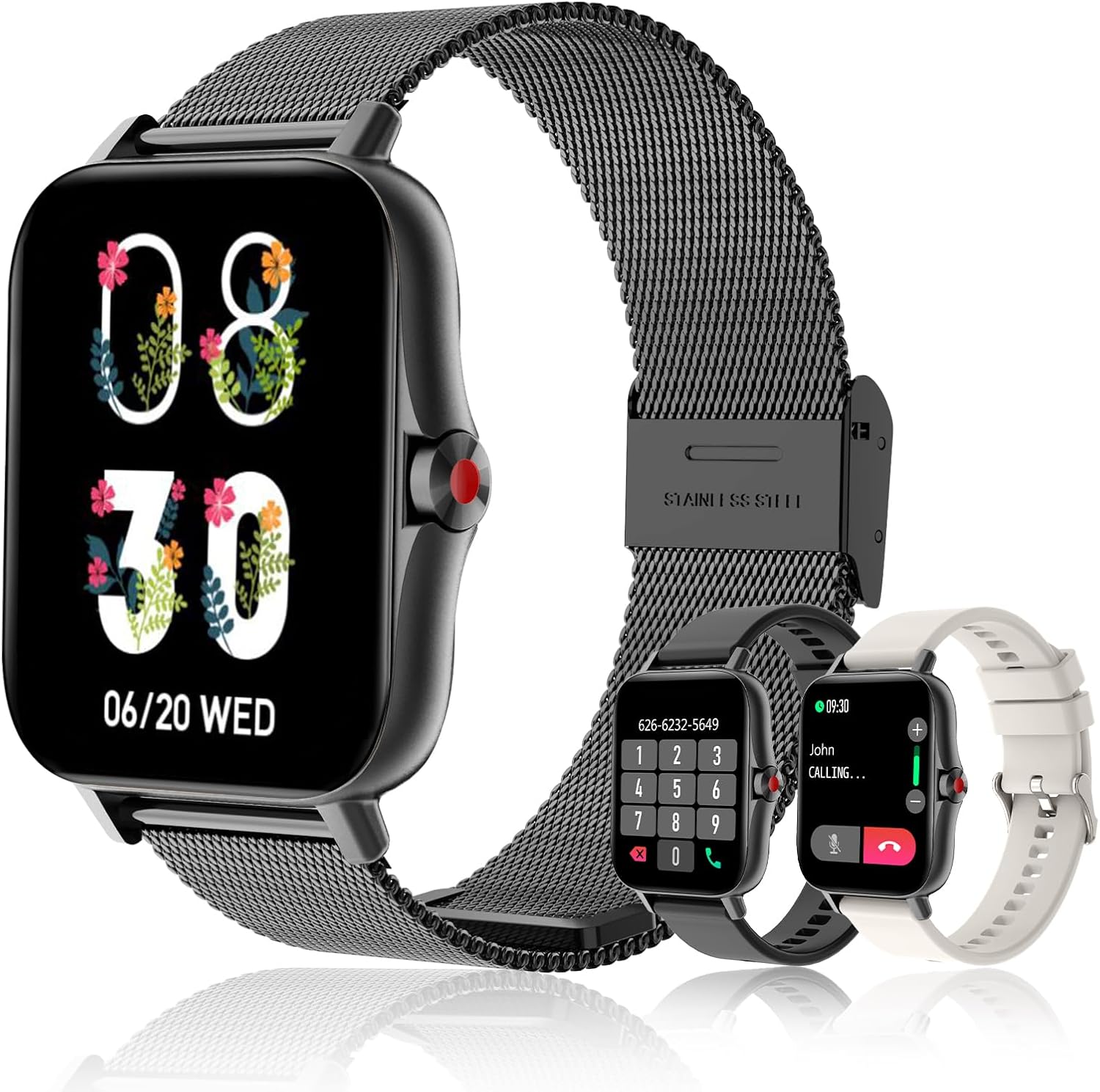
The Colesma Smart Watch, featuring a sleek black design with a mesh band, and including two additional interchangeable bands for versatile styling.
በሣጥኑ ውስጥ ያለው
- Smart Watch Body x 1
- Smartwatch Bands x 2 (one pre-installed, one additional)
- Smart Watch Charging Cable x 1
- የተጠቃሚ መመሪያ x1
የማዋቀር መመሪያ
1. የመነሻ ኃይል መሙላት
ለመጀመሪያ ጊዜ ከመጠቀምዎ በፊት የስማርት ሰዓትዎን ሙሉ በሙሉ ይሙሉት። መግነጢሳዊ የኃይል መሙያ ገመዱን ከሰዓቱ ጀርባ ላይ ካሉት የኃይል መሙያ ነጥቦች ጋር ያገናኙ እና የዩኤስቢውን ጫፍ ወደ ተኳሃኝ የኃይል አስማሚ ይሰኩት (አልተካተተም)።
2. የመተግበሪያ ጭነት እና ማጣመር
The Colesma Smart Watch requires the "Da Fit" app for full functionality and pairing with your smartphone.
- መተግበሪያውን ያውርዱ፡- Scan the QR code in the included user manual or search for "Da Fit" in the Google Play Store (for Android) or Apple App Store (for iOS).
- ብሉቱዝን አንቃ፡ On your smartphone, go to Settings and ensure Bluetooth is turned on.
- የዳ ፋት መተግበሪያን ይክፈቱ፡ Launch the "Da Fit" app and follow the on-screen instructions to create an account or log in.
- መሣሪያ አክል፡ In the app, navigate to the "Add Device" section. The app will search for nearby devices. Select "i18" or the corresponding device name to connect.
- ማጣመርን ያረጋግጡ፡ የማጣመር ጥያቄ በሰዓትዎ እና በስልክዎ ላይ ሊታይ ይችላል። በሁለቱም መሳሪያዎች ላይ ማጣመርዎን ያረጋግጡ።

Visual guide for connecting your Colesma Smart Watch to the Da Fit application on your mobile device.
3. Enabling Bluetooth Call Function
To use the call answering and making features, an additional Bluetooth connection is required:
- በመመልከት ላይ፡- Swipe down from the watch face to access the quick settings. Tap the "Phone ON" icon to enable the call function.
- በስልክ ላይ፦ Go to your phone's Bluetooth settings. Look for a device named "i18" (or similar, often with a headphone icon) and connect to it.
- Once connected, you can use your watch to answer and make calls.
Video demonstrating how to pair your Colesma Smart Watch for call functionality.
A guide to establishing the Bluetooth connection for your smartwatch.
የአሠራር መመሪያዎች
መሰረታዊ ዳሰሳ
- ወደ ታች ያንሸራትቱ፡ Access quick settings (Brightness, Phone ON/OFF, Do Not Disturb, etc.).
- ወደ ላይ ያንሸራትቱ View ማሳወቂያዎች.
- ወደ ግራ/ቀኝ ያንሸራትቱ፦ Navigate through main functions (Activity, Heart Rate, Sleep, Weather, Music, etc.).
- የጎን ቁልፍን ይጫኑ፡- Return to the watch face or access the app menu.
ቁልፍ ባህሪያት
Bluetooth Call & Message Reminder
Once paired, your smartwatch allows you to answer/make calls directly and receive notifications from various apps (WhatsApp, Facebook, Twitter, etc.). Note: Message replies are not supported.

The smartwatch showing its Bluetooth call and message reminder capabilities, allowing convenient communication directly from your wrist.
Demonstration of the call and answer fitness tracker features for Android and iOS.
A video illustrating the smart watch's message reminder function.
Health Monitoring (HR, BP, SpO2, Sleep)
The smartwatch continuously monitors your heart rate, blood pressure, blood oxygen (SpO2), and sleep patterns. View detailed data in the Da Fit app.

The smartwatch's interface showing real-time blood oxygen levels and sleep monitoring graphs, providing comprehensive health insights.

The smartwatch offers 24/7 health monitoring, including heart rate and sleep quality tracking, to help you understand and improve your well-being.
የስፖርት ሁነታዎች
Choose from 8 built-in sports modes to track your workouts, including walking, running, cycling, skipping, badminton, basketball, football, and swimming. Data is synced to the app.
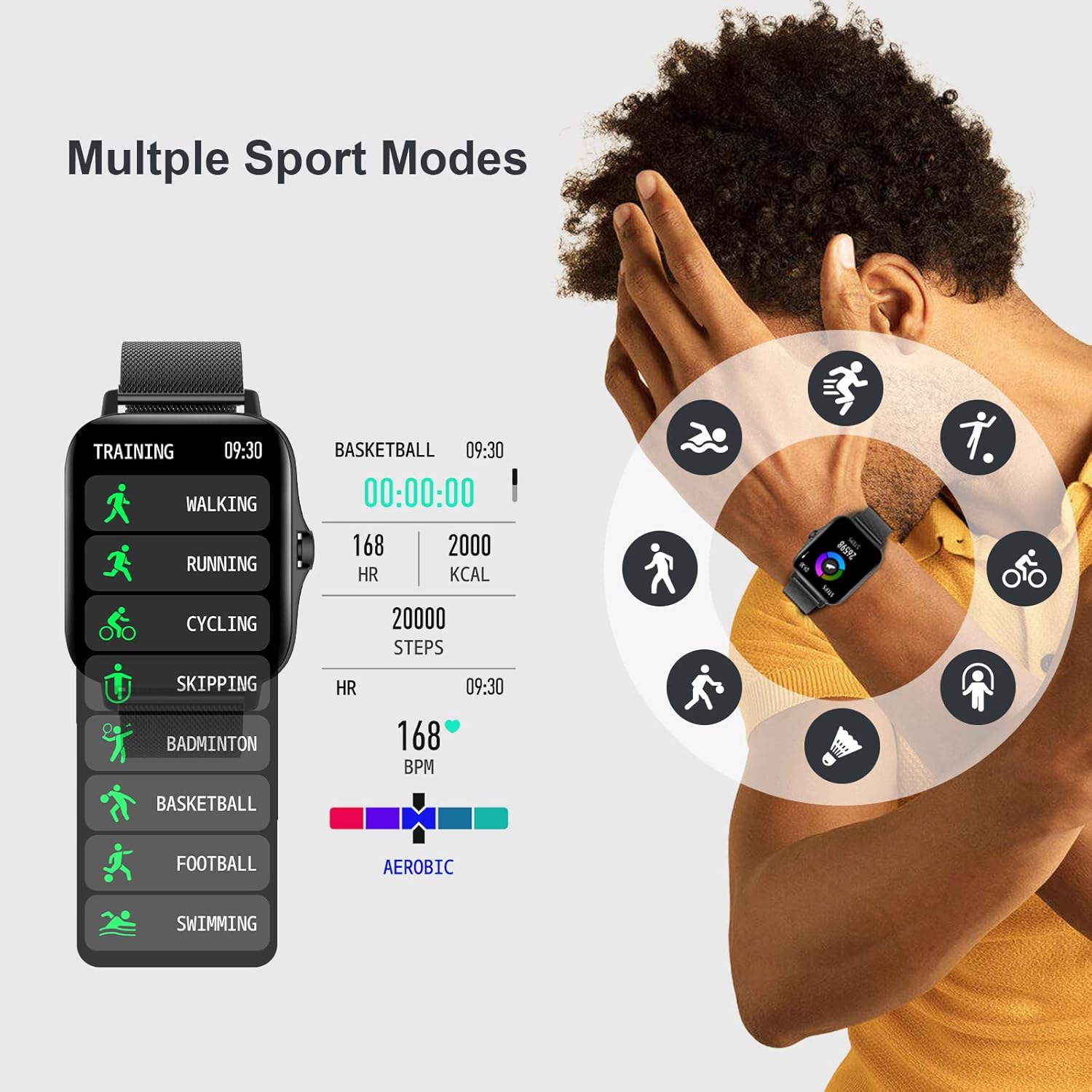
The smartwatch features multiple sport modes, allowing you to accurately track various physical activities and monitor your performance.

Comprehensive sports and health monitoring features, including heart rate zones, sleep quality, steps, blood pressure, and SpO2, to support your active lifestyle.
DIY Watch ፊት
Personalize your watch face with over 100 options available in the Da Fit app, or upload your own photos.

Customize your smartwatch with over 100 watch faces or create your own DIY designs on the 1.7-inch HD large full-touch colorful screen.
A video demonstrating how to customize your watch screen with various dials and personal photos.
የርቀት ካሜራ ቁጥጥር
Enter the mobile phone app's photo interface, then swing your arm to remotely trigger your phone's camera and capture moments.

The smartwatch enables easy remote control photography, allowing you to capture wonderful moments by simply swinging your arm.
ጥገና
የእርስዎን ስማርት ሰዓት በማጽዳት ላይ
- Wipe the watch body and straps regularly with a soft, damp ጨርቅ.
- ኃይለኛ ኬሚካሎችን ወይም ሻካራ ቁሳቁሶችን ከመጠቀም ይቆጠቡ.
- ከመሙላቱ በፊት የኃይል መሙያ እውቂያዎቹ ንጹህ እና ደረቅ መሆናቸውን ያረጋግጡ።
ማንጠልጠያ መተካት
The Colesma Smart Watch features quick-release pins for easy strap replacement. To remove a strap, pull the pin inwards and gently detach the strap. To attach a new strap, align the pin with the lug hole and release the pin to secure it.
Video tutorial on how to remove and install the watch strap.
የውሃ መቋቋም
The watch is IP67 waterproof, meaning it can withstand splashes, rain, and brief immersion in water. It is not suitable for hot showers, diving, or prolonged submersion.
መላ መፈለግ
| ችግር | ሊሆን የሚችል ምክንያት | መፍትሄ |
|---|---|---|
| ሳይበራ ይመልከቱ | ዝቅተኛ ባትሪ | Charge the watch for at least 2 hours. |
| ከስልክ ጋር ማጣመር አይቻልም | Bluetooth off, app not running, watch too far | Ensure phone Bluetooth is on, open Da Fit app, keep watch close to phone. Restart both devices. |
| ምንም ማሳወቂያዎች የሉም | App permissions not granted, notification settings off | Check Da Fit app notification settings and phone's app permissions. Ensure watch is connected. |
| የጥሪ ተግባር አይሰራም | Second Bluetooth connection not established | Follow steps in "Enabling Bluetooth Call Function" section to connect the second Bluetooth profile. |
| ትክክለኛ ያልሆነ የጤና መረጃ | Watch fit too loose/tight, sensor dirty | Ensure watch is worn snugly but comfortably. Clean the sensor on the back of the watch. |
ዝርዝሮች
| ባህሪ | ዝርዝር |
|---|---|
| የሞዴል ቁጥር | i18-Black |
| የስክሪን መጠን | 1.69 inches (1.59 inches listed in specs, using 1.69 from title for consistency) |
| የምርት ልኬቶች | 1.73 x 1.73 x 0.39 ኢንች |
| የእቃው ክብደት | 6.4 አውንስ |
| የባትሪ አቅም | 230 ሚሊamp ሰዓታት |
| ስርዓተ ክወና | ከ Android እና iOS ጋር ተኳሃኝ |
| ግንኙነት | ብሉቱዝ |
| የውሃ መቋቋም | IP67 |
ዋስትና እና ድጋፍ
For warranty information and customer support, please refer to the contact details provided on the product packaging or visit the official Colesma webጣቢያ. ለማንኛውም የዋስትና የይገባኛል ጥያቄዎች የግዢ ደረሰኝዎን እንደ ግዢ ማረጋገጫ ያቆዩት።
አምራች፡ ኮልስማ
መጀመሪያ የሚገኝ፡- ጁላይ 5፣ 2022
For further assistance, you may also refer to the official user guides available online: