
መግቢያ
The Keychron C2 is a full-size (104-key) wired mechanical keyboard designed for both Mac and Windows operating systems. It features durable Red mechanical switches and retro-colored ABS keycaps, providing a comfortable and responsive typing experience. This manual provides essential information for setting up, operating, maintaining, and troubleshooting your Keychron C2 keyboard.

Image: The Keychron C2 Full Size Wired Mechanical Keyboard connected to a computer setup.
የጥቅል ይዘቶች
ሁሉም እቃዎች በጥቅሉ ውስጥ መኖራቸውን ያረጋግጡ፡-
- ኪይክሮን C2 ባለ ሙሉ መጠን ባለገመድ ሜካኒካል ኪቦርድ
- USB-C ወደ USB-A ገመድ
- የቁልፍ ማስገቢያ
- ለማክ እና ለዊንዶውስ ኦፐሬቲንግ ሲስተሞች ተጨማሪ የቁልፍ ክዳኖች
ማዋቀር
- የቁልፍ ሰሌዳውን ያገናኙ; Plug the USB-C end of the provided cable into the keyboard's USB-C port and the USB-A end into an available USB port on your computer. The keyboard is a wired-only device and does not require batteries.
- የስርዓተ ክወና ሁነታን ይምረጡ፡ Locate the operating system switch on the back or side of the keyboard. Slide the switch to the appropriate position for your computer (Mac or Windows). This ensures correct function key mapping.
- የቁልፍ ሰሌዳ አንግል አስተካክል፡ The keyboard features 2-level adjustable feet. Flip out the feet on the underside of the keyboard to achieve your preferred typing angle for ergonomic comfort.
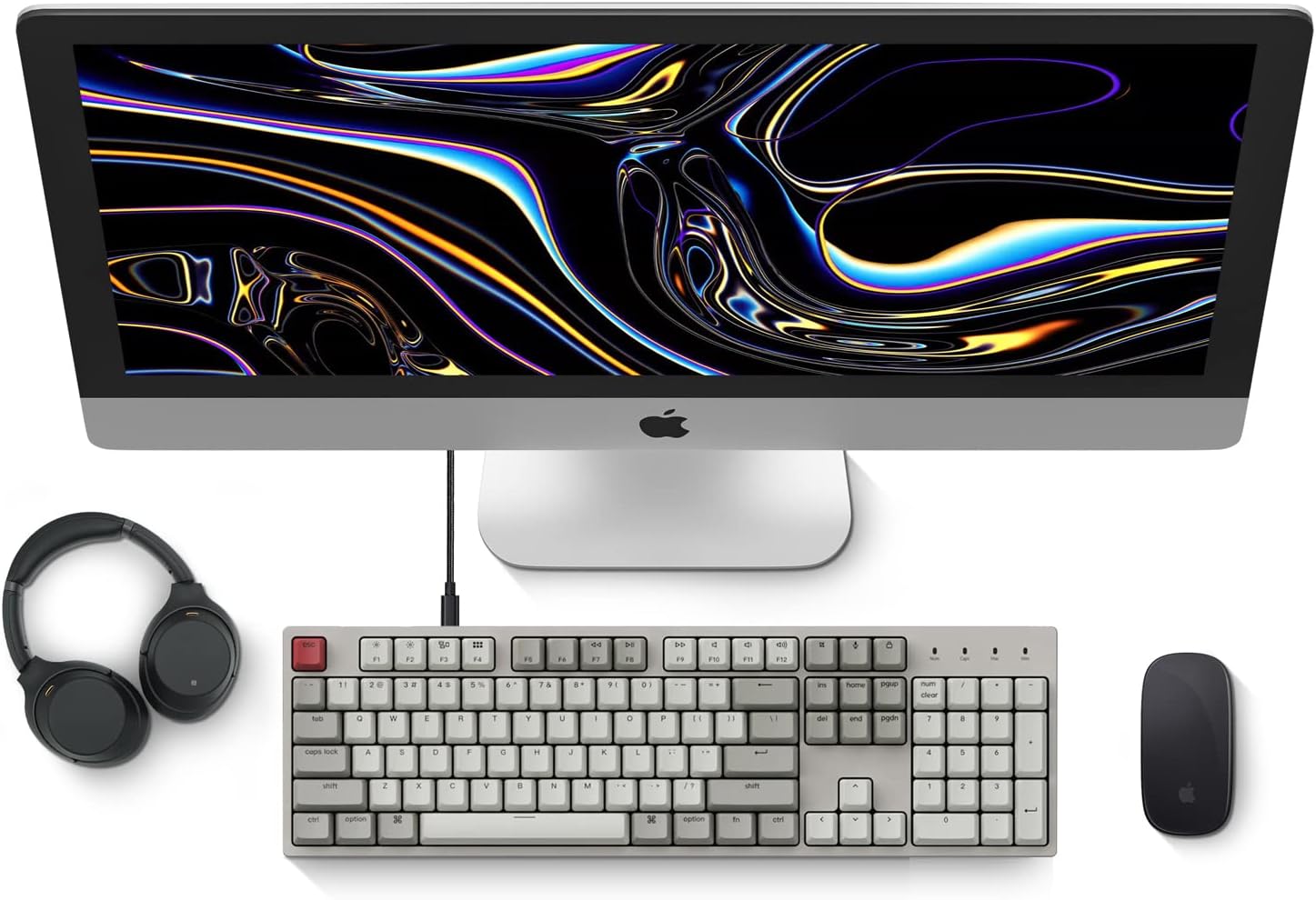
Image: Diagram showing compatibility with Mac and Windows operating systems.

ምስል: ጎን view of the Keychron C2 keyboard illustrating the adjustable feet for angle customization.
የአሠራር መመሪያዎች
መሰረታዊ ተግባራት
- በመተየብ ላይ፡ The keyboard features a standard 104-key full-size layout.
- የመልቲሚዲያ ቁልፎች The top row of function keys (F1-F12) includes multimedia controls. These functions are optimized for Mac but are also compatible with Windows.
- Siri/Cortana Key: A dedicated key is provided for activating Siri (on Mac) or Cortana (on Windows).
የቁልፍ ክዳን መተካት
The Keychron C2 comes with extra keycaps for both Mac and Windows layouts. To replace keycaps:
- Use the provided keycap puller to gently remove the desired keycap by hooking it onto the keycap and pulling upwards.
- አዲሱን የቁልፍ ክዳን ከስዊች ግንድ ጋር ያስተካክሉት እና እስኪጫን ድረስ በጥብቅ ይጫኑት።

ምስል፡ መቀራረብ view of the Keychron Red mechanical switches beneath removed keycaps.
ጥገና
- ማጽዳት፡ Regularly clean your keyboard to prevent dust and debris buildup. Use a soft brush or compressed air to remove particles between keycaps. For surface cleaning, use a slightly damp፣ ከጥጥ ነፃ የሆነ ጨርቅ። ኃይለኛ ኬሚካሎችን ያስወግዱ.
- የቁልፍ እንክብካቤ; While durable, avoid excessive force when removing or installing keycaps to prevent damage to the keycap stems or switches.
- የኬብል አስተዳደር Ensure the USB-C cable is not bent sharply or placed under heavy objects to prolong its lifespan.

Image: Close-up of the ABS keycaps on the Keychron C2 keyboard.
መላ መፈለግ
- የቁልፍ ሰሌዳ ምላሽ አይሰጥም፡
- Check the USB-C cable connection at both the keyboard and the computer. Ensure it is securely plugged in.
- የቁልፍ ሰሌዳውን በኮምፒተርዎ ላይ ካለው የተለየ የዩኤስቢ ወደብ ለማገናኘት ይሞክሩ።
- Verify that the operating system switch on the keyboard is set correctly (Mac/Windows).
- ኮምፒተርዎን እንደገና ያስጀምሩ.
- የተወሰኑ ቁልፎች የማይሰሩባቸው:
- Carefully remove the non-functional keycap using the keycap puller. Inspect the mechanical switch for any visible damage or debris.
- Clean around the switch with compressed air.
- Re-seat the keycap firmly.
- የተሳሳተ የቁልፍ ውፅዓት፡-
- Ensure the operating system switch is set to the correct mode for your computer.
- Check your computer's keyboard settings to ensure the correct layout is selected.
ዝርዝሮች
| ባህሪ | ዝርዝር |
|---|---|
| የምርት ስም | ኪክሮን |
| የሞዴል ስም | Keychron C2 |
| የሞዴል ቁጥር | HS-C2K1Z |
| የግንኙነት ቴክኖሎጂ | ዩኤስቢ-ሲ (ገመድ ያለው) |
| ተስማሚ መሣሪያዎች | ላፕቶፕ ፣ ፒሲ |
| ተስማሚ የስርዓተ ክወና ቤተሰብ | ማክኦኤስ ፣ ዊንዶውስ |
| የቁልፎች ብዛት | 104 |
| የመቀየሪያ አይነት | Linear (Red Switch) |
| የቁልፍ መያዣ ቁሳቁስ | ኤቢኤስ (Acrylonitrile Butadiene Styrene) |
| የቁልፍ ሰሌዳ አቀማመጥ | QWERTY |
| ልዩ ባህሪ | Backlit (Single Color) |
| የእቃው ክብደት | 5390 ግራም |
| የኃይል ምንጭ | ባለገመድ ኤሌክትሪክ |
ዋስትና እና ድጋፍ
For warranty information, technical support, or further assistance, please visit the official Keychron website or contact Keychron customer service. Details regarding product registration and specific warranty terms can be found through official Keychron channels.