
ፕሮስካን PSP1678
PROSCAN PSP1678 የብሉቱዝ ድምጽ ማጉያ የተጠቃሚ መመሪያ
ሞዴል፡- PSP1678
መግቢያ
ስለገዙ እናመሰግናለንasing the PROSCAN PSP1678 LED Light Up Bluetooth Speaker. This manual provides essential information for the safe and efficient operation of your device. Please read it thoroughly before use and retain it for future reference.
The PSP1678 is a versatile portable speaker featuring Bluetooth connectivity, built-in FM radio, USB/TF card input, AUX input, and a microphone input, all complemented by dynamic LED lighting and a built-in rechargeable battery.
የደህንነት መረጃ
- ድምጽ ማጉያውን ለከፍተኛ ሙቀት፣ ቀጥተኛ የፀሐይ ብርሃን ወይም ከፍተኛ እርጥበት አያጋልጥ።
- ተናጋሪውን ለጠንካራ ተጽእኖዎች ከመጣል ወይም ከማስገዛት ተቆጠብ።
- ክፍሉን እራስዎ አይሰብስቡ፣ አይጠግኑ ወይም አያሻሽሉት። ሁሉንም አገልግሎቶች ብቁ ለሆኑ ባለሙያዎች ያመልክቱ።
- ድምጽ ማጉያውን ከውሃ እና ከሌሎች ፈሳሾች ያርቁ. ይህ ምርት ውሃን የማያስተላልፍ አይደለም.
- የተገለጸውን የኃይል መሙያ ገመድ እና የኃይል አስማሚን ብቻ ይጠቀሙ።
- ድምጽ ማጉያውን ለስላሳ እና ደረቅ ጨርቅ ያጽዱ. ገላጭ ማጽጃዎችን ወይም ፈሳሾችን አይጠቀሙ.
- ድምጽ ማጉያውን በሚሠራበት ጊዜ ትክክለኛውን አየር ማናፈሻን ያረጋግጡ.
የጥቅል ይዘቶች
- ፕሮስካን PSP1678 የብሉቱዝ ድምጽ ማጉያ
- የዩኤስቢ ባትሪ መሙያ ገመድ
- የተጠቃሚ መመሪያ (ይህ ሰነድ)
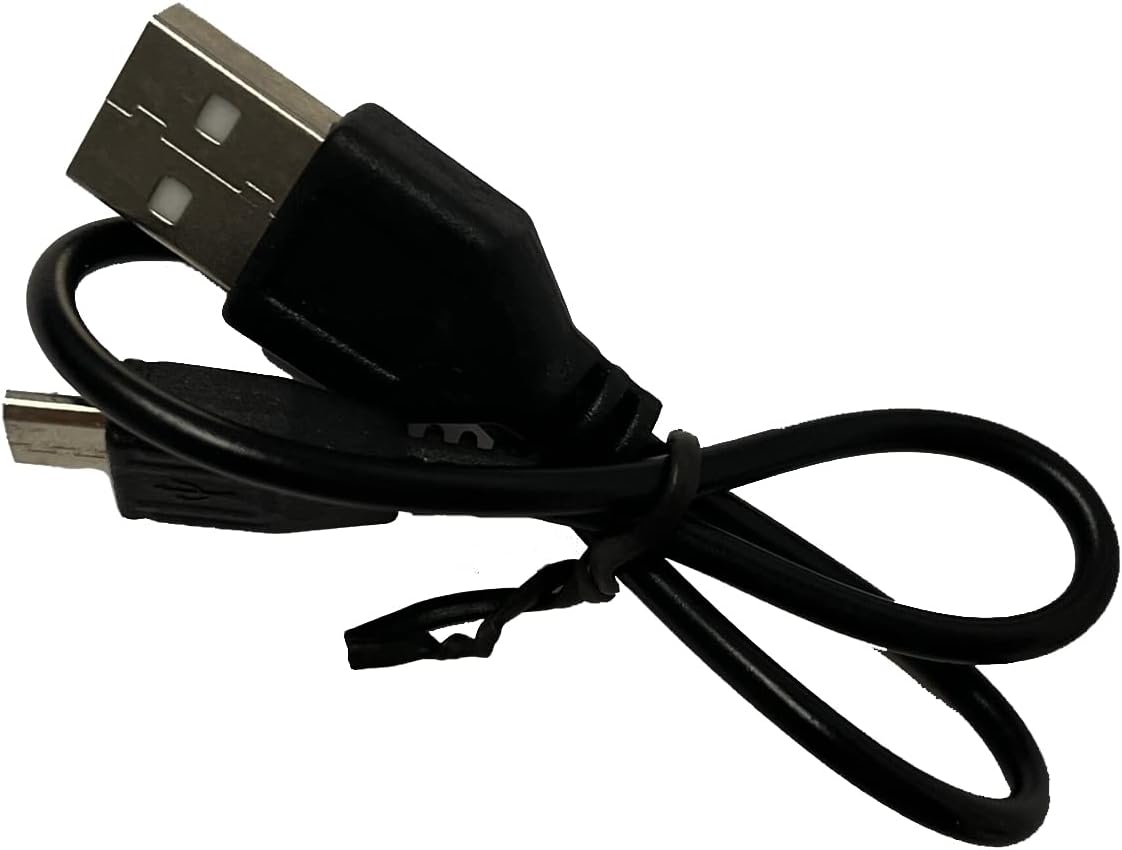
Image: Included USB Charging Cable. This cable is used to recharge the speaker's internal battery.
ምርት አልቋልview
Familiarize yourself with the various parts and controls of your PROSCAN PSP1678 speaker.

ምስል፡ ፊት ለፊት view of the PROSCAN PSP1678 speaker, showcasing the dual 4-inch speakers with active LED lighting. The PROSCAN logo is visible between the speakers.

Image: Top panel of the PROSCAN PSP1678 speaker, showing the control buttons, USB port, TF card slot, AUX input, microphone input, and the main volume/mode knob.
የቁጥጥር ፓነል ተግባራት፡-
- የኃይል ቁልፍ፡- ድምጽ ማጉያውን ለማብራት/ ለማጥፋት ተጭነው ይያዙ።
- ሁነታ አዝራር፡- Short press to switch between Bluetooth, FM Radio, USB/TF, and AUX modes.
- አጫውት/አፍታ አቁም አዝራር፡- In Bluetooth/USB/TF mode, press to play or pause. In FM mode, press to auto-scan and save stations.
- ቀዳሚ/የድምጽ ቅነሳ አዝራር፡ ለቀደመው ትራክ/ጣቢያ አጭር ፕሬስ። ድምጽን ለመቀነስ በረጅሙ ተጫን።
- ቀጣይ/የድምጽ ጨምር አዝራር፡ ለቀጣዩ ትራክ/ጣቢያ አጭር ፕሬስ። ድምጽን ለመጨመር በረጅሙ ተጫን።
- የዩኤስቢ ወደብ፡ ለዩኤስቢ ፍላሽ አንፃፊ መልሶ ማጫወት።
- የ TF ካርድ ማስገቢያ ለ TF (ማይክሮ ኤስዲ) ካርድ መልሶ ማጫወት።
- AUX ግቤት፡ ውጫዊ የድምጽ መሳሪያዎችን ለማገናኘት 3.5 ሚሜ መሰኪያ.
- የማይክሮፎን ግቤት፡ ማይክሮፎን ለማገናኘት 6.35 ሚሜ መሰኪያ።
- DC 5V ኃይል መሙያ ወደብ፡- የዩኤስቢ ባትሪ መሙያ ገመድ ለማገናኘት.
- የድምፅ ቁልፍ; Rotates to adjust the master volume.
ማዋቀር
1. አፈጉባ Charውን ኃይል መሙላት
Before first use, fully charge the speaker. Connect the small end of the included USB charging cable to the DC 5V charging port on the speaker and the other end to a USB power adapter (not included) or a computer USB port. The charging indicator light will illuminate during charging and turn off when fully charged.
የኃይል መሙያ ጊዜ: በግምት 3-4 ሰአታት.
2. ማብራት / ማጥፋት
ተጭነው ይያዙት። የኃይል አዝራር on the control panel for approximately 3 seconds to turn the speaker On or Off.
የአሠራር መመሪያዎች
1. የብሉቱዝ ሁነታ
- ድምጽ ማጉያውን ያብሩ። በሚያብረቀርቅ የኤልዲ መብራት እና በሚሰማ መጠየቂያ የተገለጸውን የብሉቱዝ ማጣመሪያ ሁነታን በራስ-ሰር ያስገባል።
- በተንቀሳቃሽ መሣሪያዎ ላይ ብሉቱዝን ያንቁ (ስማርትፎን ፣ ታብሌት ፣ ወዘተ)።
- ፈልግ "PSP1678" in the list of available Bluetooth devices.
- Select "PSP1678" to connect. Once successfully paired, you will hear a confirmation sound, and the LED light will stop flashing.
- አሁን በድምጽ ማጉያው በኩል ከመሳሪያዎ ላይ ድምጽ ማጫወት ይችላሉ።
ማሳሰቢያ፡ ድምጽ ማጉያው ሲበራ ከመጨረሻው የተጣመረ መሣሪያ ጋር በራስ-ሰር ለመገናኘት ይሞክራል።
2. ኤፍኤም ሬዲዮ ሁነታ
- ድምጽ ማጉያውን ያብሩ። ድምጽ ማጉያውን ይጫኑ። ሁነታ አዝራር repeatedly until you hear the FM radio prompt.
- የሚገኙትን የኤፍ ኤም ጣቢያዎች በራስ-ሰር ለመቃኘት እና ለማስቀመጥ፣ አጭር ይጫኑ አጫውት/ ለአፍታ አቁም አዝራርተናጋሪው ጣቢያዎችን በራስ-ሰር ይቃኛል እና ያከማቻል።
- የሚለውን ተጠቀም ቀዳሚ እና Next Buttons በተቀመጡ ጣቢያዎች መካከል ለማሰስ።
3. የዩኤስቢ / TF ካርድ መልሶ ማጫወት
- የዩኤስቢ ፍላሽ አንፃፊ ወይም የTF (ማይክሮኤስዲ) ካርድ ወደ አግባብ ባለው ወደብ ያስገቡ።
- ድምጽ ማጉያው በራስ-ሰር ወደ ዩኤስቢ ወይም TF ሁነታ ይቀየራል እና ኦዲዮ ማጫወት ይጀምራል files (MP3 format recommended). If it doesn't, press the ሁነታ አዝራር to select the correct mode.
- የሚለውን ተጠቀም ተጫወት/ ለአፍታ አቁም, ቀዳሚ, እና Next Buttons መልሶ ማጫወትን ለመቆጣጠር።
4. AUX የግቤት ሁነታ
- የ3.5ሚሜ የድምጽ ገመድ አንድ ጫፍ (ያልተካተተ) በድምጽ ማጉያው ላይ ካለው የAUX ግብዓት ወደብ ጋር ያገናኙ።
- የኬብሉን ሌላኛውን ጫፍ ወደ ውጫዊ መሳሪያዎ የድምጽ ውፅዓት መሰኪያ ያገናኙ (ለምሳሌ MP3 ማጫወቻ, ኮምፒተር).
- የሚለውን ይጫኑ ሁነታ አዝራር ወደ AUX ሁነታ ለመቀየር.
- Control audio playback from your connected external device.
5. የማይክሮፎን ግብዓት
Connect a wired microphone (not included) to the Microphone Input jack. The microphone audio will be mixed with the current audio playback. Adjust the main volume knob to control the overall sound level.
6. የ LED ብርሃን መቆጣጠሪያ
The LED lights on the speaker automatically activate when the speaker is powered on. There is no dedicated button to turn the lights off or change patterns. They are designed to enhance the audio experience.
ጥገና
- ማጽዳት፡ የተናጋሪውን ውጫዊ ክፍል ለማጽዳት ለስላሳ፣ ደረቅ፣ ከንፈር የጸዳ ጨርቅ ይጠቀሙ። ፈሳሽ ማጽጃዎችን፣ ኤሮሶሎችን ወይም መሟሟቶችን አይጠቀሙ።
- ማከማቻ፡ ረዘም ላለ ጊዜ ጥቅም ላይ በማይውልበት ጊዜ ድምጽ ማጉያውን በቀጥታ ከፀሀይ ብርሀን እና ከከፍተኛ ሙቀት ርቆ በቀዝቃዛና ደረቅ ቦታ ያከማቹ።
- የባትሪ እንክብካቤ To prolong battery life, avoid fully discharging the battery frequently. Recharge the speaker regularly, even if not in use, to maintain battery health.
መላ መፈለግ
| ችግር | ሊሆን የሚችል ምክንያት | መፍትሄ |
|---|---|---|
| ድምጽ ማጉያ አይበራም። | ባትሪ ዝቅተኛ ነው ወይም ተሟጧል። | የቀረበውን የዩኤስቢ ገመድ በመጠቀም ድምጽ ማጉያውን ሙሉ በሙሉ ይሙሉ። |
| ድምጽ የለም። | Volume is too low. Incorrect mode selected. Device not connected properly. | Increase volume on speaker and connected device. Press Mode button to select correct input. Reconnect Bluetooth/AUX cable. |
| በብሉቱዝ በኩል ማጣመር አይቻልም። | ድምጽ ማጉያው በማጣመር ሁነታ ላይ አይደለም። መሳሪያው በጣም ሩቅ ነው። ጣልቃ ገብነት። | Ensure speaker is in Bluetooth mode (flashing LED). Move device closer to speaker. Turn off other Bluetooth devices. |
| የኤፍኤም ሬዲዮ አቀባበል ደካማ ነው። | ደካማ ምልክት። | ድምጽ ማጉያውን የተሻለ መቀበያ ወዳለው ቦታ ያዛውሩት። እንደገና ራስ-ሰር ቅኝት ያድርጉ። |
| የዩኤስቢ/TF ካርድ አይጫወትም። | ትክክል አይደለም። file ቅርጸት። ካርድ/ድራይቭ በትክክል አልገባም። | ያረጋግጡ files are in MP3 format. Reinsert the USB drive/TF card firmly. Press Mode button to select correct input. |
ዝርዝሮች
| ባህሪ | ዝርዝር |
|---|---|
| የሞዴል ቁጥር | PSP1678 እ.ኤ.አ. |
| የድምጽ ማጉያ ኃይል | 5W x 2 |
| የድምጽ ማጉያ መጠን | 4 ኢንች x 2 |
| ግንኙነት | ብሉቱዝ፣ ዩኤስቢ፣ የTF ካርድ፣ AUX፣ ኤፍኤም ሬዲዮ |
| የማይክሮፎን ግቤት | አዎ |
| የኃይል ምንጭ | Built-in Rechargeable Battery, Corded Electric (via USB) |
| የምርት ልኬቶች (D x W x H) | 6.25" x 16.25" x 7.75" |
| የእቃው ክብደት | 4 ፓውንድ |
| ዩፒሲ | 058465824457 |

Image: PROSCAN PSP1678 speaker with approximate dimensions indicated: 15.47 inches height, 7.28 inches width, and 5.9 inches depth.
ዋስትና እና ድጋፍ
PROSCAN products are designed and manufactured to the highest quality standards. For warranty information or technical support, please refer to the warranty card included with your purchase or visit the official PROSCAN webጣቢያ. ለዋስትና ጥያቄዎች የግዢ ማረጋገጫዎን ያስቀምጡ።
For further assistance, you may contact PROSCAN customer service through their official channels. Please have your model number (PSP1678) and purchase details ready.
ማስታወሻ፡ የዋስትና ውል እንደየክልሉ ሊለያዩ ይችላሉ።
Ask a question about this manual
Ask about setup, troubleshooting, compatibility, parts, safety, or missing instructions. Manuals+ will review the question and use this page’s manual context to help answer it.