
1. መግቢያ
The SIIG Thunderbolt 4 Docking Station (Model: JU-DK0U11-S1) is designed to expand the connectivity of your laptop, providing a comprehensive workstation solution. This docking station offers 15 ports, enabling connections for multiple displays, peripherals, network, and power through a single Thunderbolt 4 cable. It supports high-speed data transfer and versatile display configurations for both Mac and Windows systems.

Image 1.1: SIIG Thunderbolt 4 Docking Station (JU-DK0U11-S1) overview.
2. የጥቅል ይዘቶች
ሁሉም እቃዎች በጥቅልዎ ውስጥ መኖራቸውን ያረጋግጡ፡-
- SIIG Thunderbolt 4 Docking Station (JU-DK0U11-S1)
- 150 ዋ የኃይል አስማሚ
- Thunderbolt 4 ገመድ
- የተጠቃሚ መመሪያ

Image 2.1: Contents included in the SIIG Thunderbolt 4 Docking Station package.
3. ምርት አብቅቷልview
3.1 የፊት ፓነል ወደቦች
- 3.5mm Stereo Out: ለጆሮ ማዳመጫዎች ወይም ውጫዊ ድምጽ ማጉያዎች.
- SD 3.0 Card Slot: Supports SD 3.0 UHS-1 memory cards up to 2TB.
- USB-A 3.2 Gen 1 (5Gbps) Ports (x2): For connecting USB-A peripherals, supporting 5V/0.9A charging.
- Thunderbolt 4 ወደብ፡ For connecting Thunderbolt 4 devices or displays.
- የኃይል ቁልፍ፡- To turn the docking station on or off.

ምስል 3.1፡ ዝርዝር view of the front panel ports.
3.2 የኋላ ፓነል ወደቦች
- DC Power Jack (20V/7.5A): Connects to the included 150W power adapter.
- Thunderbolt 4 Port (Host PD 60W): Connects to your laptop via the Thunderbolt 4 cable, providing up to 60W power delivery.
- 3.5mm Mic In: ውጫዊ ማይክሮፎን ለማገናኘት.
- Micro SD (TF) 3.0 Card Slot: Supports Micro SD (TF) 3.0 UHS-1 memory cards up to 2TB.
- USB-A 2.0 (480Mbps) Ports (x2): For connecting USB-A peripherals, supporting 5V/1.5A charging.
- ጊጋቢት ኢተርኔት ወደብ፡ ለገመድ የአውታረ መረብ ግንኙነት።
- DisplayPort Out: ውጫዊ ማሳያ ለማገናኘት።
- ኤችዲኤምአይ ወጥቷል ውጫዊ ማሳያ ለማገናኘት።
- Thunderbolt 4 Ports (x2): For connecting additional Thunderbolt 4 devices or displays, providing 45W power delivery.

ምስል 3.2፡ ዝርዝር view of the rear panel ports.
4. የማዋቀር መመሪያዎች
- የግንኙነት ኃይል; Plug the included 150W power adapter into the DC Power Jack on the rear of the docking station, then connect it to a power outlet.
- ከአስተናጋጅ ላፕቶፕ ጋር ይገናኙ፡ Use the provided Thunderbolt 4 cable to connect the Thunderbolt 4 Host port (60W PD) on the rear of the docking station to your laptop's Thunderbolt 4 or USB-C port.
- አብራ፡ Press the power button on the front panel of the docking station. The power indicator LED should illuminate.
- ማሳያዎችን ያገናኙ፡ Connect your monitors to the available DisplayPort, HDMI, and Thunderbolt 4 output ports on the docking station. Refer to the 'Display Configuration' section for supported setups.
- ተያያዥ ነገሮች፡- Connect your USB devices, Ethernet cable, and audio devices to the corresponding ports on the docking station.
5. የአሠራር መመሪያዎች
5.1 የማሳያ ውቅር
The docking station supports various display setups, including single 8K or quad 4K displays, utilizing Thunderbolt 4 and DisplayLink technology. Ensure DisplayLink drivers are installed for optimal performance, especially for additional displays beyond native Thunderbolt outputs.
- Single Display Output: Supports up to 8K resolution.
- ባለሁለት ማሳያ ውጤት፡ Supports up to 2x 4K resolution via two Thunderbolt 4 ports.
- Quad Display Output: Achieved by combining two Thunderbolt 4 ports with the DisplayPort and HDMI ports, enabling four 4K displays.

ምስል 5.1፡ ዘጸample of a quad display setup using the docking station.

Image 5.2: Display compatibility and resolution matrix for Windows and Mac M1/M2 systems.
5.2 የኃይል አቅርቦት
The docking station provides power to your connected devices:
- ላፕቶፕ መሙላት፡ Up to 60W Power Delivery (PD) to the host laptop via the Thunderbolt 4 host port.
- Thunderbolt 4 ወደቦች፡ Each of the three downstream Thunderbolt 4 ports provides up to 45W of power.
- USB-A Fast Charging: Two USB-A 5Gbps ports support 5V/0.9A charging, and two USB-A 2.0 ports support 5V/1.5A charging.

Image 5.3: Power delivery capabilities of the docking station.
5.3 የውሂብ ማስተላለፍ
Experience high-speed data transfer for efficient workflow:
- ነጎድጓድ 4፡ Up to 40Gbps data transfer speed, 8 times faster than USB 3.0.
- ዩኤስቢ-A 3.2 ዘፍ 1፡ Up to 5Gbps data transfer speed.
- የማህደረ ትውስታ ካርድ አንባቢ፦ Supports SD 3.0 UHS-1 and Micro SD (TF) 3.0 UHS-1 with data transfer rates up to 104MB/s.
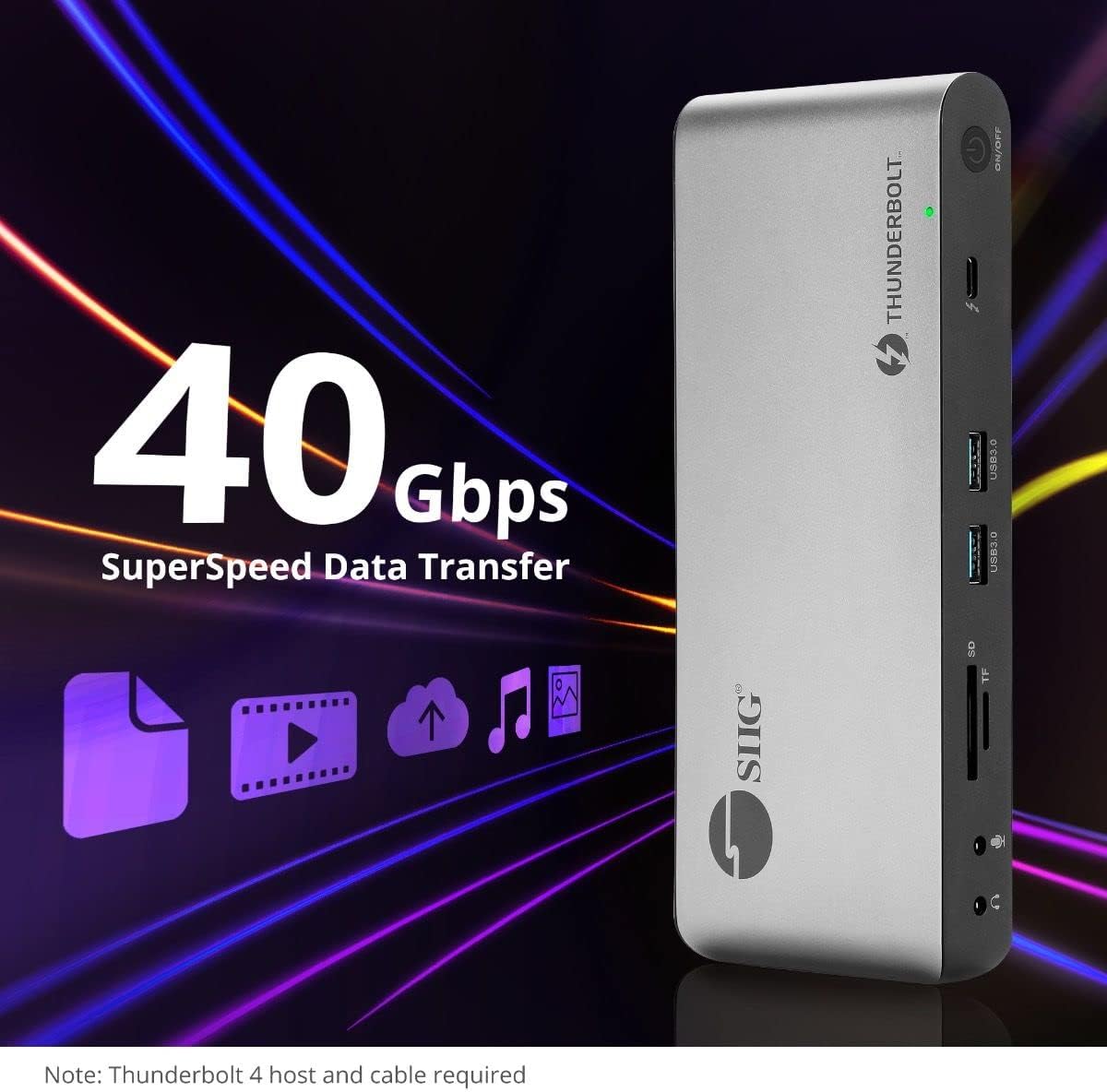
Image 5.4: High-speed data transfer capabilities.
6. ተኳሃኝነት
The SIIG Thunderbolt 4 Docking Station is broadly compatible with various systems:
- ስርዓተ ክወናዎች; Mac M1/M2/M3 Pro & Max, Intel chip Macs, Windows PCs (Intel/AMD/Snapdragon), and Chromebooks.
- የኋላ ተኳኋኝነት Fully compatible with Thunderbolt 3, USB4, and USB-C equipped computers.
7. ጥገና
የመትከያ ጣቢያዎን ረጅም ዕድሜ እና ጥሩ አፈጻጸም ለማረጋገጥ እነዚህን የጥገና መመሪያዎች ይከተሉ፡-
- ማጽዳት፡ የመሳሪያውን ውጫዊ ክፍል ለማጽዳት ለስላሳ እና ደረቅ ጨርቅ ይጠቀሙ። ፈሳሽ ማጽጃዎችን ወይም መሟሟቶችን ያስወግዱ።
- የአየር ማናፈሻ; ከመጠን በላይ ሙቀትን ለመከላከል የመትከያ ጣቢያው በደንብ አየር በሚገባበት ቦታ ላይ መቀመጡን ያረጋግጡ። የአየር ማስገቢያ ክፍተቶችን አይዝጉ።
- ማከማቻ፡ መሳሪያውን በቀጥታ ከፀሀይ ብርሀን እና ከከፍተኛ ሙቀት ርቆ በቀዝቃዛና ደረቅ ቦታ ያከማቹ።
- አያያዝ፡ መሳሪያውን ለጠንካራ ተጽእኖዎች ከመጣል ወይም ከማስገዛት ተቆጠብ።
8. መላ መፈለግ
If you encounter issues with your SIIG Thunderbolt 4 Docking Station, refer to the following common problems and solutions:
- ኃይል የለም፡
- የኃይል አስማሚው ከሁለቱም የመትከያ ጣቢያ እና ከሚሰራ የኃይል መውጫ ጋር ደህንነቱ በተጠበቀ ሁኔታ መገናኘቱን ያረጋግጡ።
- Verify the power button on the docking station is pressed and the power indicator LED is on.
- የማሳያ ችግሮች (ምንም ምልክት/የተሳሳተ ጥራት የለም)፦
- Check all display cables (HDMI, DisplayPort, Thunderbolt) are securely connected to both the docking station and the monitors.
- Ensure your laptop's display settings are configured correctly to detect and extend/mirror displays.
- For multi-display setups, especially beyond two monitors, ensure DisplayLink drivers are installed and up to date on your operating system.
- Verify your monitors support the selected resolution and refresh rate.
- ያልተገኙ ተጓዳኝ ነገሮች፡
- Ensure USB devices are properly connected to the docking station's USB ports.
- ላፕቶፕዎ ተግባራዊ መሆኑን ለማረጋገጥ ላፕቶፕዎን በቀጥታ ለማገናኘት ይሞክሩ።
- Restart the docking station and your laptop.
- ከመጠን በላይ ማሞቅ;
- Ensure the docking station is placed in an area with adequate airflow and not covered.
- Reduce the number of high-power devices connected if possible, or consider using a cooling pad if persistent.
- የውሂብ ዝውውር ቀርፋፋ፦
- Ensure you are using Thunderbolt 4 certified cables for Thunderbolt connections.
- Verify the connected device supports the expected transfer speeds.
9. ዝርዝሮች
| ባህሪ | ዝርዝር |
|---|---|
| የሞዴል ቁጥር | JU-DK0U11-S1 |
| የምርት ልኬቶች | 3.27 x 7.8 x 1.14 ኢንች |
| የእቃው ክብደት | 15.4 አውንስ (0.96 ፓውንድ) |
| ጠቅላላ ወደቦች | 15 (including 7 USB ports) |
| የአስተናጋጅ ግንኙነት | ተንደርበርት 4 (ዩኤስቢ-ሲ) |
| የቪዲዮ ውጤቶች | 1x HDMI, 1x DisplayPort, 3x Thunderbolt 4 (USB-C) |
| ከፍተኛው የማሳያ ጥራት | Single 8K@30Hz, Quad 4K@60Hz |
| የኃይል አቅርቦት (አስተናጋጅ) | እስከ 60 ዋ |
| Power Delivery (Downstream TB4) | በአንድ ወደብ እስከ 45 ዋ |
| የውሂብ ማስተላለፍ ፍጥነት | Thunderbolt 4: 40Gbps, USB-A 5Gbps: 5Gbps |
| ኤተርኔት | Gigabit ኤተርኔት |
| ካርድ አንባቢ | SD 3.0 UHS-1, Micro SD (TF) 3.0 UHS-1 (up to 2TB) |
| የድምጽ ወደቦች | 3.5mm Stereo Out, 3.5mm Mic In |
| ተስማሚ ስርዓተ ክወና | Mac M1/M2/M3 Pro & Max, Intel Macs, Windows, Chromebooks |
| ቀለም | ጥቁር |
| ዩፒሲ | 662774045689 |
10. ዋስትና እና ድጋፍ
SIIG products are designed for reliability and performance. For warranty information and technical support, please refer to the documentation included with your product or visit the official SIIG webጣቢያ. ለዋስትና ጥያቄዎች የግዢ ደረሰኝዎን ያስቀምጡ።