ጠቃሚ የደህንነት መረጃ
Please read and understand all instructions before using this product. Keep this manual for future reference. Adult supervision is recommended during use.
- የባትሪ ደህንነት፡ Requires 4 AA batteries. Batteries are included for demo purposes only; new batteries are recommended for regular use. Ensure batteries are inserted with correct polarity. Do not mix old and new batteries. Do not mix alkaline, standard (carbon-zinc), or rechargeable (nickel-cadmium) batteries. Remove exhausted batteries from the product. Remove batteries if the product is not to be used for an extended period.
- የመደንዘዝ አደጋ; ይህ ምርት ትናንሽ ክፍሎችን የያዘ ሲሆን ከ 3 ዓመት በታች ለሆኑ ህጻናት ተስማሚ አይደለም.
- የኤሌክትሪክ ደህንነት; Use only the power adapter specified by the manufacturer. Do not operate the product if the cord or plug is damaged.
- አጠቃላይ እንክብካቤ Keep the product away from water and moisture. Clean with a soft, dry cloth.
ምን ይካተታል
The VTech Kidi Superstar Jr. Karaoke Machine package includes:
- Kidi Superstar Jr. Karaoke Unit
- 2 Wheel Brackets
- ባለ ገመድ ማይክሮፎን
- ፈጣን ጅምር መመሪያ

Image: Packaging of the VTech Kidi Superstar Jr. Karaoke Machine, illustrating the main unit, microphone, and other components.
ማዋቀር
1. የባትሪ ጭነት
Locate the battery compartment on the underside of the main unit. Use a screwdriver to open the compartment. Insert 4 new AA batteries, ensuring correct polarity (+/-). Close the compartment securely.
2. Assembling the Stand and Wheels
- Attach the two wheel brackets to the bottom of the main karaoke unit.
- Insert the microphone stand into the designated slot on the main unit.
- Adjust the height of the microphone stand by loosening the clamp, extending the pole, and then tightening the clamp.
- Attach the wired microphone to the microphone holder on the stand.

Image: The VTech Kidi Superstar Jr. Karaoke Machine with its adjustable microphone stand fully extended.
3. ማይክሮፎኑን በማገናኘት ላይ
Plug the wired microphone's jack into the microphone input port on the main unit. Ensure it is securely connected.
የአሠራር መመሪያዎች
1. ማብራት / ማጥፋት
የሚለውን ይጫኑ የኃይል አዝራር (usually marked with a circle and a vertical line) on the main unit to turn the machine on. Press it again to turn it off.
2. የማይክሮፎን አጠቃቀም
Speak or sing directly into the microphone. Use the የማይክሮፎን ጥራዝ አንጓ on the control panel to adjust the microphone's output level. The microphone also has an on/off switch directly on its body.

ምስል: ዝርዝር view of the control panel, showing the various buttons and knobs for operation.
3. የሙዚቃ መልሶ ማጫወት
The unit comes with 10 built-in lyrical songs and popular melodies. Use the numbered buttons (1-10) on the control panel to select a song. Use the ቀዳሚ, ተጫወት/ ለአፍታ አቁም, እና ቀጥሎ buttons to control playback. Adjust the overall music volume using the የድምፅ ኖድ በመቆጣጠሪያ ፓኔል ላይ.
4. የብሉቱዝ ግንኙነት
To play your favorite music from an external device, activate Bluetooth mode on the karaoke machine. On your external device (e.g., smartphone, tablet), search for and connect to the VTech Kidi Superstar Jr. Karaoke. Once connected, you can stream music through the machine's speaker.
5. የድምፅ ተፅዕኖዎች
Experiment with various voice effects to change your singing voice. These effects may include robot voice, high-pitched, low-pitched, and echo. Refer to the Quick Start Guide for specific button functions related to voice effects.
6. የፓርቲ መብራቶች
Activate the colorful party lights by pressing the የብርሃን ቁልፍ. The lights will project onto the surrounding area, enhancing the performance atmosphere. Press the button again to cycle through different light modes or turn them off.

Image: The karaoke machine in action, projecting vibrant, colorful lights onto the floor and wall, creating a party ambiance.
7. Adjustable Handle and Portability
The unit features an adjustable handle and easy-to-roll wheels for portability. Extend the handle to easily move the karaoke machine from one location to another.
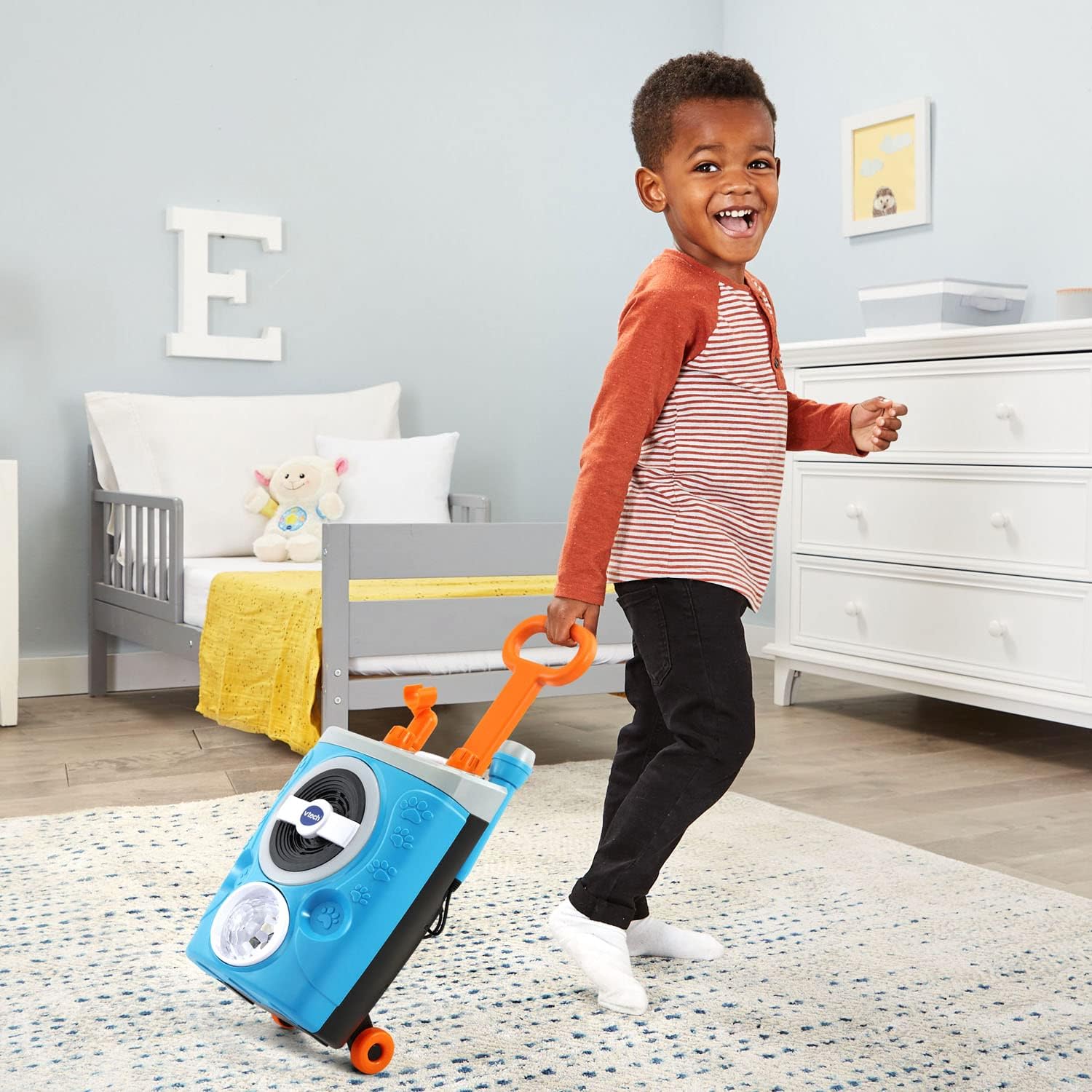
Image: A child demonstrating the portability of the karaoke machine by pulling it with its extended handle and wheels.
ይፋዊ የምርት ቪዲዮ
Video: An official VTech product video showcasing the features and fun of the Kidi Superstar Jr. Karaoke Machine, including music, lights, and portability.
ጥገና
- ማጽዳት፡ Wipe the surface of the karaoke machine with a slightly damp ጨርቅ. ኃይለኛ ኬሚካሎችን ወይም ሻካራ ማጽጃዎችን አይጠቀሙ.
- ማከማቻ፡ Store the unit in a cool, dry place away from direct sunlight when not in use. If storing for an extended period, remove the batteries.
መላ መፈለግ
| ችግር | መፍትሄ |
|---|---|
| ምንም ኃይል/ክፍል አይበራም። | Check battery installation and replace with new AA batteries if necessary. Ensure the power button is fully pressed. |
| ከማይክሮፎን ምንም ድምፅ የለም። | Ensure the microphone is securely plugged into the input jack. Check the microphone's on/off switch. Adjust the microphone volume knob. |
| No music playback. | Check the main volume knob. Ensure a song is selected or a Bluetooth device is properly connected and playing music. |
| ብሉቱዝ አይገናኝም። | Ensure Bluetooth mode is active on the karaoke machine and your external device. Make sure the device is within range and not connected to another Bluetooth device. |
| Party lights not working. | Press the Light Button to activate. Check battery levels. |
ዝርዝሮች
- የምርት መጠኖች: 7.48 x 9.06 x 14.96 ኢንች
- የእቃው ክብደት፡ 3.37 ፓውንድ
- የሞዴል ቁጥር፡- 80-552400
- አምራቹ የሚመከር ዕድሜ፡- 36 ወራት - 5 ዓመታት
- ባትሪዎች፡ 4 የ AA ባትሪዎች ያስፈልጋሉ (ለማሳያ ዓላማዎች ተካትተዋል)
- የምርት ስም፡ ቪቴክ
- ልዩ ባህሪ፡ Built-In Song Track, Bluetooth Connectivity, Voice Effects, Party Lights, Adjustable Mic Stand
- ቀለም፡ ሰማያዊ
ዋስትና እና ድጋፍ
For warranty information, product support, or to purchase replacement parts, please visit the official VTech website or contact VTech customer service directly. Keep your purchase receipt as proof of purchase for warranty claims.
የVTech የደንበኛ አገልግሎት፡ Refer to the contact information provided in your Quick Start Guide or on the VTech official webጣቢያ.